
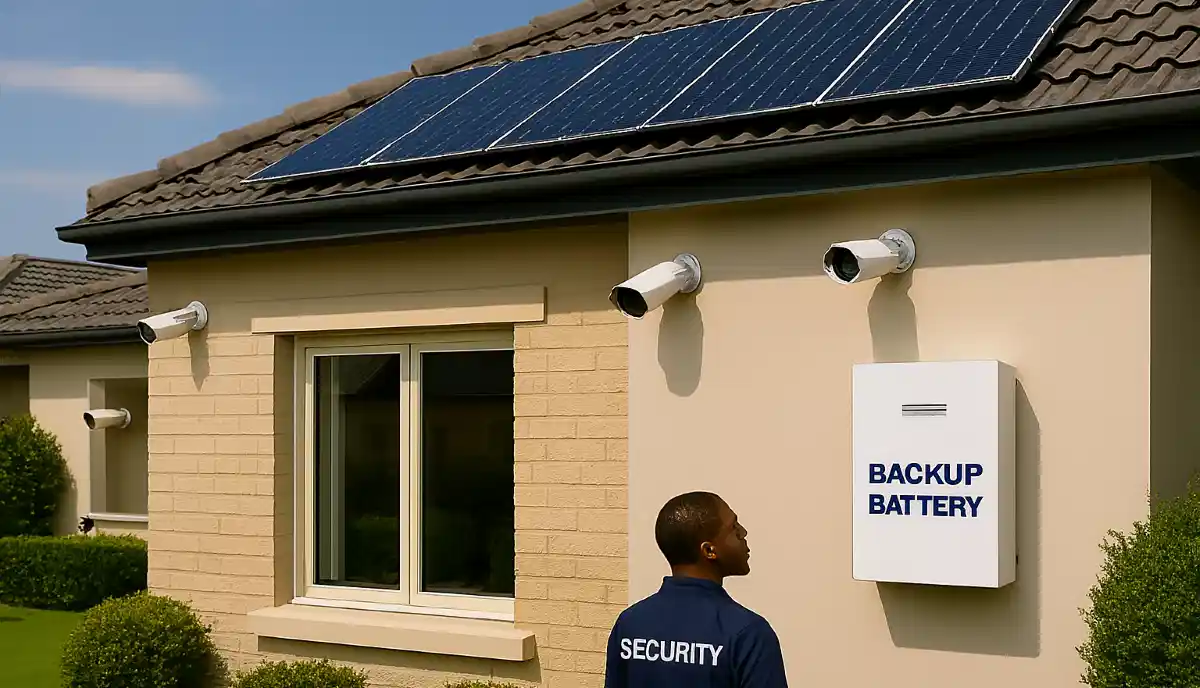
CCTV Loadshedding Backup & Solar Systems in South Africa
🔋⚡ Stage 6? Stage 8? Your CCTV system is useless without power. Here’s how to keep your cameras recording through every loadshedding stage, with UPS, battery, and solar solutions.
You’ve invested in a top-quality security system for your home in Sandton or your business in Cape Town. But when Eskom switches off the lights, your cameras switch off too – unless you’ve planned for it. Loadshedding is the single biggest threat to your CCTV system’s effectiveness in South Africa. Without power, your cameras are blind, your recorder is dead, and your property is vulnerable. This guide covers everything you need to know about CCTV loadshedding backup solar systems South Africa homeowners and business owners are using to stay protected. From simple UPS units to full solar integrations, we’ll help you choose the right solution for your needs and budget.
🔋 Make Your CCTV Loadshedding-Proof Today
Get free quotes from PSIRA-registered installers who specialise in backup power solutions for security systems. Don’t let the next blackout leave you unprotected.
Servicing Johannesburg, Pretoria, Cape Town, Durban, and all major areas
📋 Table of Contents – CCTV Backup Power Guide
🔌 Why Backup Power is Non-Negotiable in South Africa
With loadshedding now a permanent part of South African life, a CCTV system without backup power is a false sense of security. Here’s why:
- Blind Spots During Blackouts: Criminals are well aware of loadshedding schedules. Your property is most vulnerable when the lights (and cameras) go out.
- Camera Boot-Up Time: When power returns, cameras can take 30-60 seconds to reboot. That’s a critical window of opportunity for intruders.
- Power Surge Damage: The surge when Eskom restores power can fry your DVR/NVR and cameras. A UPS protects against this.
- Continuous Recording: Without backup, you lose footage during outages. A backup system ensures 24/7 recording, even during extended blackouts.
- Peace of Mind: Knowing your security system is always on, regardless of Eskom, is priceless.
For a deeper understanding of how loadshedding affects your system, see our CCTV maintenance guide which covers power-related issues.
🚨 Critical Warning: The power surge when electricity is restored after loadshedding is the #1 cause of CCTV system failure. A UPS is not just for backup – it’s essential surge protection. Never run your system without it.
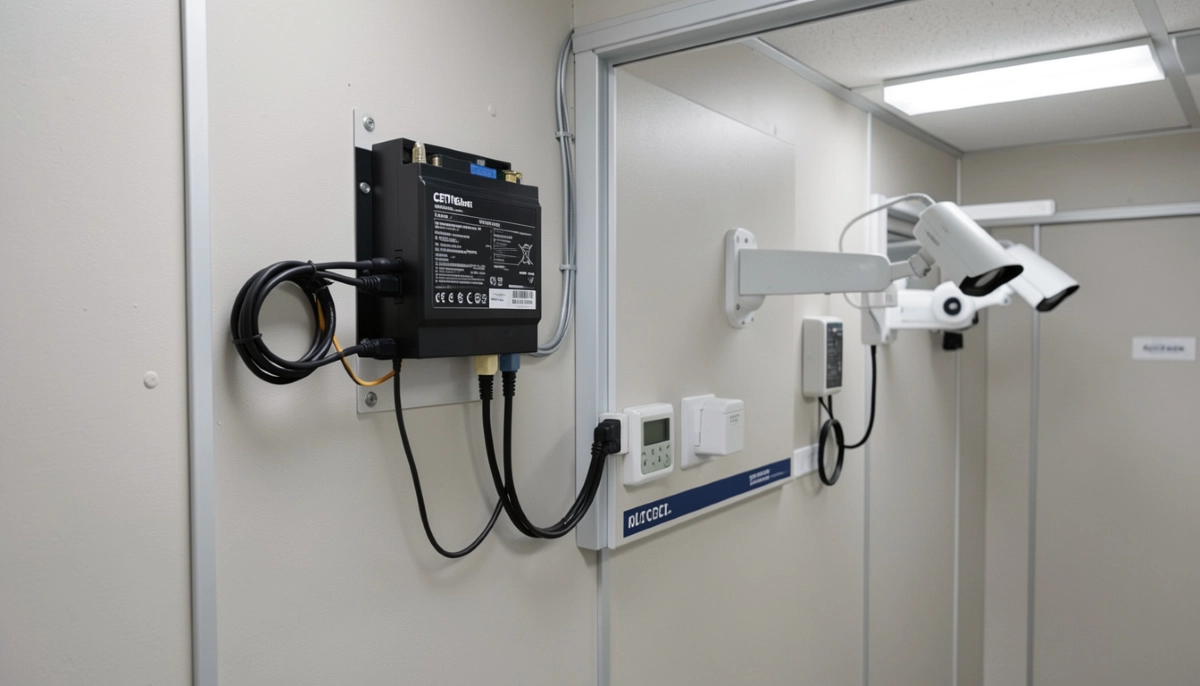
🔋 UPS Systems: The First Line of Defence
A UPS (Uninterruptible Power Supply) is a device that provides battery backup when mains power fails. For CCTV systems, it’s the most common and essential backup solution.
How a UPS Works:
- It constantly charges its internal battery from mains power.
- When mains power fails, it instantly switches to battery power (in milliseconds).
- Your CCTV system continues running seamlessly.
- It also conditions the power, protecting against surges and voltage fluctuations.
Types of UPS for CCTV:
- Standby UPS: Most common and affordable. Switches to battery when power fails. Suitable for most home systems.
- Line-Interactive UPS: Includes voltage regulation to handle brownouts without switching to battery. Better for areas with unstable power.
- Online UPS: Continuously powers equipment from the battery, providing perfect, clean power. Ideal for sensitive commercial systems.
📊 UPS Sizing: How Much Power Do You Need?
Choosing the right UPS size is critical. Too small, and it won’t last through loadshedding. Too large, and you’re wasting money.
Step 1: Calculate Your System’s Power Consumption
You need the total wattage of your CCTV system. Check the labels on:
- DVR/NVR (typically 30W-60W for home units, up to 200W for commercial)
- Cameras (PoE cameras draw power from the NVR/switch, so they’re included in that calculation)
- PoE switch (if separate, typically 30W-100W)
- Monitor (if you leave one on, but most don’t)
Example Calculation for a typical 4-camera home system:
- NVR (with built-in PoE): 40W
- 4 x IP cameras (powered by NVR): included above
- Total system draw: 40W
Step 2: Determine Required Runtime
Loadshedding stages in South Africa:
- Stage 2: 2-2.5 hours off, 4 times per day
- Stage 4: 4-4.5 hours off, 4 times per day
- Stage 6: 6-6.5 hours off, 4 times per day
Most homeowners aim for 4-6 hours of runtime to cover the longest potential outage.
Step 3: Choose UPS Capacity (VA/Wh)
UPS capacity is measured in VA (Volt-Amps) or Wh (Watt-hours). A simple formula:
- Watt-hours needed = System wattage × Desired runtime (hours)
- For 40W system × 4 hours = 160Wh
- UPS should be rated at least 20-30% higher to account for inefficiency and battery aging.
| System Size | Typical Power Draw | Recommended UPS Capacity (for 4hrs) | Estimated Cost |
|---|---|---|---|
| Small Home (4 cams) | 30-50W | 600-800VA / 300-400Wh | R 1,500 – R 2,500 |
| Medium Home (8 cams) | 60-100W | 1200-1500VA / 600-800Wh | R 2,500 – R 4,500 |
| Small Business (16 cams) | 150-250W | 2000-3000VA / 1000-1500Wh | R 4,500 – R 8,000 |
🔋 Deep Cycle Battery Systems: For Extended Outages
For longer runtime (12+ hours) or whole-home backup, a deep cycle battery system is a better solution than a standard UPS.
How It Works:
- A separate deep cycle battery (like a lithium or AGM battery) is connected to an inverter-charger.
- The inverter-charger keeps the battery charged from mains power.
- When mains fails, the inverter powers your CCTV system from the battery.
- Can be scaled with multiple batteries for days of runtime.
Advantages Over UPS:
- Much longer runtime: Can last through multiple loadshedding sessions.
- Scalable: Add more batteries as needed.
- Batteries are replaceable: Unlike many UPS units where the whole unit is replaced when batteries die.
Disadvantages:
- Higher upfront cost: R5,000 – R15,000+ depending on capacity.
- More complex installation: Requires professional setup.
- Takes more space: Batteries and inverter need dedicated space.
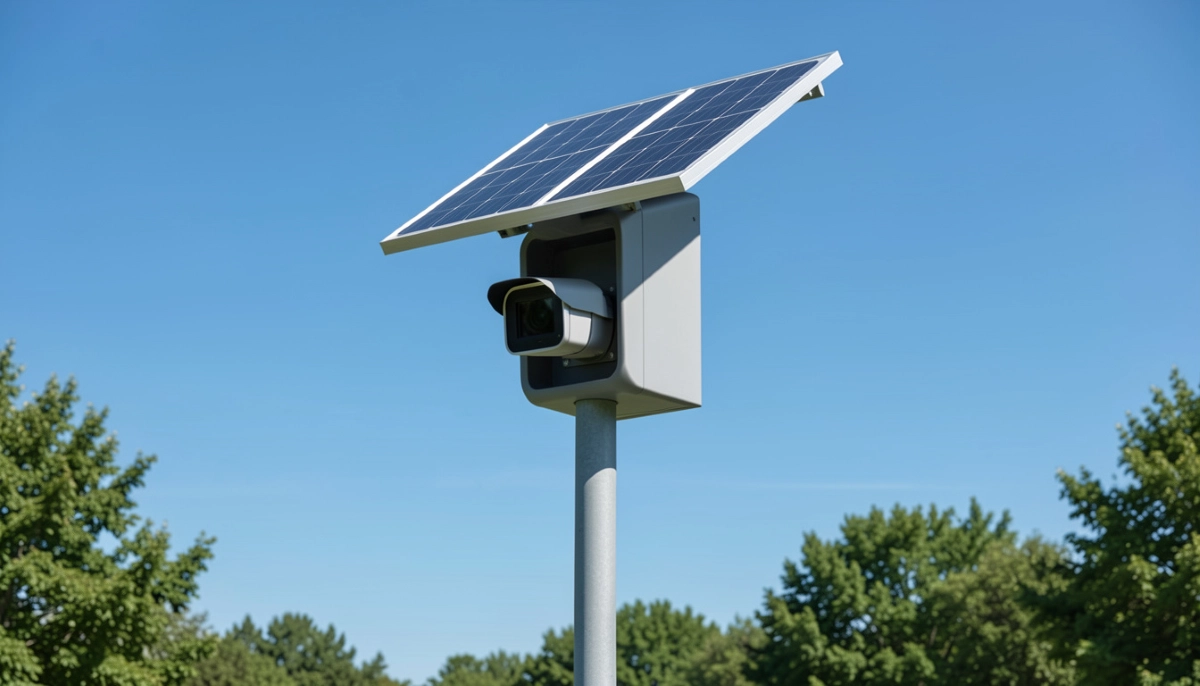
☀️ Solar Powered CCTV: The Ultimate Independence
For complete independence from Eskom, a solar-powered CCTV system is the ultimate solution. It’s particularly useful for:
- Remote locations like farmhouses in Emalahleni or game farms.
- Properties with frequent, long loadshedding.
- Eco-conscious homeowners who want to reduce grid dependence.
- Areas with unreliable grid power.
How Solar CCTV Works:
- Solar panels generate DC power during daylight.
- A charge controller regulates power to prevent overcharging.
- Power charges a deep cycle battery bank.
- An inverter converts DC to AC for your CCTV system (or you use DC-powered cameras).
- System runs on battery at night and during loadshedding, with panels recharging the batteries daily.
Specialised Solar CCTV Cameras:
Some manufacturers now offer cameras with built-in solar panels and batteries. These are ideal for:
- Perimeter cameras far from buildings.
- Temporary sites or construction areas.
- Areas where running power cable is impractical.
See our wireless CCTV page for more on standalone options.
Pro Tip: For most homeowners, a hybrid approach works best: a UPS for the main NVR and cameras, with solar as an option if you want total independence or have specific remote camera needs.
🔄 Hybrid Solutions: Combining UPS and Solar
A hybrid system gives you the best of both worlds: the simplicity of a UPS with the long-term sustainability of solar.
Typical Hybrid Setup:
- A hybrid inverter-charger manages power from grid, batteries, and solar.
- A battery bank (lithium or AGM) provides storage.
- Solar panels (optional but recommended) charge the batteries during the day.
- Your CCTV system plugs into the inverter’s output.
This setup can also power other critical loads like your WiFi router and alarm system, creating a complete security power solution.
Not Sure Which Backup Solution Fits Your Needs?
Every property is different. Get free, expert advice from PSIRA-registered installers who specialise in backup power for security systems. They’ll calculate your exact requirements and provide a tailored quote.
📶 PoE vs Wireless: Backup Power Considerations
Your choice of system type affects how you implement backup power.
✅ PoE (Wired) Systems – Easier to Back Up
- All cameras draw power from the central NVR or PoE switch.
- You only need to back up one device (the NVR/switch).
- A single UPS protects the entire system.
- Much simpler and more cost-effective.
⚠️ Wireless Systems – More Complex
- Each camera needs its own power source (plug or battery).
- You’d need multiple UPS units or battery backups for each camera – impractical.
- Battery cameras may have their own power, but WiFi router also needs backup.
- Much harder to keep whole system running.
This is another reason why wired PoE systems are recommended for serious security. See our wireless vs wired comparison for more.
💰 Backup Power Cost Breakdown
Here’s what you can expect to pay for different backup solutions (supply and professional installation):
| Solution | Typical Runtime | Estimated Cost (Supply & Install) | Best For |
|---|---|---|---|
| Basic UPS (600-800VA) | 2-4 hours | R 1,800 – R 3,000 | Small homes, Stage 2-4 coverage |
| Mid-Range UPS (1200-1500VA) | 4-6 hours | R 3,000 – R 5,000 | Medium homes, Stage 4-6 coverage |
| Deep Cycle Battery System | 8-24 hours | R 6,000 – R 15,000 | Large homes, businesses, long outages |
| Solar + Battery System | 24/7 (with sun) | R 15,000 – R 40,000+ | Total independence, remote locations |
Many installers offer pay-later options to help with the upfront cost.
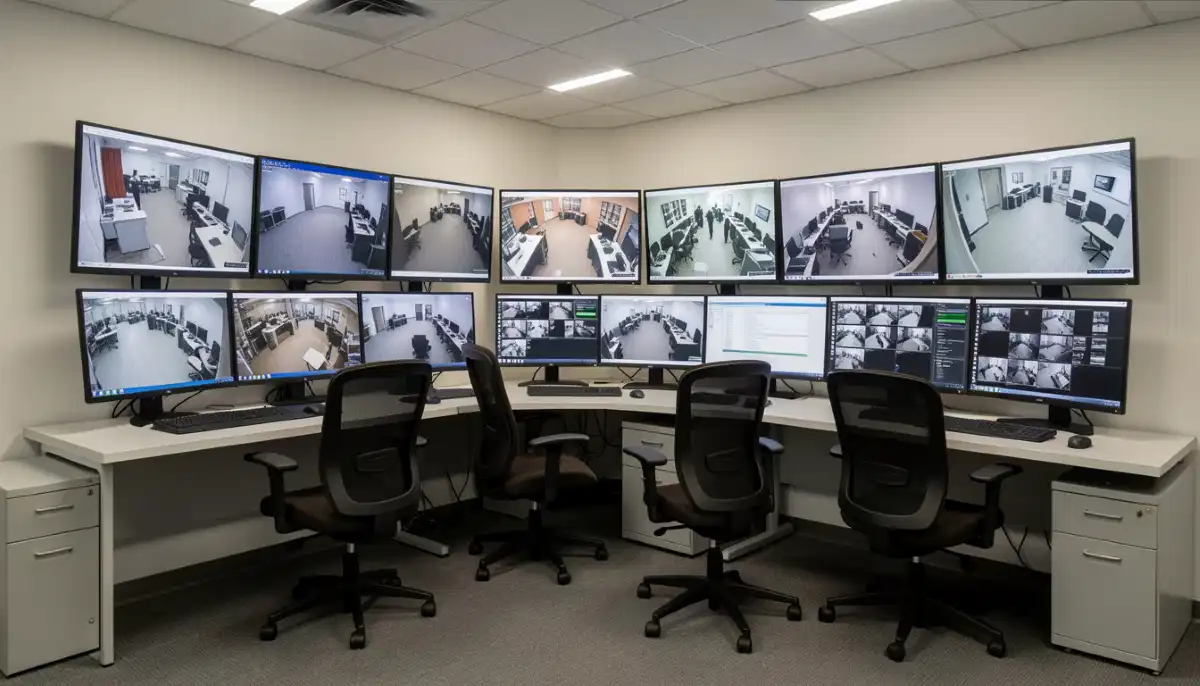
🔧 Professional Installation Considerations
Backup power systems, especially larger ones, should be installed by qualified professionals. Here’s why:
- Electrical Safety: Incorrect wiring can cause fires or electrocution. Installers follow SANS 10142-1 electrical standards.
- Correct Sizing: A professional will calculate your exact power needs and recommend the right equipment.
- Battery Handling: Deep cycle batteries contain hazardous materials and must be handled correctly.
- Integration: They’ll ensure the backup system integrates seamlessly with your existing CCTV and home network.
- Warranty: Professional installation ensures your equipment warranties remain valid.
Always hire a PSIRA-registered installer with experience in backup systems. Our installer vetting guide can help you choose the right one.
📊 Backup Needs by Loadshedding Stage
Your backup requirements depend on how much loadshedding you experience in your area. Consult Eskom’s loadshedding schedules for your area.
- Stage 1-2 (2-2.5 hour outages): A basic UPS with 3-4 hour runtime is sufficient.
- Stage 3-4 (4-4.5 hour outages): A larger UPS or small battery system with 6-8 hour runtime recommended.
- Stage 5-6 (6-6.5 hour outages): A deep cycle battery system with 8-12 hour runtime or solar integration is ideal.
- Stage 7-8 (8+ hour outages): Only a substantial battery bank or full solar system will keep you protected.
⚡ Understanding CCTV Power Consumption
Knowing how much power your system uses helps you size backup correctly.
Typical Power Draw:
- IP Camera (2MP-4MP): 4W – 8W each
- IP Camera (4K): 8W – 15W each
- PTZ Camera: 15W – 30W each (more when moving)
- 8-Channel NVR (with PoE): 30W – 60W (includes camera power)
- 16-Channel NVR: 60W – 100W
- PoE Switch (8-port): 30W – 60W (if separate from NVR)
Example: 8-camera 4K system with NVR
- 8 cameras @ 12W = 96W
- NVR (excluding camera power) = 20W
- Total system draw = 116W
For 4 hours of runtime, you need: 116W × 4h = 464Wh of usable battery capacity. Add 20% buffer = ~550Wh.
⚡ Surge Protection: Don’t Skip This
As mentioned earlier, power surges when Eskom restores power are devastating to electronics. A UPS provides basic surge protection, but for comprehensive protection:
- Install a whole-house surge protector at your distribution board. This protects all your electronics, not just CCTV.
- Use surge-protected plug strips for additional protection.
- Ensure your UPS has built-in surge protection – most do, but check specifications.
- Consider ethernet surge protectors for cables running between buildings, as surges can travel through network cables.
The Department of Energy provides guidelines on protecting appliances during loadshedding.
⚠️ Critical: A single power surge can destroy thousands of rands worth of CCTV equipment. Investing in proper surge protection is as important as the backup power itself. Never skip this.
🛠️ Maintaining Your Backup Power System
A backup system needs regular maintenance to work when you need it. Include these checks in your CCTV maintenance routine:
- Test monthly: Unplug mains power and verify the system runs on battery for the expected time.
- Check batteries: Lead-acid batteries need water top-ups every 6-12 months (if not sealed).
- Clean vents: Ensure UPS and inverter vents are dust-free to prevent overheating.
- Monitor battery age: UPS batteries typically last 2-4 years. Deep cycle batteries last 4-8 years. Replace proactively.
- Check connections: Ensure all cables are tight and corrosion-free.
- Test under load: Occasionally run the system on battery for a full discharge cycle to keep batteries healthy.
❌ Common Backup Power Mistakes to Avoid
- Buying a UPS that’s too small: A 350VA UPS won’t power a 4-camera system for more than 30 minutes. Always calculate your needs.
- Plugging non-essential devices into the UPS: Your UPS should power ONLY your CCTV system. Adding monitors, lights, or other devices drains battery quickly.
- Forgetting about the WiFi router: If your NVR runs on backup but your router doesn’t, you lose remote viewing. Consider backing up your router too.
- Skipping surge protection: As mentioned, this is critical and often overlooked.
- Ignoring battery maintenance: Dead batteries provide no backup. Test and replace as needed.
- DIY installation of complex systems: Large battery and solar systems involve high voltages and fire risks. Always use qualified professionals.
- Not considering future expansion: If you might add more cameras, buy a UPS with extra capacity now.
- Choosing a modified sine wave UPS for sensitive equipment: Some cheaper UPS units output “modified sine wave” power, which can cause issues with some NVRs. Choose pure sine wave for sensitive electronics.
❓ Frequently Asked Questions
How long will a UPS keep my CCTV running during loadshedding?
It depends on your system’s power draw and the UPS capacity. A typical home system (4 cameras) on a 1000VA UPS will run for 2-4 hours. For longer runtime, you need a larger UPS or a deep cycle battery system. Calculate using the formula in Section 3 above.
Can I use a car battery to power my CCTV during loadshedding?
Not recommended. Car batteries are designed for short, high-current bursts to start engines, not for deep discharging. Using one will damage it quickly and may not provide stable power. Use deep cycle batteries (leisure or solar batteries) designed for this purpose.
What size UPS do I need for an 8-camera system?
An 8-camera system typically draws 80-150W depending on resolution and NVR. You’ll need a 1200-2000VA UPS (roughly 600-1000Wh capacity) for 4-6 hours of runtime. Always calculate your exact power draw for accuracy.
Will a solar panel keep my CCTV running 24/7?
A properly sized solar system with adequate battery storage can run your CCTV 24/7, completely off-grid. During the day, panels power the system and charge batteries. At night, batteries take over. This requires professional design to ensure enough capacity for cloudy days and overnight use.
Do I need to back up my WiFi router as well?
Yes, for remote viewing. If your NVR is on backup power but your router isn’t, you won’t be able to access your cameras remotely during loadshedding. Consider plugging your router and fibre modem into the same UPS or a separate one. Some UPS units have multiple outlets for this purpose.
How much does a solar-powered CCTV system cost?
A complete solar system for CCTV (panels, charge controller, batteries, inverter) starts at around R15,000 for a basic setup and can go up to R40,000+ for larger systems with lithium batteries and higher capacity. This is a significant investment but provides total independence.
What’s the difference between pure sine wave and modified sine wave UPS?
Pure sine wave provides clean power identical to grid electricity, safe for all sensitive electronics. Modified sine wave is a cheaper, choppier waveform that can cause issues with some NVRs, cameras, and motors. Always choose pure sine wave for CCTV systems.
How often should I replace my UPS battery?
UPS batteries typically last 2-4 years depending on usage and ambient temperature. If your runtime has significantly decreased or the UPS beeps frequently, it’s time to replace the battery. Some UPS units have user-replaceable batteries; others require professional replacement.
Can I connect multiple UPS units together for longer runtime?
It’s not recommended to connect UPS outputs together. Instead, buy a single larger UPS or a deep cycle battery system. If you have multiple devices, you can plug each into its own UPS, but managing multiple units is cumbersome.
✅ Final Thoughts: Keep Your Security Watching 24/7
Loadshedding is a reality in South Africa, but it doesn’t have to mean your security goes dark. With the right backup power solution, your CCTV system can keep recording through every outage, giving you true 24/7 protection.
Your 3-Step Backup Action Plan:
- Calculate Your Power Needs: Determine your system’s wattage and desired runtime.
- Choose Your Solution: UPS for basic coverage, deep cycle batteries for extended runtime, or solar for total independence.
- Hire a Professional: Get a qualified, PSIRA-registered installer to design and install your system correctly.
🔒 The Bottom Line:
A small investment in backup power
ensures your security system works when you need it most – during the blackout
Ready to Make Your CCTV Loadshedding-Proof?
Don’t wait for the next blackout to discover your system is vulnerable. Connect with trusted, PSIRA-registered installers who specialise in backup power solutions.
📞 Call our backup power helpline: 073 138 4726
📚 Official Resources:
- Eskom – Loadshedding schedules and information.
- SABS – SANS 10142-1 for electrical installations.
- Department of Energy – Energy resilience guidelines.
This guide is for informational purposes. Always consult with a qualified professional for your specific backup power needs.
Written by: ServiceLink SA Research Team
Specialists in South African security and energy resilience.
Our team has helped hundreds of South African homeowners and businesses navigate loadshedding challenges. We combine technical expertise with practical experience to provide reliable, actionable advice for keeping your security systems running through every outage.