
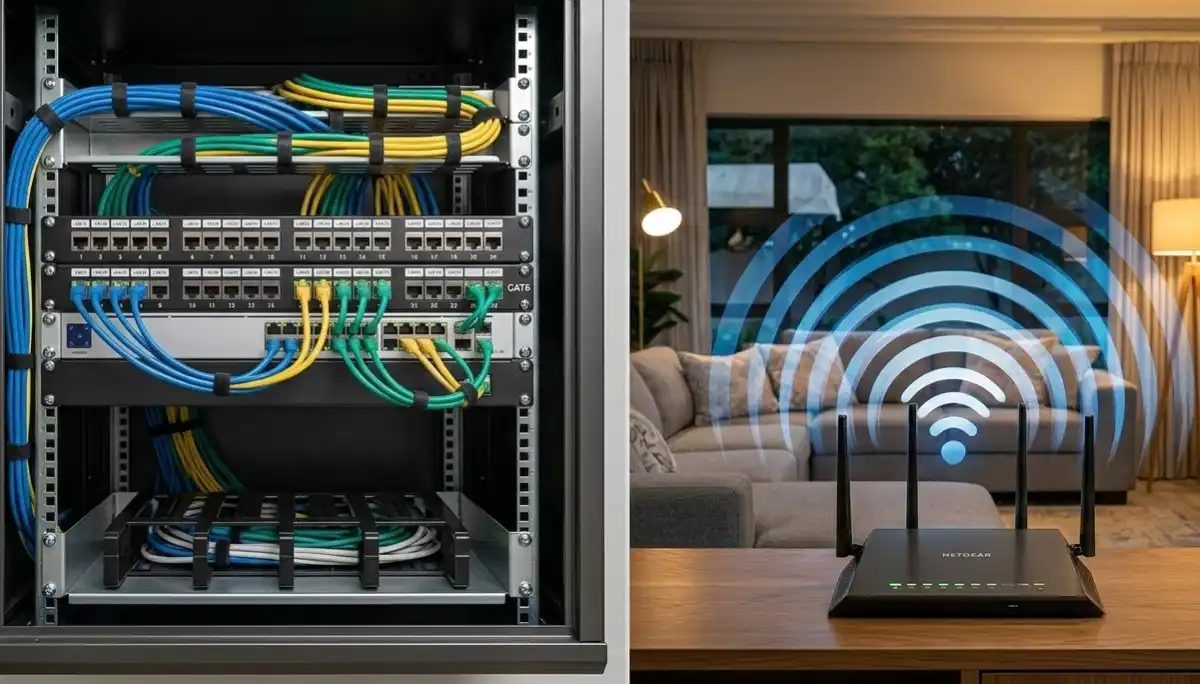
Ethernet Wiring vs Wireless South Africa –Verified Performance Comparison
🔌 Your gamer son demands wired connection. Your wife wants WiFi everywhere. Your home office needs reliability. Here’s how to choose between Ethernet and wireless in South Africa.
You’re setting up your home in Sandton and facing a dilemma: should you run Ethernet cables through the walls, or trust modern WiFi to handle everything? Your gamer son insists wired is better. Your wife wants to move her laptop anywhere. Your home office needs rock-solid reliability for video calls.
The ethernet wiring vs wireless South Africa debate isn’t about which is “better” – it’s about understanding the trade-offs and choosing the right mix for your specific needs. Both have their place in modern homes.
This comprehensive guide compares Ethernet and WiFi across every metric that matters: speed, latency, reliability, security, convenience, and cost. We’ll help you decide where to run cables, where to rely on wireless, and how to combine both for the ultimate home network.
If you’re ready for professional installation, explore our Services Overview or visit our Ethernet wiring page to find cabling specialists near you. For more on how we work, see How It Works.
📡 INDUSTRY STANDARDS: Structured cabling should follow TIA/EIA standards. Professional installation ensures compliance and certification, often verified with Fluke Networks testing equipment.
Need Ethernet Cabling or WiFi Optimisation?
Get free, no-obligation quotes from vetted network specialists who can install structured cabling or optimise your wireless network.
Servicing Johannesburg, Pretoria, Cape Town, Durban, and nationwide
📋 Table of Contents – Ethernet vs Wireless Guide
🔌 Ethernet Basics – What You Need to Know
Ethernet is wired networking – physical cables connecting your devices to your router or switch. It’s been the gold standard for reliability since the beginning of home networking.
Key Components
- Cables: Cat5e, Cat6, Cat6a – different performance levels
- Wall plates: Where cables terminate in each room
- Keystone jacks: The actual ports in wall plates
- Patch panel: Central termination point in your network cabinet
- Switch: Connects all the wired devices together
- Router: Connects your network to the internet
How It’s Installed
Cables are run through walls, ceilings, or under floors during construction or renovation. They terminate in wall plates in each room, giving you a physical port to plug into.
Professional ethernet wiring ensures cables are run correctly, terminated properly, and tested for performance.
Learn more about our approach on our About Us page or read why clients choose us on our Benefits page.
📶 Wireless Basics – Modern WiFi Capabilities
WiFi has evolved dramatically. Modern systems like mesh WiFi can deliver impressive performance across entire homes.
Key Technologies
- WiFi 5 (AC): Current standard, good for most homes
- WiFi 6 (AX): Newer, faster, better handling of multiple devices
- Mesh systems: Multiple nodes for whole-home coverage
- Beamforming: Focuses signal toward connected devices
- MU-MIMO: Handles multiple devices simultaneously
- Band steering: Guides devices to best frequency band
What Modern WiFi Can Achieve
- Speed: Up to 1Gbps+ in ideal conditions (WiFi 6)
- Coverage: Whole homes up to 500m² with mesh
- Devices: 50+ devices simultaneously with quality equipment
- Reliability: Greatly improved over older WiFi
Professional WiFi optimisation ensures you get the most from your wireless network.
⚡ Is Ethernet Faster Than WiFi? The Speed Truth
The short answer: yes, Ethernet is faster. But the gap has narrowed with modern WiFi.
Maximum Speeds
- Ethernet (Cat5e): 1Gbps (gigabit) up to 100 metres
- Ethernet (Cat6): 10Gbps up to 55 metres
- WiFi 5 (AC): Theoretical up to 3.5Gbps, real-world 200-600Mbps
- WiFi 6 (AX): Theoretical up to 9.6Gbps, real-world 400-900Mbps
Real-World Performance
WiFi speeds are affected by distance, walls, interference, and number of connected devices. Ethernet delivers consistent, full speed every time. In a typical South African home:
- Next to router (WiFi 6): 80-90% of wired speed
- One room away: 50-70% of wired speed
- Two rooms away: 20-40% of wired speed
- Ethernet anywhere: 100% of wired speed, always
For maximum speed to fixed devices like smart TVs, gaming consoles, and desktop PCs, Ethernet wins every time.
⏱️ Latency Comparison – Gaming & Video Calls
Latency (ping) is the time data takes to travel. For gaming and video calls, low latency matters as much as speed.
Typical Latency
- Ethernet: 1-3ms (milliseconds) within network, 5-20ms to internet
- WiFi: 3-10ms within network, plus additional 2-10ms to internet
Why Latency Matters
- Gaming: Higher latency means lag – you press a button, action happens later. Competitive gamers demand Ethernet.
- Video calls: High latency causes delays, awkward conversations, echoes.
- Voice over IP: High latency makes calls difficult.
Gaming wired vs wireless – The Verdict
For serious or competitive gaming, Ethernet is non-negotiable. The consistency and low latency of a wired connection provides a noticeable advantage. For casual gaming, modern WiFi 6 is often acceptable.
📊 Reliability – Packet Loss & Jitter
Beyond speed and latency, reliability metrics like packet loss and jitter affect your experience.
Packet Loss
When data packets don’t reach their destination. Causes retransmissions, stuttering in video calls, lag in games.
- Ethernet: Near-zero packet loss in properly installed cabling
- WiFi: Can experience packet loss due to interference, distance, congestion
Jitter
Variation in latency. Causes inconsistent performance – video calls freeze, then catch up.
- Ethernet: Very low, consistent jitter
- WiFi: Can have significant jitter, especially in congested environments
Real-World Impact
For streaming video, a little packet loss or jitter might go unnoticed. For video calls, gaming, or remote desktop, it’s immediately noticeable and frustrating. Ethernet provides the consistency these applications need.
🔒 Security – Wired vs Wireless Risks
Both have security considerations:
Ethernet Security
- Physical access required: Someone must physically plug into your network to access it
- No signal leakage: Data stays in the cable
- Harder to intercept: Much more difficult to eavesdrop on wired connections
- Ideal for sensitive devices: Financial systems, servers, critical infrastructure
WiFi Security
- Signal broadcasts: Can be received outside your home if not properly secured
- Encryption required: WPA2 or WPA3 essential – without it, anyone can connect
- Vulnerabilities: WiFi protocols have had security flaws (though modern ones are secure)
- Guest networks: Essential to keep visitors separate from your main devices
Best Practice
Use strong encryption (WPA3 if available), a good password, and a separate guest network for visitors. For truly sensitive devices, wire them. See our network security guide for more.
🚶 Convenience & Mobility – Where WiFi Wins
This is where WiFi has no competition.
WiFi Advantages
- Mobility: Use your laptop anywhere – lounge, bedroom, garden
- No cables: No tripping hazards, no drilling through walls
- Multiple devices: Connect phones, tablets, IoT devices easily
- Instant connection: No plugging in – just connect and go
- Guests: Easy to share internet with visitors
Ethernet Limitations
- Fixed location – device must stay near the wall port
- Installation requires planning and construction work
- Not suitable for mobile devices
- Cables can be unsightly if not properly installed
For homes in Fourways and Cape Town with mobile lifestyles, WiFi is essential. The key is combining both where each makes sense.
💰 Ethernet Cabling Cost Per Drop South Africa
Understanding ethernet cabling cost per drop South Africa helps you budget for wired networking.
Complete Cost Breakdown
| Cable Type | Standard Drop (Single Storey) | Complex Drop (Two Storey, Through Walls) | Difficult Drop (Concrete, Long Runs) |
|---|---|---|---|
| Cat5e | R800 – R1,200 | R1,200 – R1,600 | R1,600 – R2,200 |
| Cat6 | R900 – R1,400 | R1,400 – R1,900 | R1,900 – R2,500 |
| Cat6a (10Gbps) | R1,200 – R1,800 | R1,800 – R2,400 | R2,400 – R3,200 |
Additional Costs
- Wall plate and keystone jack: R100 – R250 per drop
- Patch panel termination (per port): R150 – R300
- Network switch (if needed): R300 – R2,000+ depending on ports
- Site survey: R500 – R1,000 (often free with installation)
- Travel fee: R200 – R500 for outlying areas
Example Project Costs
- 4 drops, Cat6, standard installation: R4,000 – R6,000
- 8 drops, Cat6, new home construction: R7,000 – R12,000
- 12 drops, Cat6a, large home with patch panel: R15,000 – R25,000
Get accurate quotes for your specific home using our free quote system.
🎮 Gaming Wired vs Wireless – What Gamers Need
For gamers, the choice is clear. Here’s why:
Why Ethernet Wins for Gaming
- Lower latency: Every millisecond matters in competitive games
- No packet loss: Wired connections don’t drop packets like WiFi can
- Consistent performance: No interference from neighbours or household devices
- No jitter: Smooth, predictable response times
- Full bandwidth: Get your full internet speed, not a fraction
When WiFi Might Be OK for Gaming
- Casual, single-player games where lag isn’t critical
- You’re close to router with strong signal and minimal interference
- You have quality WiFi 6 equipment
- You’re not playing competitive online games
Verdict: Serious gamers should run Ethernet to their gaming PC or console. It’s worth the investment.
🔌 Cat6 vs Cat5e – Which Cable to Choose?
The Cat6 vs Cat5e decision affects future-proofing and performance.
| Feature | Cat5e | Cat6 | Cat6a |
|---|---|---|---|
| Maximum speed | 1Gbps | 10Gbps (to 55m) | 10Gbps (to 100m) |
| Bandwidth | 100MHz | 250MHz | 500MHz |
| Cost per drop | R800-R2,200 | R900-R2,500 | R1,200-R3,200 |
| Future-proof | Good for now, but 1Gbps limit | Excellent – 10Gbps ready | Maximum future-proof |
| Best for | Budget, current needs | Most homes, future-proofing | Large homes, commercial, 10Gbps now |
Recommendation: For most South African homes, Cat6 is the sweet spot – affordable now and ready for 10Gbps internet when it arrives. The small extra cost over Cat5e is worth it.
🏗️ Structured Cabling Benefits – Beyond Just Internet
Structured cabling means running cables to key locations during construction or renovation. Benefits extend far beyond internet:
- Future-proofing: Wired infrastructure lasts decades – wireless standards change every few years
- Whole-home wired network: Every room has ports for any need
- Perfect WiFi: Ethernet to access point locations gives best wireless performance
- Home office: Rock-solid connection for work-from-home
- Entertainment: Wired smart TVs, streaming devices, gaming consoles
- Smart home: Reliable connection for hubs, cameras, controllers
- Resale value: Wired homes appeal to tech-savvy buyers
If you’re building or renovating in Bryanston or Umhlanga, structured cabling is a wise investment.
🪟 Wall Plate Termination & Keystone Jacks – The Finishing Touch
Professional installation includes proper wall plate termination with keystone jacks.
Why It Matters
- Clean appearance: No cables dangling from holes in walls
- Professional finish: Matches electrical outlets
- Reliable connection: Properly terminated jacks ensure good contact
- Easy moves: Plug and unplug without disturbing cable
- Labelling: Each port can be labelled for easy identification
The Process
Cable runs from central location to wall box, terminated into keystone jack, mounted in wall plate. Other end goes to patch panel in network cabinet.
Professional installers use punch-down tools and test each connection with certification equipment.
📦 Patch Panels – Centralising Your Network
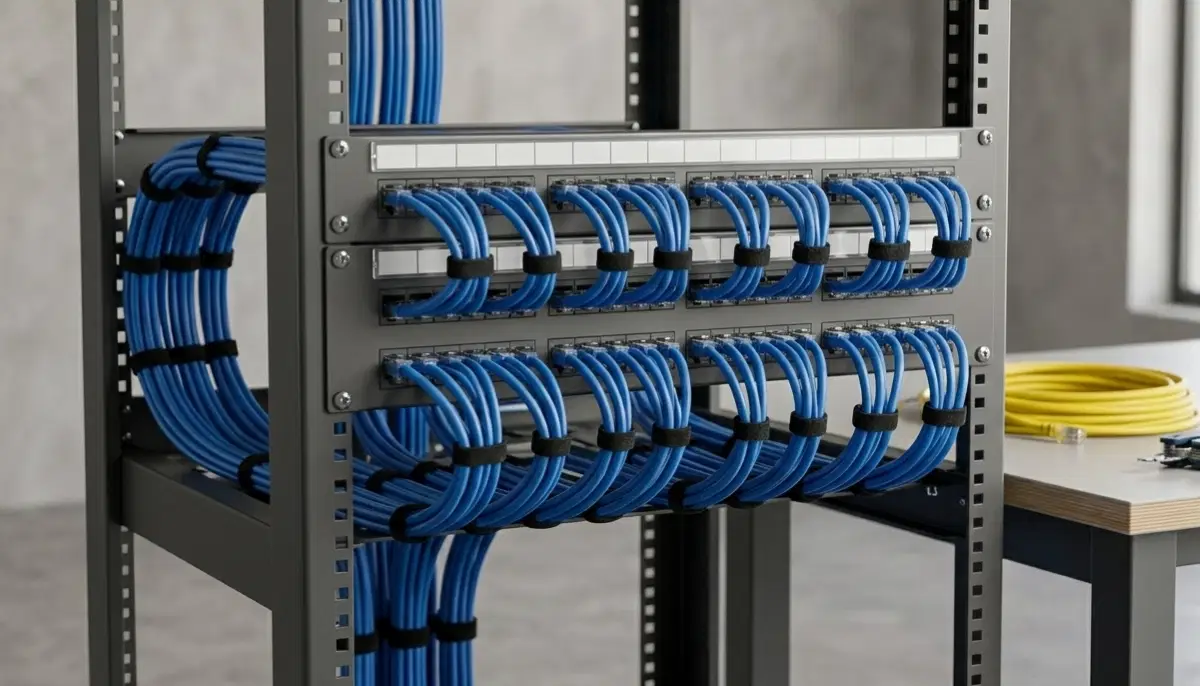
A patch panel is where all your Ethernet cables terminate in a central location. It’s the heart of your structured cabling system.
Benefits
- Organisation: All cables end in one place, neatly arranged
- Flexibility: Easily connect any port to your switch with short patch cables
- Protection: Solid termination protects the permanent cabling
- Troubleshooting: Central point for testing and diagnosis
- Future expansion: Add new switches or equipment easily
Typical Setup
12-port, 24-port, or 48-port patch panel mounted in a cabinet or rack. Each port corresponds to a wall plate somewhere in your home. Short patch cables connect patch panel to network switch.
🤝 The Hybrid Approach – Best of Both Worlds
Most modern homes benefit from a hybrid approach: wire what you can, use WiFi for everything else.
What to Wire
- Fixed devices: Smart TVs, gaming consoles, desktop PCs
- Access points: Run Ethernet to where you’ll place WiFi nodes
- Home office: For reliable video calls and work
- Streaming devices: Apple TV, Chromecast, etc. (if near TV)
- Network equipment: Router, switch, patch panel location
What to Use WiFi For
- Laptops, phones, tablets
- IoT devices (smart speakers, lights, sensors)
- Guest devices
- Areas where cabling impractical
- Temporary devices
This approach gives you the reliability of Ethernet where it matters and the convenience of WiFi everywhere else. It’s what professionals recommend for most homes.
✅ When to Choose Ethernet
Choose Ethernet when:
- Maximum speed and reliability are critical
- You’re a serious gamer (low latency matters)
- You work from home with video calls
- The device is fixed in one location (TV, desktop, console)
- You’re building or renovating – easiest time to run cables
- You need security (sensitive data)
- WiFi is unreliable in that location
- You’re installing WiFi access points (wire them for best performance)
📶 When to Choose Wireless
Choose wireless when:
- You need mobility (laptops, phones, tablets)
- The device moves around the house
- Running cables is impractical or too expensive
- You’re renting and can’t modify walls
- You have many portable devices
- You need to provide guest access
- Performance requirements are moderate
🔮 Future-Proofing Your Home Network
Technology evolves, but cables last decades. Here’s how to future-proof:
- Install Cat6 or Cat6a: Ready for 10Gbps internet when available
- Run more drops than you need: Extra ports in key rooms for future devices
- Run conduit: Makes future cable upgrades easy
- Centralise: Good-sized network cabinet with power and ventilation
- Plan for access points: Ethernet to ceiling locations for future WiFi
- Consider fibre: For very long runs or ultimate future-proofing
Professional network design can help you plan for future needs.
📍 Regional Considerations by City
📶 Johannesburg & Sandton
In Johannesburg and Sandton, high-density living makes wired backhaul for mesh systems particularly valuable. WiFi interference is high – wiring access points eliminates wireless backhaul issues.
📶 Pretoria & Fourways
In Pretoria and Fourways, larger properties with thick walls benefit from Ethernet to key locations. Wiring home offices and entertainment areas ensures reliable performance.
📶 Cape Town & Stellenbosch
In Cape Town and Stellenbosch, multi-storey homes benefit from Ethernet runs between floors. Wiring each floor’s access point ensures strong signal throughout.
📶 Durban & Umhlanga
In Durban and Umhlanga, open-plan coastal homes can use Ethernet for entertainment areas and home offices while relying on WiFi for mobile devices.
❌ 8 Common Ethernet & Wireless Mistakes
Avoid these common errors:
- Mistake #1: Not running enough cables during construction. Adding cables later is much more expensive. Run more than you think you need.
- Mistake #2: Using Cat5e when Cat6 costs slightly more. For the small price difference, Cat6 is worth it for future-proofing.
- Mistake #3: Poor termination. Badly terminated cables cause intermittent issues. Professional installation ensures proper termination.
- Mistake #4: Not testing cables after installation. Always test each run – professionals use certification tools.
- Mistake #5: Assuming WiFi will handle everything. For fixed devices, Ethernet is always better. Don’t rely solely on WiFi.
- Mistake #6: Placing router in bad location. Even with Ethernet backhaul, router placement matters for wireless coverage.
- Mistake #7: Ignoring structured cabling for new builds. Building is the perfect time – don’t miss the opportunity.
- Mistake #8: Not labelling cables. In a year, you won’t remember which cable goes where. Label everything.
Professional installation avoids these pitfalls. See our contractor guide for choosing the right expert.
❓ Frequently Asked Questions
Is Ethernet faster than WiFi?
Yes, is Ethernet faster than WiFi – Ethernet provides full, consistent speeds up to 1Gbps (Cat5e) or 10Gbps (Cat6). WiFi speeds vary based on distance, walls, and interference, typically achieving 50-80% of wired speed near the router and less further away. For maximum speed to fixed devices, Ethernet wins every time.
How much does Ethernet cabling cost in South Africa?
Ethernet cabling cost per drop South Africa ranges from R800-R2,500 depending on complexity. Standard drops (single storey, accessible ceiling) cost R800-R1,400. Complex drops (two storey, through walls) cost R1,200-R2,500. Additional costs for wall plates, patch panels, and switches. Get multiple quotes for accurate pricing.
Is Ethernet better for gaming?
Gaming wired vs wireless – Ethernet is significantly better for gaming. It provides lower latency (1-3ms vs 3-10ms+), no packet loss, consistent performance, and full bandwidth. Competitive gamers should always use Ethernet. For casual gaming, modern WiFi 6 may be acceptable if you’re close to the router.
Should I get Cat5e or Cat6 cable?
In the Cat6 vs Cat5e decision, choose Cat6 for most homes. Cat6 supports 10Gbps (to 55m) vs Cat5e’s 1Gbps limit. The cost difference is small (R100-R300 per drop), and Cat6 future-proofs your network for faster internet speeds. For very long runs or maximum future-proofing, consider Cat6a.
Can I mix Ethernet and WiFi in my home?
Absolutely – a hybrid approach is best. Use Ethernet for fixed devices (TVs, gaming consoles, desktop PCs, access points) where performance matters most. Use WiFi for mobile devices (laptops, phones, tablets) and guests. This gives you the reliability of wired where needed and convenience of wireless everywhere else.
Do I need Ethernet if I have mesh WiFi?
Even with mesh WiFi, Ethernet is valuable. You can wire mesh nodes (wired backhaul) for maximum performance. You can wire fixed devices to offload them from WiFi, freeing bandwidth for mobile devices. Many mesh systems have Ethernet ports on nodes – using them improves overall network performance.
What is structured cabling?
Structured cabling benefits include a organised, future-proofed network with Ethernet ports in every room. It involves running cables from a central patch panel to wall plates throughout your home, following industry standards. This infrastructure supports internet, phones, TVs, and more for decades.
Should I run Ethernet during building or renovation?
Yes – this is the best time. Running cables in open walls is much cheaper and easier than after construction. Plan for more drops than you think you need (at least 2 per main room). Consider conduit for future upgrades. The cost during building is minimal compared to retrofitting later.
✅ Final Thoughts – Your Ethernet vs Wireless Action Plan
The ethernet wiring vs wireless South Africa decision isn’t either/or – it’s about using each where it makes sense. A well-designed home network combines both for the best experience.
Key takeaways:
- Ethernet wins on speed, latency, reliability, security – use it for fixed devices
- WiFi wins on convenience and mobility – use it for portable devices
- Hybrid approach is best – wire what you can, WiFi for the rest
- Cat6 is the sweet spot – future-proof without breaking budget
- Install during construction – cheapest time to add cabling
- Professional installation matters – proper termination and testing ensure performance
🔌 The Bottom Line:
R800 – R2,500 per drop
is what Ethernet cabling costs – a one-time investment for decades of perfect performance where it matters most.
Your 5-Step Action Plan
- Identify your needs – which devices are fixed? which move?
- Plan your wired locations – TVs, consoles, PCs, access points
- Decide on cable type – Cat6 recommended for most
- Get professional quotes – use our free quote system
- Schedule installation – ideally during construction or renovation
Ready for the Perfect Home Network?
Whether you need Ethernet cabling, WiFi optimisation, or both – connect with trusted specialists who will design and install the ideal solution for your home.
📞 Call us: 073 138 4726 for personalised assistance
Free site surveys •
Beat-your-quote guarantee •
Our guarantees
📚 Official resources & standards:
- TIA/EIA – Structured cabling standards and specifications
- Fluke Networks – Cabling certification and testing equipment
- Cisco – Enterprise network design principles
Information accurate as of publication. Prices are indicative and may vary by location and installer. This guide is for informational purposes.
Written by: Innocent T Hanyani
21+ years construction and digital industry experience, ServiceLink SA
Innocent has designed and installed structured cabling for hundreds of South African homes, from new builds to renovations. His expertise with TIA/EIA standards and certification ensures this guide reflects professional best practices.