
Confused About Your Fibre ONT and Router?
Get professional help from local specialists who understand fibre ONT router explained and fibre on router configuration.
Servicing Krugersdorp, Bloubergstrand, Port Shepstone, and across South Africa
How Fibre ONT and Router Work Together Explained: The Complete Guide
🔌 Two devices, one connection—here’s exactly how your fibre internet works.
You’ve got fibre internet installed. There’s a small white box on your wall (the ONT) and a router with blinking lights. But what do they actually do? How do they work together? And do you really need both?
This is one of the most common questions I get from homeowners across South Africa. The answer to how fibre ONT and router work together explained is simpler than you might think—but understanding it helps you troubleshoot problems, configure your network, and get the most from your fibre connection.
In this comprehensive guide, I’ll explain everything you need to know about the fibre ONT router explained relationship. I’ll cover the ONT vs router differences, how does fibre ONT connect to router, and provide a complete ONT and router setup guide. I’ll also answer the common question: do I need a router with fibre ONT?
For more on fibre, check out our fibre ONT setup guide and fibre vs LTE comparison. Let’s demystify your fibre equipment.
📋 Table of Contents – Fibre ONT and Router Guide
🔌 What Is a Fibre ONT?
Before we dive into how fibre ONT and router work together explained, let’s understand what an ONT is.
ONT Stands for Optical Network Terminal
The ONT is the device that converts the optical (light) signals coming through your fibre optic cable into electrical signals that your router can understand. It’s the bridge between the fibre network and your home network.
Key Functions of the ONT:
- Signal conversion: Converts light signals from the fibre cable to data signals.
- Connection point: The physical termination point for the fibre cable entering your home.
- Network interface: Provides the connection point for your router via Ethernet.
- ISP management: Your ISP uses the ONT to manage your connection.
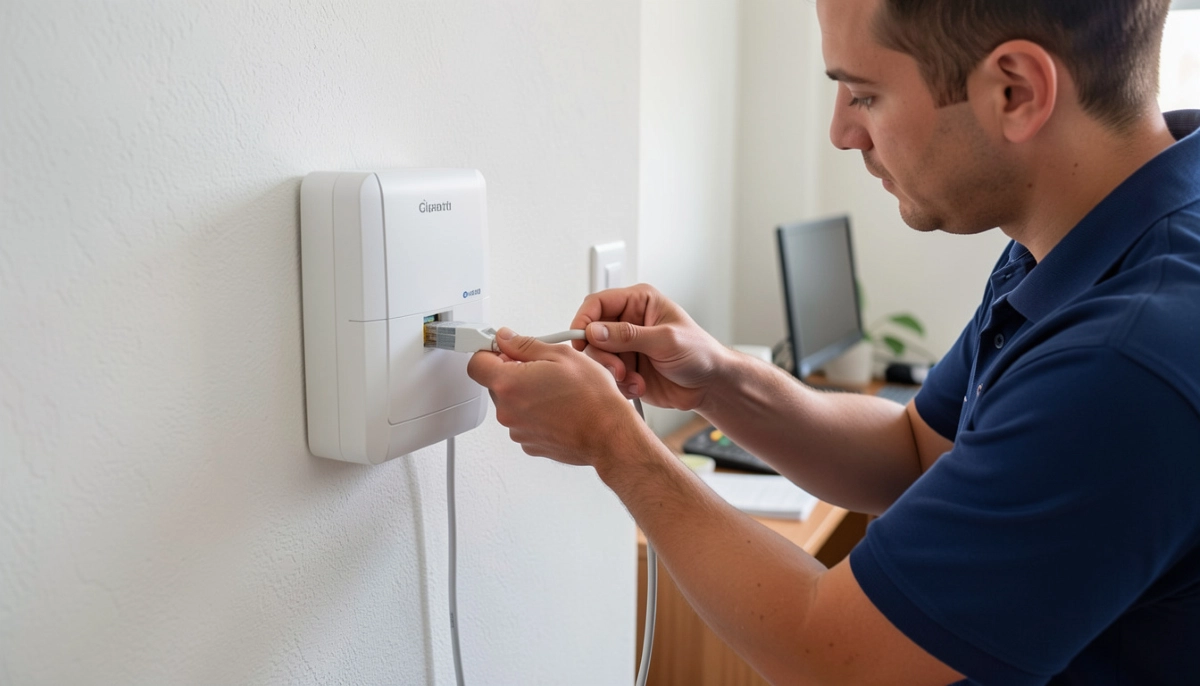
What an ONT Looks Like:
Typically a small white or black box mounted on your wall. It has a fibre cable coming in and an Ethernet port for connecting to your router. It also has indicator lights showing power, fibre signal, and connection status.
Who Provides the ONT:
The ONT is provided by your fibre network operator (Openserve, Vumatel, Frogfoot, etc.) as part of the fibre installation. You don’t usually need to buy one.
For more on ONT setup, see our fibre ONT setup guide.
📡 What Is a Router?
Now let’s look at the other half of the fibre ONT router explained relationship.
What Is a Router?
A router is the device that distributes the internet connection to all your devices. It takes the single internet connection from the ONT and shares it with your computers, phones, TVs, and other devices.
Key Functions of a Router:
- WiFi broadcasting: Creates a wireless network for your devices.
- Wired connections: Provides Ethernet ports for wired devices.
- Network management: Manages traffic between devices and the internet.
- Security: Provides firewall and security features.
- DHCP: Assigns IP addresses to devices on your network.
What a Router Looks Like:
A plastic box with antennas (internal or external). It has a WAN/Internet port for connecting to the ONT, LAN ports for wired devices, and a power adapter.
Who Provides the Router:
You usually provide your own router, though some ISPs include one as part of their package. For the best fibre router experience, choose a dual-band or tri-band router that supports your speed.
For more on routers, see our router setup guide.
⚖️ ONT vs Router: Key Differences
The ONT vs router comparison helps clarify their different roles in how fibre ONT and router work together explained.
| Feature | ONT | Router |
|---|---|---|
| Primary function | Converts fibre signals | Distributes internet to devices |
| Input | Fibre optic cable | Ethernet from ONT |
| Output | Ethernet to router | WiFi and Ethernet to devices |
| WiFi | No | Yes |
| Ethernet ports | 1 (to router) | 4+ (to devices) |
| Provided by | Network operator | You or ISP |
| Power requirement | Yes (needs power) | Yes (needs power) |
Key Takeaway: The ONT connects to the fibre network. The router connects your devices to the ONT. You need both for a complete fibre to the home setup.
🔄 How Fibre ONT and Router Work Together
Here’s the complete how fibre ONT and router work together explained process.
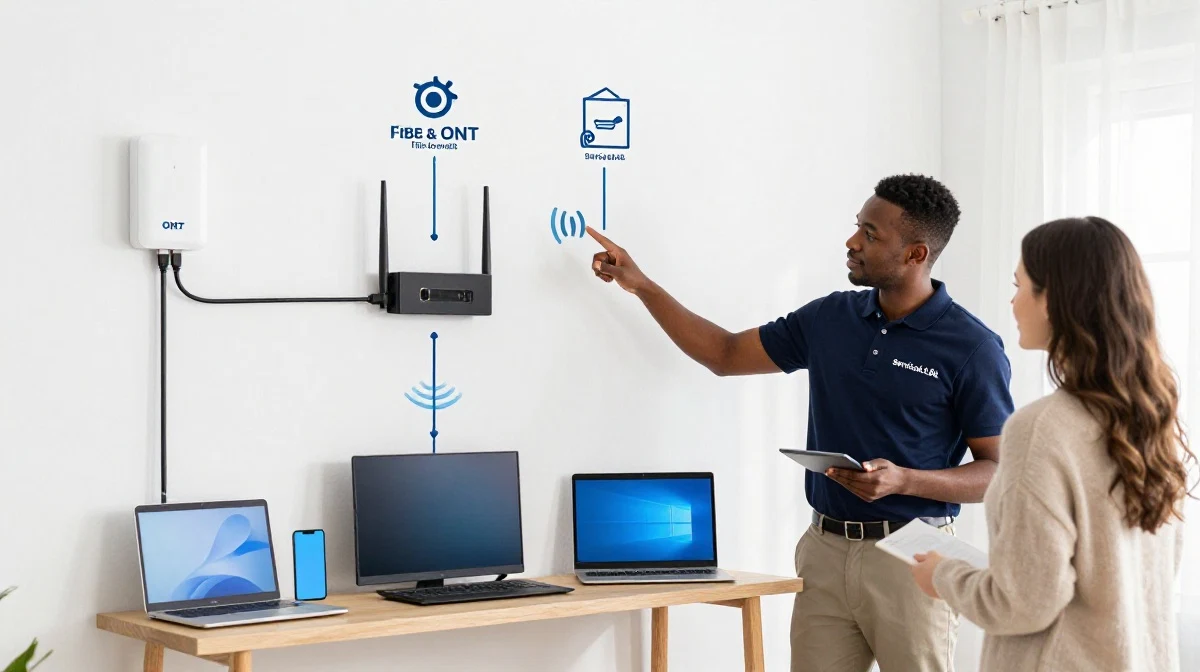
The Data Journey:
- Fibre network: Data travels as light pulses through the fibre optic cable.
- ONT receives signal: The ONT receives the light signals and converts them to electrical data.
- Ethernet connection: The ONT sends the data to the router via an Ethernet cable.
- Router distributes: The router broadcasts WiFi and provides Ethernet connections to your devices.
- Devices connect: Your phones, computers, TVs, and other devices connect to the router.
What Makes This Work:
- The ONT and router are connected by an Ethernet cable (Cat5e or Cat6).
- The router’s WAN/Internet port connects to the ONT’s LAN/Ethernet port.
- Both devices need power to function.
- The fibre router connected to ONT configuration is straightforward.
Why This Matters:
Understanding how does fibre ONT connect to router helps you troubleshoot connectivity issues and set up your network correctly.
For more on this, see our fibre ONT setup guide.
Struggling with Your Fibre ONT and Router Setup?
Get professional help from local specialists who understand fibre ONT router explained and fibre on router configuration.
Free inspections available for ONT and router setup guide.
📐 How Does Fibre ONT Connect to Router?
How does fibre ONT connect to router is one of the most common questions in how fibre ONT and router work together explained.
The Physical Connection:
- Fibre cable: From the street to the ONT (installed by the network operator).
- ONT: Mounted on your wall or placed on a shelf.
- Ethernet cable: Connects the ONT’s LAN/Ethernet port to the router’s WAN/Internet port.
- Router: Placed near the ONT or in a central location.
What You Need:
- An Ethernet cable (Cat5e or Cat6, usually supplied with the ONT).
- Power outlets for both the ONT and the router.
- Proper placement for the router to maximise WiFi coverage.
Common Mistakes:
- Using the wrong Ethernet cable (Cat5 or lower).
- Connecting the Ethernet cable to the wrong port on the router.
- Not rebooting the ONT after connecting.
- Placing the router too far from the ONT (cable length limited to 100m).
For more on cabling, see our ethernet wiring guide.
❓ Do I Need a Router with Fibre ONT?
The question do I need a router with fibre ONT is a common one in how fibre ONT and router work together explained.
Short Answer: Yes
You need a router to distribute the internet connection to your devices. The ONT only provides a single wired connection. Without a router, you could only connect one device at a time.
What Happens If You Don’t Have a Router:
- You can only connect one device directly to the ONT via Ethernet.
- No WiFi—your wireless devices won’t work.
- No network security features.
- No sharing of the connection between multiple devices.
Can You Use the ONT Without a Router?
Yes, but it’s not recommended. You could connect a single computer directly to the ONT via Ethernet. This is sometimes useful for testing but not practical for everyday use.
What About Routers That Combine ONT and Router?
Some ISPs offer “all-in-one” devices that combine the ONT and router functions. These are still technically two devices in one box but simplify the setup. However, they may offer less flexibility than separate devices.
For more on router options, see our router setup guide.
🔧 ONT and Router Setup Guide
Here’s a complete ONT and router setup guide for how fibre ONT and router work together explained.
Step 1: Position Your Equipment
Place the ONT near where the fibre cable enters your home. Place the router in a central location for best WiFi coverage. The ONT and router should be within 2-5 metres of each other (for the Ethernet cable).
Step 2: Connect the Fibre Cable
The fibre cable from outside your home should already be connected to the ONT. Check that the connection is secure.
Step 3: Connect the Ethernet Cable
Connect one end of the Ethernet cable to the ONT’s LAN/Ethernet port. Connect the other end to the router’s WAN/Internet port.
Step 4: Power On the ONT
Plug in the ONT’s power adapter. Wait for the lights to stabilise (PON light should be solid green).
Step 5: Power On the Router
Plug in the router’s power adapter. Wait for it to boot up completely.
Step 6: Configure the Router
Follow your router’s setup instructions. This usually involves connecting to the router’s WiFi and completing a setup wizard.
Step 7: Test the Connection
Connect a device to the router (WiFi or Ethernet). Test internet connectivity with a speed test.
For more detailed instructions, see our fibre ONT setup guide.
⚙️ Fibre ON Router Configuration
Once your fibre router connected to ONT, you need to configure it. This is the fibre on router configuration process.
Access the Router Settings:
- Connect to the router via WiFi or Ethernet.
- Open a web browser and enter the router’s IP address (usually 192.168.1.1).
- Log in with the admin credentials (found on the router’s sticker).
WAN/Internet Settings:
For most fibre connections, the WAN connection type should be set to DHCP (Automatic IP). Some ISPs may require PPPoE or specific VLAN settings.
WiFi Configuration:
- Set your WiFi network name (SSID).
- Set a strong password.
- Choose security type (WPA2 or WPA3).
- Enable both 2.4 GHz and 5 GHz bands.
Advanced Settings:
- Check for firmware updates.
- Enable Quality of Service (QoS) if needed.
- Set up a guest network if desired.
For more on configuration, see our router setup guide.

🛠️ Troubleshooting ONT and Router Issues
Even with proper how fibre ONT and router work together explained, issues can arise. Here’s how to troubleshoot.
Issue 1: No Internet Connection
Check the ONT lights: PON should be solid green. LOS should be off. If PON is blinking or off, contact your ISP. If LOS is red, there’s a fibre cable issue.
Issue 2: Internet Works on Wired but Not WiFi
Check the router: Ensure WiFi is enabled. Check that devices can see the network. Reboot the router. Check for interference.
Issue 3: Slow Speeds
Check the connection: Test with a wired connection to isolate the issue. Check your internet plan. Check for other devices using bandwidth. Check router placement.
Issue 4: ONT Lights Are Wrong
What to do: Refer to the fibre ONT router explained light status guide above. If PON is red or blinking, contact your ISP. If LOS is red, contact your ISP immediately.
For more troubleshooting, see our fibre installation delays guide.
❓ Frequently Asked Questions About Fibre ONT and Router
What is the difference between an ONT and a router?
The ONT vs router difference: The ONT converts fibre signals to data, while the router distributes that data to your devices. The ONT connects to the fibre network; the router connects your devices. You need both for a complete fibre to the home setup. This is the foundation of how fibre ONT and router work together explained.
How does fibre ONT connect to router?
How does fibre ONT connect to router is simple: use an Ethernet cable to connect the ONT’s LAN/Ethernet port to the router’s WAN/Internet port. Use a Cat5e or Cat6 cable for best performance. This is the fibre router connected to ONT standard configuration. Power on both devices and your fibre installation is ready.
Do I need a router with fibre ONT?
Yes, do I need a router with fibre ONT is a common question. You need a router to distribute the internet to multiple devices and to provide WiFi. Without a router, you can only connect one device at a time. A router is essential for any practical ONT and router setup guide.
What is a fibre ONT router explained simply?
Fibre ONT router explained simply: The ONT is the device that brings the internet into your home (converts fibre signal to data). The router shares that internet with all your devices (via WiFi and Ethernet). They work together to get you online. This is the essence of how fibre ONT and router work together explained.
Can I use any router with a fibre ONT?
Most modern routers work with fibre ONTs. Ensure your router has a gigabit WAN port for fibre speeds. Some ISPs require specific VLAN settings—check with your ISP. For fibre on router configuration, set the WAN type to DHCP (most common) or PPPoE if required.
What are the lights on my fibre ONT supposed to look like?
For fibre ONT router explained light status: Power should be solid green. PON/Optical should be solid green (fibre signal active). LAN/Ethernet should be solid green (connected to router). LOS should be off (no fibre issue). If PON is blinking or off, contact your ISP. This is crucial for fibre installation troubleshooting.
What is the Ethernet cable used for between ONT and router?
The Ethernet cable carries the internet signal from the ONT to the router. Use Cat5e or Cat6 for best performance. This is the physical connection in how does fibre ONT connect to router. The cable length shouldn’t exceed 100 metres. This is a key part of any fibre router connected to ONT setup.
Can I connect my computer directly to the ONT?
Yes, you can connect a single computer directly to the ONT for testing. However, this only works for one device and you won’t have WiFi. For normal use, you need a router. This answers the question do I need a router with fibre ONT—yes, for practical multi-device use.
✅ Final Thoughts: Master Your Fibre ONT and Router Setup
Understanding how fibre ONT and router work together explained is essential for getting the most from your fibre connection. The ONT brings the internet into your home, and the router shares it with your devices.
Key Takeaways:
- ONT: Converts fibre signals, provided by the network operator.
- Router: Distributes internet, provides WiFi, you provide or get from ISP.
- Connection: Ethernet cable from ONT to router’s WAN port.
- Both needed: You need both for a complete fibre to the home setup.
- Configuration: Simple setup—DHCP usually works for most fibre on router configuration.
- Troubleshooting: Check ONT lights, Ethernet cable, and router settings.
Your Next Step: If you’re setting up fibre for the first time, follow the ONT and router setup guide in this article. If you’re experiencing issues, check the troubleshooting section. For personalised help, ServiceLink SA can connect you with local specialists who understand fibre ONT router explained and can help with your fibre installation.
Ready to Get Your Fibre ONT and Router Sorted?
Get free quotes from verified local specialists for fibre ONT router explained and fibre on router configuration help.
📞 Call us: 073 138 4726 for immediate help finding a specialist near you.
📢 Are You a Fibre Installation Professional?
Join ServiceLink SA’s network of verified contractors and get access to qualified leads for fibre installation and fibre on router configuration projects.
📚 Official resources & standards referenced:
- SANS 10400 – Guidelines for electrical and networking installations in South African homes.
- SABS – Standards for electronic equipment and safety.
Information provided for general guidance. For professional how fibre ONT and router work together explained advice, always consult a qualified local technician.
Written by: Innocent T Hanyani
Construction & Home Services Industry Specialist | 21+ Years Experience
Innocent T Hanyani has over two decades of experience working across South Africa’s construction, telecommunications, and home services sectors. Throughout his career, he has worked closely with fibre installers, network technicians, and homeowners, gaining practical insight into how fibre ONT and router work together explained. His expertise helps homeowners understand the complexities of fibre ONT router explained and ONT vs router differences, from how does fibre ONT connect to router to fibre on router configuration and implementing effective ONT and router setup guide practices for fibre to the home installations.