
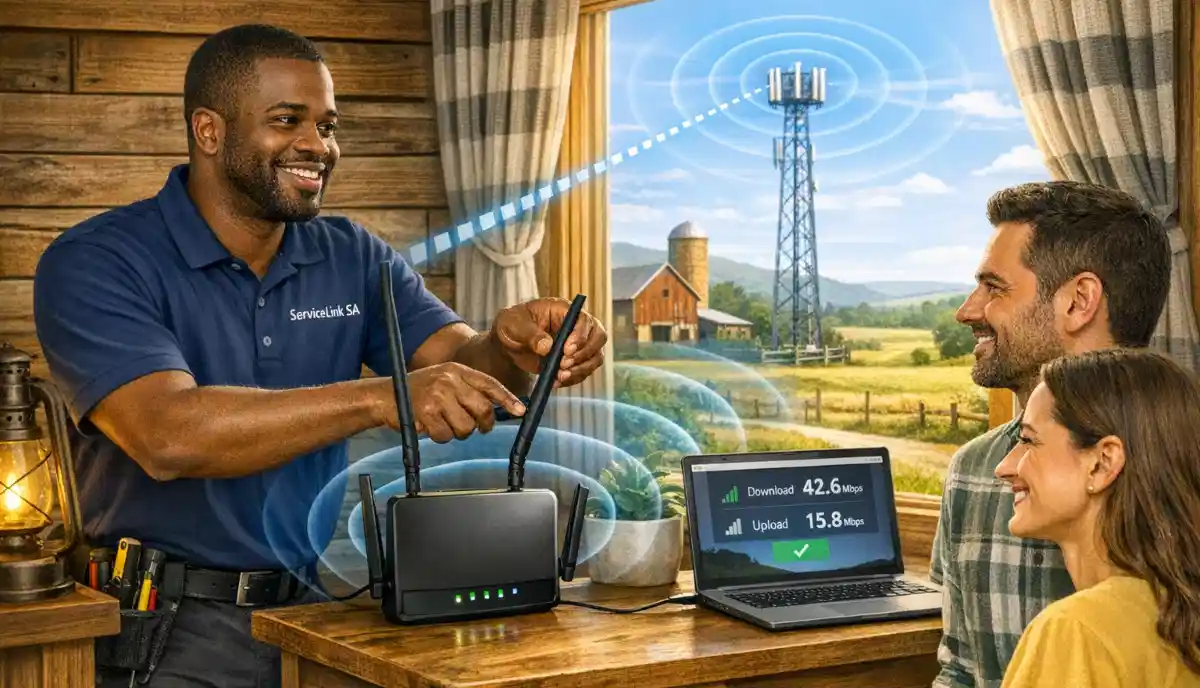
Need Backup Internet for Your Home?
Get professional help from local specialists who understand lte backup internet and 5g router setup.
Get Free Backup Internet Advice
Servicing Gauteng, Western Cape, KwaZulu-Natal, and across South Africa
LTE and 5G Backup Internet for Home: The Complete Guide
📡 Fibre down? Loadshedding? Here’s how to stay connected with LTE and 5G backup.
You rely on your home internet for work, streaming, and staying connected. But fibre can fail. Loadshedding can knock out your power. And when your internet goes down, your life comes to a halt.
A lte and 5g backup internet for home is the solution. With a router with sim card, you can stay connected even when your fibre is down. Whether it’s loadshedding, fibre outages, or network issues, backup internet keeps you online.
In this comprehensive guide, I’ll show you everything you need to know about lte and 5g backup internet for home. I’ll cover lte backup internet options, 5g router setup, and answer questions like best lte backup for home wifi south africa, 5g router for home backup, router with sim card slot for loadshedding, and dual wan router with sim backup.
For more on staying connected, check out our WiFi during loadshedding and UPS for routers guides. Let’s get your backup internet set up.
📋 Table of Contents – LTE & 5G Backup Guide
🔌 Why You Need Backup Internet
Understanding why lte and 5g backup internet for home matters is the first step.
Reasons for Internet Outages:
- Fibre cuts: Fibre cables can be cut during construction.
- Loadshedding: Power outages affect your equipment.
- ISP outages: Your ISP may have network issues.
- Network congestion: Slow speeds during peak hours.
Who Needs Backup Internet:
- Remote workers: Can’t afford to lose connectivity.
- Students: Need internet for online classes.
- Families: Kids need internet for schoolwork.
- Businesses: Operations depend on internet.
What Happens Without Backup:
- Lost productivity during work hours.
- Missed deadlines and opportunities.
- Frustration and stress.
- Potential loss of income.
For more on failover internet, see our loadshedding WiFi guide.

📡 LTE vs 5G Backup
Understanding lte vs 5g helps with lte and 5g backup internet for home.
LTE (4G) Backup:
- Speed: 20-100 Mbps.
- Coverage: Widely available.
- Cost: Affordable.
- Best for: Most homes, reliable backup.
5G Backup:
- Speed: 100-300+ Mbps.
- Coverage: Limited to urban areas.
- Cost: More expensive.
- Best for: High-speed needs, urban areas.
Which Is Better?
LTE is more widely available and affordable. 5G is faster but limited to urban areas. Choose based on your location and needs.
Realistic Example:
A home in Gauteng: LTE backup is reliable. A home in Cape Town with 5G coverage: 5G backup is faster.
For more on lte router, see our LTE router setup guide.
🛠️ Types of Backup Routers
Choosing the right lte router is essential for lte and 5g backup internet for home.
1. LTE Router (4G):
A standard LTE router with a SIM card slot. Provides 4G/LTE internet.
- Speed: 20-100 Mbps.
- Price: R1,500 – R3,500.
2. 5G Router:
A router that supports 5G networks. Faster than LTE.
- Speed: 100-300+ Mbps.
- Price: R3,500 – R8,000+.
3. Dual WAN Router:
A router with two WAN ports—one for fibre and one for LTE/5G. Automatically fails over.
- Speed: Depends on the connection.
- Price: R4,000 – R10,000+.
4. Mobile Hotspot:
A small device that creates a WiFi hotspot using a SIM card.
- Speed: 20-100 Mbps.
- Price: R800 – R2,500.
For more on 5g router, see our router setup guide.
🔧 5G Router Setup Guide
5g router setup is straightforward.
Step-by-Step Setup:
- Insert SIM card: Insert your SIM card into the router.
- Power on: Plug in the router and wait for it to boot.
- Connect: Connect to the router’s WiFi or via Ethernet.
- Configure: Access the router settings (usually 192.168.1.1).
- Set APN: Enter your provider’s APN settings.
- Set WiFi: Configure your network name and password.
- Test: Run a speed test to check the connection.
Important: Ensure your SIM card has a data plan with sufficient data.
Realistic Example:
A home in Free State: A 5G router setup takes 10 minutes and provides high-speed backup.
For more on 5g router setup, see our router setup guide.
📱 SIM Card and Data Plans
Choosing the right SIM card and data plan is essential for lte backup internet.
What You Need:
- SIM card: From a mobile provider (Vodacom, MTN, Telkom, Cell C, Rain).
- Data plan: Sufficient data for your usage.
- APN settings: Provided by your mobile provider.
Data Plan Considerations:
- Light use: 10-20 GB per month.
- Moderate use: 20-50 GB per month.
- Heavy use: 50-100+ GB per month.
Which Provider Is Best?
- Check coverage: Different providers have different coverage.
- Compare prices: Look for the best value.
- Consider Rain: Offers unlimited data plans.
For more on router with sim card, see our mobile hotspot guide.

Need Backup Internet for Your Home?
Get professional help from local specialists who understand lte backup internet and 5g router setup.
Get Free Backup Internet Advice
Emergency services available for urgent failover internet needs.
⚡ Router with SIM Card Slot for Loadshedding
A router with sim card slot for loadshedding keeps you connected during power outages.
Why Loadshedding Affects Internet:
- Power outage: Fibre routers and ONTs need power.
- Backup power: LTE/5G routers can run on battery or UPS.
Solutions for Loadshedding:
- LTE/5G router with battery: Some routers have built-in batteries.
- UPS: Keep your router powered during outages.
- Power bank: Some routers can be powered by power banks.
Recommended Routers for Loadshedding:
- Huawei B535: Good LTE router with battery option.
- TP-Link MR series: Affordable LTE routers.
Realistic Example:
A home in Northern Cape: A router with SIM card and UPS keeps internet during loadshedding.
For more on lte backup internet during loadshedding, see our UPS guide.
🔀 Dual WAN Router with SIM Backup
A dual wan router with sim backup provides automatic failover.
What Is a Dual WAN Router?
A dual WAN router has two internet inputs—one for fibre and one for LTE/5G. If one fails, it automatically switches to the other.
Benefits:
- Automatic failover: No manual switching.
- Seamless: You don’t notice the switch.
- Reliable: Always connected.
How to Set Up:
- Connect fibre to WAN port 1.
- Insert SIM card for LTE/5G.
- Configure failover settings.
- Test by disconnecting fibre.
Recommended Dual WAN Routers:
- TP-Link TL-R600VPN: Affordable dual WAN.
- Ubiquiti UniFi: Professional-grade.
- ASUS RT-AX86U: Dual WAN with SIM support.
For more on failover internet, see our router setup guide.
🏆 Best LTE Backup for Home WiFi South Africa
Here are the best lte backup for home wifi south africa options.
1. Huawei B535 (LTE):
Popular, reliable, good performance. External antenna ports.
- Speed: Up to 300 Mbps.
- Price: R2,000 – R3,500.
2. TP-Link MR6400 (LTE):
Affordable, reliable. Good for basic backup.
- Speed: Up to 150 Mbps.
- Price: R1,500 – R2,500.
3. Huawei 5G CPE Pro (5G):
High-speed 5G backup. Excellent performance.
- Speed: Up to 1 Gbps.
- Price: R5,000 – R8,000.
4. TP-Link MR6500 (LTE):
Good performance, external antenna ports.
- Speed: Up to 300 Mbps.
- Price: R2,500 – R4,000.
5. Netgear Nighthawk M1 (LTE):
Premium LTE router. Excellent performance.
- Speed: Up to 1 Gbps.
- Price: R4,000 – R6,000.
For more on 5g router for home backup, see our LTE router guide.

📊 Backup Internet Solutions Comparison
Here’s a comparison of lte and 5g backup internet for home solutions.
| Solution | Speed | Cost | Best For | Setup |
|---|---|---|---|---|
| Mobile Hotspot | 20-100 Mbps | R800 – R2,500 | Light use | Easy |
| LTE Router | 20-100 Mbps | R1,500 – R3,500 | Most homes | Easy |
| 5G Router | 100-300+ Mbps | R3,500 – R8,000+ | Urban areas | Easy |
| Dual WAN Router | Varies | R4,000 – R10,000+ | Automatic failover | Moderate |
Key Takeaway: Choose a solution based on your budget, speed needs, and coverage area.

❓ Frequently Asked Questions About LTE and 5G Backup
What is LTE and 5G backup internet for home?
Lte and 5g backup internet for home is a secondary internet connection using a SIM card. It keeps you online when your primary internet fails. A router with sim card provides this backup connection.
How do I set up 5G backup internet?
5g router setup involves inserting a SIM card, powering on the router, and configuring the APN settings. Most 5g router devices have simple setup wizards.
What is the best LTE backup for home WiFi in South Africa?
The best lte backup for home wifi south africa is Huawei B535 or TP-Link MR6400. Both are reliable and affordable. For higher speeds, consider a 5g router for home backup.
Can I use a router with SIM card during loadshedding?
Yes, a router with sim card slot for loadshedding works if it has battery backup or is connected to a UPS. This keeps your lte backup internet running during power outages.
What is a dual WAN router with SIM backup?
A dual wan router with sim backup has two internet inputs—one for fibre and one for LTE/5G. It automatically switches to the backup connection if the primary fails. This is failover internet.
Is LTE backup internet fast enough for streaming?
LTE backup internet (20-100 Mbps) is fast enough for HD streaming. For 4K streaming, a 5g router (100-300+ Mbps) is recommended. Choose based on your needs.
How much data do I need for backup internet?
For lte backup internet, you need 10-50 GB per month depending on usage. Light use: 10-20 GB. Moderate use: 20-50 GB. Heavy use: 50-100+ GB.
Can I use my phone as backup internet?
Yes, you can use your phone as a mobile hotspot. However, a dedicated lte router provides better performance and stability for lte and 5g backup internet for home.
✅ Final Thoughts: Stay Connected with Backup Internet
Now you know everything about lte and 5g backup internet for home. With the right lte backup internet solution, you can stay connected even when your primary internet fails.
Key Takeaways:
- LTE backup: Affordable, widely available.
- 5G backup: Faster, limited to urban areas.
- Dual WAN: Automatic failover.
- Loadshedding: Use a UPS or battery-powered router.
Your Next Step: Assess your backup internet needs. Choose the right router with sim card solution. For professional help, ServiceLink SA can connect you with local specialists who understand 5g router setup and failover internet.
Ready to Set Up Backup Internet?
Get free advice from verified local specialists for lte backup internet and 5g router setup.
📞 Call us: 073 138 4726 for immediate help finding a specialist near you.
📢 Are You a Network Installation Professional?
Join ServiceLink SA’s network of verified contractors and get access to qualified leads for lte router and 5g router installation projects.
📚 Official resources & standards referenced:
- Eskom – Loadshedding schedules and information.
- SANS 10400 – Guidelines for electrical and networking installations in South African homes.
Information provided for general guidance. For professional lte and 5g backup internet for home advice, always consult a qualified local technician.
Written by: Innocent T Hanyani
Construction & Home Services Industry Specialist | 21+ Years Experience
Innocent T Hanyani has over two decades of experience working across South Africa’s construction, telecommunications, and home services sectors. Throughout his career, he has worked closely with network installers, IT professionals, and homeowners, gaining practical insight into lte and 5g backup internet for home. His expertise helps homeowners understand the complexities of lte backup internet and 5g router setup, from router with sim card selection to best lte backup for home wifi south africa, 5g router for home backup, router with sim card slot for loadshedding, and dual wan router with sim backup.