
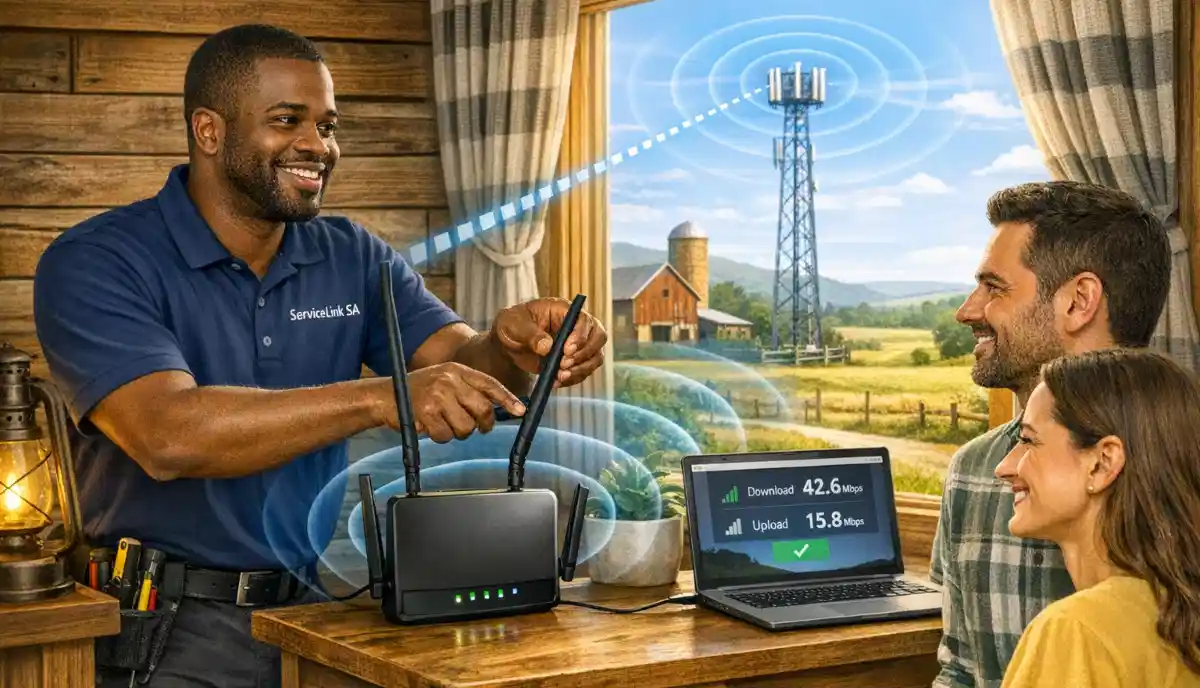
Need Internet on Your Farm or Rural Property?
Get professional help from local specialists who understand LTE router setup and LTE home router solutions for rural areas.
Get Free Rural Internet Advice
Servicing Sandton, Constantia, Ballito, and across South Africa
LTE Router Setup for Rural Internet Access: The Complete Guide
📡 No fibre? No problem. Here’s how to set up an LTE router for fast, reliable rural internet.
You live on a farm, a smallholding, or in a remote area. Fibre isn’t available. ADSL isn’t an option. Your only choice is mobile internet. But you’re tired of slow speeds and unreliable connections. You need a proper LTE router setup for rural internet access.
This is a common situation across South Africa. Rural areas often lack fibre infrastructure, but mobile networks cover most of the country. A LTE home router with a SIM card can provide fast, reliable internet—if it’s set up correctly.
In this comprehensive guide, I’ll walk you through everything you need to know about LTE router setup for rural areas. I’ll cover 4G wifi router selection, SIM card setup, antenna placement, and optimisation. I’ll also compare LTE router vs fibre home internet and help you find the best LTE router for rural South Africa. Whether you’re in Sandton, Constantia, or Ballito, this guide will help you get online.
For more on rural internet, check out our boost rural WiFi signal and LTE backup internet guides. Let’s get your rural internet working perfectly.
📋 Table of Contents – LTE Router Setup Guide
📡 What Is an LTE Router?
Before we dive into LTE router setup for rural internet access, let’s understand what an LTE router is.
What Is an LTE Router?
An LTE router is a device that connects to the mobile network using a SIM card and creates a WiFi network. It’s like a home WiFi router but uses cellular data instead of fibre or ADSL.
How an LTE Router Works:
- You insert a SIM card with a data plan into the router.
- The router connects to the mobile network (4G/LTE or 5G).
- The router creates a WiFi network for your devices.
- All your devices connect to this WiFi network.
Types of LTE Routers:
- Home LTE router: Designed for home use, good performance, multiple Ethernet ports.
- Portable LTE router: Battery-powered, compact, for travel.
- Outdoor LTE router: Weatherproof, designed for outdoor installation.
Why Choose an LTE Router for Rural Areas:
- No infrastructure: No fibre or cables required.
- Wide coverage: Mobile networks cover most rural areas.
- Flexible: Can be moved if needed.
- Quick setup: No installation delays.
For more on 4G wifi router options, see our router setup guide.

🛠️ Choosing the Right LTE Router
Selecting the right LTE home router is crucial for LTE router setup for rural internet access.
Key Features to Look For:
- 4G/LTE or 5G support: 5G is faster but 4G is more widely available.
- External antenna ports: Essential for rural areas with weak signal.
- Ethernet ports: For wired connections to computers and other devices.
- Dual-band WiFi: 2.4 GHz and 5 GHz for better performance.
- Category rating: CAT4, CAT6, CAT12, etc. Higher is faster.
- Remote management: Ability to manage settings remotely.
Top LTE Routers for Rural South Africa:
1. TP-Link MR6400 (4G Cat4):
Affordable, reliable, good for basic rural internet. External antenna ports.
2. TP-Link MR6500 (4G Cat6):
Faster speeds, better performance. Good for streaming and multiple users.
3. Huawei B535 (4G Cat7):
Popular, reliable, good performance. External antenna ports.
4. Netgear Nighthawk M1 (4G Cat16):
Premium option, excellent speeds. Good for heavy usage and gaming.
5. Huawei 5G CPE Pro (5G):
For areas with 5G coverage. Blazing fast speeds.
What About Category Ratings?
Higher category = faster speeds. CAT4 = 150 Mbps, CAT6 = 300 Mbps, CAT12 = 600 Mbps, CAT16 = 1 Gbps.
For more on choosing, see our best routers guide.
📱 SIM Card and Data Plan Selection
Choosing the right SIM card and data plan is essential for LTE router setup for rural internet access.
What You Need:
- SIM card: A standard SIM card from a mobile provider (Vodacom, MTN, Telkom, Cell C, Rain).
- Data plan: A data plan with sufficient data for your usage.
- APN settings: Your provider will provide APN settings for configuration.
Which Provider Is Best for Rural Areas?
- Check coverage maps: Different providers have different coverage areas.
- Ask locals: Neighbours and local farmers know which provider works best.
- Test: If possible, test different providers’ SIM cards in your area.
Data Plan Considerations:
- Light use: 20-50 GB per month (browsing, email).
- Moderate use: 50-100 GB per month (streaming, work).
- Heavy use: 100-200 GB per month (multiple users, heavy streaming).
APN Settings:
Your provider will provide APN settings. Common APNs:
- Vodacom: vodacom
- MTN: internet
- Telkom: telkom.internet
- Rain: rain
For more on data plans, see our best packages guide.
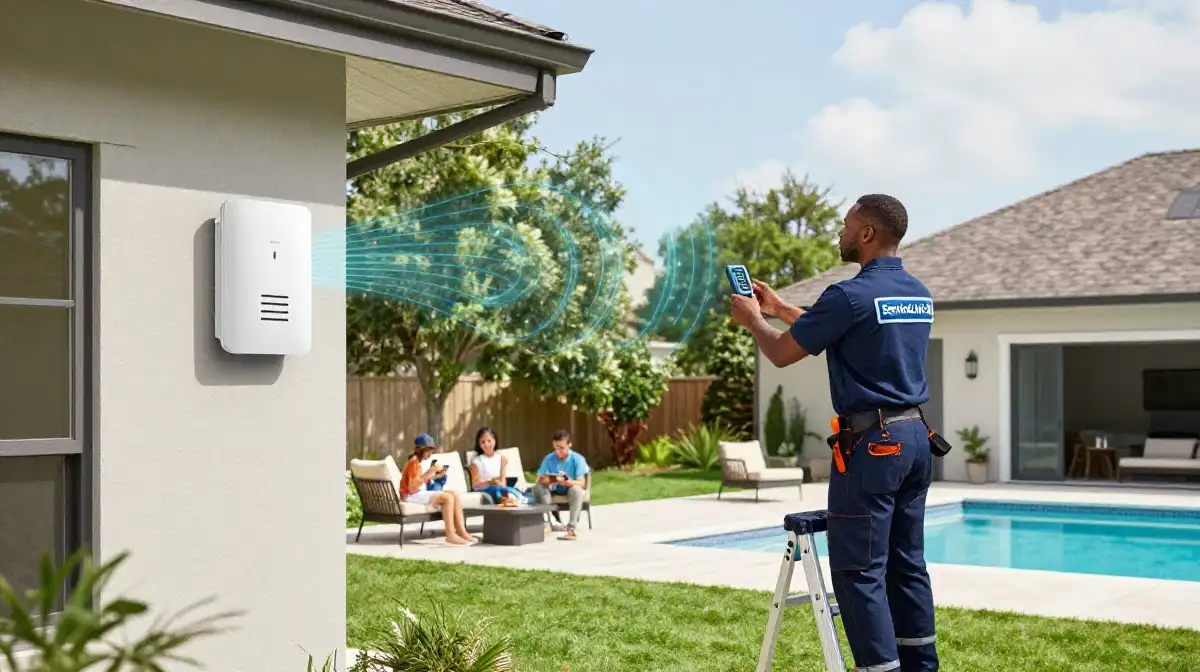
Still Struggling with Your Rural Internet Setup?
Get professional help from local specialists who understand LTE router setup in South Africa and LTE router for rural farm.
Get Free Rural Internet Advice
Free inspections available for 4G wifi router installation.
📍 Router Placement for Best Signal
Proper placement is critical for LTE router setup for rural internet access.
Why Placement Matters:
An LTE router’s performance depends entirely on signal strength from the mobile tower. A weak signal means slow speeds and dropped connections.
How to Find the Best Signal:
- Check signal bars: Move the router around and check the signal bars on its display.
- Use the admin interface: Most routers show signal strength in the admin settings (RSSI value).
- Use a signal app: Apps like Network Signal Info can help find the strongest signal.
Best Placement Tips:
- Highest point: Place the router as high as possible (top shelf, upper floor).
- Near windows: Windows provide a clearer path to the tower.
- Away from metal: Metal roofs and objects block signals.
- Away from electronics: Electronics can interfere with the signal.
What If You Can’t Get a Good Signal?
If you can’t get a good signal inside, consider an outdoor antenna (see next section).
For more on placement, see our router placement guide.
📡 Using an External Antenna
An external antenna is essential for LTE router for rural farm setups with weak signals.
Why Use an External Antenna:
- Stronger signal: External antennas are more sensitive than internal ones.
- Better placement: Can be placed on the roof for a clear line of sight.
- Weatherproof: Designed for outdoor use.
Types of External Antennas:
- Omnidirectional: Receives signals from all directions.
- Directional (Yagi): Focuses in one direction—best for long range.
- Panel: Wider beam, good for medium range.
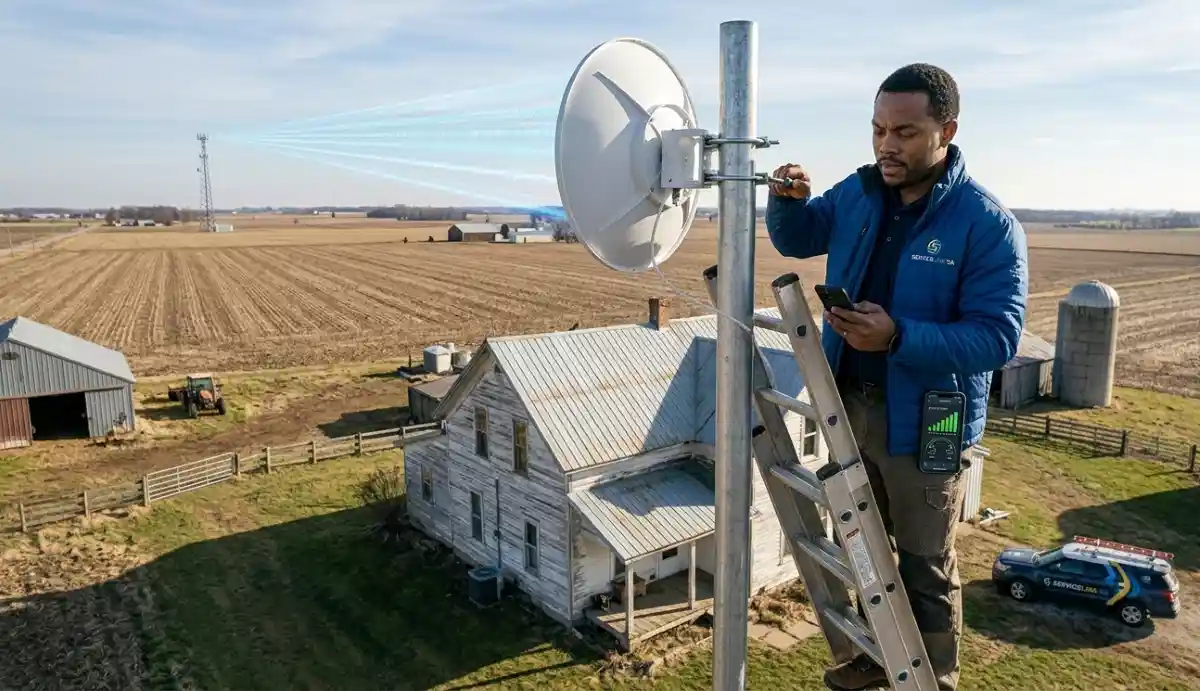
How to Install an External Antenna:
- Identify the direction of the nearest mobile tower.
- Mount the antenna on the roof or a high pole.
- Point it in the direction of the tower (directional antenna).
- Connect the antenna to the router’s external antenna ports.
- Adjust the direction for the strongest signal.
Recommended Antennas for Rural:
- TP-Link TL-ANT5828B: Good value, reliable.
- Huawei 4G Antenna: Compatible with Huawei routers.
- Poynting 4G/5G Antenna: Professional-grade, excellent performance.
For more on mobile data signal boosting, see our boost rural WiFi guide.
🔧 Step-by-Step Setup Guide
Here’s a complete LTE router setup for rural internet access guide.
Step 1: Insert the SIM Card
Insert your SIM card into the router. Ensure it’s correctly positioned (usually with the gold contacts facing down).
Step 2: Power On the Router
Plug in the power adapter and turn on the router. Wait for it to boot up (2-3 minutes).
Step 3: Check Signal Strength
Check the router’s signal bars or LED indicators. If the signal is weak, consider moving the router or using an external antenna.
Step 4: Connect to the Router
Connect a device to the router’s WiFi network (default network name and password are on the router’s sticker).
Step 5: Configure the Router
- Open a web browser and enter the router’s IP address (usually 192.168.1.1).
- Log in with the default credentials (admin/admin).
- Follow the setup wizard.
- Enter your provider’s APN settings.
- Set your WiFi network name (SSID) and password.
Step 6: Test the Connection
Run a speed test to check your connection. If speeds are slow, try repositioning the router or adjusting the antenna.
Step 7: Connect Your Devices
Connect all your devices to the new WiFi network.
For more on configuration, see our router setup guide.
⚙️ Router Configuration
Proper configuration is key to LTE home router performance.
Important Settings:
1. APN Settings:
Enter the correct APN for your provider. This is essential for internet access.
2. WiFi Settings:
Set a strong password and choose a network name. Enable both 2.4 GHz and 5 GHz bands.
3. Network Mode:
Select the network mode (4G/LTE only, or 3G/4G auto). For best performance, use 4G/LTE only.
4. Band Selection:
Some routers allow band selection. Choose the band with the best signal in your area.
5. Data Usage Monitoring:
Enable data usage monitoring to avoid exceeding your data limit.
6. Firmware Updates:
Check for and install firmware updates for security and performance.
For more on configuration, see our router setup guide.
🔌 LTE Router vs Fibre Home Internet
LTE router vs fibre home internet is an important comparison for rural users.
| Feature | LTE Router | Fibre |
|---|---|---|
| Availability | Almost everywhere | Urban/suburban only |
| Speed | 20-100 Mbps | 20 Mbps – 1 Gbps |
| Data limits | Limited (10-200 GB) | Unlimited (most plans) |
| Latency | 20-60ms | 1-10ms |
| Installation | Plug and play | Requires technician |
| Mobile | Yes | No |
| Best for | Rural areas, mobility | Heavy users, urban areas |
Key Takeaway: For rural areas without fibre, an LTE router is the best option. While fibre is faster and has unlimited data, it’s simply not available in most rural areas.
For more on internet options, see our fibre vs LTE guide.

🛠️ Troubleshooting Common Issues
Even with proper LTE router setup for rural internet access, issues can arise.
Issue 1: No Internet Connection
Fix: Check SIM card installation, APN settings, and signal strength. Restart the router.
Issue 2: Slow Speeds
Fix: Move the router or adjust the external antenna. Check for network congestion.
Issue 3: Intermittent Connection
Fix: Check signal strength and interference. Use a different band if possible.
Issue 4: WiFi Drops
Fix: Update firmware, check WiFi settings, reduce interference.
Issue 5: Data Usage
Fix: Monitor data usage and upgrade your plan if needed.
For more troubleshooting, see our LTE backup guide.
❓ Frequently Asked Questions About LTE Router Setup
How do I set up an LTE router for rural internet access?
LTE router setup for rural internet access involves inserting a SIM card, powering on the router, configuring APN settings, and setting up WiFi. For weak signals, use an external antenna. This is the complete LTE router setup process for LTE home router installations.
What is the best LTE router for rural South Africa?
The best LTE router for rural South Africa depends on your needs. For basic use, TP-Link MR6400 is affordable. For better performance, Huawei B535 or Netgear Nighthawk M1 are excellent. Consider 5G routers if available in your area. These are popular 4G wifi router options.
Can I use an LTE router without fibre?
Yes, an LTE router is designed for areas without fibre. It uses a SIM card and mobile data to provide internet. LTE router vs fibre home internet shows LTE is slower but more accessible in rural areas. This is the primary LTE router for rural farm solution.
How do I connect an external antenna to my LTE router?
Most 4G wifi router models have external antenna ports (SMA or TS9 connectors). Connect the antenna cable to these ports. Mount the antenna on the roof and point it toward the nearest mobile tower for the best signal.
What data plan do I need for an LTE router?
Your mobile data plan depends on your usage. Light use: 20-50 GB. Moderate: 50-100 GB. Heavy: 100-200 GB. Choose a plan that matches your needs. Some providers offer unlimited data for LTE home router plans.
Can I use a Vodacom SIM in an LTE router?
Yes, you can use a Vodacom SIM in an LTE router. Enter the correct APN settings (vodacom). Check Vodacom’s coverage in your rural area before purchasing. This is a common LTE router setup in South Africa configuration.
What is the range of an LTE router’s WiFi?
The wifi router range depends on the model and environment. Typically 30-50 metres indoors. For larger properties, use a WiFi extender or mesh network. This extends coverage from your LTE home router.
Is an LTE router better than a mobile hotspot for rural areas?
An LTE router is generally better than a mobile hotspot for rural areas. It provides better performance, more stable connections, and can handle more devices. It’s designed for continuous use. A mobile hotspot is better for temporary or mobile use. See our mobile hotspot vs home WiFi guide for more.
✅ Final Thoughts: Get Reliable Rural Internet with LTE
LTE router setup for rural internet access is the solution for millions of South Africans living without fibre. With the right LTE home router, SIM card, and antenna, you can get fast, reliable internet on your farm or rural property.
Key Takeaways:
- Choose the right router: Look for external antenna ports, good category rating, and dual-band WiFi.
- Get the right SIM: Check coverage maps and choose the best provider for your area.
- Optimise placement: Place the router in the highest, most central location for the best signal.
- Use an external antenna: Essential for weak signals and long-range connections.
- Configure properly: Set correct APN settings and WiFi configuration.
Your Next Step: Check LTE router setup in South Africa options for your rural property. Choose your router, get a SIM card, and follow this guide. For professional help, ServiceLink SA can connect you with local specialists who understand LTE router for rural farm and 4G wifi router installation.
Ready to Get Rural Internet with an LTE Router?
Get free quotes from verified local specialists for LTE router setup and LTE home router installation.
📞 Call us: 073 138 4726 for immediate help finding a specialist near you.
📢 Are You a Rural Internet Specialist?
Join ServiceLink SA’s network of verified contractors and get access to qualified leads for LTE router setup and rural internet projects.
📚 Official resources & standards referenced:
- SANS 10400 – Guidelines for electrical and networking installations in South African homes.
- Department of Energy – Information on energy-efficient electronic equipment.
Information provided for general guidance. For professional LTE router setup for rural internet access advice, always consult a qualified local technician.
Written by: Innocent T Hanyani
Construction & Home Services Industry Specialist | 21+ Years Experience
Innocent T Hanyani has over two decades of experience working across South Africa’s construction, telecommunications, and home services sectors. Throughout his career, he has worked closely with network installers, rural property owners, and farmers, gaining practical insight into LTE router setup for rural internet access. His expertise helps rural homeowners understand the complexities of LTE router setup and LTE home router selection, from 4G wifi router installation to LTE router setup in South Africa and LTE router for rural farm optimisation.