
Not Sure Where to Put Your Router?
Get professional advice from local specialists who understand WiFi router placement for every home type.
Servicing Pretoria, Cape Town, Durban, and across South Africa
Where to Place Your WiFi Router for Maximum Signal Strength: The Complete Guide
📡 One simple change can double your WiFi speed—and it costs nothing.
You’ve probably experienced it: you’re in one room, and your internet is blazing fast. You move to another room, and suddenly you’re waiting for pages to load. The culprit? Your router placement. The difference between a strong signal and a weak one often comes down to where to place your WiFi router for maximum signal strength.
I’ve helped hundreds of homeowners across South Africa solve their WiFi problems. In almost every case, the solution was simpler than they expected. You don’t always need to buy new equipment—you just need to know the best place to put WiFi router upstairs or the best place to put WiFi router downstairs.
In this guide, I’ll walk you through the science of WiFi router placement, share practical tips, and help you avoid the common mistakes that ruin your WiFi signal strength. Whether you live in a small apartment or a sprawling double storey house, these principles apply.
For more tailored help in your area, check out our WiFi services in Pretoria, Cape Town, or Umhlanga. Let’s get your signal sorted.
📋 Table of Contents – WiFi Router Placement Guide
📡 Why Router Placement Matters for Signal Strength
Before we dive into the best place to put WiFi router, let’s understand why placement is so critical for WiFi signal strength.
How WiFi Signals Work:
WiFi signals are radio waves. Like light, they travel in straight lines and can be absorbed, reflected, or blocked by objects. The further a device is from the router, the weaker the signal. Walls, especially brick and concrete, absorb and weaken signals significantly.
Common Obstacles to WiFi Signals:
- Brick and Concrete Walls: These are the biggest culprits in South African homes. They can reduce signal strength by up to 70%.
- Metal Objects: Filing cabinets, refrigerators, and even metal-framed furniture can block signals.
- Water: Large fish tanks, water heaters, and even your body can absorb WiFi signals.
- Electronics: Microwaves, cordless phones, and baby monitors can cause WiFi interference.
What Good Router Placement Achieves:
- Maximises WiFi coverage across your entire home.
- Reduces dead zones and dropped connections.
- Improves WiFi signal strength for all devices.
- Minimises WiFi interference from other devices.
In short, proper WiFi router placement is the most cost-effective way to improve your internet experience. For homes in East London, Tzaneen, or Emalahleni, where homes can have thick walls, this becomes even more important.
🏆 The Golden Rules of Router Placement for Maximum Signal
Key Takeaway: The Three Golden Rules
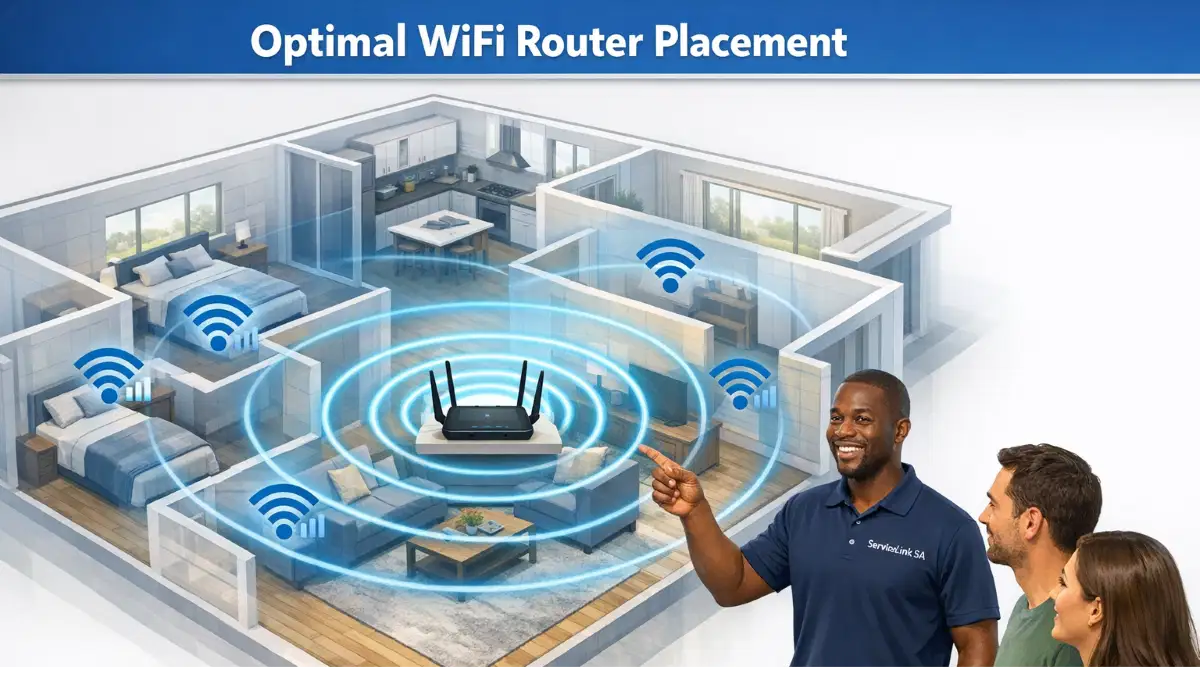
Centre, Elevate, and Isolate. Place your router in a central location, as high as possible, and away from metal and electronics.
Rule 1: Centralise Your Router
The best place to put WiFi router is in the most central part of your home. This ensures the signal radiates outward equally in all directions. In a double storey house, the central landing area often works best.
Rule 2: Elevate Your Router
WiFi signals travel outward and downward. A router placed on the floor will have limited range. Place it on a shelf, bookcase, or high table—ideally at least 1.5 metres off the ground. This is especially important for WiFi router placement in double storey house layouts.
Rule 3: Isolate from Interference
Keep your router away from metal objects, thick walls, and electronics that cause WiFi interference. Microwaves, cordless phones, and baby monitors are common culprits.
Rule 4: Don’t Hide It
Your router needs to broadcast freely. Avoid placing it inside cupboards, behind furniture, or in basements. The signal won’t travel through these obstacles.
For a more detailed look at these principles, check out our router setup guide.
🏠 Best Place to Put WiFi Router Upstairs or Downstairs
One of the most common questions I get is about the best place to put WiFi router upstairs or best place to put WiFi router downstairs. The answer depends on your home’s layout.
If You Have a Single-Storey Home:
The best place to put WiFi router downstairs is in the centre of the home, elevated, and away from walls. A living room or central hallway often works best.
If You Have a Double-Storey Home:
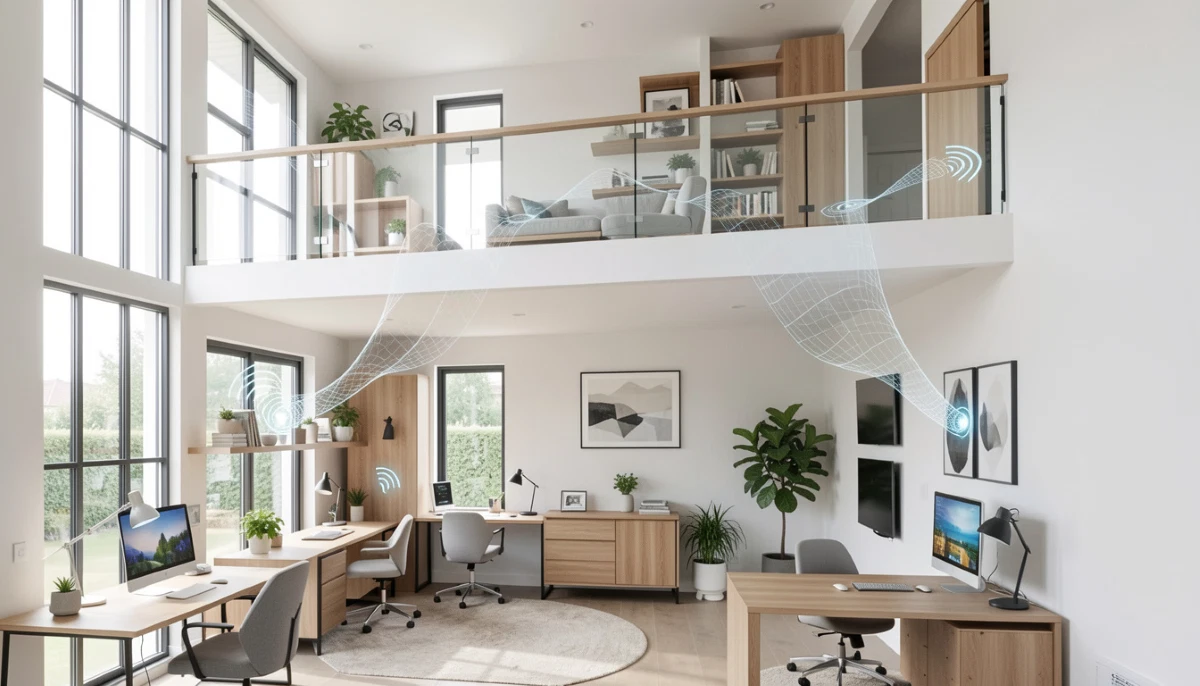
For a double storey house, the best place to put WiFi router upstairs is often on the top floor, near the centre. WiFi signals travel downward more effectively than upward. Placing the router on the upper floor provides better coverage for both floors.
Key Considerations for Upstairs Placement:
- Place the router on the upper floor’s central landing or hallway.
- Elevate it on a shelf or high table.
- Ensure it’s not blocked by large furniture or metal objects.
- Consider that the signal will need to penetrate the floor to reach downstairs rooms.
Key Considerations for Downstairs Placement:
- Place the router centrally on the ground floor.
- Elevate it to help the signal reach the upper floor.
- Avoid placing it near large appliances like refrigerators.
If you have a large home in Potchefstroom or Pretoria, you may need a mesh system or extender to ensure full coverage. Our WiFi signal optimisation guide can help.
📐 WiFi Router Placement in Double Storey House: A Special Case
WiFi router placement in double storey house layouts requires special consideration. Signals struggle to travel vertically, especially through concrete floors.
Best Strategy for Double-Storey Homes:
- Place the Router on the Upper Floor: As mentioned, signals travel downward more effectively than upward. Placing the router on the upper floor provides better coverage for both floors.
- Centralise on the Upper Floor: Place the router in the centre of the upper floor, ideally in a hallway or landing.
- Elevate It: Place it on a high shelf or cabinet to maximise signal distribution.
- Angle Antennas Correctly: If your router has external antennas, point one up and one at a 45-degree angle. This helps broadcast both horizontally and vertically.
What If the Upper Floor Isn’t Practical?
If you can’t place the router upstairs, place it downstairs but as centrally as possible. You may need a WiFi extender or mesh network to cover the upper floor adequately.
For more on this, see our WiFi dead zones explained guide.
Still Not Sure Where to Put Your Router?
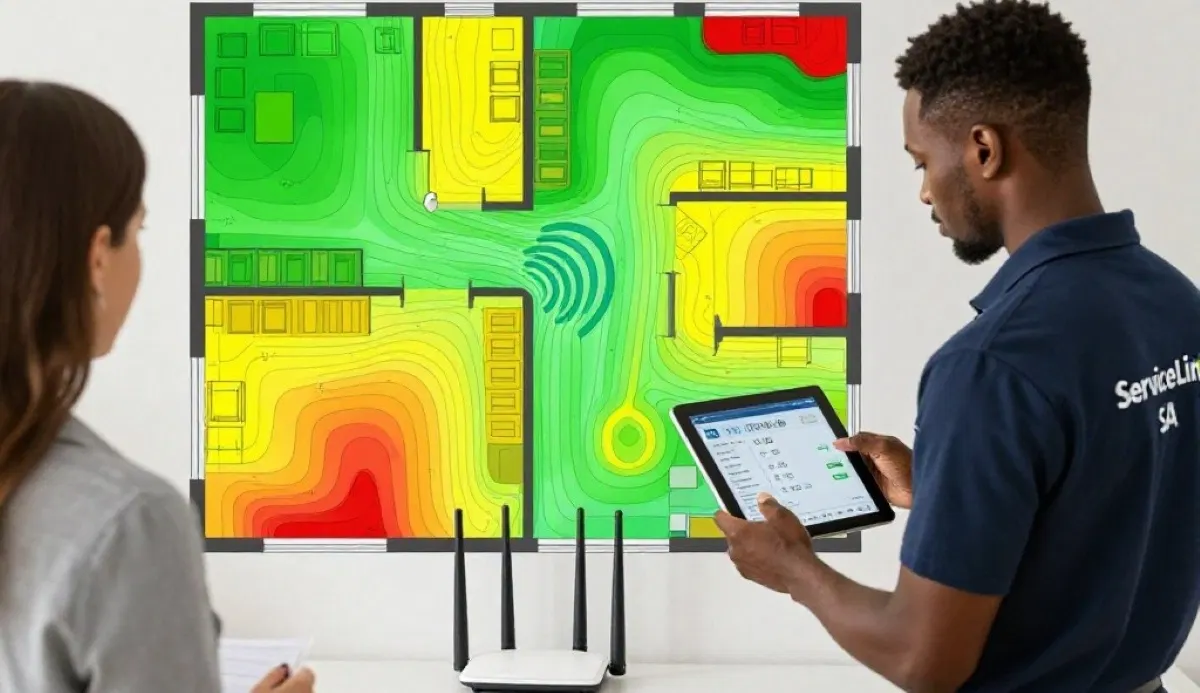
Get a free assessment from local specialists who can recommend the best place to put WiFi router for your home.
Free inspections available for major installations.
🪟 WiFi Router Near Window or Wall: What’s Best?
Another common question: should you place your WiFi router near window or wall? Let’s break it down.
Placing Router Near a Window:
- Pros: Fewer obstructions between the router and outside devices (if you have outdoor WiFi).
- Cons: Most of your signal will radiate outside your home, reducing indoor WiFi coverage. The window may also reflect the signal inward, causing interference.
- Verdict: Not ideal unless you specifically need outdoor coverage. A central location is better for indoor WiFi signal strength.
Placing Router Near a Wall:
- Pros: None, really. It’s usually a bad idea.
- Cons: The wall will absorb a significant portion of your signal, reducing coverage in the rest of your home. This is especially true for brick and concrete walls.
- Verdict: Avoid placing your router right against a wall. Keep it at least 0.5–1 metre away from walls, especially external walls.
What About Corner Placement?
A corner is the worst place for a router. It’s far from the centre of your home and the signal will be blocked by two walls. Always aim for a central location.
For homes with thick brick walls, you might need additional help. Our guide on WiFi signal through brick walls covers this in detail.
🚫 How to Avoid WiFi Interference
WiFi interference is a major cause of poor signal strength. Here’s how to identify and avoid it.
Common Sources of WiFi Interference:
- Microwaves: They operate on the 2.4 GHz frequency and can cause significant WiFi interference when in use.
- Cordless Phones: Many older cordless phones also use the 2.4 GHz band.
- Baby Monitors: These can interfere with your WiFi signal, especially if they’re close to the router.
- Neighbouring WiFi Networks: In apartment buildings, overlapping channels can cause interference. This is particularly common in complexes.
- Bluetooth Devices: Bluetooth also uses the 2.4 GHz band and can cause minor interference.
How to Minimise Interference:
- Keep the Router Away from These Devices: Place your router at least 1–2 metres away from microwaves, cordless phones, and baby monitors.
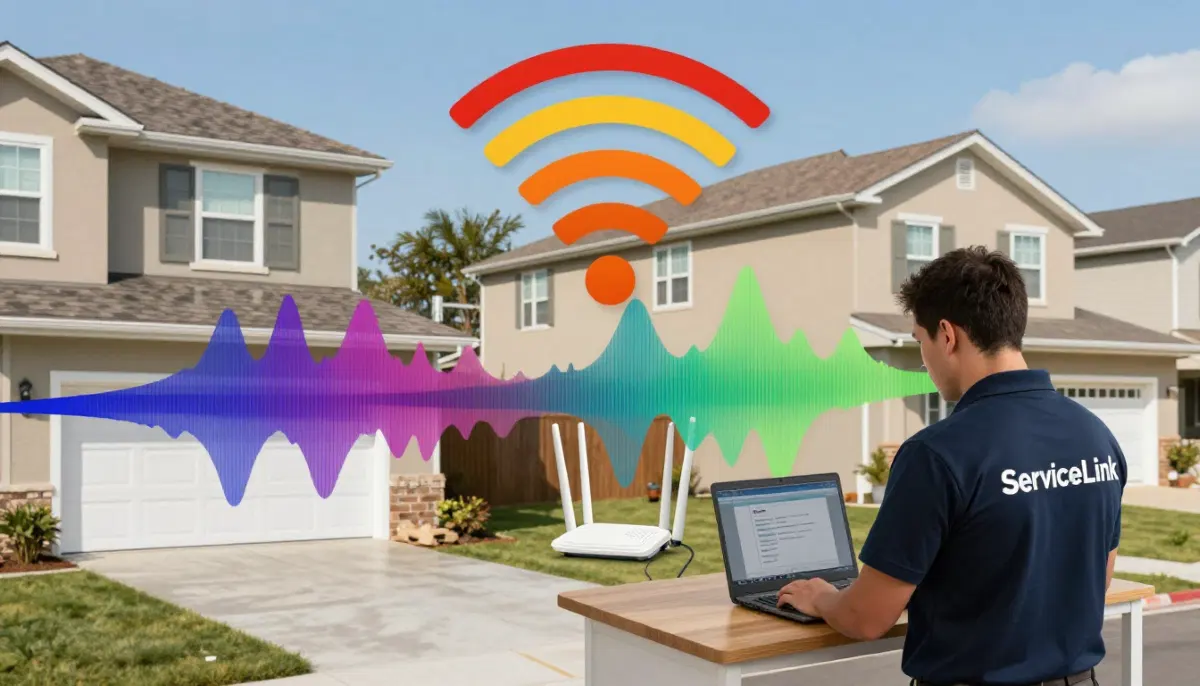
- Change Your WiFi Channel: Use a WiFi analyser app to find the least congested channel (1, 6, or 11 for 2.4 GHz). This is especially important if you live in an apartment complex.
- Use the 5 GHz Band: The 5 GHz band has less interference and is less congested than the 2.4 GHz band. Connect high-bandwidth devices to 5 GHz.
For more on dealing with interference, check out our WiFi dead zones explained guide.

⚡ Quick Signal Boost Tips
Here are some quick, free ways to improve your WiFi signal strength without buying new equipment.
- Update Your Router’s Firmware: Manufacturers release updates that can improve performance and signal stability.
- Reboot Your Router Regularly: A simple reboot can clear out temporary issues and improve WiFi signal strength.
- Adjust Antennas: If your router has adjustable antennas, experiment with different angles. Point one up and one at a 45-degree angle for the best WiFi router placement.
- Reduce the Number of Connected Devices: Too many devices can bog down your network and reduce signal quality.
- Use an Ethernet Cable for Stationary Devices: Connect your PC, TV, or gaming console directly to the router with an Ethernet cable. This frees up WiFi for devices that need it.
For more ways to boost your signal, read our WiFi signal optimisation guide.
🚫 Common Router Placement Mistakes
⚠️ Warning: These Placement Mistakes Ruin Your Signal
Avoid these common errors when deciding where to place your WiFi router for maximum signal strength.
- Hiding the Router in a Cupboard: This is the #1 mistake. Routers need open space to broadcast effectively.
- Placing the Router on the Floor: Signals travel outward and downward. A router on the floor has limited range.
- Putting the Router in a Corner: This wastes half your signal as it broadcasts outside your home.
- Placing Near a Microwave: Microwaves cause significant WiFi interference, especially when in use.
- Placing Behind a TV or Computer: These devices contain metal and electronics that can block signals.
- Ignoring the WiFi router near window or wall rule: Placing right against a wall or window reduces coverage.
If you’re making any of these mistakes, relocating your router could dramatically improve your WiFi signal strength. For help, check our guide to fixing weak WiFi signal in rooms.
❓ Frequently Asked Questions About Router Placement
Where should I place my WiFi router for the best signal?
The best place to put WiFi router is in the centre of your home, elevated (on a shelf or high table), and away from metal objects and electronics. This maximises WiFi signal strength and WiFi coverage. For a double storey house, place it on the upper floor near the centre. This is the most important tip for WiFi router placement for maximum signal.
Is it better to place a WiFi router upstairs or downstairs?
For a double storey house, the best place to put WiFi router upstairs is often the upper floor. WiFi signals travel downward more effectively than upward. Placing the router on the upper floor provides better WiFi coverage for both floors. If you must place it downstairs, keep it as central as possible.
Should I put my WiFi router near a window or wall?
Generally, the WiFi router near window or wall is not recommended. Placing it near a window sends your signal outside your home, reducing indoor WiFi coverage. Placing it against a wall causes the wall to absorb a significant portion of your signal. Keep your router at least 0.5–1 metre from walls and away from windows for the best WiFi signal strength.
What causes WiFi interference?
WiFi interference is caused by other electronics operating on the same frequency band (2.4 GHz). Common sources include microwaves, cordless phones, baby monitors, and neighbouring WiFi networks. To reduce WiFi interference, keep your router away from these devices and use the 5 GHz band where possible.
Does WiFi signal go through walls?
Yes, but the WiFi signal strength is significantly reduced by walls, especially brick and concrete. These materials absorb and reflect WiFi signals, creating dead zones. Good WiFi router placement can help minimise this effect, but for thick walls, a WiFi extender or mesh network may be needed.
How high should I place my WiFi router?
Place your router at least 1.5 metres off the ground. This allows the signal to travel outward and downward more effectively. The higher the router, the better the WiFi coverage. This is especially important for WiFi router placement in double storey house layouts.
Can I put my WiFi router in a cupboard?
No, this is one of the worst places to put a router. Cupboards block the signal, reducing WiFi signal strength and WiFi coverage. Routers need open space to broadcast effectively. Always place your router in an open, elevated location for the best WiFi router placement.
Will moving my router improve my WiFi speed?
Absolutely. Where to place your WiFi router for maximum signal strength directly affects your speed. A better WiFi signal strength means faster speeds and fewer dropped connections. Moving your router to a central, elevated position is the simplest way to improve speed without buying new equipment.
✅ Final Thoughts: Get the Most from Your Router
Your WiFi router placement is the single most important factor in your internet experience. You can have the fastest fibre connection in the country, but if your router is in the wrong spot, you’ll never get the speeds you’re paying for.
Key Takeaways:
- Centralise: Place your router in the centre of your home.
- Elevate: Place it on a shelf or high table, at least 1.5 metres off the ground.
- Isolate: Keep it away from metal, electronics, and thick walls.
- For Double-Storey: Place it on the upper floor, near the centre.
- Avoid Corners and Cupboards: These will kill your signal.
- Watch for Interference: Keep it away from microwaves and cordless phones.
Your Next Step: Take a look at where your router is right now. Is it in the centre of your home? Is it elevated? Is it away from interference? If not, move it. You’ll be amazed at the difference. If you need professional help, ServiceLink SA can connect you with local specialists who understand WiFi router placement for maximum signal.
Ready to Optimise Your Router Placement?
Get free quotes from verified local specialists who can help you find the best place to put WiFi router for your home.
📞 Call us: 073 138 4726 for immediate help finding a specialist near you.
📢 Are You a WiFi Installation Professional?
Join ServiceLink SA’s network of verified contractors and get access to qualified leads for WiFi router placement and installation projects.
📚 Official resources & standards referenced:
- SANS 10400 – Guidelines for electrical and networking installations in South African homes.
- Department of Energy – Information on energy-efficient electronic equipment.
Information provided for general guidance. For professional WiFi router placement, always consult a qualified local technician.
Written by: Innocent T Hanyani
Construction & Home Services Industry Specialist | 21+ Years Experience
Innocent T Hanyani has over two decades of experience working across South Africa’s construction, home services, and technology sectors. Throughout his career, he has worked closely with network installers, electricians, and homeowners, gaining practical insight into how WiFi router placement and WiFi signal strength affect home networks. His expertise helps homeowners understand the complexities of WiFi coverage and WiFi interference, from choosing the right location to achieving optimal WiFi router placement for maximum signal.