
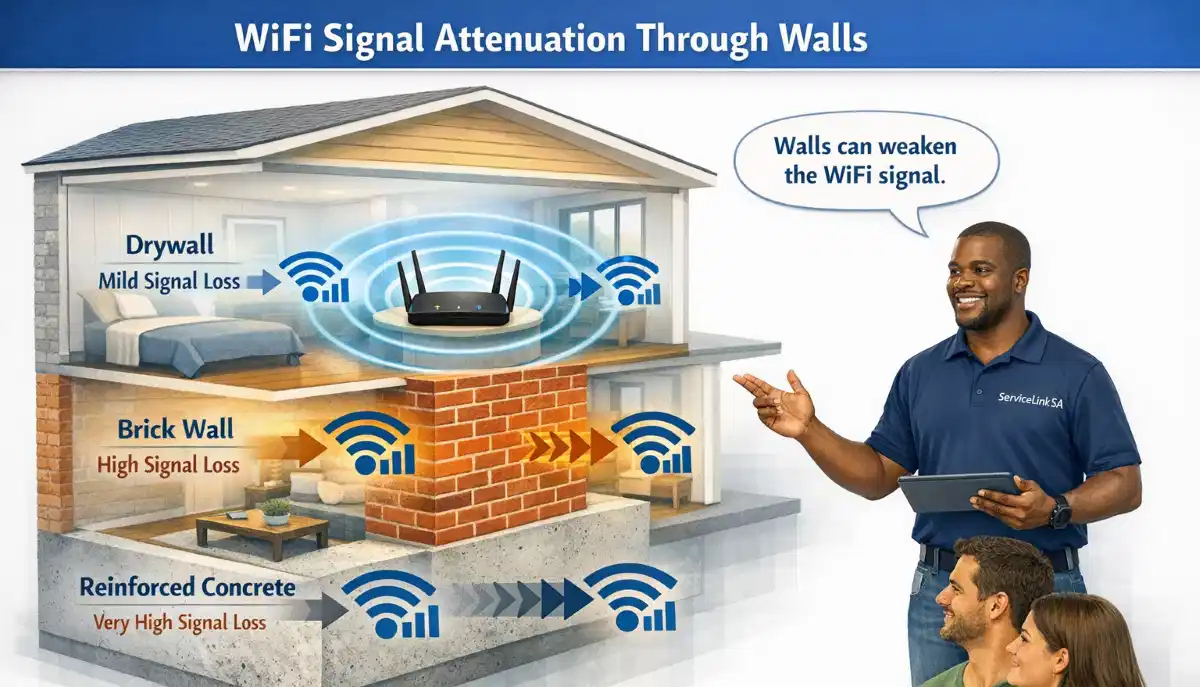
Brick Walls Killing Your WiFi Signal?
Get professional help from local specialists who understand wifi signal blocked by walls and brick wall wifi solutions.
Servicing Kempton Park, Hermanus, Pietermaritzburg, and across South Africa
How Thick Brick Walls Affect WiFi Signal in South African Homes
🧱 South African homes are built with brick—here’s how it affects your WiFi and what you can do about it.
You’ve got a fast fibre connection. Your router is brand new. But your WiFi still doesn’t reach certain rooms. The bedroom at the back of the house has no signal. The home office is a dead zone. You’re frustrated and confused.
The culprit is likely your walls. South African homes are built with brick—solid, thick, and dense. And brick is terrible for WiFi signals. Understanding how thick brick walls affect wifi signal in south african homes is essential for solving your connectivity problems.
In this comprehensive guide, I’ll explain exactly how thick brick walls affect wifi signal in south african homes. I’ll cover wifi signal blocked by walls, brick wall wifi challenges, wifi through concrete, and provide solutions for wifi weak after thick brick walls. Whether you’re in Kempton Park, Hermanus, or Pietermaritzburg, this guide will help you overcome brick wall WiFi problems.
For more on solving wall-related issues, check out our fix weak signal and WiFi dead zones guides. Let’s beat those brick walls.
📋 Table of Contents – Brick Wall WiFi Guide
🧱 Why Brick Walls Block WiFi Signals
Understanding why brick walls block signals is key to understanding how thick brick walls affect wifi signal in south african homes.
How WiFi Signals Work:
WiFi signals are radio waves. Like light, they can be absorbed, reflected, or blocked by materials. Brick is dense and absorbs WiFi signals.
Why Brick Is a Problem:
- Density: Brick is dense, absorbing signals.
- Thickness: South African walls are often double-brick.
- Metal content: Brick contains minerals that reflect signals.
- Mortar: Adds to signal absorption.
How Brick Walls Affect WiFi:
- Absorption: Brick absorbs signal energy.
- Reflection: Signals bounce off brick surfaces.
- Attenuation: Signal strength decreases through brick.
What This Means:
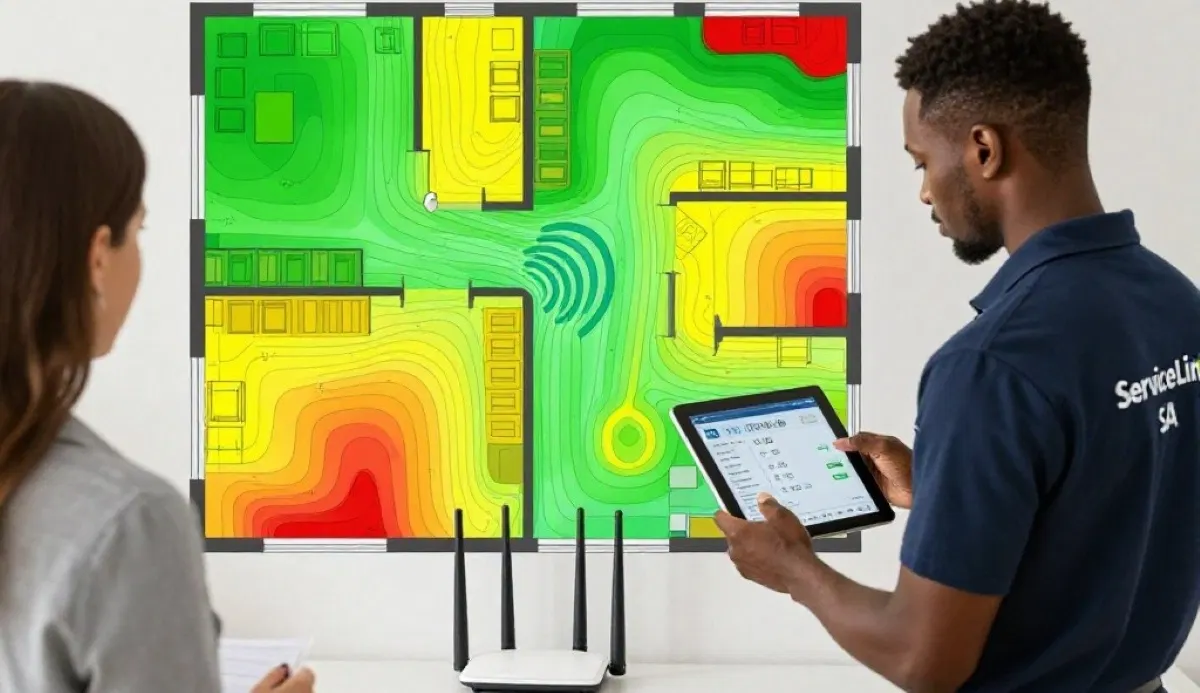
Each brick wall reduces your wifi signal strength. Multiple walls can completely block the signal, creating wifi signal dead spots.
For more on wifi signal loss, see our WiFi dead zones guide.

📉 WiFi Signal Loss Through Brick Walls
Wifi signal loss through brick walls is significant.
How Much Signal Brick Walls Block:
- Single brick wall: 40-60% signal loss.
- Double brick wall: 60-80% signal loss.
- Two walls: Almost complete signal loss.
What This Means in Practice:
If your router is in the living room and your bedroom is behind two brick walls, you may have no signal at all. This is why wifi weak after thick brick walls is so common.
Signal Loss by Frequency:
- 2.4 GHz: 40-60% loss per wall.
- 5 GHz: 60-80% loss per wall.
Realistic Example:
A bedroom in Kempton Park behind two brick walls: The 2.4 GHz signal loses 80% of its strength. The 5 GHz signal loses 95% or more.
For more on wifi signal loss, see our WiFi dead zones guide.
🏠 WiFi Signal Blocked by Interior Walls
Wifi signal blocked by interior walls is a common problem.
Why Interior Walls Matter:
Even interior walls (between rooms) can block WiFi signals. In South African homes, interior walls are often brick, which significantly reduces signal.
How Much Interior Walls Block:
- One interior brick wall: 40-50% signal loss.
- Two interior brick walls: 70-80% signal loss.
- Three or more: Signal may not reach.
Common Problem Areas:
- Back bedrooms: Far from the router.
- Bathrooms: Often have thick walls and plumbing.
- Home offices: May be in a back room.
Realistic Example:
A home office in Hermanus with two interior brick walls between it and the router: The signal is significantly weakened.
For more on wifi signal blocked by walls, see our fix weak signal guide.
🏗️ WiFi Through Concrete
Wifi through concrete is even harder than through brick.
Why Concrete Is Worse:
Concrete is denser than brick and often contains steel reinforcement. This makes it extremely effective at blocking WiFi signals.
How Much Concrete Blocks:
- Concrete floor: 80-95% signal loss.
- Concrete wall: 70-90% signal loss.
Where Concrete Is a Problem:
- Double storey homes: Concrete floors between levels.
- Basements: Concrete walls and floors.
- Apartment buildings: Concrete walls and floors.
Solutions for Concrete:
- Use 2.4 GHz: Better at penetrating than 5 GHz.
- Add nodes: Place nodes on each floor.
- Use wired backhaul: Connect nodes with Ethernet.
For more on wifi through concrete, see our mesh installation guide.
Brick Walls Killing Your WiFi?
Get professional help from local specialists who understand wifi signal loss in brick houses south africa and wifi for house with thick walls.
Free inspections available for wifi penetration issues.
🏠 WiFi for House with Thick Walls
Wifi for house with thick walls requires special solutions.
Challenges of Thick Walls:
- Signal loss: Up to 80% per wall.
- Dead zones: Rooms may have no signal.
- Slow speeds: Weakened signals mean slow speeds.
Solutions for Thick Walls:
- Mesh network: Place nodes in different rooms.
- Powerline adapters: Use electrical wiring.
- Wired Ethernet: Bypass walls entirely.
- WiFi extender: Place on the other side of the wall.
Recommended Approaches:
- Best: Wired Ethernet + access points.
- Good: Mesh network with wired backhaul.
- Budget: Powerline adapters or WiFi extenders.
Realistic Example:
A home in Pietermaritzburg with thick brick walls: A mesh network with nodes in key rooms provides coverage where a single router can’t.
For more on wifi for house with thick walls, see our mesh network guide.
📡 2.4 GHz vs 5 GHz Through Brick
Understanding the frequency difference helps with brick wall wifi.
2.4 GHz Through Brick:
- Penetration: Better than 5 GHz.
- Speed: Slower than 5 GHz.
- Range: Longer range.
- Best for: Rooms behind brick walls.
5 GHz Through Brick:
- Penetration: Poor through brick.
- Speed: Faster than 2.4 GHz.
- Range: Shorter range.
- Best for: Same room as router.
Recommendation:
- For brick walls: Use 2.4 GHz for devices behind walls.
- For same room: Use 5 GHz for faster speeds.
- Best practice: Use both bands for different devices.
Realistic Example:
A bedroom behind a brick wall: Connect to 2.4 GHz for a stable connection. The streaming device in the living room: Connect to 5 GHz for faster speeds.
For more on frequencies, see our dual band WiFi guide.
✅ Solutions for Brick Wall WiFi Problems
Here are proven solutions for wifi weak after thick brick walls.
1. Move Your Router:
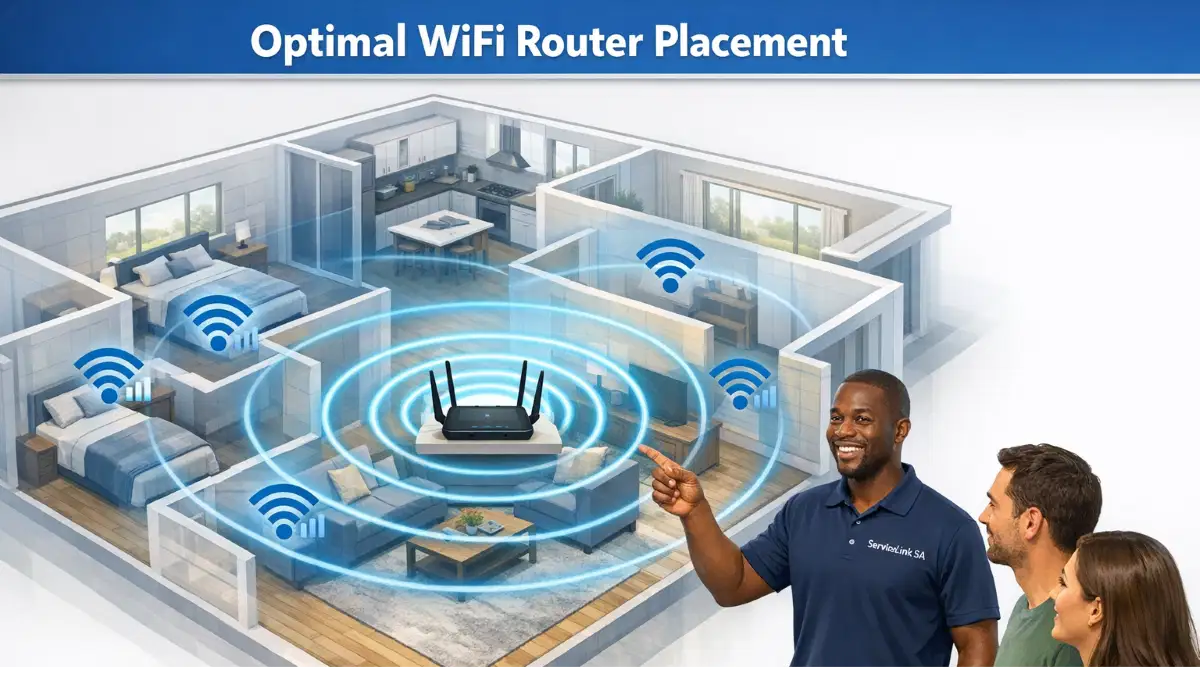
Place your router in a central location to minimise walls between it and your devices.
2. Use 2.4 GHz:
2.4 GHz penetrates brick walls better than 5 GHz. Connect devices behind walls to 2.4 GHz.
3. Install a WiFi Extender:
Place an extender on the other side of the brick wall. This boosts the signal in the weak area.
4. Use a Mesh Network:
Mesh nodes in different rooms bypass walls. This is the most effective solution for wifi for house with thick walls.
5. Powerline Adapters:
Use your electrical wiring to bypass walls. Connect an adapter near your router and another near your device.
6. Run Ethernet Cables:
Run Ethernet cables to devices behind walls. This bypasses walls entirely and provides the best performance.
For more on solutions, see our fix weak signal guide.
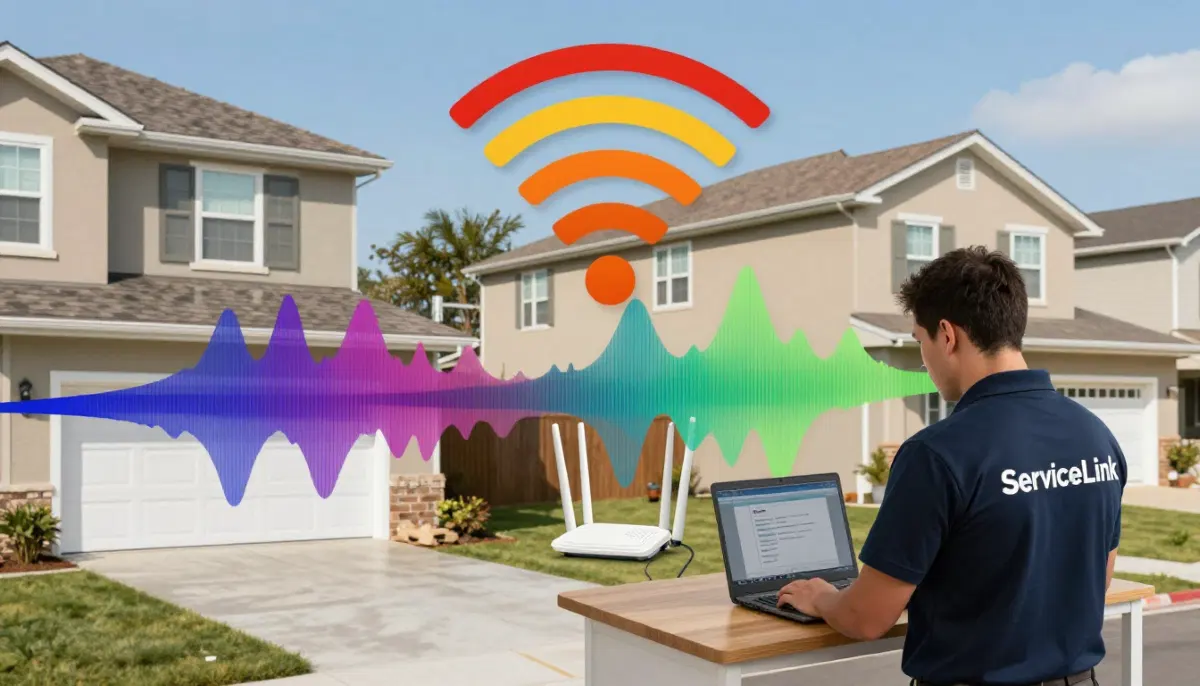
🔌 Powerline Adapters for Brick Walls
Powerline adapters are an effective solution for wifi through concrete and brick.
What Are Powerline Adapters?
Powerline adapters use your home’s electrical wiring to transmit internet signals. They bypass walls entirely.
How They Work:
- Plug one adapter near your router, connect via Ethernet.
- Plug another adapter near your device, connect via Ethernet or WiFi.
- Your electrical wiring carries the internet signal.
Benefits for Brick Walls:
- Bypasses walls: Signal doesn’t need to go through brick.
- Reliable: More stable than WiFi through walls.
- Simple: Easy to set up.
Limitations:
- Wiring quality: Performance depends on your home’s wiring.
- Speed: Not as fast as Ethernet.
Recommended Models:
- TP-Link AV600: Budget option.
- TP-Link AV1000: Better performance.
- TP-Link AV2000: Premium option.
For more on powerline, see our powerline vs extenders guide.
🏠 Realistic Examples
Here are realistic examples of wifi signal loss in brick houses south africa.
Example 1: Single Brick Wall
A home in Postmasburg with a router in the living room and a bedroom behind one brick wall. The 2.4 GHz signal loses 40-50% strength. The bedroom still has a usable signal.
Example 2: Double Brick Wall
A home in Makhado with a router in the living room and a home office behind two brick walls. The signal may not reach at all. A mesh node or extender is needed.
Example 3: Concrete Floor
A double storey home in White River with a router downstairs and bedrooms upstairs. The 5 GHz signal barely reaches upstairs. A mesh system with nodes on both floors solves the problem.
Example 4: Thick Walls Throughout
A home in Kroonstad with thick brick walls throughout. A single router can’t provide coverage. A mesh system with 3-4 nodes provides full coverage.
For more on wifi penetration, see our WiFi dead zones guide.
❓ Frequently Asked Questions About Brick Wall WiFi
How do brick walls affect WiFi signal in South African homes?
How thick brick walls affect wifi signal in south african homes is significant. Brick absorbs WiFi signals, causing 40-80% signal loss per wall. This creates wifi signal dead spots and wifi weak after thick brick walls situations.
How much WiFi signal does a brick wall block?
A single brick wall blocks 40-60% of wifi signal strength. A double brick wall blocks 60-80%. Multiple walls can completely block the signal. This is why wifi signal loss is common in brick wall wifi situations.
Does 5GHz WiFi go through brick walls?
5 GHz wifi penetration through brick walls is poor. It loses 60-80% of its signal per wall. For wifi through concrete and brick, 2.4 GHz is much better.
What is the best WiFi for a house with thick walls?
The best wifi for house with thick walls is a mesh network with nodes in different rooms. For the best performance, use wired backhaul. Powerline adapters are also effective for bypassing walls.
Can a WiFi extender work through brick walls?
A WiFi extender can work through brick walls if it’s placed on the same side as the router. It needs a strong signal from the router to extend. For wifi signal blocked by walls, place the extender before the wall.
What is the difference between 2.4GHz and 5GHz through brick?
2.4 GHz penetrates brick much better than 5 GHz. 5 GHz is faster but struggles with wifi through concrete and brick. For brick wall wifi, 2.4 GHz is the better choice for signal strength.
How can I improve WiFi signal through brick walls?
Improve wifi signal blocked by walls by using 2.4 GHz, moving your router centrally, installing a mesh network, using powerline adapters, or running Ethernet cables. These solutions address wifi signal loss in brick houses south africa.
Is Ethernet better than WiFi through brick walls?
Yes, Ethernet is much better. It bypasses walls entirely and provides full speed. For wifi for house with thick walls, Ethernet is the best solution. Powerline adapters are a good alternative when you can’t run cables.
✅ Final Thoughts: Overcome Brick Wall WiFi Challenges
Understanding how thick brick walls affect wifi signal in south african homes is essential for solving connectivity problems. Brick walls are a fact of life in South African homes, but they don’t have to mean dead zones.
Key Takeaways:
- Brick blocks signals: 40-80% signal loss per wall.
- 2.4 GHz is better: Penetrates brick better than 5 GHz.
- Mesh networks: Best solution for wifi for house with thick walls.
- Powerline adapters: Bypass walls entirely.
- Ethernet: The ultimate solution.
Your Next Step: Identify the brick walls between your router and dead zones. Choose the best solution from this guide. For professional help, ServiceLink SA can connect you with local specialists who understand wifi signal blocked by walls and brick wall wifi.
Ready to Beat Your Brick Wall WiFi Problems?
Get free quotes from verified local specialists for wifi through concrete and brick wall wifi solutions.
📞 Call us: 073 138 4726 for immediate help finding a specialist near you.
📢 Are You a WiFi Installation Professional?
Join ServiceLink SA’s network of verified contractors and get access to qualified leads for wifi signal blocked by walls and brick wall wifi projects.
📚 Official resources & standards referenced:
- SANS 10400 – Guidelines for electrical and networking installations in South African homes.
- Department of Energy – Information on energy-efficient electronic equipment.
Information provided for general guidance. For professional how thick brick walls affect wifi signal in south african homes advice, always consult a qualified local technician.
Written by: Innocent T Hanyani
Construction & Home Services Industry Specialist | 21+ Years Experience
Innocent T Hanyani has over two decades of experience working across South Africa’s construction, telecommunications, and home services sectors. Throughout his career, he has worked closely with network installers, builders, and homeowners, gaining practical insight into how thick brick walls affect wifi signal in south african homes. His expertise helps homeowners understand the complexities of wifi signal blocked by walls and brick wall wifi, from wifi through concrete to wifi weak after thick brick walls, wifi signal blocked by interior walls, wifi for house with thick walls, and wifi signal loss in brick houses south africa.