

Planning a Mesh WiFi Installation?
Get professional help from local specialists who understand mesh wifi installation double storey layouts.
Servicing Pretoria, Stellenbosch, Umhlanga, and across South Africa
How to Install a Mesh WiFi System in a Double Storey Home: The Complete Guide
🏠 Finally, get full WiFi coverage on every floor—here’s exactly how to install it.
You’ve decided to upgrade to a mesh WiFi system. Smart move. But now comes the tricky part: actually installing it in your double storey home. Where do you put the nodes? How many do you need? How do you get the best wifi coverage on both floors?
I’ve helped countless homeowners across South Africa with mesh wifi installation double storey setups. The good news is that it’s not complicated—but there are specific techniques that make the difference between good and great coverage.
In this guide, I’ll walk you through everything you need to know about how to install a mesh WiFi system in a double storey home. From planning to placement to setup, I’ll cover it all. Whether you’re in Pretoria, Stellenbosch, or Umhlanga, these steps will work for you.
For more on mesh systems, check out our mesh network guide and mesh vs extenders comparison. Let’s get your double storey home fully covered.
📋 Table of Contents – Double Storey Mesh Installation
🏠 Why Mesh Is Perfect for Double Storey Homes
Before we dive into how to install a mesh WiFi system in a double storey home, let’s understand why mesh is the ideal solution.
Challenges of Double Storey Homes:
- Signal penetration: WiFi signals struggle to go through concrete floors.
- Distance: Rooms on different floors are far from the router.
- Dead zones: Some areas on one floor may have no signal.
Why Mesh Solves These Problems:
- Multiple nodes: Place nodes on different floors for coverage across levels.
- Seamless roaming: Move between floors without dropping connection.
- Consistent speed: Get good speeds on both floors with proper mesh wifi installation double storey.
- Dedicated backhaul: Maintains speed even with multiple nodes.
What You’ll Achieve:
- Full wifi coverage on both floors.
- No more dead zones or weak signal areas.
- Seamless connection as you move around your home.
- Consistent speeds for all your devices.
For more on mesh benefits, see our mesh vs extenders guide.
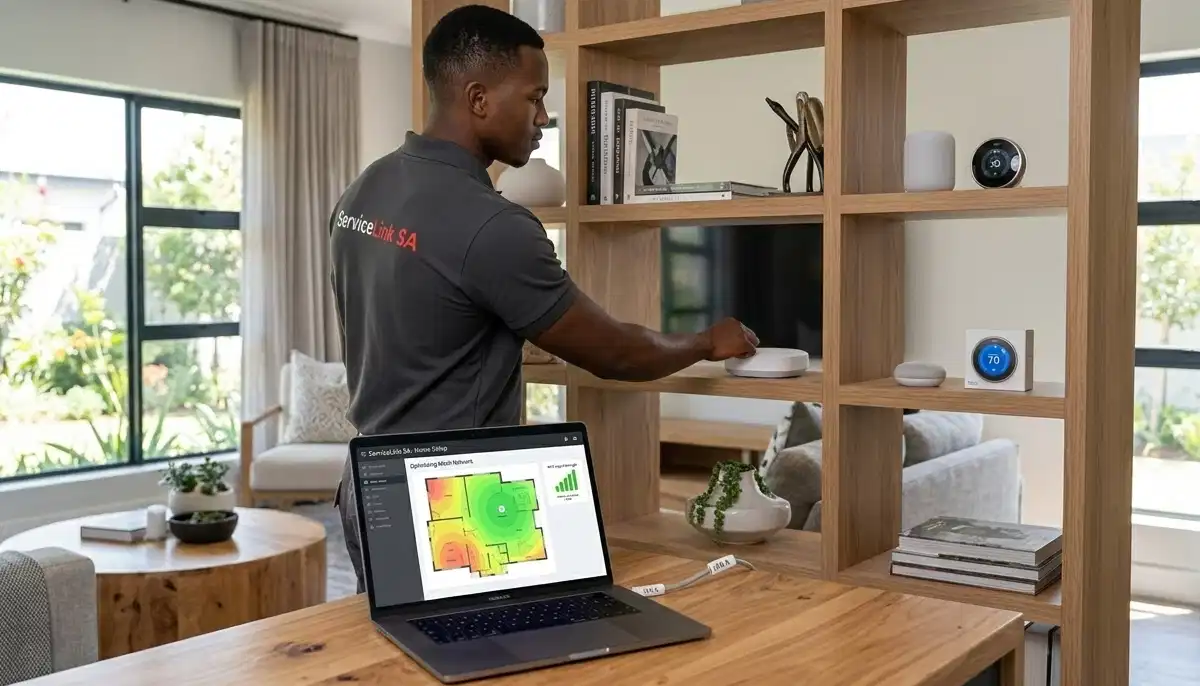
📋 Planning Your Mesh Network
Proper planning is essential for mesh wifi installation double storey success.
Step 1: Map Your Home
Draw a simple floor plan of both floors. Mark where your internet connection enters the home. Identify areas with weak signal or dead zones.
Step 2: Determine Your Needs
Consider:
- How many devices will be connected?
- What activities will you use the internet for? (gaming, streaming, work)
- How many floors need coverage?
- Are there any particularly challenging areas (like thick walls)?
Step 3: Choose Your Mesh System
Select a mesh system that suits your needs. Consider:
- Number of nodes needed (see next section).
- WiFi speed requirements.
- Budget.
- Brand reputation.
For more on choosing a system, see our best mesh WiFi systems guide.
📊 How Many Mesh Nodes for Double Storey
Knowing how many mesh nodes for double storey is crucial for proper installation.
General Guidelines:
- 2 nodes: Suitable for smaller double storey homes (under 150m² total). One node on each floor.
- 3 nodes: Ideal for most double storey homes (150-250m² total). Two nodes on one floor, one on the other, or one in a central location on each floor plus one for a challenging area.
- 4+ nodes: For very large double storey homes (over 250m²) or homes with challenging layouts.
Factors to Consider:
- Floor plan: Open plan homes need fewer nodes than homes with many rooms.
- Construction: Homes with brick or concrete walls need more nodes.
- Desired speed: More nodes generally means better speed coverage.
Recommended Setup:
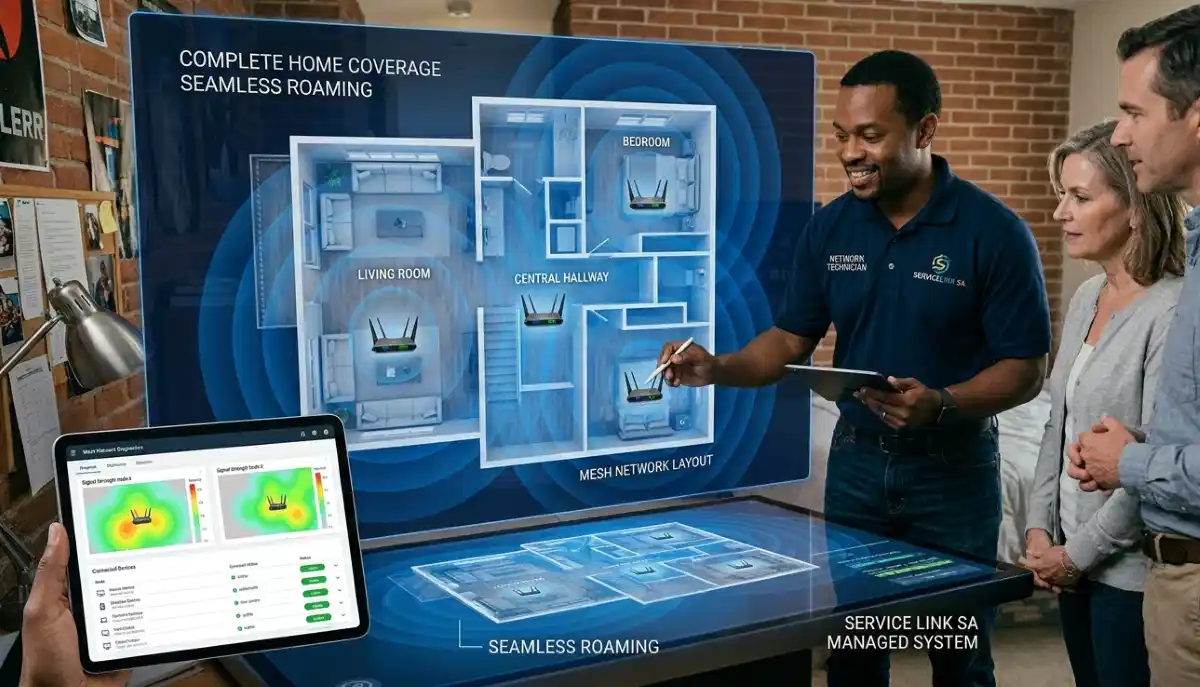
For most double storey homes, 3 nodes is the sweet spot. One on the ground floor in a central location, and two on the upper floor at opposite ends. This provides excellent coverage throughout the home.
For more detailed guidance, see our how many mesh nodes guide.
📍 Best Place to Put Mesh Nodes in Double Storey
The best place to put mesh nodes in double storey is critical for optimal performance.
Ground Floor Placement:
- Central location: Place the main node (connected to your modem) in a central location on the ground floor.
- Elevated: Place it on a shelf or table at least 1.5 metres off the ground.
- Away from interference: Keep it away from microwaves, cordless phones, and metal objects.
Upper Floor Placement:
- Central or at opposite ends: For two nodes on the upper floor, place them at opposite ends of the floor to cover both areas.
- Above the main node: If possible, place one upper floor node directly above the main ground floor node.
- Consider room usage: Place nodes near rooms where you use the internet most.
Key Principles:
- Line of sight: Nodes work best when they have direct or minimal obstruction to each other.
- Distance: Nodes should be no more than 2 rooms apart.
- Avoid corners: Keep nodes away from corners and external walls.
For more on placement, see our mesh network guide.
Need Professional Mesh Installation?
Get expert help from local specialists who understand mesh wifi installation double storey and mesh wifi for large double storey homes.
Free inspections available for mesh wifi setup guide.
🔄 Mesh WiFi Upstairs and Downstairs
Creating seamless mesh wifi upstairs and downstairs requires specific placement strategies.
Optimal Configuration:
- Staggered placement: Don’t place nodes directly above each other. Stagger them so they’re offset, which helps with vertical coverage.
- Diagonal approach: Place the main node in a corner of the ground floor, and another node in the opposite corner on the upper floor for diagonal coverage.
- Central nodes: Place nodes near staircases or central hallways to maximise coverage to both floors.
Testing and Adjusting:
After placing your nodes, use the mesh system’s app to check signal strength between nodes. Move them if needed to improve the connection.
For Large Double Storey Homes:
For mesh wifi for large double storey, you may need additional nodes or a more powerful system. Consider a tri-band system for better performance.
For more on this, see our double storey WiFi setup guide.
🔧 Step-by-Step Installation Guide
Here’s a complete mesh wifi setup guide for your double storey home.
Step 1: Unbox Your System
Unbox all nodes and accessories. Identify the main node (usually labelled or has a different colour port).
Step 2: Connect the Main Node
Connect the main node to your modem or ONT using the Ethernet cable. Plug in the power adapter. Wait for it to boot up.
Step 3: Install the App
Download the manufacturer’s app (e.g., TP-Link Tether, Netgear Orbi, Google Home). Follow the app’s setup instructions.
Step 4: Configure Your Network
The app will guide you through creating your WiFi network name and password. Use the same network name as your old network if you want devices to auto-reconnect.
Step 5: Place Additional Nodes
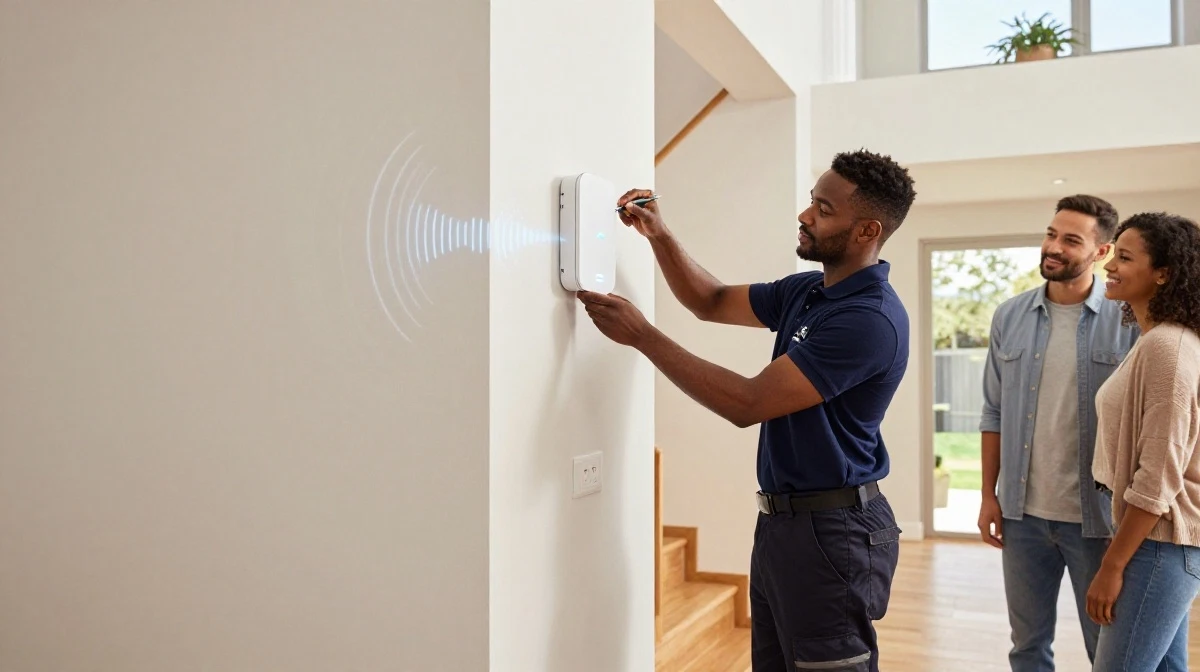
Following the placement guidelines above, place your additional nodes in their optimal positions.
Step 6: Connect Additional Nodes
Use the app to add each node. The app will guide you through the process. Place each node where you’ve planned, plug it in, and wait for it to sync.
Step 7: Test Your Coverage
Walk around your home with your phone. Check the signal strength on both floors. Use the app to check connection quality between nodes.
Step 8: Optimise Placement
If you find dead zones, move nodes and retest. The app will show you signal strength between nodes to help you find the best positions.
For more detailed instructions, see our mesh network guide.

⚙️ Configuration and Optimisation
After installation, fine-tune your mesh wifi installation double storey for best performance.
Key Settings to Check:
- Band steering: Enable this to automatically connect devices to the best band (2.4 GHz or 5 GHz).
- Firmware updates: Check for and install the latest firmware.
- Guest network: Set up a guest network for visitors if needed.
- QoS: Configure Quality of Service to prioritise important traffic.
Optimisation Tips:
- Update the app: Keep the app updated for the latest features.
- Check node health: Regularly check the app to ensure all nodes are connected properly.
- Monitor performance: Use the app’s speed test feature to monitor performance.
Wired Backhaul (Advanced):
For the best performance, consider connecting nodes with Ethernet cables (wired backhaul). This frees up the WiFi for your devices and provides faster speeds.
For more on optimisation, see our WiFi signal optimisation guide.
🚫 Common Installation Mistakes
⚠️ Warning: These Mistakes Ruin Your Mesh Installation
Avoid these errors when doing how to install a mesh WiFi system in a double storey home.
- Placing nodes too far apart: Nodes need to be within range of each other. If they’re too far, the signal between them will be weak.
- Placing nodes in corners: Corners reduce coverage and node-to-node communication.
- Placing nodes behind furniture: This blocks the signal between nodes.
- Not checking node placement: Use the app to check signal strength between nodes. Don’t guess.
- Using the same network name incorrectly: If you want devices to auto-connect, use the same network name and password as your old router.
- Ignoring firmware updates: Outdated firmware can cause performance issues.
- Not testing coverage: Walk around your home and test the signal. If you find weak spots, move nodes.
For more on avoiding these mistakes, see our mesh vs extenders guide.
🛠️ Troubleshooting Your Mesh System
Even with proper mesh wifi installation double storey, issues can arise. Here’s how to fix common problems.
Issue 1: Weak Signal Between Nodes
Fix: Move nodes closer together. Ensure there are no large metal objects between nodes. Use the app to check signal strength.
Issue 2: Slow Speeds on Upper Floor
Fix: Add another node on the upper floor. Ensure the upper floor nodes are positioned to receive a strong signal from the main node.
Issue 3: Devices Don’t Roam Automatically
Fix: Enable band steering or fast roaming in the app settings. Ensure all nodes are on the same firmware version.
Issue 4: One Node Keeps Disconnecting
Fix: Move it closer to other nodes. Check for interference. Factory reset the node and re-add it.
For more troubleshooting, see our WiFi disconnecting guide.
❓ Frequently Asked Questions About Mesh Installation
How do I install a mesh WiFi system in a double storey home?
How to install a mesh WiFi system in a double storey home starts with proper planning. Place one node on the ground floor (central location) and additional nodes on the upper floor (staggered placement). Use the app to guide setup and test coverage. Follow our mesh wifi setup guide for detailed steps.
How many mesh nodes do I need for a double storey house?
How many mesh nodes for double storey depends on your home size. For most double storey homes (150-250m²), 3 nodes is ideal. For smaller homes (under 150m²), 2 nodes may suffice. For larger homes (over 250m²), you may need 4+ nodes. Consider your home’s layout and construction when deciding.
Where is the best place to put mesh nodes in a double storey?
The best place to put mesh nodes in double storey is central locations on each floor. On the ground floor, place the main node centrally. On the upper floor, place nodes at opposite ends or in central locations. Avoid corners and ensure nodes have line of sight to each other for best wifi coverage.
Can I put a mesh node upstairs and downstairs?
Yes, mesh wifi upstairs and downstairs is exactly what you should do. Place at least one node on each floor. For best results, stagger the placement so nodes aren’t directly above each other. This improves vertical wifi coverage and ensures strong signals on both floors.
How long does mesh WiFi installation take?
A typical mesh wifi installation double storey takes 30-60 minutes for setup and placement. Allow additional time for testing and optimisation. Professional installation may be faster if the specialist knows your home’s layout. The mesh wifi setup guide in the manufacturer’s app makes the process straightforward.
Do I need a wired connection between mesh nodes?
No, mesh nodes communicate wirelessly using a wifi backhaul. However, for the best performance in a mesh wifi for large double storey home, consider using a wired backhaul (Ethernet cable between nodes). This frees up WiFi for your devices and provides faster speeds.
Can mesh WiFi work with my existing router?
Some mesh systems can work with your existing router, but it’s recommended to use the mesh system as your primary router. Connect the main mesh node directly to your modem or ONT. If you must keep your existing router, put it in bridge mode to avoid double NAT issues. See our mesh network guide for more.
What is the best mesh WiFi system for a double storey home?
The best mesh system for a double storey home depends on your needs. Popular options in South Africa include TP-Link Deco, Netgear Orbi, and Google Nest WiFi. For mesh wifi for 2 storey house, consider a tri-band system for better performance. See our best mesh WiFi systems guide for recommendations.
✅ Final Thoughts: Enjoy Full WiFi Coverage in Your Double Storey Home
How to install a mesh WiFi system in a double storey home is a skill that will transform your internet experience. No more dead zones, no more weak signals, no more dropped connections.
Key Takeaways:
- Plan properly: Map your home and determine your needs.
- Choose the right system: Consider the number of nodes and features.
- Place nodes strategically: Central locations, staggered placement, and avoiding corners.
- Use the app: Modern mesh systems have user-friendly apps for setup and optimisation.
- Test and adjust: Walk around your home and test coverage. Move nodes if needed.
- Consider professional help: If you’re unsure, ServiceLink SA can connect you with local specialists.
Your Next Step: Plan your mesh wifi installation double storey today. Map your home, choose your system, and follow this guide. For personalised advice or professional installation, ServiceLink SA can connect you with verified local specialists who understand mesh wifi for 2 storey house layouts.
Ready to Install Your Mesh WiFi System?
Get free quotes from verified local specialists for mesh wifi installation double storey and mesh wifi setup guide services.
📞 Call us: 073 138 4726 for immediate help finding a specialist near you.
Mesh Network Guide •
Mesh vs Extenders •
Signal Optimisation
📢 Are You a WiFi Installation Professional?
Join ServiceLink SA’s network of verified contractors and get access to qualified leads for mesh wifi installation double storey and mesh wifi setup guide projects.
📚 Official resources & standards referenced:
- SANS 10400 – Guidelines for electrical and networking installations in South African homes.
- SABS – Standards for electronic equipment and safety.
Information provided for general guidance. For professional mesh wifi installation double storey, always consult a qualified local technician.
Written by: Innocent T Hanyani
Construction & Home Services Industry Specialist | 21+ Years Experience
Innocent T Hanyani has over two decades of experience working across South Africa’s construction, telecommunications, and home services sectors. Throughout his career, he has worked closely with network installers, IT professionals, and homeowners, gaining practical insight into how mesh wifi installation double storey projects should be planned and executed. His expertise helps homeowners understand the complexities of how to install a mesh WiFi system in a double storey home, from choosing the right mesh wifi for 2 storey house to implementing effective mesh wifi upstairs and downstairs coverage and achieving optimal wifi coverage for mesh wifi for large double storey homes.