

Struggling with WiFi on Both Floors?
Get professional help from local specialists who understand wifi setup for double storey house and double storey house wifi.
Get Free Double Storey WiFi Advice
Servicing Germiston, Somerset West, Umhlanga, and across South Africa
Best WiFi Setup for Double Storey Houses: The Complete Guide
🏠 Two floors, one reliable connection—here’s how to get full WiFi coverage throughout your double storey home.
You live in a double storey house. You love the space, the layout, and the views from upstairs. But there’s one problem: your WiFi doesn’t reach all areas. You have great signal downstairs, but upstairs is a dead zone. Or vice versa. The struggle is real.
Finding the best wifi setup for double storey houses is one of the most common challenges for homeowners. Signals struggle to travel between floors, and concrete floors block signals. But with the right wifi setup for double storey house, you can get full double storey house wifi coverage on both levels.
In this comprehensive guide, I’ll show you exactly how to achieve the large house wifi setup you need. I’ll cover the best wifi setup for 2 storey house south africa, optimal wifi router placement for double storey, wifi extender for double storey house solutions, and mesh wifi for double storey house options. Whether you’re in Germiston, Somerset West, or Umhlanga, this guide will help you get full coverage.
For more on double storey solutions, check out our mesh installation guide and fix weak signal guides. Let’s get your double storey home fully connected.
📋 Table of Contents – Double Storey WiFi Guide
🏠 WiFi Challenges in Double Storey Homes
Understanding the challenges is the first step to finding the best wifi setup for double storey houses.
Why Double Storey Homes Are Challenging:
- Concrete floors: Signals struggle to pass through.
- Distance: Rooms are far from the router.
- Multiple walls: Signals must pass through many walls.
- Signal direction: WiFi signals travel downward more easily than upward.
Common Problem Areas:
- Upstairs bedrooms: Often have weak signal.
- Downstairs rooms: Far from the router.
- Bathrooms: Thick walls and plumbing block signals.
Why Signals Struggle to Go Upward:
WiFi signals naturally radiate outward and slightly downward. This is why placing the router upstairs often works better than placing it downstairs.
What This Means for You:
A single router often can’t cover both floors effectively. You need additional equipment or a different approach.
For more on double storey wifi challenges, see our WiFi dead zones guide.

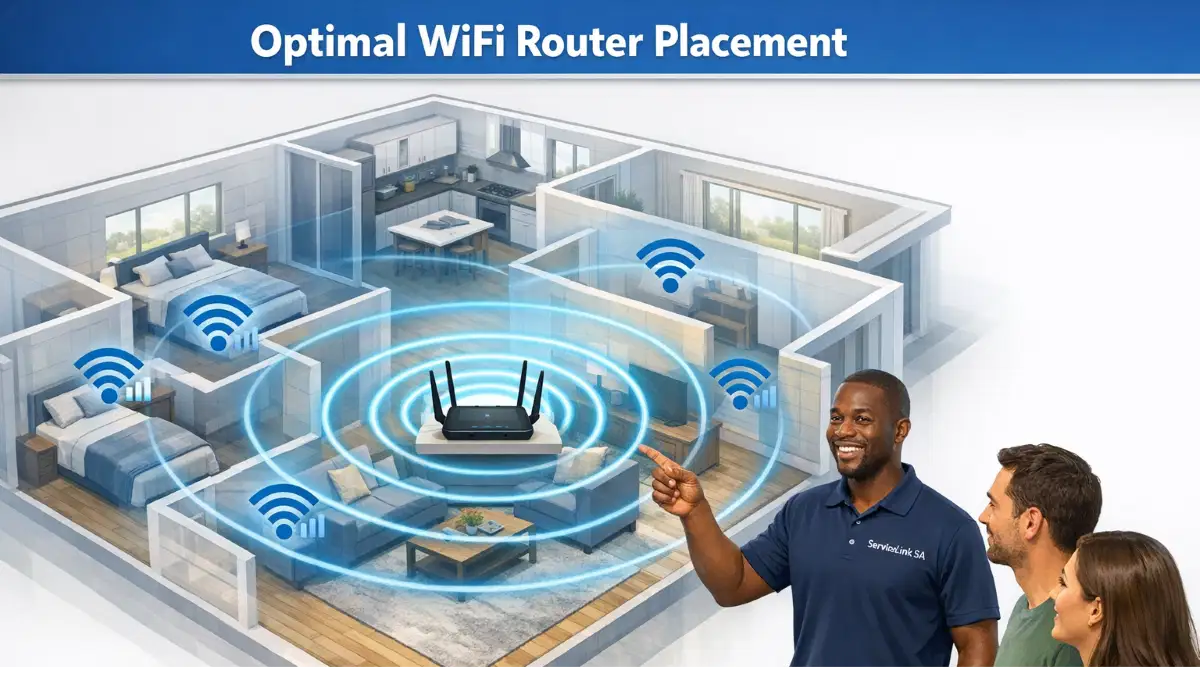
📍 WiFi Router Placement for Double Storey
Wifi router placement for double storey is critical for good coverage.
Option 1: Place the Router Upstairs
For most double storey homes, placing the router on the upper floor works best. Signals travel downward more effectively than upward.
- Pros: Better coverage to both floors.
- Cons: May need Ethernet cable from downstairs ONT.
Option 2: Place the Router Downstairs
If you can’t place the router upstairs, place it centrally on the ground floor.
- Pros: Easier connection to the ONT.
- Cons: Weaker signal on the upper floor.
Option 3: Central Location
If your router has good range, a central location on either floor can work.
Best Placement Tips:
- Elevate: Place the router on a shelf or high table.
- Centralise: Place it in the centre of your home.
- Away from walls: Keep it at least 0.5 metres from walls.
- Away from interference: Keep it away from electronics.
Realistic Example:
A double storey home in Germiston: Placing the router upstairs provides better coverage than placing it downstairs.
For more on wifi router placement for double storey, see our router placement guide.
📡 Can a Single Router Cover a Double Storey?
Can a single router provide upstairs wifi and downstairs wifi?
Yes, in Some Cases:
A single router can cover a double storey home if:
- The home is small (under 150m² total).
- The router is powerful and centrally located.
- Walls are not too thick.
- The home has an open floor plan.
No, in Most Cases:
A single router struggles with double storey homes because:
- Concrete floors block signals.
- Rooms are far from the router.
- Multiple walls weaken the signal.
How to Improve Single Router Coverage:
- Place it upstairs: Signals travel downward better.
- Use 2.4 GHz: Penetrates walls better than 5 GHz.
- Update firmware: Improve performance.
When to Consider Additional Solutions:
- If you have dead zones on either floor.
- If speeds are slow on one floor.
- If you have many devices.
For more on router coverage, see our router speed guide.
Need a Professional Double Storey WiFi Setup?
Get expert help from local specialists who understand double storey house wifi and large house wifi setup.
Get Free Double Storey WiFi Advice
Free site surveys available for best wifi setup for 2 storey house south africa.
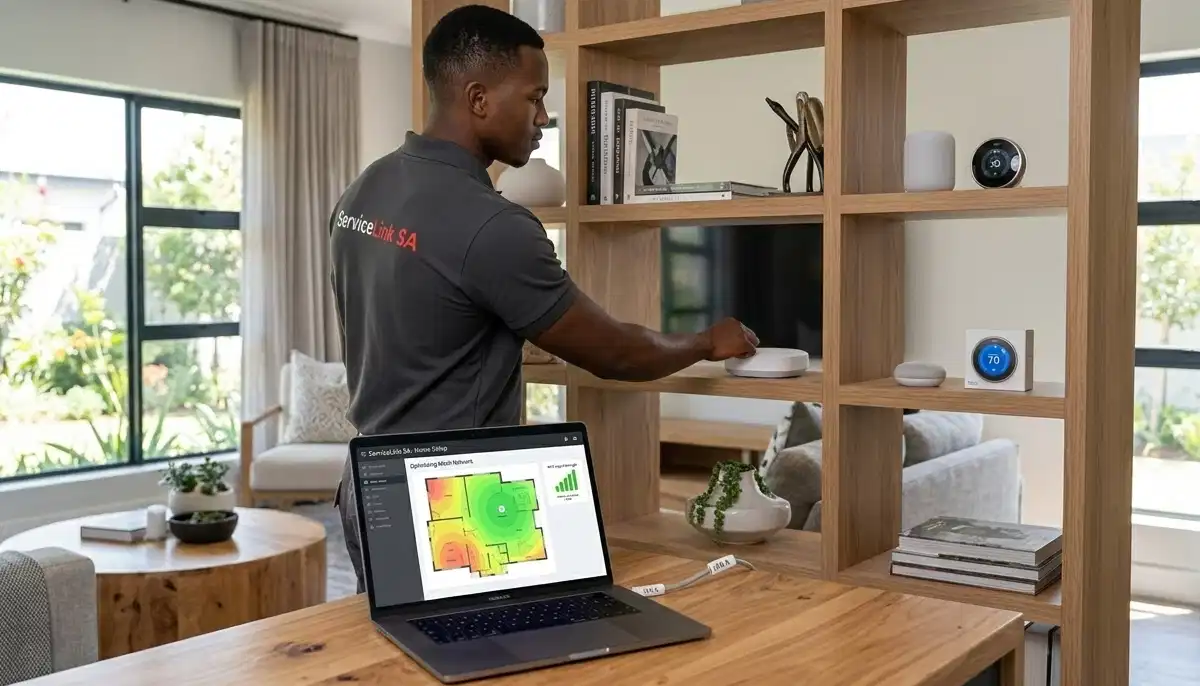
🌐 Mesh WiFi for Double Storey House
Mesh wifi for double storey house is the best solution for full coverage.
What Is a Mesh Network?
A mesh network uses multiple nodes that work together to create a seamless WiFi network. Nodes on both floors provide full coverage.
Why Mesh Is Ideal for Double Storey:
- Seamless coverage: One network across both floors.
- Seamless roaming: Devices connect to the strongest node.
- Scalable: Add more nodes if needed.
- Consistent speed: Good speeds on both floors.
Recommended Mesh Systems:
- TP-Link Deco X20: Affordable, good performance.
- TP-Link Deco X60: Better performance, WiFi 6.
- Netgear Orbi RBK752: Premium, excellent performance.
- Google Nest WiFi: User-friendly, good performance.
How Many Nodes Do You Need?
For most double storey homes, 2-3 nodes are sufficient. Place one node on each floor, and a third if needed.
For more on mesh wifi for double storey house, see our mesh network guide.
📶 WiFi Extender for Double Storey House
A wifi extender for double storey house is a more affordable solution.
What Is a WiFi Extender?
A WiFi extender picks up your existing signal and rebroadcasts it to extend its range.
How to Use an Extender in a Double Storey:
- Place the extender where the signal is still strong.
- Place it on the floor with weak signal.
- Ensure it has a strong signal from the router.
Where to Place an Extender:
- On the upper floor: Place near the stairs.
- In a central location: On the weak floor.
- Away from walls: For best coverage.
Limitations of Extenders:
- Speed reduction: May reduce speed by 50%.
- Separate network: Creates a new network name.
- Signal dependent: Needs a strong signal to work.
Recommended Extenders:
- TP-Link RE305: Good value, AC1200.
- TP-Link RE220: Budget option, AC750.
For more on wifi extender for double storey house, see our extender installation guide.
🔄 Upstairs and Downstairs WiFi
Getting good upstairs wifi and downstairs wifi requires specific strategies.
For Upstairs WiFi:
- Place router upstairs: If possible, place the router on the upper floor.
- Use a mesh node: Place a node upstairs.
- Use an extender: Place an extender upstairs.
For Downstairs WiFi:
- Place router downstairs: If you must, place it centrally.
- Use a mesh node: Place a node downstairs.
- Use an extender: Place an extender downstairs.
Best Strategy:
Use a mesh network with nodes on both floors. This provides seamless double storey wifi coverage.
Realistic Example:
A home in Somerset West with a router downstairs and poor upstairs signal: Add a mesh node or extender upstairs for full coverage.
For more on upstairs wifi, see our fix weak signal guide.
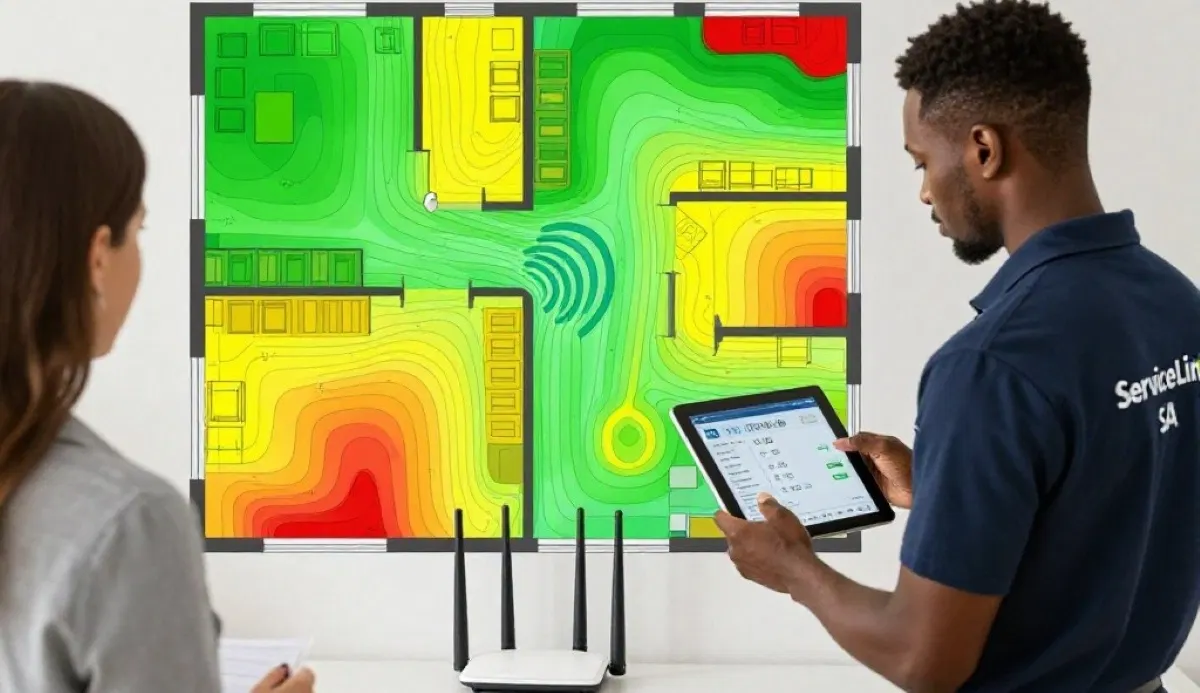
🏆 Best WiFi Setup for 2 Storey House
Here are the best wifi setup for 2 storey house south africa solutions.
1. Mesh WiFi System (Best Overall):
A mesh system is the best solution for most double storey homes. It provides seamless coverage, consistent speeds, and easy setup.
- Pros: Seamless coverage, consistent speeds.
- Cons: Higher cost.
- Best for: Most double storey homes.
2. WiFi Extender (Budget Option):
An extender is a more affordable option for homes with one or two dead zones.
- Pros: Affordable, easy setup.
- Cons: Speed reduction, separate network.
- Best for: Homes with one dead zone.
3. Router Upstairs (DIY Option):
If you have a good router, placing it upstairs may be enough.
- Pros: Free, simple.
- Cons: May not cover both floors.
- Best for: Small double storey homes.
4. Powerline Adapters (Alternative):
Use your electrical wiring to extend internet to another floor.
- Pros: Good for thick walls.
- Cons: Speed depends on wiring.
- Best for: Homes with thick walls.
Recommendation:
For most large house wifi setup needs, a mesh system is the best investment.
For more on best wifi setup for 2 storey house south africa, see our mesh network guide.
🔧 Step-by-Step Installation
Here’s how to install your double storey house wifi solution.
For Mesh Network:
- Place the main node: Connect it to your modem/ONT on one floor.
- Place satellite nodes: Place on other floors and in central locations.
- Use the app: Follow the app’s setup instructions.
- Test coverage: Walk around and test the signal.
- Adjust placement: Move nodes if needed.
For WiFi Extender:
- Place near router: Plug it in near your router.
- Set up: Use WPS or the app to connect.
- Move to final location: Move to the weak area.
- Test coverage: Ensure the signal is strong.
For Router Upstairs:
- Move the router: Place it on the upper floor.
- Connect: Connect it to the ONT using Ethernet.
- Test coverage: Check signal on both floors.
For more on installation, see our mesh installation guide.
📊 WiFi Solutions Comparison
Here’s a comparison of best wifi setup for double storey houses solutions.
| Solution | Cost | Coverage | Speed | Ease of Setup | Best For |
|---|---|---|---|---|---|
| Router Upstairs | Free | Fair | Good | Easy | Small homes |
| WiFi Extender | R500 – R1,500 | Good | Moderate | Easy | Single dead zone |
| Powerline Adapter | R800 – R2,000 | Good | Moderate | Easy | Thick walls |
| Mesh Network | R3,000 – R10,000+ | Excellent | Excellent | Easy | Most homes |
Key Takeaway: Mesh networks offer the best coverage and performance for double storey homes.
❓ Frequently Asked Questions About Double Storey WiFi
What is the best WiFi setup for double storey houses?
The best wifi setup for double storey houses is a mesh network with nodes on both floors. For smaller homes, placing the router upstairs or using a WiFi extender can work. The best wifi setup for 2 storey house south africa depends on your home size and budget.
Where should I place my router in a double storey house?
Wifi router placement for double storey should be on the upper floor if possible. Signals travel downward more effectively. If you must place it downstairs, place it centrally. For the best double storey house wifi, consider a mesh system.
Can a single router cover a double storey house?
A single router can cover a small double storey house if it’s powerful and centrally located. However, most double storey homes need additional solutions like a wifi extender for double storey house or mesh network for full coverage.
Is mesh WiFi good for double storey houses?
Yes, mesh wifi for double storey house is excellent. Mesh networks provide seamless coverage on both floors, consistent speeds, and easy setup. It’s the best solution for large house wifi setup.
What is the best WiFi extender for a double storey house?
The best wifi extender for double storey house is TP-Link RE305 or RE220. Place it on the floor with weak signal, near the stairs for best coverage. For better performance, consider a mesh system.
How do I get WiFi upstairs in a double storey house?
To get upstairs wifi, place the router upstairs, use a mesh node upstairs, or use a WiFi extender upstairs. The best solution for wifi setup for double storey house is a mesh network.
How do I get WiFi downstairs in a double storey house?
To get downstairs wifi, place the router downstairs, use a mesh node downstairs, or use a WiFi extender downstairs. For the best double storey wifi, use nodes on both floors.
What is the best WiFi for a double storey house in South Africa?
The best wifi for a double storey house in South Africa is a mesh system like TP-Link Deco X20 or Netgear Orbi. These provide excellent coverage for best wifi setup for 2 storey house south africa conditions.
✅ Final Thoughts: Get Full WiFi Coverage on Every Floor
Finding the best wifi setup for double storey houses is achievable with the right approach. Whether you choose a mesh network, WiFi extender, or optimal router placement, you can get full double storey house wifi coverage.
Key Takeaways:
- Mesh networks: Best solution for most double storey homes.
- Router placement: Place upstairs for better coverage.
- Extenders: Affordable solution for single dead zones.
- Multiple solutions: Combine approaches for best results.
Your Next Step: Assess your double storey home’s needs. Choose the large house wifi setup that fits your budget and requirements. For professional help, ServiceLink SA can connect you with local specialists who understand wifi setup for double storey house and double storey wifi.
Ready to Get Full WiFi Coverage in Your Double Storey Home?
Get free quotes from verified local specialists for best wifi setup for double storey houses and double storey house wifi.
📞 Call us: 073 138 4726 for immediate help finding a specialist near you.
📢 Are You a WiFi Installation Professional?
Join ServiceLink SA’s network of verified contractors and get access to qualified leads for double storey wifi and large house wifi setup projects.
📚 Official resources & standards referenced:
- SANS 10400 – Guidelines for electrical and networking installations in South African homes.
- SABS – Standards for electronic equipment and safety.
Information provided for general guidance. For professional best wifi setup for double storey houses advice, always consult a qualified local technician.
Written by: Innocent T Hanyani
Construction & Home Services Industry Specialist | 21+ Years Experience
Innocent T Hanyani has over two decades of experience working across South Africa’s construction, telecommunications, and home services sectors. Throughout his career, he has worked closely with network installers, IT professionals, and homeowners, gaining practical insight into the best wifi setup for double storey houses. His expertise helps homeowners understand the complexities of wifi setup for double storey house and double storey house wifi, from large house wifi setup to best wifi setup for 2 storey house south africa, wifi router placement for double storey, wifi extender for double storey house, and mesh wifi for double storey house.