

Not Sure Whether to Choose Mesh or Extenders?
Get professional advice from local specialists who understand mesh wifi vs extender options for your home.
Servicing Gauteng, Cape Town, Durban, and across South Africa
Mesh WiFi vs WiFi Extenders: Which Is Better for Your Home?
🌐 The ultimate showdown—two solutions for dead zones, but which one is right for you?
You’ve got dead zones in your home. You’ve tried moving your router, but the bedroom and home office still have weak signal. Now you’re looking at solutions: WiFi extenders and mesh systems. But which is right for you?
This is one of the most common questions I get from homeowners across South Africa. The answer to mesh wifi vs wifi extenders which is better isn’t always straightforward. It depends on your home’s size, layout, construction, and how you use the internet.
In this guide, I’ll break down everything you need to know about mesh wifi vs extender options. I’ll compare wifi extender vs mesh across multiple factors, help you understand the differences, and guide you to the right choice. Whether you’re in Johannesburg, Cape Town, or Durban, these insights will help.
For more detailed information, check out our mesh network guide and WiFi extender installation guide. Let’s find your perfect solution.
📋 Table of Contents – Mesh vs Extenders Guide
🌐 What Is a Mesh WiFi System?
Before we compare mesh wifi vs wifi extenders which is better, let’s understand what each is.
What Is a Mesh System?
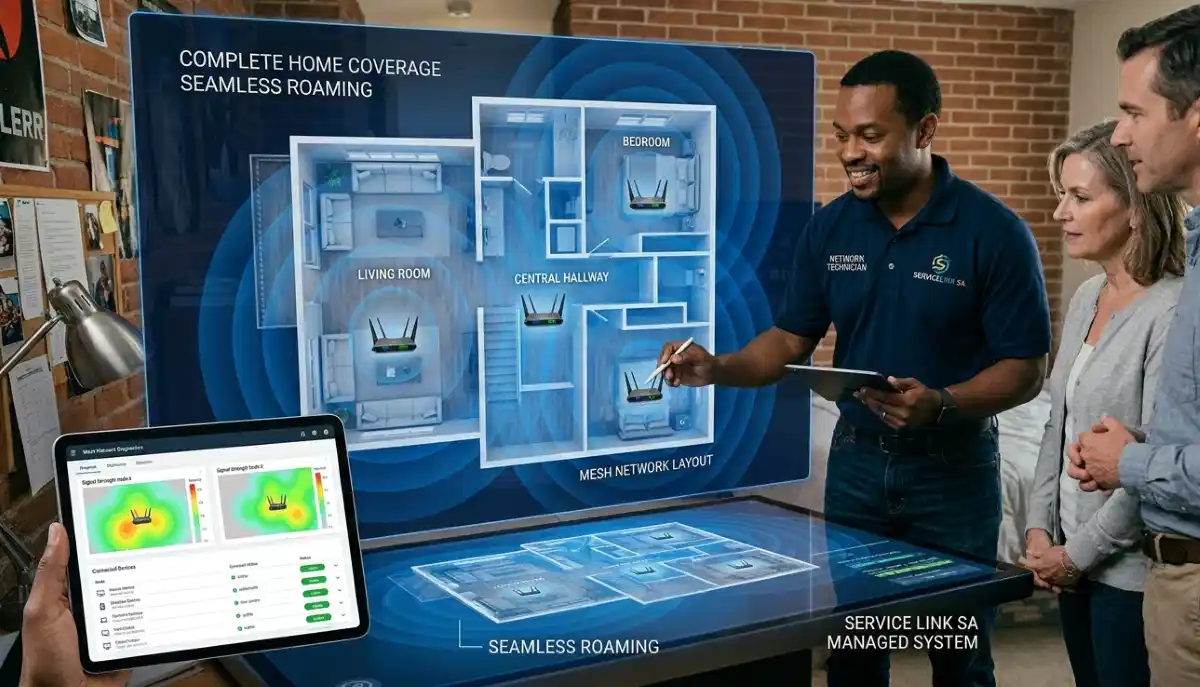
A mesh wifi system consists of multiple nodes (like small routers) that work together to create a single, seamless WiFi network. One node connects to your modem, and the others are placed around your home. They communicate with each other to provide consistent coverage.
Key Features of Mesh Systems:
- Single network name: One SSID across your entire home.
- Seamless roaming: Your device automatically connects to the strongest node.
- Self-healing: If one node fails, others route traffic around it.
- Easy scalability: Add more nodes as needed.
- Dedicated backhaul: Many systems use a separate channel for node communication, preserving speed.
How Mesh Works:
Mesh nodes communicate with each other using a wifi backhaul—a dedicated channel that doesn’t interfere with your devices’ connections. This ensures consistent speeds throughout your home.
For more on mesh wifi, see our mesh network guide.
📶 What Is a WiFi Extender?
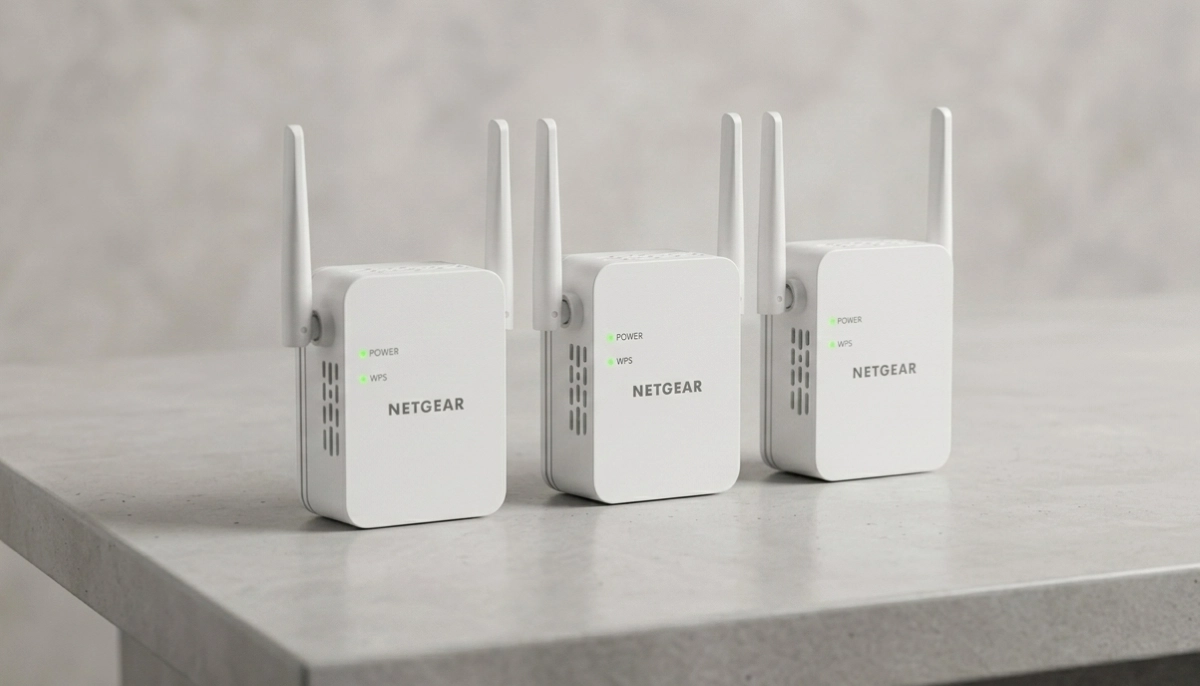
A wifi extender (also called a repeater or booster) is a device that picks up your existing WiFi signal and rebroadcasts it to extend its range.
Key Features of Extenders:
- Separate network name: Often creates a new network with a different name.
- Simple setup: Usually plug-and-play with a button press.
- Affordable: Generally cheaper than mesh systems.
- Single device: One extender covers a specific area.
How Extenders Work:
The extender connects to your router’s WiFi, then rebroadcasts the signal. This extends the range but can reduce speed because the extender uses the same channel for both receiving and transmitting.
For more on wifi extender options, see our WiFi extender installation guide.
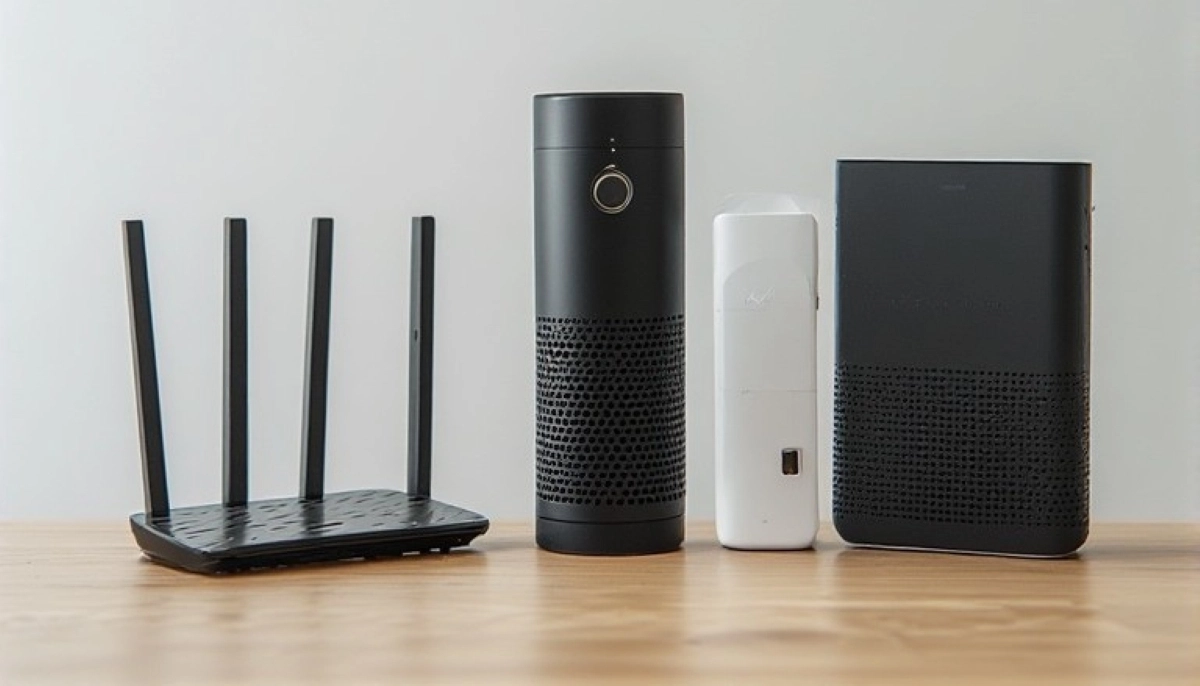
📊 Mesh vs Extender: Side-by-Side Comparison
Here’s a detailed comparison of mesh wifi vs wifi extenders which is better across key factors.
| Factor | Mesh WiFi System | WiFi Extender |
|---|---|---|
| Coverage | Whole home (scalable) | Limited to specific area |
| Speed | Consistent throughout | Reduced (often half speed) |
| Network Name | Single name (seamless) | Often separate name |
| Roaming | Automatic (seamless) | Manual (switch networks) |
| Backhaul | Dedicated (maintains speed) | Uses same channel (reduces speed) |
| Setup | App-based, user-friendly | Simple, but may need manual configuration |
| Cost | Higher (R3,000 – R10,000+) | Lower (R800 – R2,500) |
| Scalability | Easy (add more nodes) | Limited (each extender adds complexity) |
| Best For | Large homes, multiple floors | Small homes, single dead zone |
Key Takeaway: If you need whole-home coverage with consistent speeds, mesh wifi better than extender. If you just need to fix one dead zone on a budget, an extender might be sufficient.
⚡ Performance: Speed and Coverage
Performance is where mesh wifi vs wifi extenders which is better becomes most apparent.
Mesh Performance:
- Consistent speed: Because of dedicated wifi backhaul, mesh maintains speed throughout.
- Better for multiple devices: Handles many devices without performance drops.
- Seamless coverage: No dead zones, no dropped connections as you move.
- Smart features: Many mesh systems optimise automatically.
Extender Performance:
- Speed reduction: Typically reduces speed by 50% because it uses the same channel to receive and transmit.
- Separate network: You may need to manually switch networks as you move.
- Latency increase: Slight delay due to the rebroadcasting process.
- Good for basic browsing: Fine for web browsing and email, but struggles with gaming and streaming.
Real-World Example:
In a large home in Bloemfontein, a mesh system provides full coverage across two floors. An extender might cover one room but leave others with weak signal. For extender vs mesh for large house, mesh is the clear winner.
Still Deciding Between Mesh and Extenders?
Get professional mesh wifi installation advice from local specialists who can recommend the best solution for your home.
Free inspections available for mesh wifi installation.
📱 Ease of Setup and Management
Ease of use is another important factor in the mesh wifi vs wifi extenders which is better decision.
Mesh Setup:
- App-based: Most modern mesh systems use a smartphone app for setup.
- Step-by-step guidance: The app guides you through placing and connecting each node.
- Automatic optimisation: The system optimises itself for best performance.
- Single network: One name, one password, one network.
Extender Setup:
- Variable: Some are plug-and-play, others require manual configuration.
- WPS button: Many extenders use WPS for simple connection.
- Manual channel selection: You may need to choose the right channel.
- Separate network: You’ll have multiple networks to manage.
Ongoing Management:
Mesh systems generally require less ongoing management. They automatically update and optimise. Extenders may need occasional resets or reconfiguration.
For more on setup, see our mesh network guide.
💰 Cost Analysis
Cost is often the deciding factor in mesh wifi vs wifi extenders which is better.
WiFi Extender Costs:
- Entry-level: R800 – R1,200 (single-band, basic features)
- Mid-range: R1,200 – R1,800 (dual-band, better performance)
- High-end: R1,800 – R2,500 (dual-band with Gigabit ports)
Mesh System Costs:
- Entry-level: R2,500 – R4,000 (2 nodes, basic performance)
- Mid-range: R4,000 – R6,500 (2-3 nodes, good performance)
- High-end: R6,500 – R10,000+ (3+ nodes, premium features)
Value for Money:
While mesh systems cost more upfront, they offer better value for large homes. For a small home with one dead zone, an extender is more cost-effective.
Long-Term Considerations:
Mesh systems are more future-proof. They handle more devices, support newer technologies, and can be expanded easily.
✅ When to Choose Each Solution
Here’s a simple guide to help you decide between wifi extender vs mesh.
Choose a WiFi Extender If:
- You have a small home (under 150m²).
- You have only one or two dead zones.
- You’re on a tight budget.
- You don’t need advanced features.
- You have fewer than 5-10 devices.
Choose a Mesh System If:
- You have a large home (over 150m²).
- You have multiple floors (consider mesh wifi for double storey house).
- You have thick walls (consider mesh wifi for thick walls).
- You have many devices (10+).
- You want seamless coverage and consistent speeds.
- You do gaming, streaming, or video calls.
- You want a future-proof solution.
Real-World Example:
In a large home in Kimberley with thick brick walls, a mesh system is the clear choice. In a small apartment in Mbombela with one weak spot, an extender is more appropriate.
For more on choosing, see our mesh network guide.
🏠 Mesh WiFi for Double Storey House
Mesh wifi for double storey house is one of the best use cases for mesh systems.
Why Mesh Works Well for Double Storey:
- Node placement: Place nodes on different floors for coverage across levels.
- Seamless roaming: Move between floors without dropping connection.
- Consistent speed: Get good speeds on both floors.
- Dedicated backhaul: Maintains speed even with multiple nodes.
Extenders for Double Storey:
Extenders can work, but you’ll need multiple extenders, each with a separate network. This becomes complicated to manage.
Recommended Setup:
For a double storey home, place one mesh node on the ground floor and one on the upper floor, centrally located. Add a third if the home is very large.
For more on double storey setups, see our mesh WiFi installation double storey guide.
🧱 Mesh WiFi for Thick Walls
Mesh wifi for thick walls is a common need in South African homes with brick or concrete construction.
Why Walls Are a Problem:
WiFi signals struggle to penetrate thick walls. A single router often can’t cover a home with brick walls.
How Mesh Helps:
- Multiple nodes: Each node is a signal source, so walls don’t block all signal.
- Strategic placement: Place nodes in different rooms to bypass walls.
- Wired backhaul: For the best performance, connect nodes with Ethernet cables.
Extenders for Thick Walls:
Extenders struggle with thick walls because they need a strong signal from the router to extend. If the signal can’t get through the wall, the extender won’t work.
Recommended Setup:
For homes with thick walls, use a mesh system with nodes placed in different rooms. For the best performance, use a wired backhaul between nodes.
For more on this, see our WiFi through brick walls guide.

❓ Frequently Asked Questions About Mesh vs Extenders
What is the difference between mesh WiFi and a WiFi extender?
The main difference in mesh wifi vs wifi extenders which is better is how they work. A mesh wifi system uses multiple nodes that communicate with each other to create one seamless network. A wifi extender picks up and rebroadcasts your existing signal, creating a separate network. Mesh provides consistent speeds and seamless roaming; extenders typically reduce speed and require manual network switching.
Is mesh WiFi better than an extender?
Yes, mesh wifi better than extender for most situations. Mesh provides consistent speeds, seamless roaming, and better coverage. However, extenders are more affordable and can work well for small homes with one dead zone. For extender vs mesh for large house, mesh is the clear winner. For a small apartment, an extender might be sufficient.
Which is better for a double storey house: mesh or extender?
Mesh wifi for double storey house is the better choice. A mesh system with nodes on both floors provides seamless coverage throughout the house. With extenders, you’d need multiple extenders and would have to manually switch networks as you move between floors. Mesh also maintains better speeds across floors.
Does mesh WiFi work through thick walls?
Mesh wifi for thick walls is a popular solution because you can place nodes in different rooms, so walls don’t block all signal. However, performance can still be affected. For the best results with thick walls, use a wired backhaul between nodes if possible. This ensures each node has a strong connection to the network.
How much does a mesh WiFi system cost in South Africa?
Mesh WiFi systems in South Africa range from R2,500 to R10,000+. Entry-level systems with 2 nodes cost R2,500-R4,000. Mid-range systems with 2-3 nodes cost R4,000-R6,500. Premium systems with 3+ nodes cost R6,500-R10,000+. The cost of mesh wifi installation is usually included in the purchase price, as most systems are DIY.
Can I use a WiFi extender with a mesh system?
Yes, you can use a wifi extender with a mesh system, but it’s not recommended. It can create confusion and reduce performance. If you need more coverage, it’s better to add another mesh node instead of an extender. This maintains the seamless experience that mesh wifi provides.
What is WiFi backhaul and why does it matter?
Wifi backhaul is the communication channel between mesh nodes. A dedicated backhaul means nodes communicate on a separate channel from your devices, maintaining speed. Without a dedicated backhaul, nodes share bandwidth with your devices, reducing performance. This is a key advantage of mesh wifi vs extender systems.
How many mesh nodes do I need for my home?
The number of nodes depends on your home size. For homes under 200m², 2-3 nodes usually suffice. For homes 200-300m², 3-4 nodes are recommended. For very large homes, you may need more. Our how many mesh nodes guide provides detailed recommendations.
✅ Final Thoughts: Choose the Right Solution for Your Home
Deciding mesh wifi vs wifi extenders which is better comes down to your specific needs. Both have their place, and both can solve WiFi problems—but they do it in different ways.
Key Takeaways:
- Mesh is the premium solution: Best for large homes, mesh wifi for double storey house, and mesh wifi for thick walls.
- Extenders are budget-friendly: Good for small homes with one or two dead zones.
- Consider your needs: Home size, number of devices, and budget all matter.
- Think long-term: Mesh is more future-proof and scalable.
- Get professional advice: If you’re unsure, ServiceLink SA can connect you with local specialists.
Your Next Step: Evaluate your home’s size, layout, and construction. If you have a large home, multiple floors, or thick walls, a mesh system is likely your best bet. If you have a small home with one dead zone, an extender might be sufficient. For personalised advice, ServiceLink SA can connect you with verified local specialists who can recommend the best mesh wifi vs extender solution for your home.
Ready to Choose Between Mesh and Extenders?
Get free advice from verified local specialists for mesh wifi installation and wifi extender vs mesh decisions.
📞 Call us: 073 138 4726 for immediate help finding a specialist near you.
Mesh Network Guide •
Extender Installation •
Signal Optimisation
📢 Are You a WiFi Installation Professional?
Join ServiceLink SA’s network of verified contractors and get access to qualified leads for mesh wifi installation and wifi extender vs mesh projects.
📚 Official resources & standards referenced:
- SANS 10400 – Guidelines for electrical and networking installations in South African homes.
- SABS – Standards for electronic equipment and safety.
Information provided for general guidance. For professional mesh wifi vs wifi extenders which is better advice, always consult a qualified local technician.
Written by: Innocent T Hanyani
Construction & Home Services Industry Specialist | 21+ Years Experience
Innocent T Hanyani has over two decades of experience working across South Africa’s construction, telecommunications, and home services sectors. Throughout his career, he has worked closely with network installers, IT professionals, and homeowners, gaining practical insight into how mesh wifi vs wifi extenders which is better decisions affect home networks. His expertise helps homeowners understand the complexities of mesh wifi and wifi extender technologies, from mesh wifi vs extender comparisons to implementing effective mesh wifi installation and understanding the importance of wifi backhaul for optimal performance.