

Not Sure How Many Mesh Nodes You Need?
Get professional advice from local specialists who can recommend the right mesh wifi node count for your home.
Servicing Midrand, Camps Bay, Westville, and across South Africa
How Many Mesh Nodes Do You Need for Your House: The Complete Guide
📡 One node? Three nodes? Five? Here’s exactly how many you need for full coverage.
You’ve decided to upgrade to a mesh WiFi system. Smart move. But now you’re staring at the options: 2-pack, 3-pack, 4-pack. Which one do you choose? The question how many mesh nodes do you need for your house is one of the most common I get from homeowners across South Africa.
The answer isn’t as simple as “more is better.” Too few nodes and you’ll have dead zones. Too many and you’re wasting money and potentially slowing down your network. The right mesh wifi node count depends on your home’s size, layout, construction, and how you use the internet.
In this guide, I’ll help you calculate exactly how many mesh nodes do you need for your house. I’ll cover everything from small apartments to large estates, single storey to double storey. Whether you’re in Midrand, Camps Bay, or Westville, these guidelines will help.
For more on mesh technology, check out our mesh network guide and best mesh WiFi systems guide. Let’s find your perfect node count.
📋 Table of Contents – Mesh Node Count Guide
📡 What Are Mesh Nodes and How Do They Work?
Before we calculate how many mesh nodes do you need for your house, let’s understand what they are.
What Is a Mesh Node?
A mesh node is a small device that broadcasts WiFi. In a mesh system, multiple nodes work together to create a single, seamless WiFi network. Each node communicates with the others, ensuring consistent coverage throughout your home.
How Nodes Work Together:
- Main node: Connects to your modem or ONT. This is the primary node.
- Satellite nodes: Connect wirelessly to the main node and to each other.
- Seamless roaming: Your devices automatically connect to the strongest node as you move around.
- Self-healing: If one node fails, others reroute traffic.
What Affects Node Performance:
- Distance between nodes: Nodes need to be within range of each other.
- Walls and obstructions: Brick and concrete walls reduce signal between nodes.
- Interference: Electronics and neighbouring networks can interfere.
For more on how mesh works, see our mesh network guide.
📏 Mesh WiFi Coverage Per Node
Mesh wifi coverage per node varies by system. Here’s what to expect.
Typical Coverage Per Node:
- Entry-level nodes: 50-70m² per node (e.g., TP-Link Deco M4)
- Mid-range nodes: 70-100m² per node (e.g., TP-Link Deco X20)
- Premium nodes: 100-150m² per node (e.g., Netgear Orbi RBK752)
Factors That Reduce Coverage:
- Thick walls: Brick and concrete reduce coverage by 30-50%.
- Multiple floors: Coverage per node is lower on different floors.
- Interference: Electronics and neighbouring networks reduce effective coverage.
- Node placement: Poor placement reduces coverage significantly.
Realistic Coverage Expectations:
In a typical South African home with brick walls, expect each node to cover about 50-80m² of usable space. For mesh wifi for large house, you may need more nodes than the manufacturer claims.
For more on coverage, see our WiFi signal optimisation guide.

📊 General Node Count Guidelines
Here are general recommendations for mesh wifi node count.
| Home Size | Floors | Recommended Nodes | Notes |
|---|---|---|---|
| Under 100m² | 1 | 1-2 | One node may suffice for small homes |
| 100-200m² | 1 | 2 | Two nodes for full coverage |
| 100-200m² | 2 | 2-3 | Three nodes for better upstairs coverage |
| 200-300m² | 1 | 2-3 | Three nodes for large single storey |
| 200-300m² | 2 | 3 | Three nodes ideal for double storey |
| 300-400m²+ | 2+ | 4+ | Four or more for very large homes |
Key Takeaway: Most South African homes (150-300m²) need 2-3 mesh nodes for full wifi coverage. Larger homes may need 4 or more.
🏠 How Many Nodes for a Single Storey House
For a single storey house, mesh wifi node count depends on the layout.
Small Single Storey (Under 100m²):
One node may be sufficient if placed centrally. However, for better coverage, two nodes are recommended. Place one at each end of the house.
Medium Single Storey (100-200m²):
Two nodes are ideal. Place one near the modem (usually at one end of the house) and one at the opposite end. This provides full coverage.
Large Single Storey (200-300m²):
Three nodes are recommended. Place one at each end and one in the middle. This ensures consistent wifi coverage throughout.
Open Plan vs. Many Rooms:
Open plan homes need fewer nodes because there are fewer walls to block signals. Homes with many rooms need more nodes.
For more on this, see our WiFi signal optimisation guide.
🏠 How Many Mesh Nodes for Double Storey House
How many mesh nodes for double storey house is a common question.
Small Double Storey (Under 150m² Total):
2-3 nodes. Place one node on the ground floor and one on the upper floor. A third node can be added for better coverage in challenging areas.
Medium Double Storey (150-250m² Total):
3 nodes are ideal. Place one node on the ground floor in a central location and two nodes on the upper floor at opposite ends. This provides full coverage on both floors.
Large Double Storey (250m²+ Total):
4+ nodes may be needed. Place nodes on both floors, staggered so they’re not directly above each other. This improves vertical wifi coverage.
Key Tips for Double Storey:
- Stagger node placement (not directly above each other).
- Place nodes near staircases for better coverage between floors.
- Consider wired backhaul for the best performance.
For more on double storey installation, see our mesh installation guide.
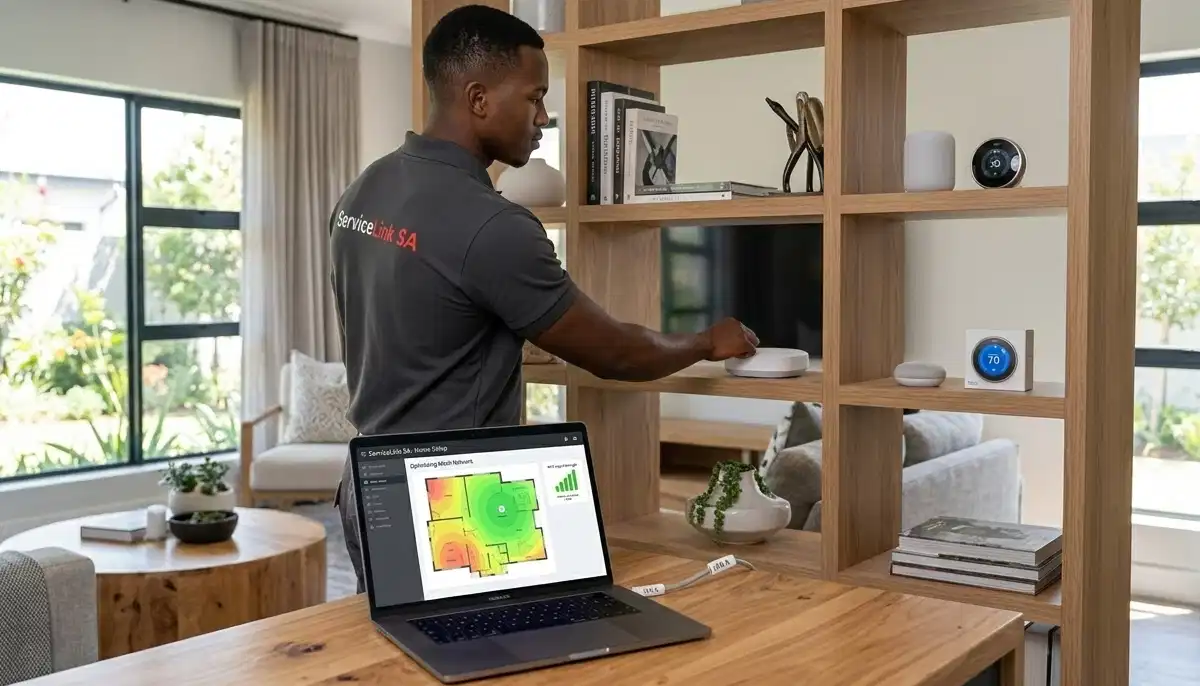
Still Not Sure How Many Nodes You Need?
Get professional advice from local specialists who can recommend the right mesh wifi node count for your home.
Free inspections available for mesh wifi for large house.
🛏️ How Many Mesh Nodes for 3 Bedroom House
How many mesh nodes for 3 bedroom house is a specific question I get often.
Single Storey 3 Bedroom (100-150m²):
2 nodes typically suffice. Place one near the living area and one near the bedrooms. This covers the entire house effectively.
Double Storey 3 Bedroom (150-200m² Total):
3 nodes are recommended. Place one on the ground floor in a central location and two on the upper floor (one near the main bedroom and one near the other bedrooms).
Large 3 Bedroom (200m²+):
3-4 nodes may be needed, depending on the layout and construction. Homes with thick walls or spread-out layouts need more nodes.
General Rule for Bedroom Count:
- 1-2 bedrooms: 1-2 nodes
- 3 bedrooms: 2-3 nodes
- 4+ bedrooms: 3-4+ nodes
For more on this, see our mesh network guide.
📐 How Many Mesh Nodes for 150sqm House
How many mesh nodes for 150sqm house is a common question.
Single Storey 150sqm:
2-3 nodes. Two nodes will cover most 150sqm homes. Three nodes provide extra coverage and redundancy.
Double Storey 150sqm (75sqm per floor):
2-3 nodes. Two nodes (one per floor) may be sufficient if placed centrally. Three nodes provide better coverage on both floors.
General Rule for Square Metres:
- Under 100sqm: 1-2 nodes
- 100-200sqm: 2-3 nodes
- 200-300sqm: 3-4 nodes
- 300+sqm: 4+ nodes
These are general guidelines. Your specific needs may vary based on layout and construction.
⚠️ Does More Mesh Nodes Slow WiFi?
A common concern is does more mesh nodes slow wifi? The answer is yes—if you have too many.
Why Too Many Nodes Can Be a Problem:
- Interference: Too many nodes broadcasting on the same channels can cause interference.
- Overlap: Nodes too close to each other can create overlapping signals.
- Processing overhead: Each node adds processing overhead, which can reduce speed.
- Unnecessary cost: Extra nodes cost money and may not improve performance.
Signs You Have Too Many Nodes:
- Devices connect to a distant node instead of a closer one.
- Speeds are slower than expected.
- Roaming is less smooth than it should be.
How to Avoid This:
- Start with fewer nodes and add more if needed.
- Use the app to check signal strength between nodes.
- Remove nodes that aren’t improving coverage.
Pro Tip: More isn’t always better. It’s better to have fewer, well-placed nodes than many poorly-placed ones.
For more on this, see our mesh vs extenders guide.
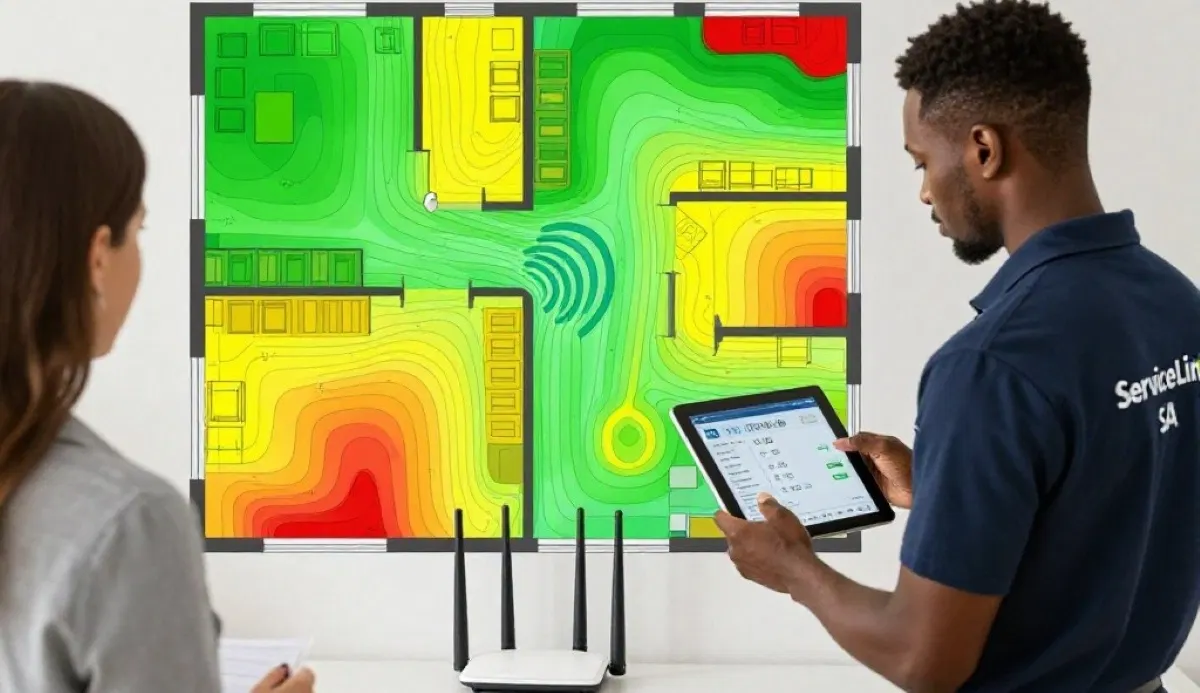
📍 Node Placement Tips for Maximum Coverage
Once you know how many mesh nodes do you need for your house, proper placement is key.
Golden Rules of Node Placement:
- Central locations: Place nodes in central areas, not corners.
- Elevated: Place nodes on shelves or tables, at least 1.5 metres off the ground.
- Away from interference: Keep nodes away from microwaves, cordless phones, and metal objects.
- Line of sight: Nodes work best with minimal obstructions between them.
Placement by Floor:
- Ground floor: Place the main node centrally, connected to your modem.
- Upper floor: Place satellite nodes in central locations, staggered from ground floor nodes.
Testing and Adjusting:
Use the mesh system’s app to check signal strength between nodes. Move nodes if needed. Walk around your home and test coverage.
For more on placement, see our router placement guide.

❓ Frequently Asked Questions About Mesh Node Count
How many mesh nodes do I need for my house?
How many mesh nodes do you need for your house depends on your home size, layout, and construction. For a typical 150-250m² double storey home, 3 nodes is ideal. For a single storey home of the same size, 2-3 nodes work well. Use the guidelines in this mesh wifi node count guide to determine your needs.
How many mesh nodes for a 3 bedroom house?
How many mesh nodes for 3 bedroom house depends on the layout. For a single storey 3 bedroom (100-150m²), 2 nodes usually suffice. For a double storey 3 bedroom, 3 nodes are recommended. Place nodes centrally on each floor for the best wifi coverage.
How many mesh nodes for a double storey house?
How many mesh nodes for double storey house typically requires 3 nodes. Place one on the ground floor and two on the upper floor. For larger double storey homes (over 250m²), you may need 4+ nodes. Stagger placement so nodes aren’t directly above each other for better wifi coverage.
How many mesh nodes for 150sqm house?
How many mesh nodes for 150sqm house depends on the number of floors. For a single storey 150sqm, 2-3 nodes. For a double storey 150sqm (75sqm per floor), 2-3 nodes with at least one on each floor. This ensures proper mesh wifi coverage per node.
Does more mesh nodes slow WiFi?
Does more mesh nodes slow wifi? Yes, if you have too many. Too many nodes can cause interference, overlapping signals, and processing overhead. It’s better to have fewer, well-placed nodes than many poorly-placed ones. For mesh wifi for large house, start with 3 nodes and add more if needed.
What is the coverage area of one mesh node?
Mesh wifi coverage per node varies by system. Entry-level nodes cover 50-70m², mid-range nodes cover 70-100m², and premium nodes cover 100-150m². In South African homes with brick walls, expect less coverage—about 50-80m² per node in practice. This affects how many mesh nodes do you need for your house.
Can I add more nodes to my mesh system later?
Yes, most mesh wifi systems allow you to add more nodes later. This is a key advantage—you can start with 2-3 nodes and add more if you need better coverage. This flexibility means you don’t need to get the perfect mesh wifi node count right away.
What happens if I have too few mesh nodes?
Too few mesh nodes results in weak wifi coverage and dead zones. Areas far from nodes will have weak signals. Your devices may struggle to maintain a stable connection. If you’re experiencing dead zones, you probably need more nodes.
✅ Final Thoughts: Get the Right Node Count for Your Home
Knowing how many mesh nodes do you need for your house is the first step to great WiFi coverage. Too few and you’ll have dead zones. Too many and you’re wasting money and potentially slowing your network.
Key Takeaways:
- Assess your home: Consider size, floors, layout, and construction.
- Start with guidelines: Use the recommendations in this guide as a starting point.
- Consider your specific needs: How many mesh nodes for double storey house differs from single storey.
- Don’t overdo it: More nodes isn’t always better—quality placement matters.
- Use the app: Monitor your network and adjust as needed.
- Get professional help: If you’re unsure, ServiceLink SA can connect you with local specialists.
Your Next Step: Map your home and use the guidelines in this guide to determine your ideal mesh wifi node count. If you’re still unsure, ServiceLink SA can connect you with verified local specialists who can assess your home and recommend the right number of mesh nodes for optimal wifi coverage.
Ready to Get the Right Number of Mesh Nodes?
Get free quotes from verified local specialists for mesh wifi node count and installation.
📞 Call us: 073 138 4726 for immediate help finding a specialist near you.
Mesh Network Guide •
Best Mesh Systems •
Signal Optimisation
📢 Are You a WiFi Installation Professional?
Join ServiceLink SA’s network of verified contractors and get access to qualified leads for mesh wifi node count consultations and installations.
📚 Official resources & standards referenced:
- SANS 10400 – Guidelines for electrical and networking installations in South African homes.
- SABS – Standards for electronic equipment and safety.
Information provided for general guidance. For professional mesh wifi node count advice, always consult a qualified local technician.
Written by: Innocent T Hanyani
Construction & Home Services Industry Specialist | 21+ Years Experience
Innocent T Hanyani has over two decades of experience working across South Africa’s construction, telecommunications, and home services sectors. Throughout his career, he has worked closely with network installers, IT professionals, and homeowners, gaining practical insight into how many mesh nodes do you need for your house in different home types. His expertise helps homeowners understand the complexities of mesh wifi node count and mesh wifi coverage per node, from how many mesh nodes for 3 bedroom house to how many mesh nodes for double storey house and whether does more mesh nodes slow wifi.