
Struggling with WiFi Dead Zones in Your Large Home?
Get professional help from local specialists who understand router placement for large house layouts.
Servicing Johannesburg, Cape Town, Durban, and across South Africa
Router Installation for Best Coverage in Large Homes: The Ultimate Guide
🏠 Tired of WiFi dead zones in your big house? Here’s exactly how to get full coverage.
There’s nothing more frustrating than walking into your bedroom or home office and watching your WiFi signal drop from full bars to one—or worse, nothing at all. If you live in a large home in South Africa, you’ve probably experienced this. The problem isn’t your internet service; it’s your router installation for best coverage in large homes.
I’ve helped countless homeowners across Johannesburg, Cape Town, and Durban fix their WiFi woes. The solution isn’t always about buying expensive equipment—often, it’s about where you place your router and how you set it up. In this comprehensive guide, I’ll show you exactly how to achieve WiFi coverage for large house layouts, eliminate dead zones, and get the most out of your internet connection.
Whether you’re moving into a new house, upgrading your internet, or just fed up with slow speeds in certain rooms, this router placement for large house guide has you covered. For more tailored help in your area, check out our WiFi installation services in Johannesburg, Cape Town, or Durban. Let’s get your whole home connected.
📋 Table of Contents – Router Installation for Large Homes
🏡 Why Large Homes Challenge WiFi Signals
Before we dive into solutions, let’s understand why large homes are so challenging for WiFi coverage for large house setups.
Key Factors Affecting WiFi in Large Homes:
- Distance from the Router: WiFi signal weakens with distance. In a large home, rooms far from the router naturally have weaker signals.
- Walls and Obstructions: Walls, especially brick and concrete (common in South African homes), absorb and block WiFi signals. The more walls between your device and the router, the weaker the signal.
- Multiple Floors: Large homes often have multiple stories. WiFi signals struggle to travel vertically, especially through concrete floors.
- Interference from Other Electronics: Microwaves, cordless phones, baby monitors, and even neighbouring WiFi networks can interfere with your signal.
- Number of Devices: Large homes typically have more devices—smart TVs, laptops, tablets, phones, smart speakers, and IoT devices—all competing for bandwidth.
Understanding these challenges is the first step to solving them. The goal of router installation for best coverage in large homes is to overcome these obstacles.
For homes in the Northern Cape, North West, or Free State, where homes can be particularly spread out, special considerations apply. Our WiFi services in Kimberley, Rustenburg, and Bloemfontein can help address these unique challenges.
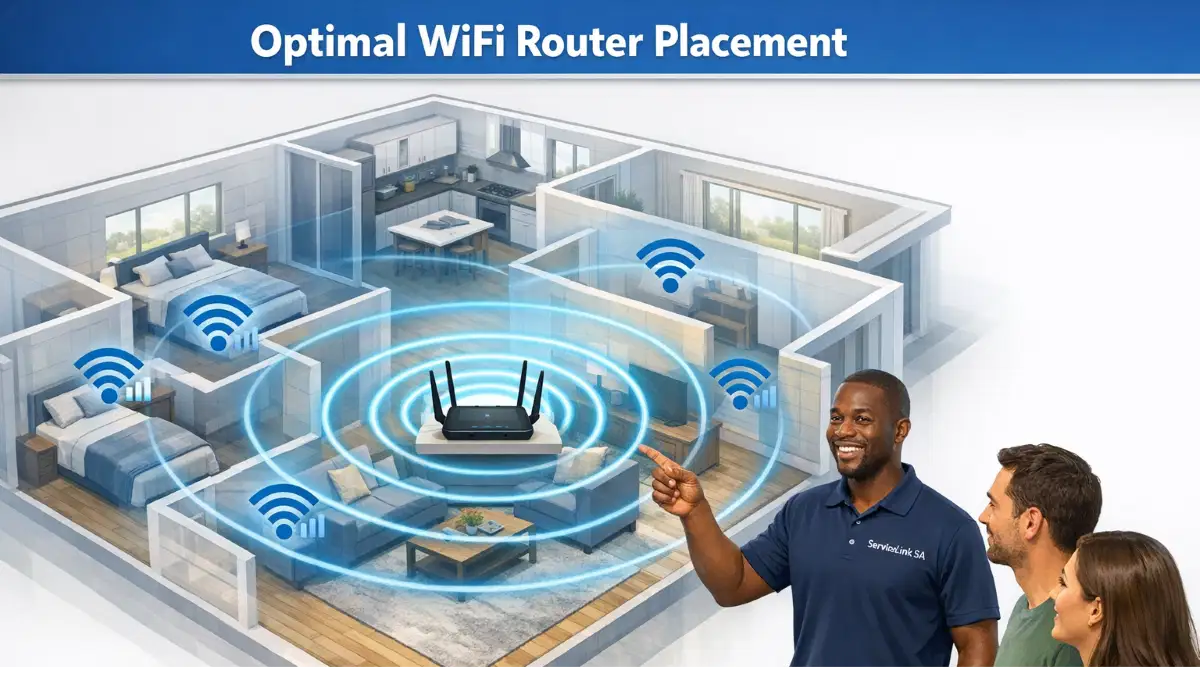
📍 Best Place to Put WiFi Router in Large House
The best place to put WiFi router in large house is the single most important factor in your router installation for best coverage in large homes.
Key Takeaway: The Golden Rule for Large Homes
Centralise, Elevate, and Isolate. Place your router in the most central part of your home, as high as possible, and away from metal objects and electronics.
Step-by-Step Guide to Router Placement:
- Find the Centre of Your Home: Walk around your home and identify the most central room or area. In a two-storey home, this might be the landing at the top of the stairs or a central hallway.
- Elevate the Router: Place the router on a shelf, bookcase, or high table—ideally at least 1.5 to 2 metres off the ground. This allows the signal to propagate more effectively across both floors.
- Check for Obstructions: Avoid placing the router near or behind large metal objects (file cabinets, refrigerators), thick brick walls, or large appliances. These significantly reduce WiFi signal strength.
- Position Antennas Correctly: If your router has external antennas, position them for optimal coverage. For a two-storey house, angle one antenna up and one at a 45-degree angle to spread the signal both horizontally and vertically.
- Consider the Cable Run: The router needs to connect to your fibre ONT or modem. If the ideal central location is far from this point, you may need to run a long Ethernet cable or consider a mesh network that doesn’t require central wiring.
What If the Central Spot Isn’t Perfect?
If your home’s centre is not practical (e.g., a bathroom or kitchen), the next best option is a central room that’s open, like a living room or study. If you have a large home in Gqeberha or the Eastern Cape, where homes can be sprawling, professional help might be necessary to balance aesthetics with performance. Check our WiFi installation services in Gqeberha for expert assistance.
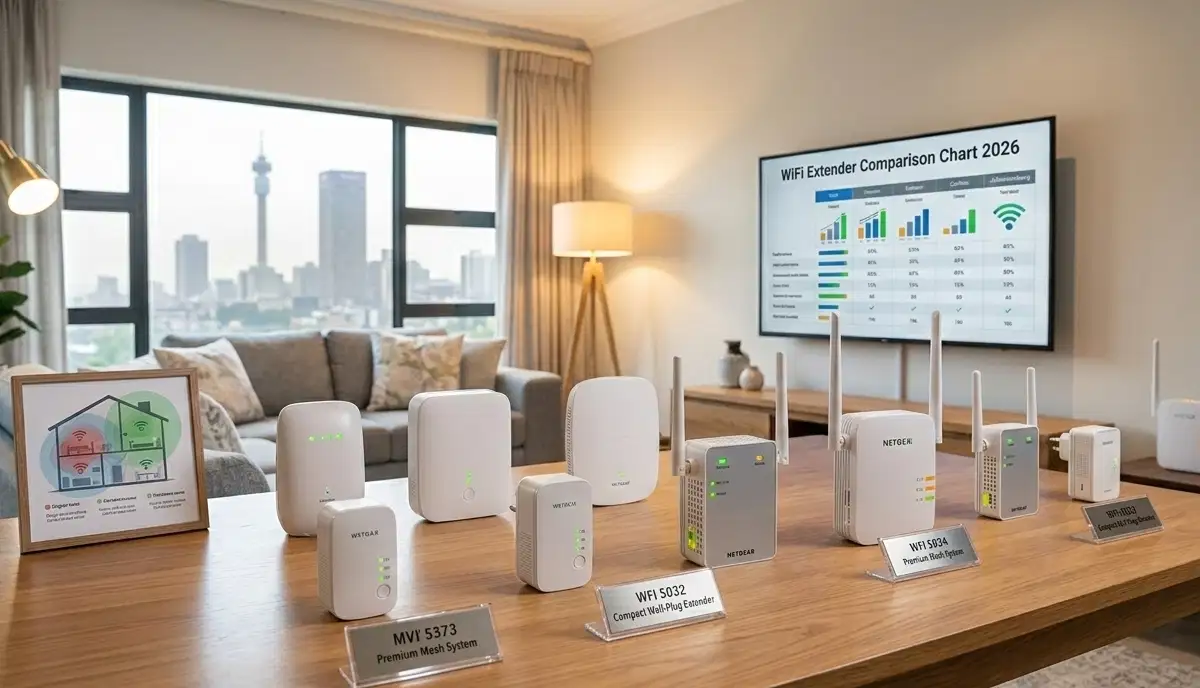
📶 WiFi Signal Boosters and Extenders for Large Homes
Even with perfect router placement, many large homes still have dead zones. This is where a WiFi signal booster or WiFi extender for large house comes in.
What Is a WiFi Extender?
A WiFi extender (also called a repeater or booster) picks up your existing WiFi signal and rebroadcasts it to extend its range. It’s a simple and affordable solution for eliminating dead zones.
How to Choose and Install a WiFi Extender:
- Placement is Key: Place the extender roughly halfway between your router and the dead zone. It needs to receive a strong signal from the router to rebroadcast effectively.
- Choose the Right Type: Look for dual-band extenders that support both 2.4 GHz and 5 GHz bands. This ensures your devices can connect to the best available frequency.
- Wired vs. Wireless: Some extenders can be connected to your router via an Ethernet cable (wired backhaul) for a more stable connection. This is ideal for large homes with existing network cabling.
- Common Mistake: Placing the extender in the dead zone itself. This means it has no strong signal to extend. Always place it in a location where it can get at least 70% of the router’s signal.
WiFi Extender vs. WiFi Mesh: What’s the Difference?
While a WiFi extender creates a separate network (often with a different name), a mesh network creates a single, seamless network across your entire home. For more on this, see our mesh WiFi vs WiFi extenders comparison.
For large homes with multiple floors, a single extender might not be enough. You might need multiple WiFi extender installations. ServiceLink SA can help you find specialists in your area.
Need a Professional WiFi Assessment?
Get a WiFi coverage for large house survey from local specialists. They’ll identify dead zones and recommend the best solutions.
Free inspections available for major installations.
🌐 Mesh Networks: The Ultimate Solution for Large Homes
For the best router installation for best coverage in large homes, a mesh WiFi system is the gold standard.
What Is a Mesh WiFi System?
A mesh network consists of multiple nodes (like small routers) that work together to create a single, seamless WiFi network. Unlike a traditional router with a single point of coverage, mesh systems blanket your entire home with strong, consistent WiFi.
Benefits of Mesh Systems for Large Homes:
- Seamless Roaming: Your device automatically connects to the strongest node as you move around your home. No more manually switching networks.
- Consistent Speed: Mesh systems are designed to provide stable, high-speed WiFi across larger areas.
- Easy to Scale: You can start with two or three nodes and add more if needed. This is ideal for very large homes or homes with unusual layouts.
- Single Network Name: Unlike extenders that create separate networks, a mesh system uses one network name (SSID) and password.
Is a Mesh System Right for You?
If your home is larger than 200 square metres, has multiple floors, or has thick walls, a mesh system is almost certainly worth the investment. For homes in Johannesburg, Cape Town, or Durban, where homes can be large and spread out, mesh networks are increasingly popular.
Our guide on WiFi mesh networks in South Africa can help you choose the right system. Also, check our mesh network setup guide for detailed installation instructions.
⚙️ Configuring Your Router for Maximum Coverage
Even with the best placement, your router’s settings can make or break your WiFi coverage for large house.
Key Settings to Adjust:
- Channel Selection: In crowded neighbourhoods, many routers on the same channel cause interference. Use a WiFi analyser app to find the least congested channel (1, 6, or 11 for 2.4 GHz).
- Transmission Power: Some routers allow you to adjust the transmission power. Increasing it can boost WiFi signal strength, but be aware of local regulations and potential interference with neighbours.
- Band Steering: If your router has band steering, it automatically connects devices to the best band (2.4 GHz or 5 GHz). This can be helpful, but some older devices work better if you manually assign them to a specific band.
- Quality of Service (QoS): This setting prioritises bandwidth for specific devices or applications (like streaming or gaming). This ensures your most important devices get the best speed.
How to Access Your Router’s Settings:
- Open a web browser and enter your router’s IP address (usually 192.168.1.1).
- Log in with your admin credentials (found on a sticker on the router).
- Navigate to the wireless or network settings.
- Make your adjustments and save the settings.
For a more in-depth look at router configuration, read our WiFi router placement and signal strength guide. If you prefer a professional to handle the configuration, ServiceLink SA can connect you with local specialists.
🗺️ Using WiFi Heatmaps to Find Dead Zones
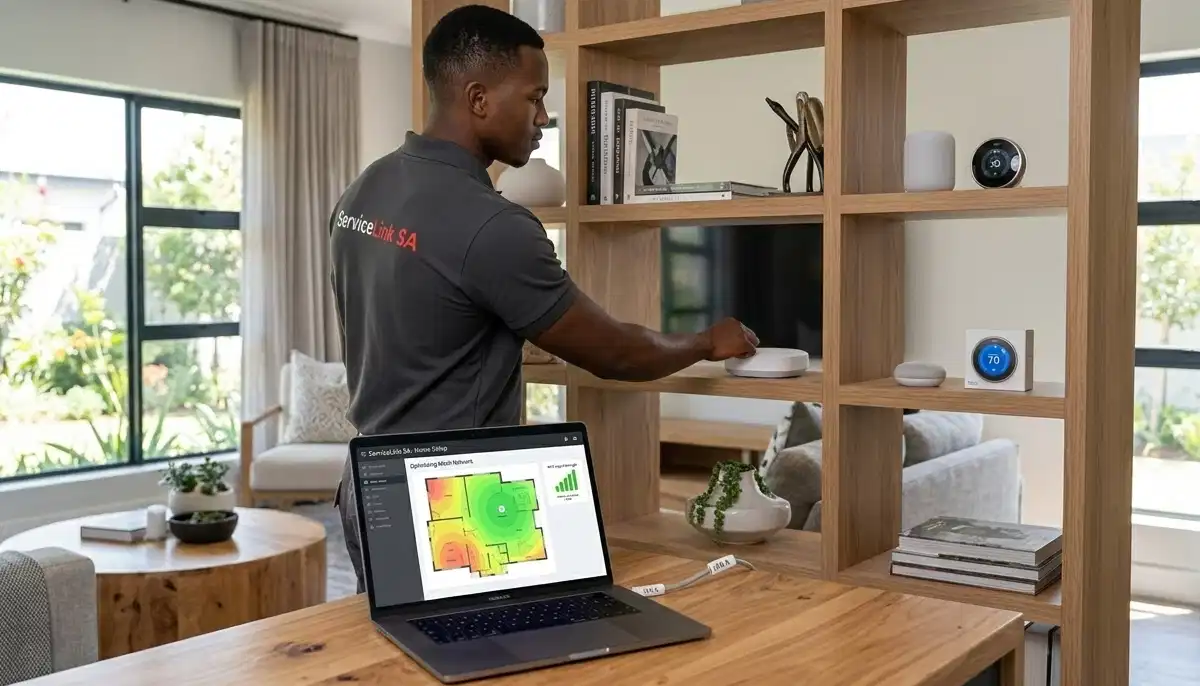
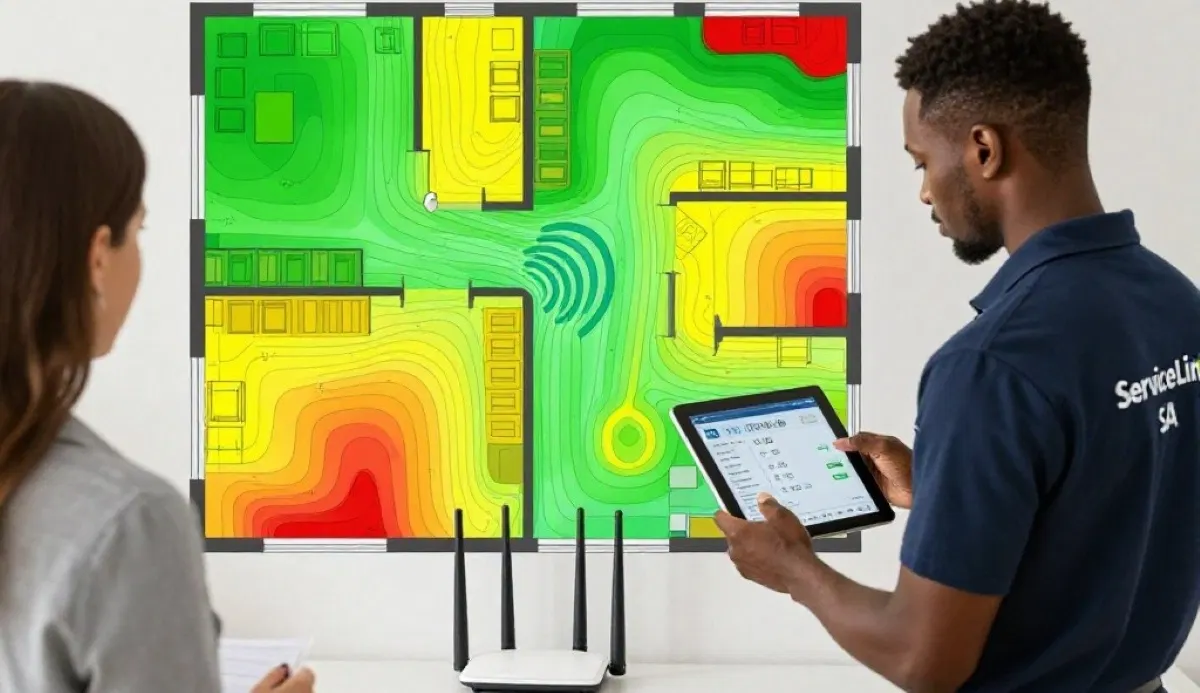
One of the most effective ways to achieve router installation for best coverage in large homes is by using a WiFi heatmap.
What Is a WiFi Heatmap?
A WiFi heatmap is a visual representation of your WiFi signal strength across your home. It shows you exactly where the signal is strong (green), moderate (yellow), and weak or non-existent (red).
How to Create a WiFi Heatmap:
- Download a WiFi Analyser App: There are many free apps available for Android and iOS (e.g., NetSpot, WiFi Analyzer).
- Walk Around Your Home: Open the app and walk through every room and corner of your house. The app will map the signal strength as you go.
- Identify Dead Zones: Look for the red areas on the map. These are your dead zones.
- Adjust Placement: Move your router or extenders and repeat the process. This will help you find the optimal position for your equipment.
A heatmap is an invaluable tool, especially for large homes where it’s difficult to guess where the signal is weak. Our guide on WiFi signal optimization provides more detailed steps on using heatmaps. If you’re in Kimberley, Rustenburg, or Bloemfontein, local specialists can also perform professional heatmap surveys.
🚫 Common Router Installation Mistakes to Avoid
⚠️ Warning: These Mistakes Ruin Large Home WiFi Coverage
Avoid these errors when planning router installation for best coverage in large homes.
- Hiding the Router in a Cupboard: Routers need ventilation and open space to broadcast effectively. Placing them in enclosed spaces significantly reduces range.
- Placing the Router Near the Floor: WiFi signals radiate downward and outward. A router on the floor will have limited range. Elevating it is crucial for router placement for large house layouts.
- Ignoring Interference: Microwaves, cordless phones, and baby monitors all operate on the 2.4 GHz frequency and can cause interference. Keep your router away from these devices.
- Using the Wrong Extender: A cheap, single-band extender can actually slow down your network. Invest in a dual-band extender or, better yet, a mesh system.
- Not Updating Firmware: Router manufacturers regularly release firmware updates that improve performance and security. Always keep your router’s firmware up to date.
- Overlooking Cable Quality: The Ethernet cable connecting your router to your ONT or modem matters. Use at least Cat5e or Cat6 cables for gigabit speeds.
For more on avoiding these issues, read our guide to fixing weak WiFi signal in rooms.
💰 Cost of Upgrading for Large Home Coverage
Here’s what you can expect to spend to achieve excellent WiFi coverage for large house.
| Solution | Cost Range | Best For | Pros & Cons |
|---|---|---|---|
| Basic Router Upgrade | R1,000 – R3,000 | Small to medium homes (under 150m²) | ✅ Affordable, improves speed. ❌ May not solve large home dead zones. |
| WiFi Extender | R800 – R2,500 | Homes with one or two specific dead zones | ✅ Cost-effective for single dead zones. ❌ Creates separate networks, reduces speed. |
| Mesh WiFi System (2-3 nodes) | R3,000 – R10,000+ | Large homes (200m²+), multiple floors | ✅ Seamless coverage, future-proof. ❌ Higher upfront cost. |
| Professional Installation | R800 – R2,500 | Homes requiring optimal setup and heatmap analysis | ✅ Guarantees optimal performance. ❌ Adds to overall cost. |
Realistic Example: Large Home in Johannesburg (300m², two-storey)
A typical router installation for best coverage in large homes in Johannesburg might involve a high-end router (R2,500) plus a two-node mesh system (R4,000) and professional installation (R1,500), totalling around R8,000. This investment ensures WiFi coverage for large house and eliminates all dead zones.
For more cost breakdowns, see our home WiFi setup guide.
❓ Frequently Asked Questions About Large Home WiFi
What is the best place to put WiFi router in a large house?
The best place to put WiFi router in large house is centrally located, elevated (on a shelf or high table), and away from metal objects and interference. A central hallway, landing, or living room often works best. For a two-storey home, consider placing it on the upper floor to broadcast downwards as well. This is the most important step in router installation for best coverage in large homes.
How can I cover my entire house with WiFi?
To cover entire house with WiFi, start with optimal router placement. Then, consider adding a WiFi signal booster or, for larger homes, a mesh network. A mesh system is the most effective way to ensure seamless WiFi coverage for large house layouts without dead zones. Professional installation and heatmap analysis can also help.
Is a WiFi extender good for a large house?
A WiFi extender for large house can be helpful, but it has limitations. It creates a separate network and can reduce overall speed. For a large home, a mesh network is generally a better long-term solution. However, if you only have one or two specific dead zones, a high-quality dual-band extender can work. See our comparison for more details.
How much does a mesh WiFi system cost in South Africa?
Mesh WiFi systems in South Africa range from R3,000 for a basic 2-node system to over R10,000 for premium 3-node or tri-band systems. Popular brands include TP-Link Deco, Netgear Orbi, and Google Nest WiFi. The cost depends on coverage area, speed, and features. For router placement for large house, a 3-node system is often recommended for homes over 250m².
What causes weak WiFi signal in large homes?
Weak WiFi signal strength in large homes is usually caused by distance from the router, walls and obstructions (especially brick and concrete), interference from other electronics, and poor router placement. A WiFi signal heatmap can help identify the exact areas where signal is weak.
Should I use 2.4 GHz or 5 GHz for a large house?
For a large house, use both. The 2.4 GHz band has a longer range and penetrates walls better, making it ideal for general coverage. The 5 GHz band is faster but has a shorter range, better for gaming and streaming in rooms closer to the router. A good router installation for best coverage in large homes will utilise both bands effectively.
Do I need professional WiFi installation for a large home?
While not always necessary, professional router installation for best coverage in large homes can save time and ensure optimal performance. Professionals can perform a WiFi signal optimization survey, use heatmaps to find dead zones, and install extenders or mesh systems correctly. This is especially valuable for complex layouts or homes with thick walls.
Can I install a mesh WiFi system myself?
Yes, most mesh systems are designed for easy DIY installation. However, for large or complex homes, professional installation can ensure optimal node placement for maximum WiFi coverage. ServiceLink SA can connect you with local specialists who can install and configure your mesh network for you.
✅ Final Thoughts: Get Full WiFi Coverage in Your Large Home
Router installation for best coverage in large homes doesn’t have to be complicated. With the right placement, equipment, and configuration, you can enjoy fast, reliable WiFi in every room of your house.
Key Takeaways:
- Start with Placement: The best place to put WiFi router in large house is central, elevated, and away from interference.
- Consider Your Options: A mesh network is the best long-term solution for large homes. A WiFi extender for large house can work for specific dead zones.
- Use a Heatmap: A WiFi signal heatmap can help you visualise and fix dead zones.
- Don’t Forget Configuration: Adjusting router settings like channels and QoS can significantly improve performance.
- Get Professional Help: For complex layouts or guaranteed results, hire a local specialist.
Your Next Step: Ready to get WiFi coverage for large house? Get free quotes from verified local specialists who understand the unique challenges of large homes. Whether you’re in Johannesburg, Cape Town, or Durban, ServiceLink SA can connect you with the right professional.
Ready to Eliminate WiFi Dead Zones?
Get free quotes from verified local specialists for router installation for best coverage in large homes. Get full coverage today.
📞 Call us: 073 138 4726 for immediate help finding a specialist near you.
📢 Are You a WiFi Installation Professional?
Join ServiceLink SA’s network of verified contractors and get access to qualified leads for router installation and WiFi coverage for large house projects.
📚 Official resources & standards referenced:
- SANS 10400 – Guidelines for electrical and networking installations in South African homes.
- SABS – Standards for electronic equipment and safety.
Information provided for general guidance. For a professional router installation for best coverage in large homes, always consult a qualified local technician.
Written by: Innocent T Hanyani
Construction & Home Services Industry Specialist | 21+ Years Experience
Innocent T Hanyani has over two decades of experience working across South Africa’s construction, home services, and technology sectors. Throughout his career, he has worked closely with network installers, electricians, and homeowners, gaining practical insight into how router installation and WiFi coverage for large house systems are designed and implemented. His expertise helps homeowners understand the intricacies of router placement and WiFi signal strength, from choosing the right equipment to achieving optimal WiFi coverage across large properties.