
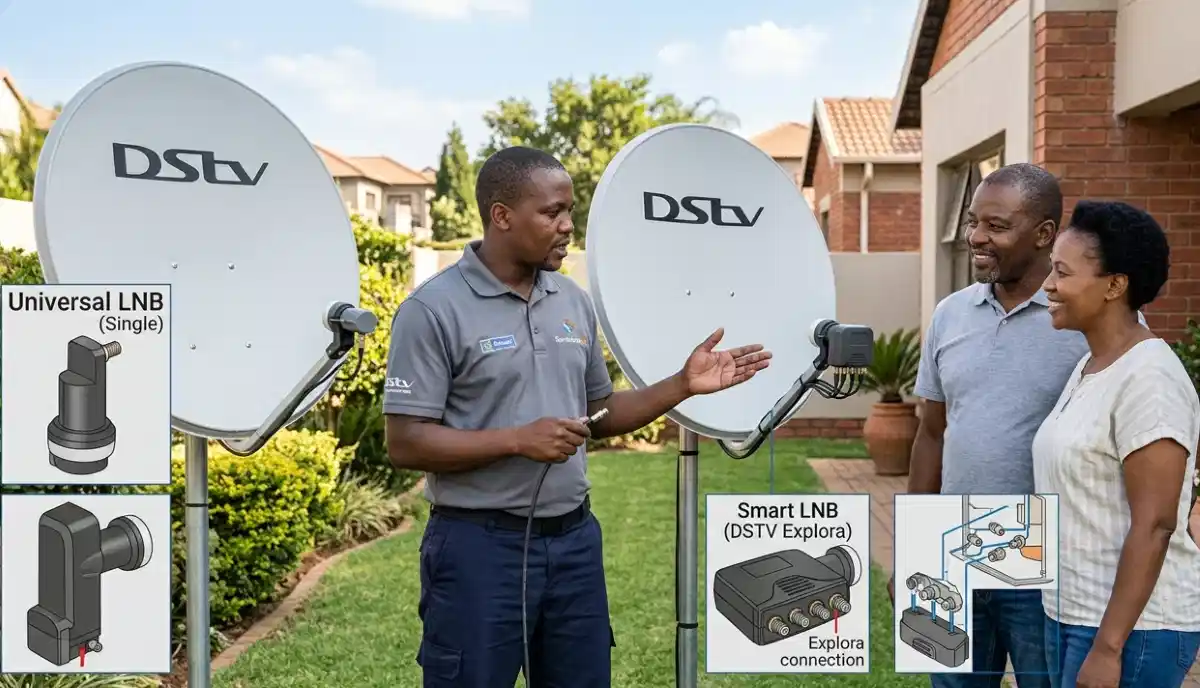
Not Sure Which LNB You Need?
Get a free consultation from a verified, accredited DSTV installer near you.
We’ll help you choose the right LNB for your setup.
Servicing Gauteng, Western Cape, KwaZulu-Natal, Johannesburg, Cape Town, Durban, and across South Africa
Smart LNB vs Universal LNB for DSTV: Which One Do You Need? (South Africa Guide)
📡 Choosing between a Smart LNB and a Universal LNB can be confusing – here’s everything you need to know.
You’re setting up DSTV, and you need an LNB. You go to the electronics store or search online,
and you see two types: Universal LNB and Smart LNB. The prices are different. The features seem different.
But which one do you actually need for your setup?
This is one of the most common questions I get from homeowners. The wrong choice can mean missing features,
poor signal quality, or having to replace the LNB later when you upgrade your decoder.
In this complete smart lnb vs universal lnb guide, I’ll explain the differences,
show you which one works with which decoder, and help you decide which is right for your home.
If you’re looking for a lnb comparison to understand which lnb is best for dstv extra view,
you’ve come to the right place.
For LNB replacement instructions, read our
LNB replacement guide.
For Smart LNB problems, see Smart LNB problems explained.
And for configuration, read Smart LNB user band configuration.
📋 Table of Contents – Smart LNB vs Universal LNB Guide
📡 What Is an LNB? Understanding the Basics
Before comparing dstv smart lnb vs Universal, let’s understand what an LNB does.
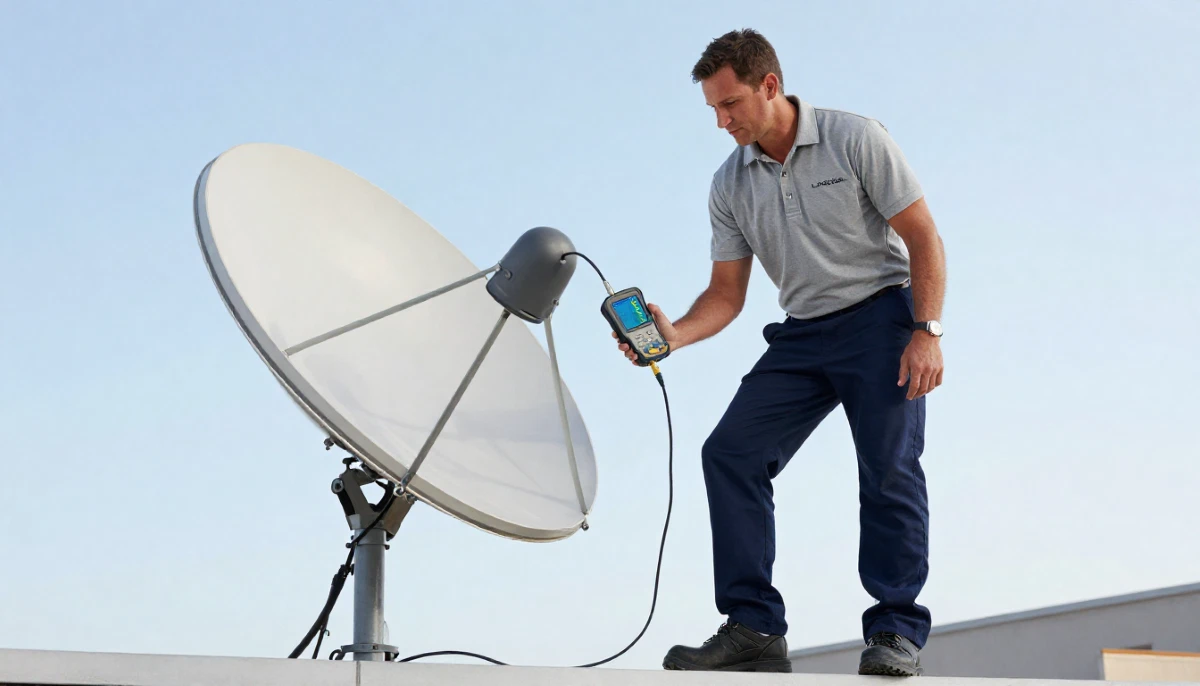
LNB stands for Low Noise Block downconverter. It’s the small device mounted on the arm of your satellite dish,
pointing at the centre of the dish. Despite its small size, it performs two critical functions:
- Amplification: Boosts the incredibly weak satellite signal that has travelled 36,000km from space
- Frequency conversion: Converts the high-frequency satellite signal (10.7-12.75 GHz) to a lower frequency (950-2150 MHz) that can travel through coaxial cables to your decoder
Why the LNB matters for your viewing experience:
- A quality LNB with low noise figure (0.5-0.8dB) gives you clearer picture and better rain margin
- The wrong LNB type can mean missing features or no signal at all
- An old or failing LNB causes pixelation, freezing, and signal loss
📡 Universal LNB Explained: The Standard Choice
The universal lnb for dstv is the traditional, standard LNB that has been used for years.
It’s simple, reliable, and works with basic DSTV setups.
Key features of Universal LNB:
- Outputs: 1, 2, or 4 outputs (Single, Twin, Quad)
- Function: Simple signal conversion – no return path
- Compatibility: Works with HD decoders (9S) and older models
- Internet features: No return path – Catch Up, BoxOffice, and streaming require separate internet connection
- Multi-room: Basic Extra View possible with Quad LNB, but each decoder needs its own cable from the LNB
- Cost: Cheaper than Smart LNB (R180-R450 depending on outputs)
Where Universal LNB is used:
- Basic DSTV setups with HD decoder (9S)
- Homes that don’t need Catch Up, BoxOffice, or streaming apps
- Secondary TVs where advanced features aren’t needed
- Budget-conscious installations
🚀 Smart LNB Explained: The Modern Choice
The smart lnb vs universal lnb comparison starts with understanding what makes Smart LNB “smart.”
Key features of Smart LNB:
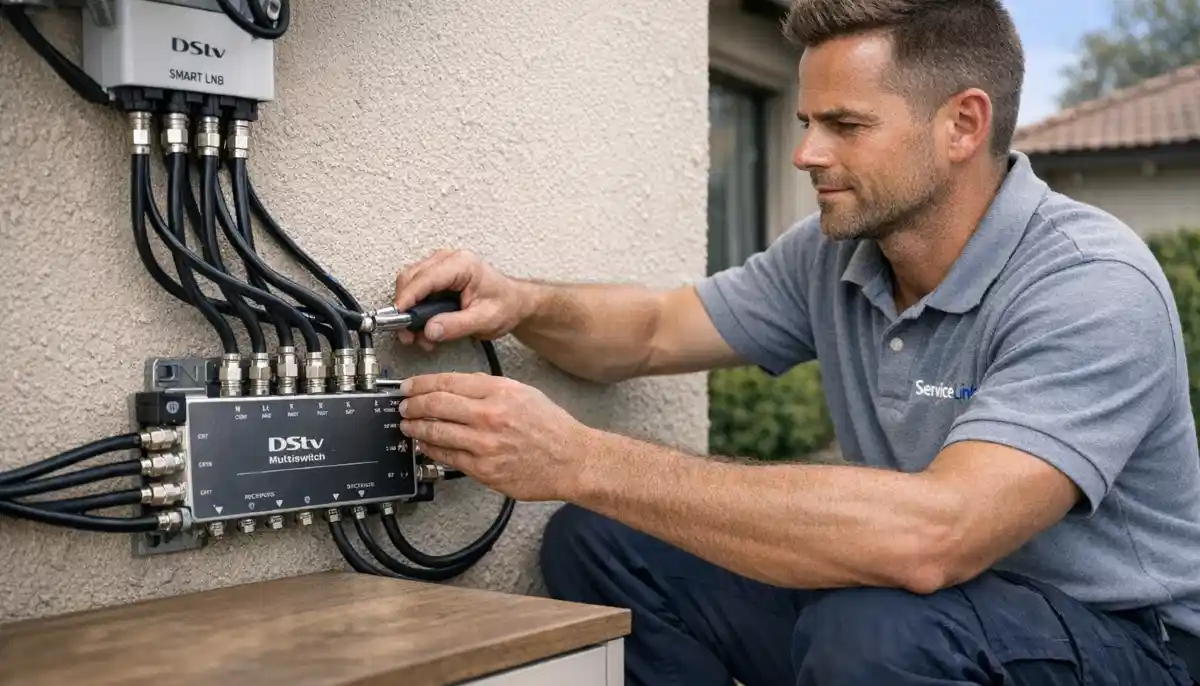
- Outputs: 2 or 4 outputs (2-port and 4-port models)
- Return path: Two-way communication – decoder can send data back to DSTV via satellite
- Internet features: Enables Catch Up, BoxOffice, streaming apps (Showmax, Netflix) on compatible decoders
- Userband technology: Each decoder gets its own frequency “userband” – enables advanced multi-room setups
- Better noise figure: Typically 0.5-0.7dB vs 0.8-1.0dB for Universal – better signal quality
- Cost: More expensive than Universal (R320-R550)
Where Smart LNB is required:
- Explora Ultra: REQUIRES Smart LNB – will not work properly without it
- Explora 3: REQUIRES Smart LNB for full functionality
- Explora 2: Can work with Universal but loses some features
- Homes that want Catch Up, BoxOffice, and streaming apps
- Advanced Extra View setups with multiple decoders
⚖️ Key Differences: Smart LNB vs Universal LNB
| Feature | Universal LNB | Smart LNB |
|---|---|---|
| Return path (two-way communication) | ❌ No – one-way only | ✅ Yes – decoder can send data back |
| Catch Up / BoxOffice | ⚠️ Requires separate internet | ✅ Works via satellite return path |
| Streaming apps (Showmax, Netflix) | ⚠️ Requires separate internet | ✅ Works via satellite return path |
| Userband technology | ❌ No | ✅ Yes – each decoder gets unique frequency |
| Noise figure (signal quality) | 0.8 – 1.0 dB | 0.5 – 0.7 dB (better) |
| Compatible with Explora Ultra | ❌ No – not fully compatible | ✅ Yes – required |
| Compatible with Explora 3 | ⚠️ Limited functionality | ✅ Yes – full functionality |
| Compatible with HD Decoder (9S) | ✅ Yes | ✅ Yes (but extra features unused) |
| Extra View multi-room | ✅ Basic – each decoder needs own cable | ✅ Advanced – userband technology |
| Typical cost | R180 – R450 | R320 – R550 |
Still Not Sure Which LNB You Need?
Get a free consultation from a verified, accredited DSTV installer near you.
We’ll check your decoder and recommend the right LNB.
Free quotes. Verified installers. No obligation.
📺 Decoder Compatibility Guide: Which LNB Works with Your Decoder?
This is the most important factor in the smart lnb vs universal lnb decision.
| Decoder Model | Universal LNB | Smart LNB | Recommendation |
|---|---|---|---|
| Explora Ultra | ❌ Not recommended – features missing | ✅ Required – full functionality | Smart LNB only |
| Explora 3 | ⚠️ Works but Catch Up/streaming may not work | ✅ Recommended – full functionality | Smart LNB |
| Explora 2 | ✅ Works (basic features) | ✅ Works (better performance) | Either – Smart is better |
| HD Decoder (9S) | ✅ Works perfectly | ✅ Works (extra features unused) | Universal (cheaper) |
| DSTV Streama | N/A (no dish needed) | N/A | No LNB needed |
⚠️ Critical Warning:
If you have an Explora Ultra or Explora 3, using a Universal LNB will result in missing features.
Catch Up, BoxOffice, and streaming apps may not work. Always use a Smart LNB with these decoders.
Read our Smart LNB problems guide.
🏠 Which LNB Is Best for DSTV Extra View (Multi-Room)?
If you want to watch DSTV on multiple TVs, which lnb is best for dstv extra view depends on your setup.
For basic Extra View (2-4 decoders, same channel or independent):
- Quad Universal LNB (R280-R450): Works fine for basic multi-room. Each decoder needs its own cable from the LNB.
- Limitation: No return path for smart features on secondary decoders.
For advanced Extra View (2-4 decoders, independent channels, smart features):
- Smart LNB (R320-R550): Recommended. Userband technology ensures each decoder gets clean signal without interference.
- Enables Catch Up, streaming, and smart features on all decoders.
- Read our user band configuration guide.
For large multi-room (5+ decoders, communal system):
- Quattro LNB + Multiswitch: Professional solution for large installations.
- Read our communal installation guide.
📊 Feature Comparison: Smart LNB vs Universal LNB
| Feature | Universal LNB | Smart LNB |
|---|---|---|
| HD picture quality | ✅ Yes | ✅ Yes (better) |
| 4K picture quality | ⚠️ Basic | ✅ Optimal |
| Catch Up (last 7 days) | ⚠️ Requires internet | ✅ Works via satellite |
| BoxOffice (rent movies) | ⚠️ Requires internet | ✅ Works via satellite |
| Showmax / Netflix on decoder | ⚠️ Requires internet | ✅ Works via satellite |
| Recording (PVR) | ✅ Yes (Explora) | ✅ Yes (Explora) |
| Extra View (multi-room) | ✅ Basic | ✅ Advanced |
| Signal quality (rain margin) | Good | Better (lower noise) |
| Future-proofing | Low | High |
💰 Cost Comparison: Smart LNB vs Universal LNB
| LNB Type | 1 Output (Single) | 2 Outputs (Twin) | 4 Outputs (Quad) |
|---|---|---|---|
| Universal LNB | R180-R250 | R220-R350 | R280-R450 |
| Smart LNB | R320-R400 (2-port models) | N/A | R400-R550 |
Total installation cost (including labour):
- Universal LNB replacement: R450-R800 total (LNB + labour)
- Smart LNB replacement: R650-R1,200 total (LNB + labour)
💰 Value Consideration:
A Smart LNB costs R100-R200 more than a Universal LNB. For Explora users, that small extra cost
unlocks Catch Up, streaming apps, and better multi-room functionality.
If you have an Explora decoder, the Smart LNB is well worth the extra cost.
✅ When to Choose a Universal LNB
A universal lnb for dstv is the right choice in these situations.
- You have an HD Decoder (9S): Universal LNB works perfectly and costs less
- You don’t use Catch Up or streaming apps: You watch live TV only
- You’re on a tight budget: Universal LNB is cheaper
- It’s for a secondary TV: Guest room, kids’ room, or staff quarters where smart features aren’t needed
- You have an older decoder (Explora 2 or older): Universal works fine, though Smart is better
- You have a very simple setup: One decoder, one TV, no plans to upgrade
✅ When to Choose a Smart LNB
A dstv smart lnb is the right choice in these situations.
- You have an Explora Ultra or Explora 3: REQUIRED for full functionality
- You want Catch Up, BoxOffice, or streaming apps: Smart LNB enables these features
- You plan to use Extra View (multi-room): Smart LNB provides better performance
- You want the best possible signal quality: Smart LNBs have lower noise figures
- You want to future-proof your system: New DSTV features may require Smart LNB
- You have an Explora decoder and want the best experience: Smart LNB is worth the extra cost
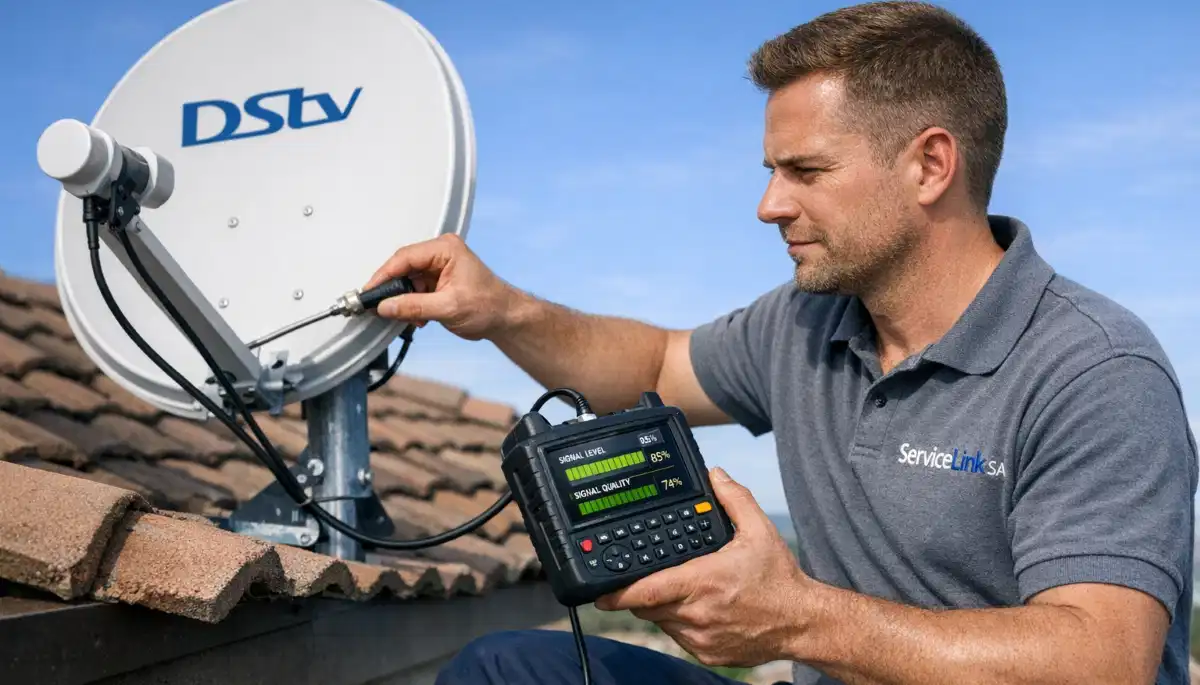
🔄 Upgrading from Universal LNB to Smart LNB
If you currently have a Universal LNB and want to upgrade to a Smart LNB, here’s what you need to know.
When to consider upgrading:
- You bought an Explora Ultra or Explora 3 decoder
- You want Catch Up and streaming features on your current Explora
- You’re adding Extra View (multi-room) and want the best performance
- Your Universal LNB is old and needs replacement anyway
Upgrade process:
- Purchase a Smart LNB compatible with your setup (2-port or 4-port)
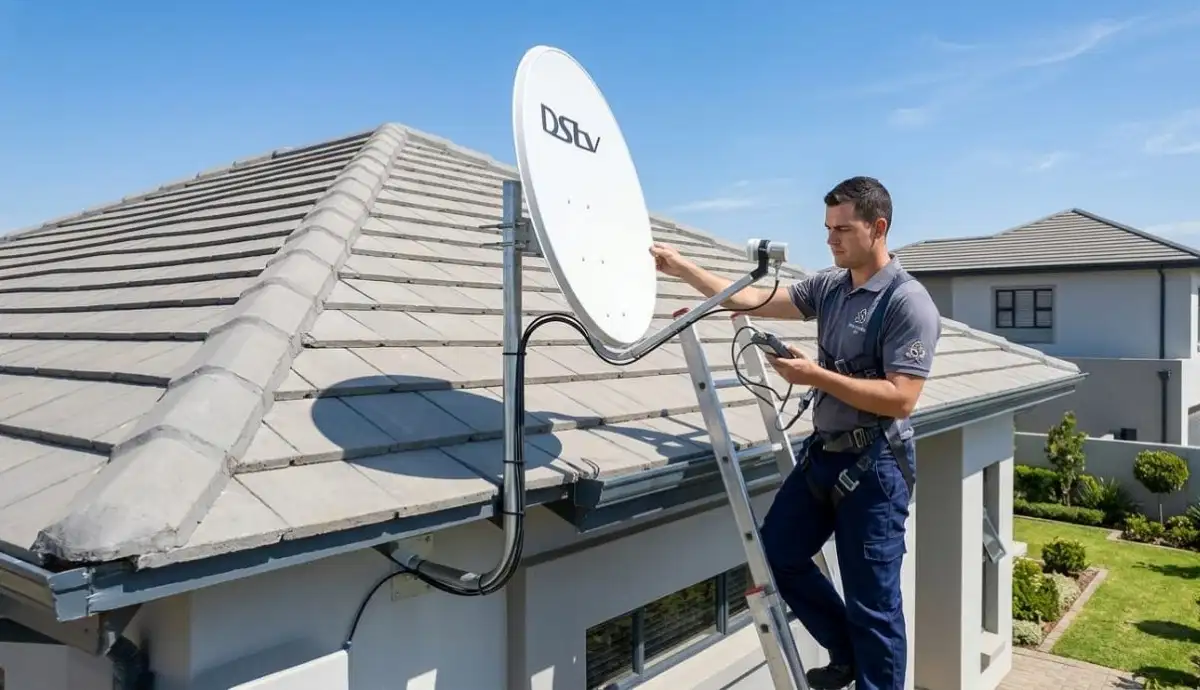
- Professional installation recommended – requires dish access and realignment
- Technician will remove old Universal LNB, install Smart LNB, and realign dish
- Userband configuration may be needed for Extra View setups
- Test Catch Up and streaming features after installation
Upgrade cost:
R650-R1,200 for Smart LNB + professional installation.
If you’re already replacing an old LNB, the additional cost is minimal.
🔧 Installation Considerations for Both LNB Types
Whether you choose Universal or Smart, proper installation is critical for optimal performance.
Professional installation includes:
- Safe access to your dish (ladder work, safety equipment)
- Removal of old LNB (if replacing)
- Installation of new LNB with correct skew
- Dish realignment for optimal signal (critical after LNB change)
- Weatherproofing of all connections
- Signal testing (target 85%+ strength and quality)
- For Smart LNB: userband configuration if needed
- 12-month warranty on parts and labour
DIY installation risks:
- Working at height without safety equipment – fall risk
- Incorrect LNB skew – poor signal quality
- No weatherproofing – water damage within months
- No warranty on parts or labour
For professional installation, request a quote from verified installers.
Read our LNB replacement guide for DIY instructions.
❓ Frequently Asked Questions About Smart vs Universal LNB
What is the difference between a Smart LNB and a Universal LNB?
The main difference in smart lnb vs universal lnb is the return path.
Smart LNBs have two-way communication – your decoder can send data back to DSTV via satellite,
enabling Catch Up, BoxOffice, and streaming apps. Universal LNBs are one-way only.
Smart LNBs also have userband technology for better multi-room setups and lower noise figures.
Can I use a Universal LNB with an Explora Ultra?
No. Dstv smart lnb is REQUIRED for Explora Ultra. Using a Universal LNB will result in missing features:
Catch Up won’t work, streaming apps may not work, and some functions may be unavailable.
For full Explora Ultra functionality, you MUST use a Smart LNB.
Which LNB is better for Extra View (multi-room)?
For which lnb is best for dstv extra view, a Smart LNB is recommended.
It uses userband technology to give each decoder its own frequency, preventing interference
and enabling independent channel selection. Universal LNBs work for basic multi-room
but don’t offer the same level of performance or smart features.
Is a Smart LNB worth the extra cost?
If you have an Explora decoder, YES. A Smart LNB costs R100-R200 more than a Universal LNB,
but unlocks Catch Up, streaming apps, better multi-room performance, and future-proofing.
For HD decoders (9S) that don’t use these features, a Universal LNB is fine and cheaper.
Can I use a Smart LNB with an HD decoder (9S)?
Yes, a Smart LNB works with an HD decoder – but the extra features (return path, userbands)
won’t be used. You’re paying for features you can’t use. For HD decoders,
a Universal LNB is more cost-effective.
How do I know which LNB I currently have?
Look at your LNB on the dish arm. Universal LNBs are typically unmarked or say “Universal.”
Smart LNBs are clearly marked “Smart LNB” on the casing.
If you’re unsure, check with your installer or take a photo and send to a professional.
Does a Smart LNB improve picture quality?
Indirectly, yes. Smart LNBs typically have lower noise figures (0.5-0.7dB vs 0.8-1.0dB),
which means cleaner signal and better rain margin. This can reduce pixelation and freezing,
especially in marginal signal areas or during bad weather.
Can I replace a Universal LNB with a Smart LNB myself?
Yes, if you have experience working at height, a satellite signal meter, and understand alignment.
However, LNB replacement requires dish access and realignment – working on a roof is dangerous.
Professional installation costs R650-R1,200 total – cheaper than a hospital visit from a fall.
Read our LNB replacement guide.
What is userband technology on Smart LNBs?
Userband technology assigns each decoder its own unique frequency band.
This prevents signal conflicts when multiple decoders are connected to the same LNB.
It’s essential for advanced Extra View (multi-room) setups where each TV watches different channels.
Read our user band configuration guide.
How much does a Smart LNB cost in South Africa?
Lnb comparison pricing: Smart LNB 2-port R320-R400, Smart LNB 4-port R400-R550.
Universal LNB Single R180-R250, Quad R280-R450.
Professional installation adds R350-R700. Total cost R650-R1,200 for Smart LNB replacement.
Get a free quote from verified local installers.
✅ Final Thoughts: Choose the Right LNB for Your Needs
The smart lnb vs universal lnb decision comes down to your decoder and what features you want.
Choose Universal LNB if: You have an HD decoder (9S), don’t need Catch Up or streaming apps,
and want the most cost-effective solution.
Choose Smart LNB if: You have an Explora Ultra or Explora 3, want Catch Up and streaming apps,
plan to use Extra View (multi-room), or want to future-proof your system.
Still not sure? Request a free consultation from ServiceLink SA.
We’ll check your decoder and recommend the right LNB for your setup.
Professional installation ensures optimal performance and safety.
Not Sure Which LNB You Need?
Get a free consultation from a verified, accredited DSTV installer near you.
We’ll help you choose the right LNB and install it professionally.
📞 Call us: 073 138 4726 for immediate LNB advice.
Free signal inspection •
How to choose an installer •
12-month warranty on LNB replacement
📚 Official resources & standards referenced:
- Official DSTV LNB compatibility guide – Official LNB compatibility information.
- SABS – South African Bureau of Standards electronic component standards.
Information provided for general guidance. DSTV is a registered trademark of MultiChoice.
LNB compatibility may vary by decoder model. Always verify compatibility before purchasing.
Written by: Innocent T Hanyani
Satellite & Home Entertainment Installation Specialist | 21+ Years Experience
Innocent T Hanyani has over two decades of experience in satellite television installations across South Africa.
He has installed thousands of Universal and Smart LNBs, understanding the technical differences and real-world performance
of each. His expertise helps homeowners choose the right LNB for their decoder and viewing habits.
For more help choosing the right LNB, explore our related resources:
LNB replacement guide,
Smart LNB user band configuration,
Smart LNB problems,
Extra View installation,
multi-room installation.
See our service areas page for coverage in your region.