
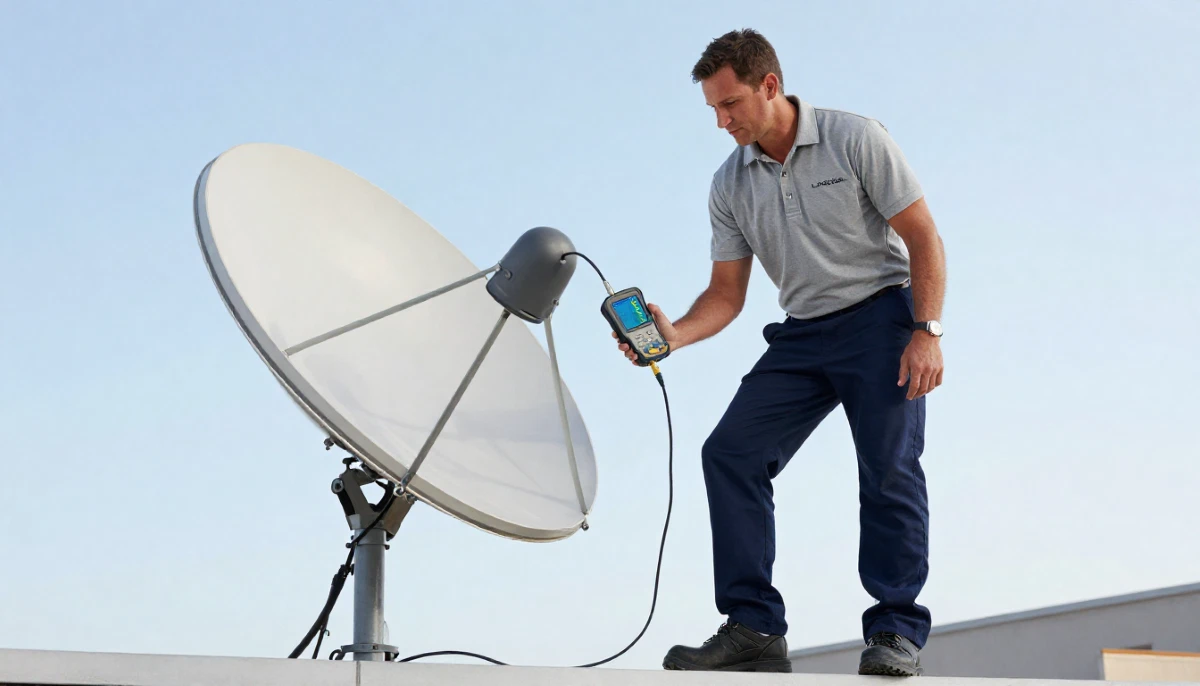
Not Sure If Your LNB Needs Replacement?
Get a free diagnostic assessment from a verified, accredited DSTV installer near you.
Same-day service available across South Africa.
Servicing Gauteng, Western Cape, KwaZulu-Natal, Bellville, Stellenbosch, and across South Africa
LNB Replacement Guide: How to Replace Your DSTV LNB in 30 Minutes
📡 That frustrating “No Signal” message could be fixed with a simple R250-R500 part and 30 minutes of work.
You’re watching TV when suddenly the picture pixelates, freezes, then disappears completely.
You check your signal readings: strength is fine (70%+), but quality has dropped below 30%.
You’ve tried rebooting the decoder. You’ve checked the cables. Nothing works.
This is the classic symptom of a failing LNB. And here’s the good news: lnb replacement
is often straightforward and can restore your signal in under 30 minutes.
In this guide, I’ll show you exactly how to diagnose a faulty LNB, choose the right replacement,
and replace dstv lnb safely and correctly. I’ll also tell you when it’s smarter to call a professional.
If you’re experiencing dstv lnb not working symptoms, start with the quick diagnosis below.
For more signal troubleshooting, read our
DSTV no signal guide and
how to improve signal strength.
📋 Table of Contents – LNB Replacement Guide
📡 What Is an LNB and What Does It Do?
Before we dive into lnb replacement, let’s understand what this small but critical component actually does.
LNB stands for Low Noise Block downconverter. It’s the small device mounted on the arm of your satellite dish,
pointing at the centre of the dish. Despite its small size, it performs two critical functions:
- Amplification: Boosts the incredibly weak satellite signal that has travelled 36,000km from space
- Frequency conversion: Converts the high-frequency satellite signal (10.7-12.75 GHz) to a lower frequency (950-2150 MHz) that can travel through coaxial cables to your decoder
- Noise reduction: Quality LNBs have specialized circuitry that minimizes signal interference for clearer pictures
The “Low Noise” designation isn’t marketing – it’s engineering. High-quality LNBs have noise figures below 0.8dB,
while cheap imitations can exceed 1.5dB, causing significant signal degradation.
For a complete understanding of lnb repair and when replacement is needed,
read our LNB and cable replacement services page.
⚠️ Symptoms of a Failing LNB: What to Look For
Before you attempt lnb replacement, confirm that the LNB is actually the problem.
Here are the classic signs of LNB failure.
Definite LNB failure signs:
- Complete signal loss during clear weather conditions
- Physical damage: cracks, severe corrosion, or water inside the casing
- Consistent pixelation across all channels regardless of time or weather
- Strong signal strength (70%+) but poor signal quality (below 50%)
- Error codes E48-32 or “Searching for Signal” despite good dish alignment
- Signal works in the morning but disappears in the afternoon (heat-related failure)
Possible LNB issues (check other causes first):
- Intermittent signal that comes and goes (could be loose cables)
- Some channels missing while others work (could be alignment or compatibility)
- Seasonal signal variation (often alignment or tree obstruction)
⚠️ Warning: Don’t Replace the Wrong Component
A homeowner in Cape Town replaced a perfectly good LNB only to discover the real issue was corroded cables,
wasting over R600 and a Saturday morning. Always diagnose before buying parts.
Request a free inspection if you’re unsure.
For more LNB-specific problems, read our
DSTV Smart LNB problems guide.
🔍 Quick Diagnosis: Is Your LNB Really Dead?
Before you climb that ladder, perform this quick diagnostic to confirm dstv lnb not working is the real issue.
Step 1: Check your signal readings
- Press “Menu” on your DSTV remote
- Navigate to Settings → System Settings → Signal Detection
- Note both Signal Strength and Signal Quality percentages
Step 2: Interpret the readings
- Strength above 70%, Quality below 50%: Likely LNB failure – proceed with replacement
- Both below 40%: Dish misalignment or obstruction – not LNB
- Both zero: Disconnected cable, dead LNB, or decoder port failure – check cables first
- Fluctuating readings: Loose connection or intermittent obstruction – check cables
Step 3: Visual inspection
From ground level (or safely on a ladder), look at your LNB. Can you see cracks, rust, water stains,
or bird damage? Is the plastic cap intact? Physical damage confirms LNB failure.
Not Confident Doing This Yourself?
LNB replacement requires working at height and precise alignment. Get a professional to do it safely.
Free quotes from verified, accredited installers near you.
Get Professional LNB Replacement
Same-day service available across South Africa.
🔧 LNB Types Explained: Choose the Right One
Selecting the wrong LNB type is the most common and costliest DIY mistake.
Here’s your complete guide to LNB technologies when planning your lnb replacement.
| LNB Type | Outputs | Best For | Price Range | Key Features |
|---|---|---|---|---|
| Single LNB | 1 output | Basic single-TV setups | R180-R280 | Most affordable, simple installation |
| Twin LNB | 2 outputs | Dual-view/PVR setups | R220-R350 | Two independent feeds from one LNB |
| Quad LNB | 4 outputs | Multi-room families | R280-R450 | Feeds up to 4 decoders independently |
| Quattro LNB | 4 specialized | Large communal systems | R380-R550 | Each output delivers specific frequency band |
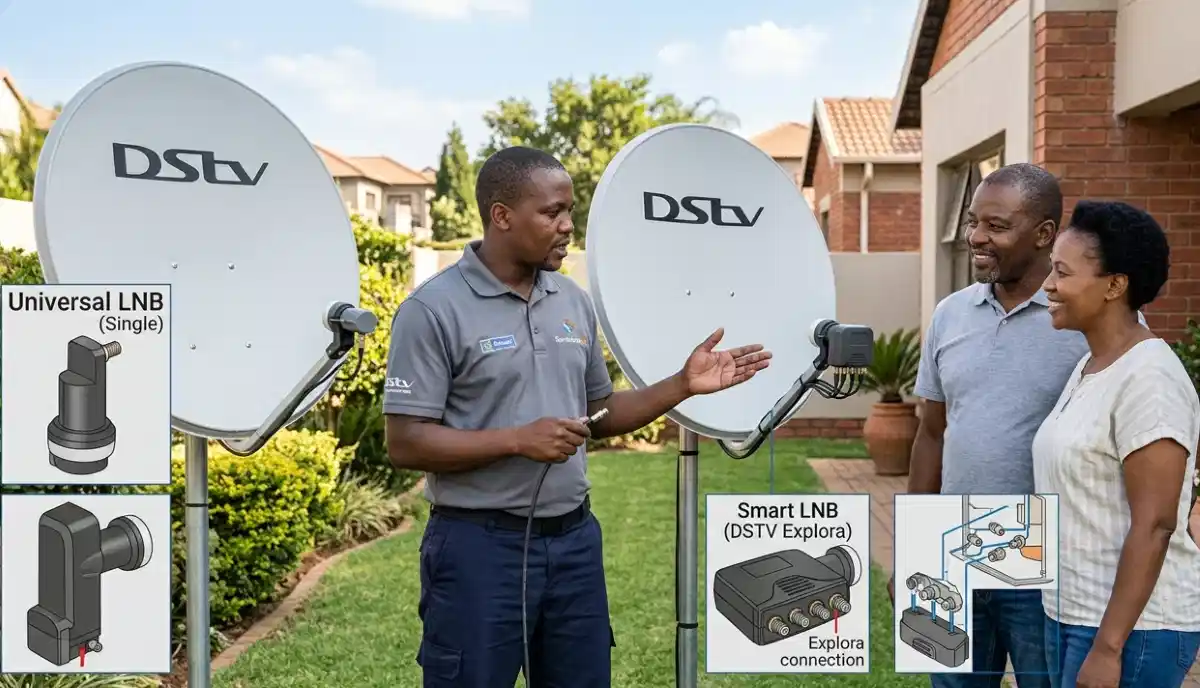
| Smart LNB | 2 or 4 outputs | Explora/Internet setups | R320-R500 | Enables internet connectivity features |
| Unicable (SATCR) | 1 cable multiple | Complex multi-room | R450-R650 | Single cable serves multiple tuners |
💡 Pro Tip:
For most South African households with Explora decoders, the Smart LNB provides the best balance of features and future-proofing.
If you plan to add Extra View later, buy a Quad or Smart LNB now – it’s cheaper than upgrading later.
For a detailed comparison, read our
Smart LNB vs Universal LNB guide.
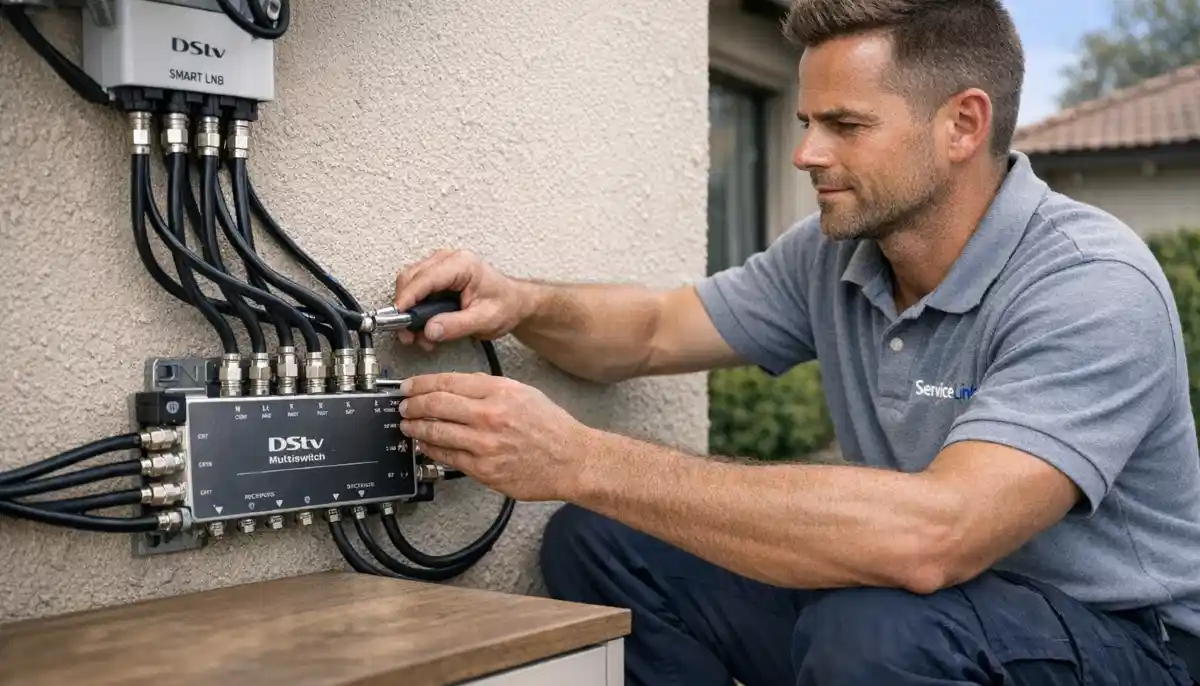
🛠️ Tools Required for LNB Replacement
Attempting lnb replacement without proper tools leads to damaged equipment and safety risks.
Here’s what you’ll need.
Essential tools:
- 7/16″ spanner or adjustable wrench for F-connectors
- Phillips and flathead screwdrivers for mounting brackets
- Satellite signal meter (R300-R800) – highly recommended for alignment
- Compass or smartphone inclinometer app for direction finding
- Step ladder (most dishes aren’t ground-accessible)
- Self-amalgamating tape for weatherproofing
Safety equipment (non-negotiable for roof work):
- Stable ladder with proper angle and footing
- Safety harness if working on high roofs (costs around R600 at hardware stores)
- Non-slip shoes
- Hard hat if working near power lines
⚠️ Safety Warning:
We’ve responded to multiple emergency calls where DIYers fell from ladders during LNB replacement.
Medical costs averaged over R4,000 – more than 10x the cost of professional installation.
If you’re not comfortable at height, hire a professional.
📋 Step-by-Step LNB Replacement Guide
Follow this professional 7-step process for successful lnb replacement.
Read through completely before starting.
Step 1: Power down and safety check
Unplug your decoder completely. LNBs receive power through coaxial cables (typically 13-18V DC),
and live voltage can damage your new LNB or cause shocks.
Step 2: Mark original position
Use a permanent marker to indicate the exact LNB position on the dish arm – the distance from the dish
and the rotation angle. This small step saves 15+ minutes of realignment.
Step 3: Remove old LNB
Unscrew the coaxial cable(s) from the old LNB first, then loosen the mounting bracket.
Support the LNB while removing to prevent the dish from moving.
Step 4: Install new LNB
Slide the new LNB into the marked position. Ensure it’s seated firmly without forcing.
Tighten the mounting bracket securely but don’t overtighten (strip threads).
Attach the coaxial cable(s) – hand-tight plus quarter turn with wrench.
Step 5: Weatherproof connections
Wrap each F-connector with self-amalgamating tape, starting at the LNB and working outward.
Stretch the tape as you wrap – it bonds to itself and creates a waterproof seal.
Step 6: Power up and check signal
Plug your decoder back in. Wait 2 minutes for boot-up.
Check signal readings: Menu → Settings → Signal Detection.
You may need minor realignment (see next section).
Step 7: Channel scan and testing
Perform a complete channel scan to ensure all services are available.
Check multiple channels across different frequencies (sports, movies, news).
Test recording and playback if you have an Explora decoder.
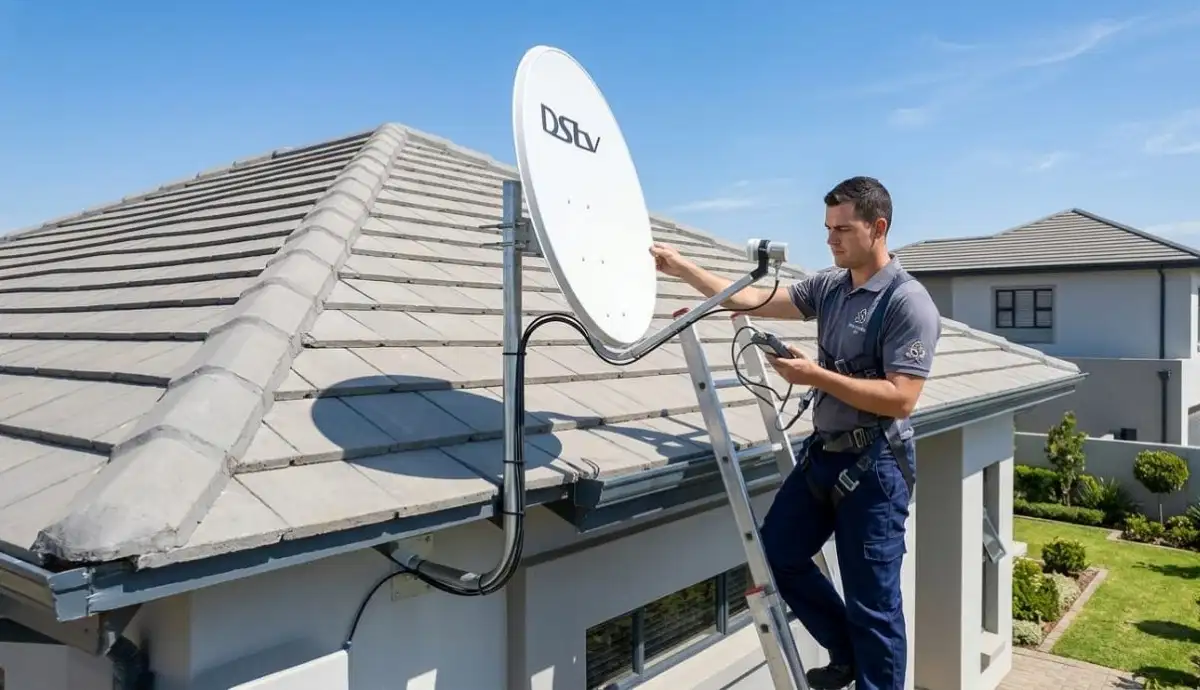
🎯 Signal Alignment After LNB Replacement
Even if you marked the original position, you may need minor realignment after lnb replacement.
Different LNBs have slightly different focal points.
How to fine-tune alignment:
- Access the signal meter: Menu → Settings → Signal Detection
- Loosen the dish mounting bolts slightly (just enough to allow movement)
- Have someone watch the TV while you’re at the dish
- Make tiny adjustments (2-3mm at a time) to azimuth (left/right)
- Then adjust elevation (up/down) in tiny increments
- If your LNB has adjustable skew (rotation), adjust this too
- Target: 75%+ on BOTH strength and quality
- Tighten bolts carefully while maintaining position
Optimal alignment parameters for South Africa:
- Azimuth: Approximately 45° magnetic northeast
- Elevation: Approximately 35° above horizon
- LNB Skew: Approximately -7° clockwise (looking from behind dish)
For complete alignment instructions, read our
DSTV dish alignment guide.
❌ 5 Common LNB Replacement Mistakes (Avoid These!)
⚠️ Avoid These Costly Mistakes
-
Buying the wrong LNB type: A Universal LNB won’t work with an Explora decoder.
Always verify compatibility before purchasing. Read our
Smart LNB vs Universal LNB guide. -
Skipping weatherproofing: An unsealed LNB will fail within months from water ingress.
Always use self-amalgamating tape on all outdoor connections. -
Not marking original position: Guessing the alignment wastes hours.
Mark the position before removing the old LNB. -
Over-tightening F-connectors: Stripped threads mean a new cable end.
Hand-tight plus quarter turn with wrench is enough. -
Working unsafely at height: Your life isn’t worth R500.
If your dish isn’t ground-accessible, hire a professional.
🔌 Smart LNB Configuration for Explora Decoders
If you’re replacing a Smart LNB for an Explora decoder, you may need to configure user bands
for Extra View or internet features.
Smart LNB configuration steps:
- After installation, go to Menu → Settings → LNB Configuration
- Select “Smart LNB” as the LNB type
- Configure user bands according to your decoder setup
- For Extra View, each decoder needs its own user band
- Test all decoders to ensure they’re receiving the correct channels
For complete Smart LNB configuration instructions, read our
Smart LNB user band configuration guide
and Smart LNB problems explained.
🌍 Regional Considerations: Coastal vs Inland
Your location significantly impacts LNB lifespan. When planning lnb replacement,
consider these regional factors.
Coastal areas (Durban, Cape Town, Port Elizabeth):
- Salt air accelerates corrosion – LNBs last 2-4 years vs 5-7 years inland
- Use stainless steel fittings and weatherproof LNBs with marine-grade seals
- Annual inspections are essential
- Consider buying a premium LNB with better corrosion resistance
Highveld (Gauteng, Johannesburg, Pretoria):
- Summer thunderstorms require robust weatherproofing and surge protection
- Temperature extremes can affect LNB performance
- Quality LNBs typically last 5-7 years
Inland / Agricultural areas:
- Dust and pesticides can degrade LNB performance
- Regular cleaning extends lifespan
- Consider LNB covers for protection
For location-specific services, see our pages for
Gauteng,
Western Cape,
KwaZulu-Natal,
Bellville, and
Stellenbosch.
💰 DIY vs Professional LNB Replacement: Cost & Safety Comparison
| Cost Factor | DIY Approach | Professional Service | Notes |
|---|---|---|---|
| LNB unit cost | R250-R500 | R250-R500 | Professionals often get better wholesale prices |
| Tools & equipment | R400-R1,200 (signal meter) | R0 (included) | Signal meter essential for proper alignment |
| Labour / Time | 2-4 hours of your time | 30-60 minutes | Professional efficiency saves significant time |
| Safety equipment | R0-R600 (harness, ladder) | R0 (included) | Professionals have proper safety gear |
| Warranty | 90 days parts only | 12 months parts + labour | Professional includes labour warranty |
| Total effective cost | R650 – R1,700+ | R450 – R750 | Professional service often cheaper overall |
💡 Key Insight:
Professional lnb replacement often costs LESS than DIY when you factor in tool purchases,
your time, and the risk of incorrect installation. Plus, you get a 12-month warranty.
We’ll beat any verified quote.
❓ Frequently Asked Questions About LNB Replacement
How do I know if my LNB needs replacement?
Signs that dstv lnb not working include: strong signal strength (70%+) but poor quality (below 50%),
complete signal loss during clear weather, physical damage (cracks, corrosion), or signal that works in the morning
but disappears in the afternoon (heat-related failure). Always check cables first – they cause 40% of “LNB problems”.
How much does LNB replacement cost in South Africa?
Lnb replacement costs: LNB unit R250-R500, professional installation R350-R700 total (including part and labour).
DIY costs R650-R1,700+ when you factor in tools (signal meter) and your time.
Professional installation includes a 12-month warranty. Request a quote.
Can I replace my DSTV LNB myself?
Yes, if your dish is ground-accessible (no ladder required) and you have a satellite signal meter.
However, if your dish is on a roof or any location where you feel unsafe, hire a professional.
Falls from height are the #1 cause of DIY injury. Read our DIY vs pro guide.
What’s the difference between a Smart LNB and a Universal LNB?
Universal LNBs work with standard HD decoders. Smart LNBs are required for Explora decoders and enable
internet connectivity (Catch Up, BoxOffice, streaming apps). If you have an Explora or plan to upgrade,
you need a Smart LNB. Read our detailed comparison.
How long does an LNB last?
Inland areas (Gauteng, Free State): 5-7 years. Coastal areas (Durban, Cape Town): 2-4 years due to salt corrosion.
Premium weatherproofed LNBs can extend coastal lifespan to 3-4 years.
Annual inspections help catch problems before complete failure.
What causes LNB failure?
Common causes: water ingress (poor weatherproofing), lightning strikes or power surges,
sun exposure (UV degradation), bird or animal damage, salt corrosion (coastal areas),
and age-related electronic component failure. Quality LNBs and proper installation extend lifespan significantly.
Do I need to realign my dish after LNB replacement?
Possibly. Even if you mark the original position, different LNBs have slightly different focal points.
Always check your signal readings after replacement. If strength or quality dropped below 70%,
minor realignment is needed. Use your decoder’s signal meter to fine-tune.
What LNB do I need for Extra View (multi-room)?
For Extra View with multiple decoders, you need a Quad LNB (4 outputs)
or a Smart LNB with multiswitch. Each decoder needs its own independent feed from the LNB.
A Single or Twin LNB won’t work for more than 2 decoders.
Can a faulty LNB damage my decoder?
Rarely, but yes. A severely shorted LNB can send voltage spikes back through the coaxial cable
to your decoder’s LNB input port, potentially damaging it. This is more common after lightning strikes.
If you suspect LNB failure, replace it promptly to protect your decoder.
Where can I buy a replacement LNB for DSTV?
Replacement LNBs are available at electronics stores (Dion Wired, Incredible Connection),
satellite equipment suppliers, online (Takealot, Amazon), or through DSTV installers.
Professional installers often have better wholesale prices and can supply and fit the LNB in one visit.
Request a quote for supply and installation.
✅ Final Thoughts: Replace Your LNB and Restore Your Signal
A failing LNB is one of the most common causes of poor dstv signal strength – and one of the easiest to fix.
With the right diagnosis, the correct replacement LNB, and proper installation, you can restore crystal-clear picture quality
in under an hour.
However, lnb replacement requires working at height and precise alignment.
If your dish isn’t ground-accessible, or if you’re not comfortable with ladders and tools,
professional installation is safer and often cheaper when you factor in tool costs and your time.
ServiceLink SA connects you with verified, accredited DSTV installers who can diagnose LNB issues,
supply the correct replacement, and install it safely – with a 12-month warranty on parts and labour.
Need Professional LNB Replacement?
Don’t risk your safety or damage your equipment. Get a free quote from a verified, accredited DSTV installer near you.
Same-day service available across South Africa.
📞 Call us: 073 138 4726 for immediate LNB assistance.
Free signal inspection •
Beat Your Quote guarantee •
12-month warranty
📚 Official resources & standards referenced:
- Official DSTV LNB specifications – Official LNB compatibility information.
- SABS – South African Bureau of Standards electronic component standards.
Information provided for general guidance. DSTV is a registered trademark of MultiChoice.
LNB specifications and compatibility may vary by decoder model. Always verify compatibility before purchasing.
Written by: Innocent T Hanyani
Satellite & Home Entertainment Installation Specialist | 21+ Years Experience
Innocent T Hanyani has over two decades of experience in satellite television installations across South Africa.
He has personally diagnosed and replaced thousands of faulty LNBs, from coastal homes in Durban to Highveld properties in Gauteng.
His expertise helps homeowners distinguish between LNB failure and other signal problems, saving time and money.
For more information about LNB replacement and signal troubleshooting, explore our related resources:
Smart LNB vs Universal LNB,
DSTV Smart LNB problems,
Smart LNB user band configuration,
DSTV no signal guide,
improve signal strength guide.
See our service areas page for coverage in your region.