
Confused About Your Network Equipment?
Get professional help from local specialists who understand router vs modem and ont vs router.
Servicing Menlyn, Bloubergstrand, Hillcrest, and across South Africa
Router vs Modem vs ONT Explained Simply: The Complete Guide
🔌 Three devices, one internet connection—here’s what each one does and why you need them.
You’re looking at your internet setup. There’s a small white box on the wall, a device with blinking lights, and a router with antennas. You’re not sure what each one does. You’ve heard terms like “modem,” “router,” and “ONT.” The question router vs modem vs ont explained simply is one I hear frequently.
These three devices work together to bring internet into your home. Each has a specific job. Understanding the difference between router vs modem, modem vs router, and ont vs router helps you set up your network, troubleshoot problems, and make informed decisions.
In this comprehensive guide, I’ll explain router vs modem vs ont explained simply. I’ll answer what does a router do, what does a modem do, what is an ont, and do i need both modem and router with fibre. Whether you’re in Menlyn, Bloubergstrand, or Hillcrest, this guide will demystify your network equipment.
For more on networking, check out our fibre ONT and router and WiFi access point guides. Let’s understand your network.
📋 Table of Contents – Router vs Modem vs ONT Guide
📡 What Is a Router?
To understand router vs modem vs ont explained simply, let’s start with the router.
What Is a Router?
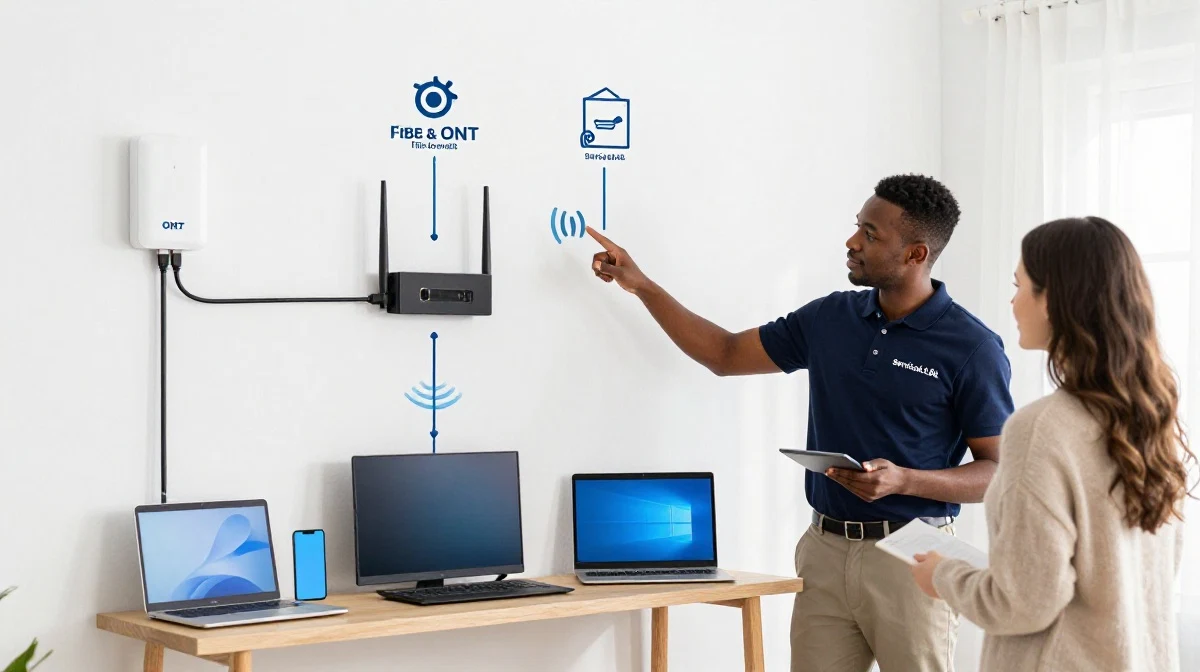
A router is the device that distributes your internet connection to all your devices. It takes the single internet connection from your modem or ONT and shares it with your computers, phones, TVs, and other devices.
What Does a Router Do?
What does a router do is a common question. A router:
- Broadcasts WiFi: Creates a wireless network.
- Provides wired connections: Ethernet ports for devices.
- Manages traffic: Directs data between devices and the internet.
- Assigns IP addresses: DHCP server.
- Provides security: Firewall and encryption.
What a Router Looks Like:
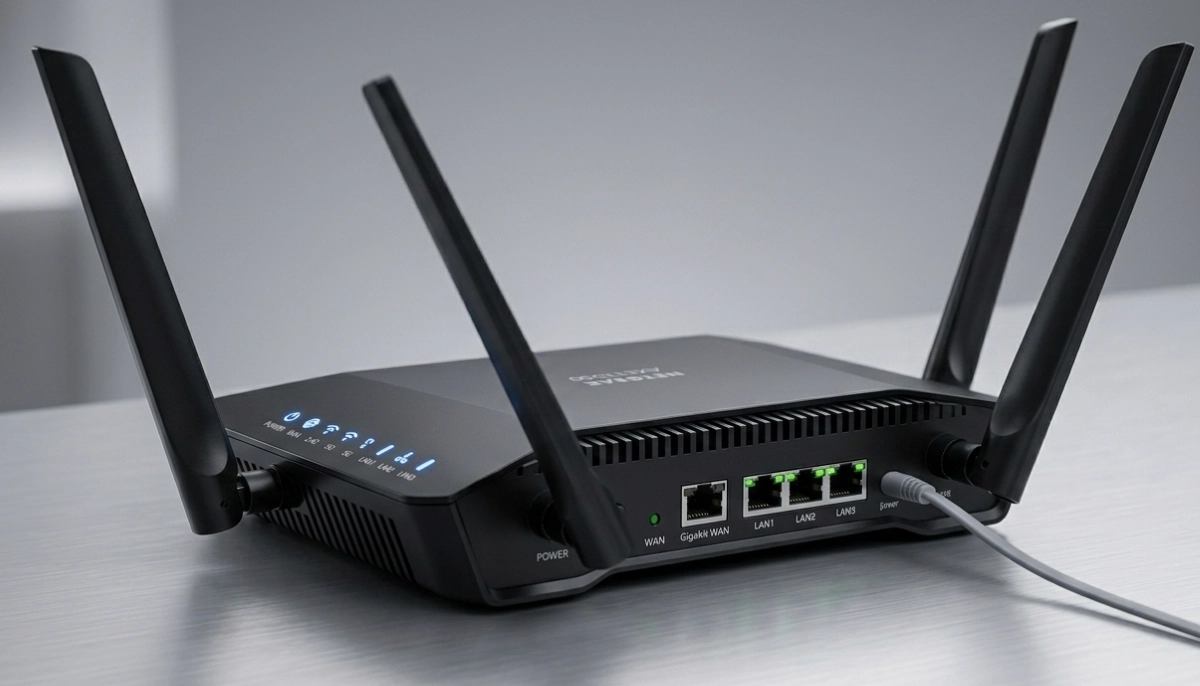
A plastic box with antennas (internal or external). It has a WAN/Internet port for connecting to the modem/ONT, LAN ports for wired devices, and a power adapter.
Do You Need a Router?
Yes, for most homes. Without a router, you can only connect one device at a time.
For more on router basics, see our router setup guide.
🔌 What Is a Modem?
Understanding the modem helps with modem vs router comparisons.
What Is a Modem?
A modem (Modulator-Demodulator) converts signals from your internet service provider (ISP) into data your devices can use. It’s the bridge between your ISP’s network and your home network.
What Does a Modem Do?
What does a modem do is another common question. A modem:
- Connects to ISP: Through cable, DSL, or fibre.
- Converts signals: Analog to digital and vice versa.
- Provides internet: Single device connection.
What a Modem Looks Like:
A small box with a coaxial cable connection (cable), phone line (DSL), or fibre connection (ONT). It has an Ethernet port for connecting to a router.
Do You Need a Modem?
With fibre, you don’t need a separate modem—the ONT acts as the modem. With cable or DSL, you need a modem.
For more on modem basics, see our fibre ONT setup guide.
🔦 What Is an ONT?
What is an ont is a common question in ont vs router comparisons.
What Is an ONT?
ONT stands for Optical Network Terminal. It’s the device that converts fibre optic signals (light) into data your router can use. It’s the fibre equivalent of a modem.
What Does an ONT Do?
What is an ont—it:
- Converts fibre signals: Light to data.
- Connects to fibre: The fibre cable from the street.
- Provides Ethernet: Connection for your router.
What an ONT Looks Like:
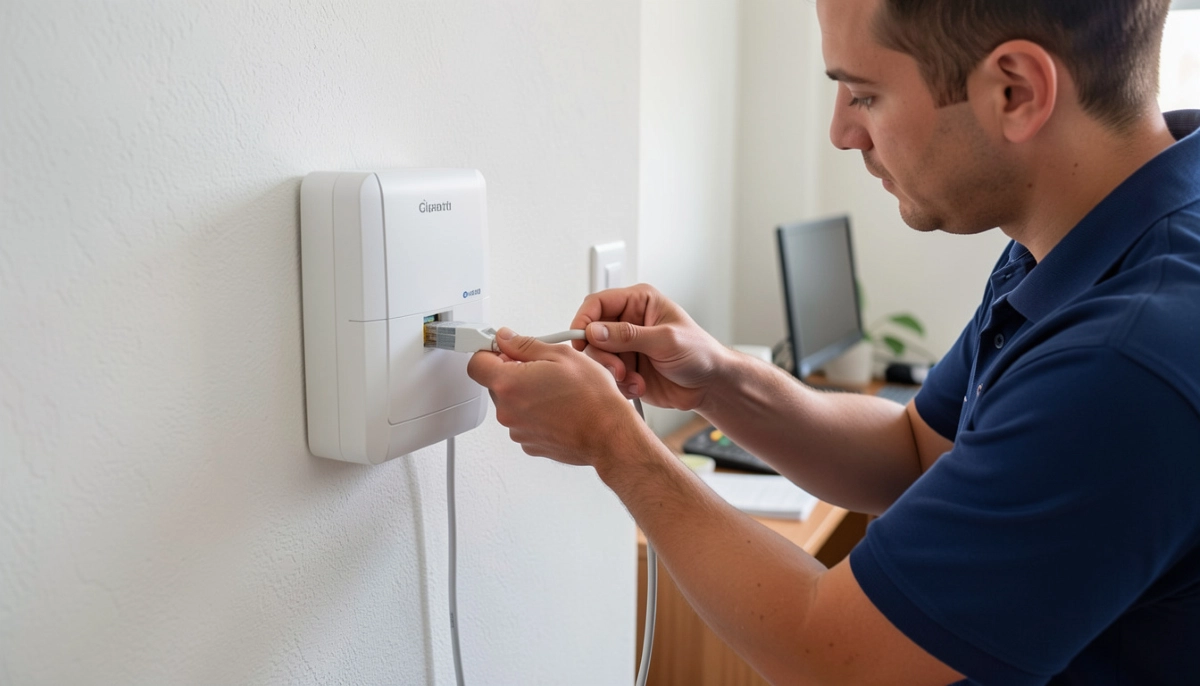
A small white or black box mounted on your wall. It has a fibre cable connection, an Ethernet port, and indicator lights.
Who Provides the ONT?
The ONT is provided by your fibre network operator (Openserve, Vumatel, Frogfoot, etc.). You don’t need to buy one.
For more on ont, see our fibre ONT and router guide.
⚖️ Router vs Modem
Router vs modem is a key comparison in router vs modem vs ont explained simply.
| Feature | Router | Modem |
|---|---|---|
| Primary function | Distributes internet | Connects to ISP |
| WiFi | Yes | No |
| Ethernet ports | 4+ | 1 |
| DHCP | Yes | No |
| Firewall | Yes | No |
| Provided by | You or ISP | ISP |
| Best for | Multiple devices | Single device |
Key Takeaway: A modem connects you to the internet. A router shares the connection with your devices.
For more on router vs modem, see our router setup guide.
Still Confused About Your Network Setup?
Get professional help from local specialists who understand router vs modem and ont vs router.
Free consultations available for router vs modem vs ont explained simply.
⚖️ ONT vs Router
Ont vs router is a key comparison for fibre users.
| Feature | ONT | Router |
|---|---|---|
| Primary function | Converts fibre signals | Distributes internet |
| WiFi | No | Yes |
| Ethernet ports | 1 | 4+ |
| Provided by | Network operator | You or ISP |
| Best for | Signal conversion | Device distribution |
Key Takeaway: An ONT connects to the fibre network. A router connects your devices to the ONT. You need both for fibre internet.
For more on ont vs router, see our fibre ONT and router guide.
🔄 How They Work Together
Here’s how the router, modem, and ont work together in router vs modem vs ont explained simply.
For Fibre:
- Fibre cable carries light signals to your home.
- ONT converts light signals to data.
- Ethernet cable connects ONT to router.
- Router distributes internet to your devices.
For Cable/DSL:
- Cable/DSL line carries signals to your home.
- Modem converts signals to data.
- Ethernet cable connects modem to router.
- Router distributes internet to your devices.
What You Need:
- Fibre: ONT + Router.
- Cable/DSL: Modem + Router.
- You need both: A single device can’t do both jobs effectively.
For more on router vs modem vs ont, see our fibre ONT setup guide.
🔌 Do I Need Both Modem and Router with Fibre?
Do i need both modem and router with fibre is a common question.
Short Answer:
With fibre, you need an ONT and a router. You don’t need a separate modem because the ONT functions as the modem.
What You Need:
- ONT: Provided by your fibre provider.
- Router: You provide or get from your ISP.
- Ethernet cable: Connects ONT to router.
What About Combo Devices?
Some ISPs offer a single device that combines the ONT and router functions. These are still technically two devices in one box.
Can You Use a Modem with Fibre?
No, modems are for cable or DSL. Fibre uses an ONT.
For more on fibre setup, see our fibre ONT setup guide.

📊 Complete Comparison Table
Here’s a complete router vs modem vs ont explained simply comparison.
| Feature | Router | Modem | ONT |
|---|---|---|---|
| Primary function | Distributes internet | Converts ISP signals | Converts fibre signals |
| Connection type | Ethernet | Coax/Phone/Fibre | Fibre |
| WiFi | Yes | No | No |
| Ethernet ports | 4+ | 1 | 1 |
| DHCP | Yes | No | No |
| Firewall | Yes | No | No |
| Provided by | You or ISP | ISP | Network operator |
| Used with | Modem or ONT | Router | Router |
Key Takeaway: Each device has a specific job. Understanding router vs modem vs ont helps you set up and troubleshoot your network.
🛠️ Troubleshooting Tips
Knowing router vs modem vs ont explained simply helps with troubleshooting.
Issue: No Internet
Check: Are all devices powered on? Check lights on ONT/modem and router.
Issue: WiFi Works but Internet Doesn’t
Check: The problem is likely your ONT/modem or ISP. Check the ONT/modem lights.
Issue: Internet Works but WiFi Doesn’t
Check: The problem is likely your router. Check router settings and reboot.
Issue: Slow Speeds
Check: Test with a wired connection to isolate the issue. If wired is slow, it’s your internet. If only WiFi is slow, it’s your router.
Quick Fixes:
- Reboot: Power cycle all devices.
- Check cables: Ensure all cables are secure.
- Check lights: Look for error lights on ONT/modem.
For more troubleshooting, see our WiFi disconnecting guide.
❓ Frequently Asked Questions About Routers, Modems, and ONTs
What is the difference between a router and a modem?
Router vs modem difference: a modem connects you to the internet, while a router shares the connection with your devices. Modem vs router shows modems have one purpose, routers have many. This is key to router vs modem vs ont explained simply.
What does a router do?
What does a router do—it distributes internet to your devices, broadcasts WiFi, manages traffic, assigns IP addresses, and provides security. A router is essential for multiple devices.
What does a modem do?
What does a modem do—it connects to your ISP and converts signals into data your devices can use. A modem is needed for cable and DSL internet.
What is an ONT?
What is an ont—it’s the fibre equivalent of a modem. The ONT converts fibre optic signals into data your router can use. Ont vs router shows the ONT converts signals, the router distributes them.
Do I need both a modem and a router with fibre?
Do i need both modem and router with fibre—no, with fibre you need an ONT and a router. The ONT functions as the modem. You still need a router for WiFi and device distribution.
Can a modem work without a router?
Yes, a modem can work without a router, but you can only connect one device. A router is needed for multiple devices and WiFi.
Which device provides WiFi, the modem or the router?
The router provides WiFi. The modem or ONT only provides a wired internet connection. You need a router for WiFi.
What is the difference between an ONT and a router?
Ont vs router difference: an ONT converts fibre signals to data, while a router distributes that data to your devices. You need both for fibre internet. This is part of router vs modem vs ont explained simply.
✅ Final Thoughts: Understand Your Network Equipment
Now you know router vs modem vs ont explained simply. Understanding router vs modem, modem vs router, and ont vs router helps you set up, troubleshoot, and optimise your home network.
Key Takeaways:
- Router: Distributes internet, provides WiFi.
- Modem: Connects to ISP (cable/DSL).
- ONT: Connects to fibre network.
- You need both: A converter (modem/ONT) and a distributor (router).
Your Next Step: Identify the devices in your network. If you have fibre, look for an ONT and a router. If you have cable or DSL, look for a modem and a router. For professional help, ServiceLink SA can connect you with local specialists who understand router vs modem vs ont and network setup.
Ready to Understand Your Network Setup?
Get free advice from verified local specialists for router vs modem vs ont explained simply and network setup.
📞 Call us: 073 138 4726 for immediate help finding a specialist near you.
📢 Are You a Network Installation Professional?
Join ServiceLink SA’s network of verified contractors and get access to qualified leads for router setup and network installation projects.
📚 Official resources & standards referenced:
- SANS 10400 – Guidelines for electrical and networking installations in South African homes.
- SABS – Standards for electronic equipment and safety.
Information provided for general guidance. For professional router vs modem vs ont explained simply advice, always consult a qualified local technician.
Written by: Innocent T Hanyani
Construction & Home Services Industry Specialist | 21+ Years Experience
Innocent T Hanyani has over two decades of experience working across South Africa’s construction, telecommunications, and home services sectors. Throughout his career, he has worked closely with network installers, IT professionals, and homeowners, gaining practical insight into router vs modem vs ont explained simply. His expertise helps homeowners understand the complexities of router vs modem and ont vs router, from what does a router do to what does a modem do, what is an ont, and do i need both modem and router with fibre.