
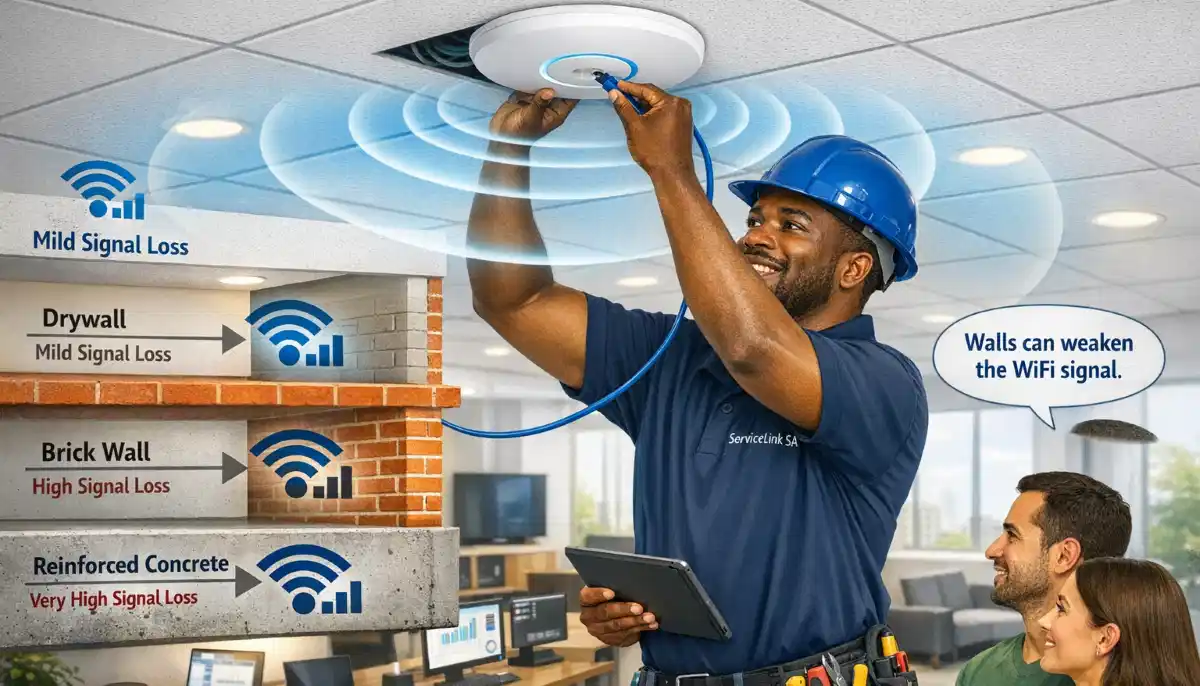
Need a WiFi Access Point for Your Home?
Get professional help from local specialists who understand wifi access point and access point vs router.
Servicing Lynnwood, Plettenberg Bay, Richards Bay, and across South Africa
What Is a WiFi Access Point and When Do You Need One?
📡 Your router may not be enough—here’s when you need a WiFi access point.
You’ve heard the term “WiFi access point.” You’re not sure what it means or if you need one. You might have a large home, an office, or areas where your router’s WiFi doesn’t reach. The question what is a wifi access point and when do you need one is one I hear frequently.
A WiFi access point (AP) is a device that extends your network coverage. It’s not a router—it’s a complement to your router. Understanding the difference between a wifi access point and a router is key to solving your coverage problems.
In this comprehensive guide, I’ll explain exactly what is a wifi access point and when do you need one. I’ll cover access point vs router, wifi access point setup, and answer questions like do i need wifi access point for office, wifi access point for large house, wifi access point vs mesh, and wifi access point installation cost.
For more on networking, check out our router vs modem vs ONT and mesh vs extenders guides. Let’s demystify WiFi access points.
📋 Table of Contents – WiFi Access Point Guide
📡 What Is a WiFi Access Point?
To answer what is a wifi access point and when do you need one, we first need to define it.
What Is a WiFi Access Point?
A wifi access point (AP) is a device that creates a WiFi network. It connects to your wired network (via Ethernet) and broadcasts WiFi signals to devices in its coverage area.
Key Characteristics:
- Wired connection: Connects to your router via Ethernet.
- WiFi broadcasting: Creates a WiFi network.
- Network extension: Extends coverage to new areas.
- Multiple APs: Multiple APs can create a larger network.
What an AP Does Not Do:
- Not a router: Doesn’t route traffic or provide internet.
- No DHCP: Doesn’t assign IP addresses.
- No firewall: Doesn’t provide firewall protection.
What an AP Looks Like:
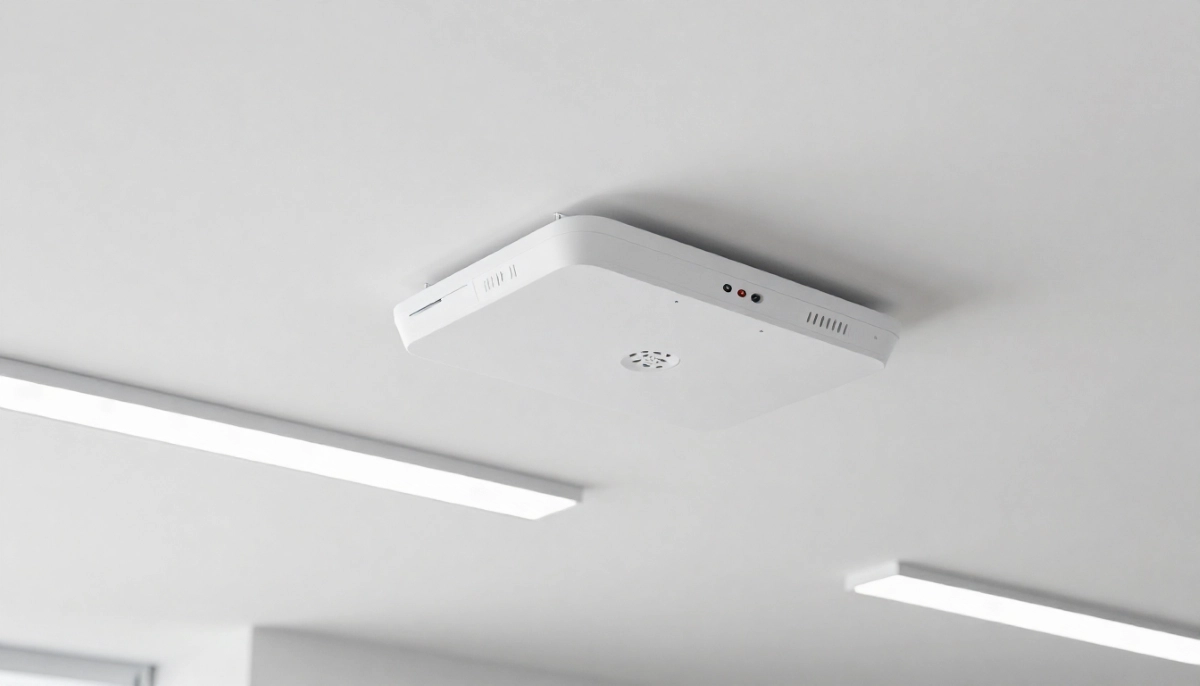
Typically a small device that mounts on a ceiling, wall, or sits on a desk. It has an Ethernet port and power connection.
For more on wifi access point basics, see our router vs modem vs ONT guide.
🔧 How Does a WiFi Access Point Work?
Understanding how a wifi access point works helps answer what is a wifi access point and when do you need one.
The Basic Setup:
- Your router connects to the internet.
- An Ethernet cable runs from the router to the AP.
- The AP broadcasts WiFi in its area.
- Devices connect to the AP’s WiFi.
How Multiple APs Work:
Multiple APs can be connected to the same network. Each AP broadcasts the same network name (SSID). Devices roam between APs as you move.
What This Achieves:
- Extended coverage: WiFi reaches more areas.
- Better performance: More devices supported.
- Seamless roaming: Devices stay connected.
Wired vs Wireless Backhaul:
- Wired backhaul: AP connects via Ethernet (best performance).
- Wireless backhaul: AP connects wirelessly (good for areas without cabling).
For more on wifi access point setup, see our ethernet wiring guide.
⚖️ Access Point vs Router
Access point vs router is a common comparison.
| Feature | Router | Access Point |
|---|---|---|
| Primary function | Routes internet traffic | Broadcasts WiFi |
| Connects to | Modem/ONT | Router (wired) |
| DHCP | Yes | No |
| Firewall | Yes | No |
| WiFi | Yes | Yes |
| Multiple devices | Limited | Extensible |
| Best for | Single location | Large areas |
Key Takeaway: You need both. A router connects you to the internet. Access points extend your network coverage.
For more on access point vs router, see our router vs modem vs ONT guide.
📡 Access Point vs Extender
Understanding the difference between an access point and an extender helps with wifi access point decisions.
Access Point (AP):
- Wired connection: Connects via Ethernet.
- Better performance: No speed reduction.
- Same network: One network name.
- More reliable: Stable connection.
WiFi Extender:
- Wireless connection: Connects via WiFi.
- Speed reduction: Typically 50% speed loss.
- Separate network: May create a new network name.
- Signal dependent: Needs a strong signal to work.
Which Is Better?
Access points are better for performance and reliability. Extenders are better for simplicity and areas without Ethernet cabling.
For more on wifi access point vs extender, see our powerline vs extenders guide.
Not Sure If You Need a WiFi Access Point?
Get professional advice from local specialists who understand wifi access point and access point vs router.
Free site surveys available for wifi access point installation cost.
🌐 WiFi Access Point vs Mesh
Wifi access point vs mesh is another common comparison.
Access Point System:
- Wired backhaul: APs connect via Ethernet.
- Better performance: No wireless overhead.
- More complex: Requires cabling.
- Professional: Often used in commercial settings.
Mesh System:
- Wireless backhaul: Nodes connect wirelessly.
- Easy setup: No cabling needed.
- Seamless: One network throughout.
- Consumer-friendly: Easy to install.
Which Is Better?
Access points are better for performance and large installations. Mesh is better for ease of installation and homes without Ethernet cabling.
When to Choose Access Points:
- You have Ethernet cabling.
- You need maximum performance.
- You have a large building.
When to Choose Mesh:
- You don’t have cabling.
- You want easy setup.
- You have a medium-sized home.
For more on wifi access point vs mesh, see our mesh vs extenders guide.
✅ When to Use a WiFi Access Point
Knowing what is a wifi access point and when do you need one helps with network planning.
When You Need an Access Point:
- Large home: Over 200m² or multiple floors.
- Office: Commercial or home office with multiple rooms.
- Dead zones: Areas with weak or no WiFi.
- Many devices: 15+ devices simultaneously.
- Thick walls: Brick or concrete walls block signals.
When You Might Not Need One:
- Small home: Under 100m².
- Few devices: 5-10 devices.
- Good coverage: Single router covers your home.
Realistic Example:
A home in Lynnwood with a router in the living room and a bedroom with weak signal: An access point in the bedroom provides full coverage.
For more on wifi coverage, see our WiFi dead zones guide.
🏠 WiFi Access Point for Large House
A wifi access point for large house is often the best solution.
Why Large Houses Need APs:
- Size: Single router can’t cover large areas.
- Walls: Multiple walls block signals.
- Floors: Signals struggle between floors.
How Many APs for a Large House?
- 150-200m²: 2 APs.
- 200-300m²: 3 APs.
- 300-400m²: 4 APs.
Recommended APs for Large Houses:
- Ubiquiti UniFi: Professional-grade.
- TP-Link Omada: Good value.
- Ruckus: Premium performance.
Realistic Example:
A 250m² home in Plettenberg Bay with a router downstairs: 2-3 access points provide full coverage upstairs and downstairs.
For more on wifi access point for large house, see our WiFi site survey guide.
💼 Do I Need WiFi Access Point for Office?
Do i need wifi access point for office is a common question.
Why Offices Need APs:
- More devices: Employees, guests, and IoT devices.
- Coverage: Offices often have multiple rooms.
- Performance: Reliable connection for work.
When Offices Need APs:
- Multiple rooms: More than 2-3 rooms.
- Many employees: 5+ employees.
- Guest WiFi: Visitors need internet.
Office AP Recommendations:
- Ubiquiti UniFi: Popular for offices.
- TP-Link Omada: Good value for small offices.
- Ruckus: Premium for larger offices.
Realistic Example:
A small office in Richards Bay with 10 employees: 2 access points provide full coverage and capacity.
For more on wifi access point for offices, see our commercial WiFi guide.
🔧 WiFi Access Point Setup
Wifi access point setup is straightforward.
Step-by-Step Setup:
- Choose location: Where you need coverage.
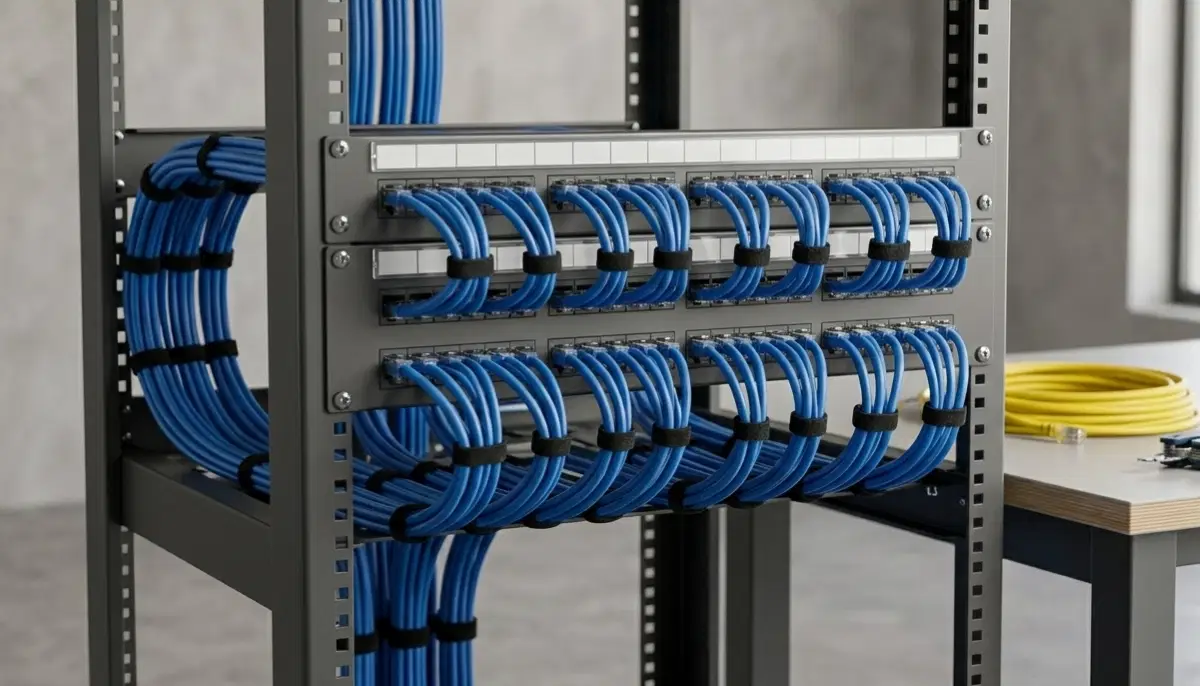
- Run Ethernet cable: From your router to the AP location.
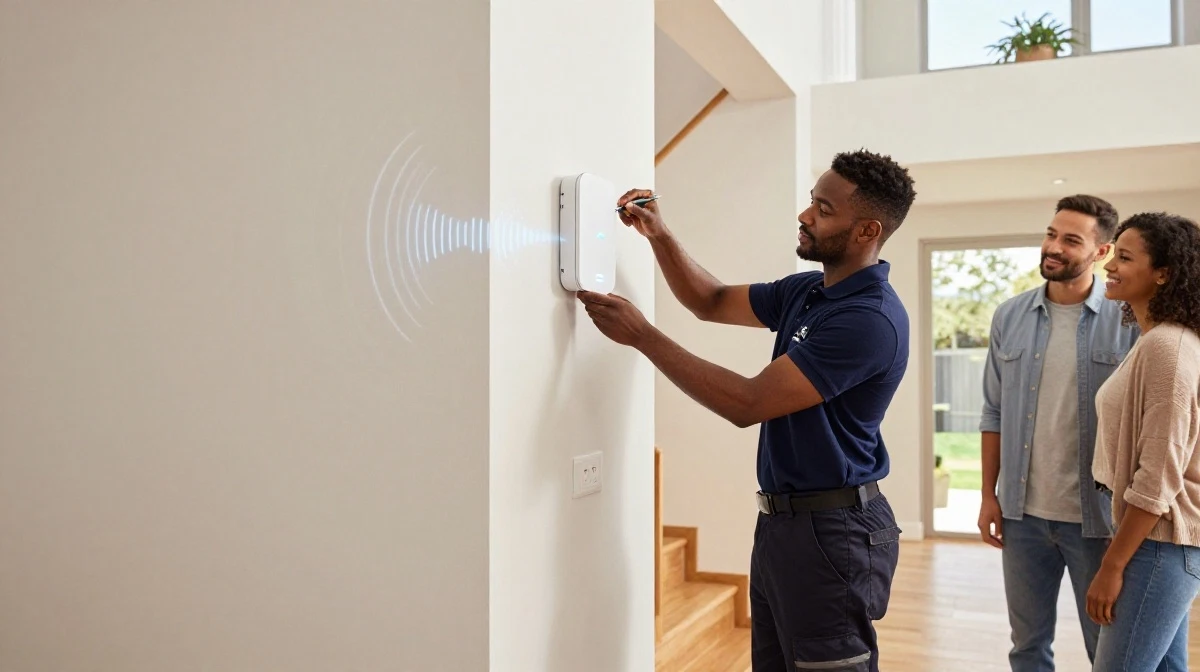
- Mount the AP: On ceiling or wall.
- Connect the AP: Plug in Ethernet and power.
- Configure: Use the AP’s app or web interface.
- Test: Check coverage in the area.
What You’ll Need:
- Ethernet cable: Cat5e or Cat6.
- Power outlet: For PoE or power adapter.
- Mounting hardware: Screws and brackets.
Professional Installation:
For complex installations, professional installation is recommended. Wifi access point installation cost typically ranges from R1,000 – R3,000 per AP for labour.
For more on wifi access point setup, see our ethernet wiring guide.
❓ Frequently Asked Questions About WiFi Access Points
What is a WiFi access point and when do you need one?
What is a wifi access point and when do you need one—a wifi access point is a device that extends your network coverage. You need one when your router’s WiFi doesn’t reach all areas, for large homes, offices, or areas with weak signal.
What is the difference between a router and an access point?
Access point vs router shows routers connect to the internet and manage traffic, while access points extend WiFi coverage. Routers are the main device, APs are add-ons. This is key to understanding wifi access point.
Do I need a WiFi access point for my home?
You need a wifi access point if you have wifi access point for large house needs—large homes, multiple floors, thick walls, or dead zones. For small homes with good coverage, you may not need one.
What is the difference between a WiFi access point and a mesh system?
Wifi access point vs mesh shows access points use wired connections for better performance, while mesh uses wireless connections for easier setup. Both extend wifi coverage.
How many WiFi access points do I need?
For a wifi access point setup, you need 1 AP per 100-150m² of coverage. A 200m² home typically needs 2 APs. A wifi site survey provides precise recommendations.
How much does a WiFi access point installation cost?
Wifi access point installation cost ranges from R2,000 – R5,000 per AP for equipment, plus R1,000 – R3,000 for professional installation. Total cost varies based on number of APs and cabling requirements.
Do I need a WiFi access point for my office?
Do i need wifi access point for office—yes, if you have multiple rooms, many employees, or guests. Offices typically need multiple APs for full coverage and capacity.
What is a ceiling-mounted WiFi access point?
A ceiling-mounted wifi access point is mounted on the ceiling for optimal coverage. It’s the most common type for homes and offices, providing excellent wifi coverage.
✅ Final Thoughts: Understand When You Need a WiFi Access Point
Now you know what is a wifi access point and when do you need one. A wifi access point is a powerful tool for extending coverage, and it’s often the best solution for wifi access point for large house, offices, and areas with dead zones.
Key Takeaways:
- Access points: Extend coverage via wired connections.
- Better than extenders: Better performance and reliability.
- Mesh alternative: Wireless option for easier setup.
- Professional setup: Recommended for best results.
Your Next Step: Assess your wifi coverage needs. If you need extended coverage, consider a wifi access point. For professional help, ServiceLink SA can connect you with local specialists who understand access point vs router and wifi access point setup.
Ready to Install a WiFi Access Point?
Get free quotes from verified local specialists for wifi access point installation.
📞 Call us: 073 138 4726 for immediate help finding a specialist near you.
📢 Are You a Network Installation Professional?
Join ServiceLink SA’s network of verified contractors and get access to qualified leads for wifi access point installation projects.
📚 Official resources & standards referenced:
- SANS 10400 – Guidelines for electrical and networking installations in South African homes.
- SABS – Standards for electronic equipment and safety.
Information provided for general guidance. For professional what is a wifi access point and when do you need one advice, always consult a qualified local technician.
Written by: Innocent T Hanyani
Construction & Home Services Industry Specialist | 21+ Years Experience
Innocent T Hanyani has over two decades of experience working across South Africa’s construction, telecommunications, and home services sectors. Throughout his career, he has worked closely with network installers, IT professionals, and homeowners, gaining practical insight into what is a wifi access point and when do you need one. His expertise helps homeowners understand the complexities of wifi access point and access point vs router, from wifi access point setup to wifi access point for large house, wifi access point vs mesh, do i need wifi access point for office, and wifi access point installation cost.