
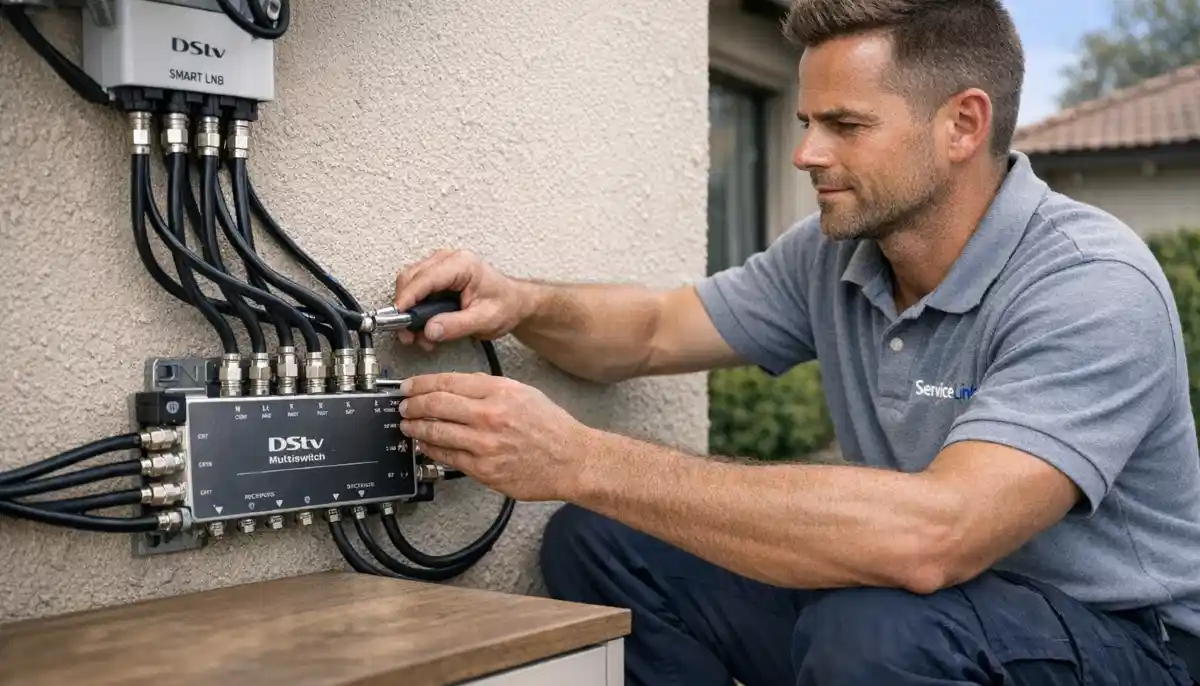
Need a Multiswitch Installation?
Get a free quote from a verified, accredited DSTV installer near you.
We design and install professional signal distribution systems.
Servicing Gauteng, Western Cape, Cape Town, Bellville, Stellenbosch, Durbanville, and across South Africa
DSTV Multiswitch Installation Guide: Connect Multiple Decoders to One Dish
📡 One dish, many decoders – a multiswitch is the secret behind professional multi-room and communal DSTV systems.
You have a large house with five TVs. You want DSTV in every room. But your dish only has four outputs on its LNB.
What do you do? Or you live in a complex with 50 units, and the body corporate wants a single dish serving everyone.
How is that possible?
The answer is a dstv multiswitch. This clever device takes the signal from your dish
and splits it to feed many decoders – from 4 to 64 or more. It’s the backbone of professional
signal distribution systems for large homes, complexes, and hotels.
In this guide, I’ll explain everything about multiswitch installation:
how multiswitches work, when you need one, how to choose the right size, and how to install it.
If you want to connect multiple decoders to one dish, you’ve come to the right place.
For multi-room setups, read our
multi-room installation guide.
For distributing to many TVs, see multi-TV distribution guide.
And for Extra View, read Extra View guide.
📋 Table of Contents – DSTV Multiswitch Guide
📡 What Is a DSTV Multiswitch?
A dstv multiswitch is a signal distribution device that takes the four outputs from a Quattro LNB
and distributes them to multiple decoders – anywhere from 4 to 64 or more.
What a multiswitch does:
- Takes the four satellite bands from a Quattro LNB (Horizontal High, Horizontal Low, Vertical High, Vertical Low)
- Splits and distributes these signals to many outputs (one per decoder)
- Each output provides all four bands – so each decoder can watch any channel independently
- Built-in amplifiers compensate for signal loss from splitting
What a multiswitch is NOT:
- Not a simple splitter (splitters don’t work for satellite signals – each decoder needs all four bands)
- Not a replacement for a Quad LNB (Quad LNBs output four identical signals – can’t feed a multiswitch)
- Not needed for most homes (1-4 decoders can use a Quad or Smart LNB directly)
✅ Key Takeaway:
Think of a multiswitch as a “signal traffic controller.” It takes the four lanes of the satellite highway
and creates many exits (outputs), each with access to all four lanes.
This is how one dish can feed 20, 50, or even 100 decoders.
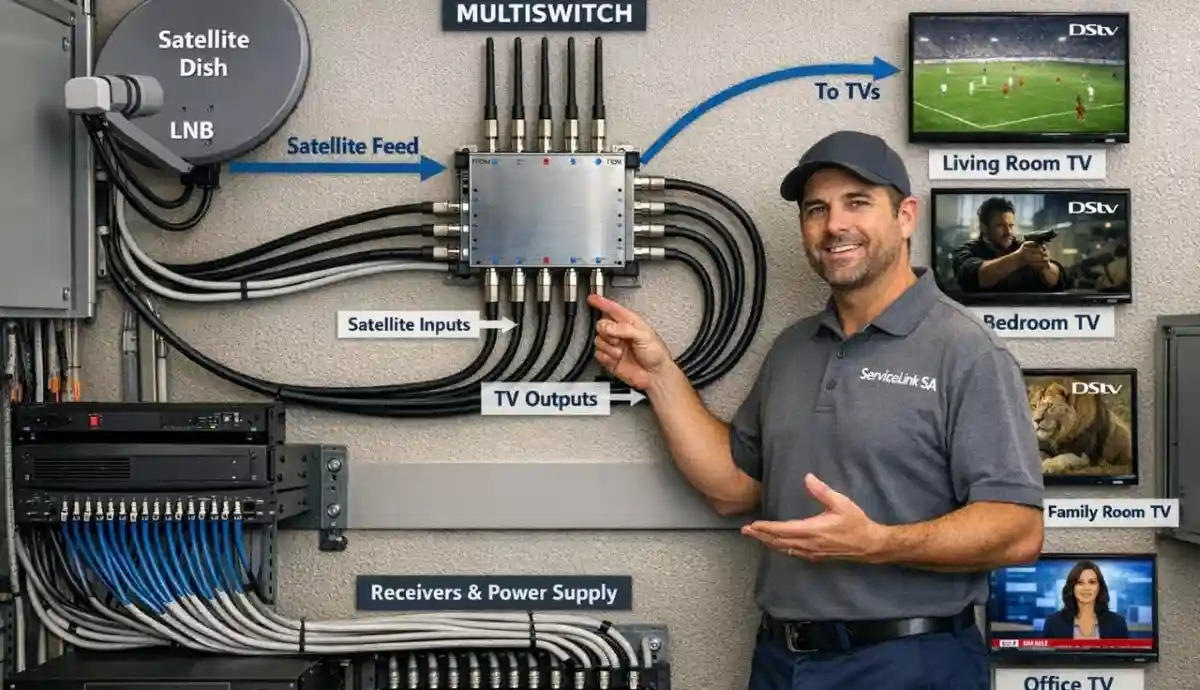
🔧 How Does a DSTV Multiswitch Work? (Technical Overview)
Understanding how does a dstv multiswitch work helps you design the right system for your needs.
The signal path:
- Quattro LNB: Captures the satellite signal and outputs four separate feeds – one for each polarisation/band combination (Horizontal High, Horizontal Low, Vertical High, Vertical Low).
- Four cables: Each of the four LNB outputs connects to the multiswitch via separate coaxial cables.
- Multiswitch: Takes the four inputs and distributes them to multiple outputs (8, 16, 32, or 64).
- Individual cables: Each output runs to a decoder (or to a wall outlet in each room).
- Decoders: Each decoder receives all four bands and can select any channel independently.
Why a Quattro LNB is required:
A Quattro LNB outputs each of the four bands on a separate cable. This is essential for a multiswitch.
A Quad LNB outputs four identical signals (all bands on each output) – it cannot feed a multiswitch properly.
Passive vs Active multiswitches:
- Passive: No built-in amplifier – relies on the LNB’s output power. Best for small systems (4-8 outputs) with short cable runs.
- Active: Has built-in amplifiers to boost signal – essential for larger systems (16+ outputs) or long cable runs.
🏠 When Do You Need a DSTV Multiswitch?
Not every multi-decoder setup needs a multiswitch. Here’s when it’s required.
You DON’T need a multiswitch if:
- You have 1-4 decoders – use a Quad LNB or Smart LNB directly
- You have Extra View with up to 4 decoders – a Quad LNB works fine
- You have a small home with 2-3 TVs – direct LNB connection is simpler
You NEED a multiswitch if:
- You have 5+ decoders (large home, multiple outbuildings)
- You’re installing a communal system for a complex or estate
- You’re installing DSTV in a hotel (50+ rooms)
- Your cable runs are very long (>50m) – active multiswitch can amplify signal
- You need to distribute signal to multiple buildings on a property
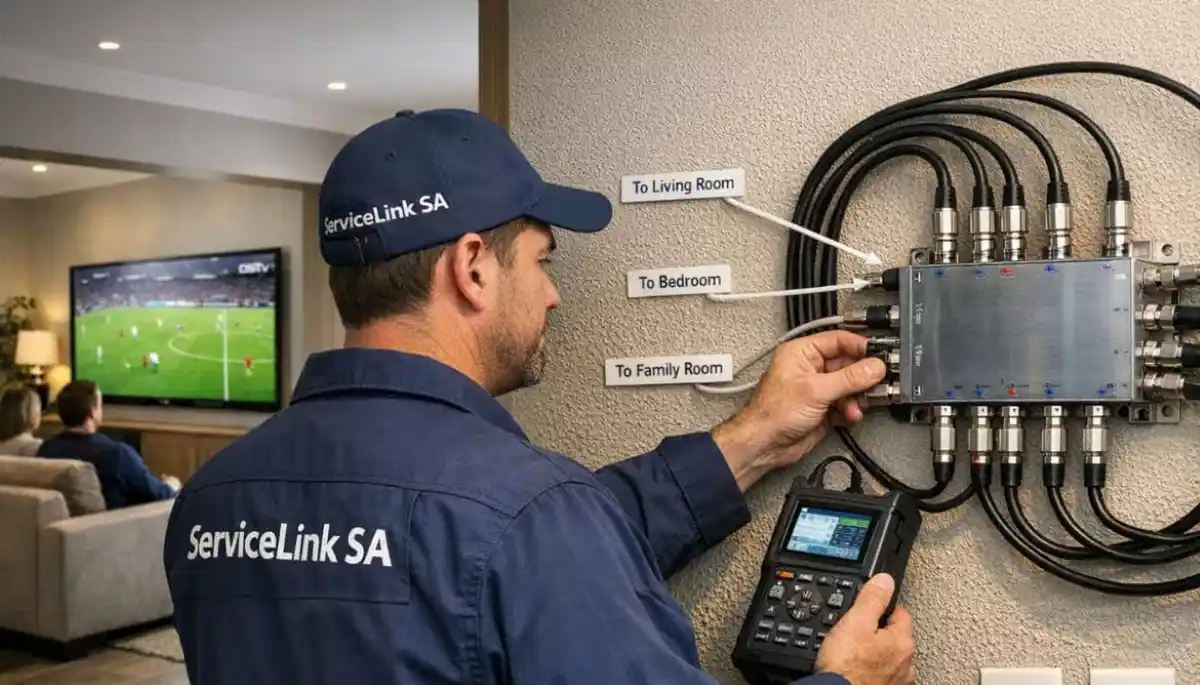
Planning a Large Multi-Room DSTV System?
Get a free consultation from a verified, accredited DSTV installer near you.
We’ll design the right multiswitch system for your home or complex.
Free quotes. Verified installers. No obligation.
🔧 Types of DSTV Multiswitches
| Type | Outputs | Amplified? | Best For | Cost Range |
|---|---|---|---|---|
| 8-way passive | 8 | ❌ No | Small homes, up to 8 decoders, short cable runs | R400-R600 |
| 8-way active | 8 | ✅ Yes | Homes with 5-8 decoders or long cable runs | R600-R900 |
| 16-way active | 16 | ✅ Yes | Large homes, small complexes, hotels | R900-R1,500 |
| 32-way active | 32 | ✅ Yes | Medium complexes, larger hotels | R1,500-R2,500 |
| 64-way active | 64+ | ✅ Yes | Large complexes, large hotels, estates | R2,500-R5,000 |
📏 How to Choose the Right Multiswitch Size
Choosing the correct size dstv multiswitch is essential for a reliable system.
Calculate your needs:
- Count the number of decoders you need to connect
- Add 10-20% spare ports for future expansion
- Consider cable run lengths (active multiswitch for runs over 30m)
- Consider if you’ll need to add more decoders later
Recommendations by application:
- 5-8 decoders: 8-way active multiswitch
- 9-16 decoders: 16-way active multiswitch
- 17-32 decoders: 32-way active multiswitch (or cascade multiple 16-ways)
- 33-64 decoders: 64-way active multiswitch (or cascade multiple 32-ways)
- 65+ decoders: Professional head-end system with multiple multiswitches
📦 Components Needed for a Multiswitch System
A complete signal distribution system requires several components.
- Satellite dish: Large enough for the number of decoders (1.2m-2.4m for communal systems)
- Quattro LNB: Required – outputs four separate bands (NOT a Quad LNB)
- 4 x coaxial cables: From Quattro LNB to multiswitch (RG6 quad-shield minimum)
- Multiswitch: Appropriate size for your decoder count (8, 16, 32, or 64-way)
- Power supply: For active multiswitches (usually included)
- Coaxial cables to each decoder: RG6 quad-shield, length as needed
- Wall outlets: Optional – for a clean finish in each room
- Grounding equipment: For lightning protection
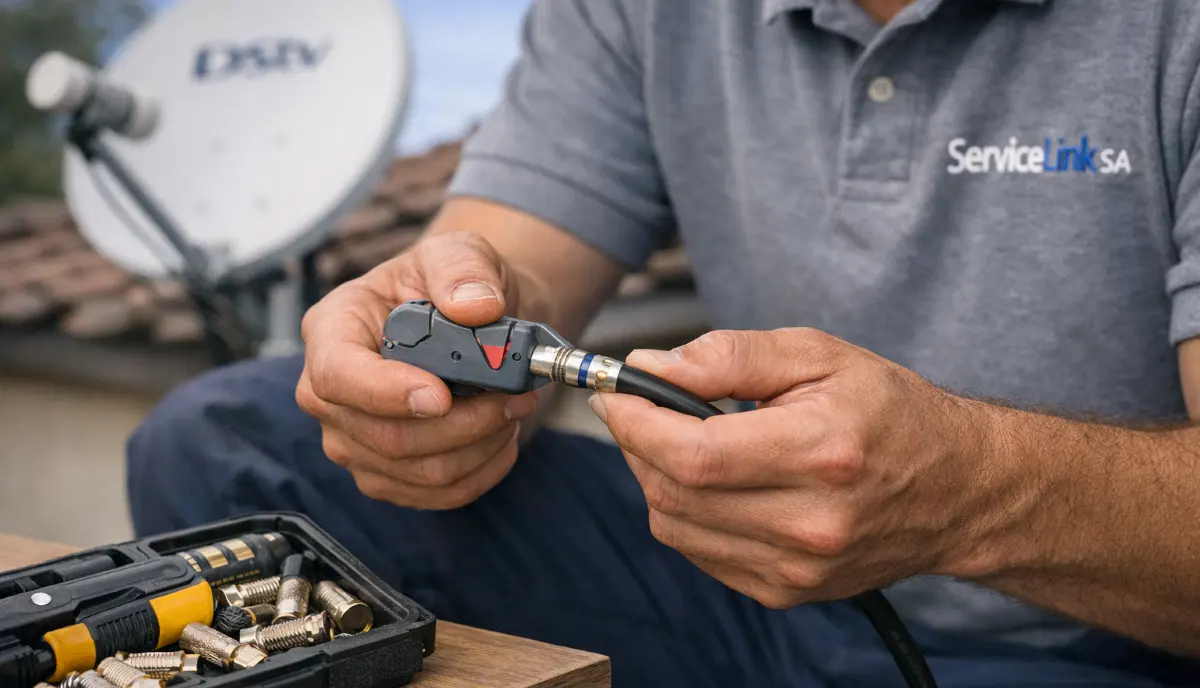
📡 LNB Requirements for Multiswitches: Quattro vs Quad
This is the most common mistake in multiswitch installation – using the wrong LNB type.
Quattro LNB (CORRECT for multiswitches):
- Outputs four DIFFERENT signals (one per polarisation/band)
- 4 outputs: Horizontal High, Horizontal Low, Vertical High, Vertical Low
- Each output feeds a separate input on the multiswitch
- Required for all multiswitch systems
Quad LNB (WRONG for multiswitches):
- Outputs four IDENTICAL signals (each output has all bands)
- Cannot feed a multiswitch properly – will cause signal conflicts
- Fine for connecting 2-4 decoders directly, but not with a multiswitch
⚠️ Critical Warning:
Never use a Quad LNB with a multiswitch. It will not work correctly.
You MUST use a Quattro LNB. They look similar but serve completely different purposes.
If you’re unsure, ask your installer to verify the LNB type before installation.
🔧 Multiswitch Installation Guide (Professional Process)
Here’s how professionals install a dstv multiswitch system.
Step 1: Install the dish and Quattro LNB
- Mount dish with clear line of sight to the northeast
- Install Quattro LNB (not Quad)
- Connect four RG6 cables to the four LNB outputs (label them H-H, H-L, V-H, V-L)
- Weatherproof all connections
Step 2: Run cables to multiswitch location
- Run the four cables from the dish to the multiswitch location (usually inside a garage or distribution box)
- Keep cables away from electrical wiring
- Leave service loops at both ends
Step 3: Install the multiswitch
- Mount the multiswitch in a dry, ventilated location (not outdoors)
- Connect the four LNB cables to the four LNB inputs on the multiswitch
- Connect the multiswitch power supply (for active units)
Step 4: Run cables to each decoder location
- Run RG6 cable from each multiswitch output to each decoder location
- Label each cable at both ends with the room name
- Keep cables away from electrical wiring
Step 5: Connect and test
- Install wall outlets (optional) or connect F-connectors directly
- Connect decoders and test signal on each
- Verify all decoders can watch different channels simultaneously
📋 Typical Multiswitch System Diagram
Here’s a visual representation of a complete connect multiple decoders to one dish system:
Satellite Dish → Quattro LNB → Multiswitch → Multiple Decoders
[Dish] —(4 cables)—> [Quattro LNB]
[Quattro LNB] —(4 cables: H-H, H-L, V-H, V-L)—> [Multiswitch]
[Multiswitch] —(cable 1)—> [Decoder – Room 1]
[Multiswitch] —(cable 2)—> [Decoder – Room 2]
[Multiswitch] —(cable 3)—> [Decoder – Room 3]
[Multiswitch] —(cable N)—> [Decoder – Room N]
Each decoder can watch any channel independently.
🔧 Troubleshooting Common Multiswitch Issues
Problem: Some decoders work, others don’t
- Check cable connections at the multiswitch output for the non-working decoder
- Swap cables with a working decoder – if problem moves, it’s the cable or multiswitch port
- If problem stays, it’s the decoder or wall outlet
Problem: All decoders have poor signal
- Check the four LNB inputs to the multiswitch – one may be loose or damaged
- Verify Quattro LNB is installed (not Quad LNB)
- Check dish alignment – realign if necessary
- Check if active multiswitch has power
Problem: Signal works but some channels missing
- Likely one of the four LNB feeds is missing – check connections from LNB to multiswitch
- Verify LNB is Quattro type (each feed carries a different polarisation/band)
Problem: Decoders interfere with each other
- Check if you’re using a Quad LNB instead of Quattro – this causes conflicts
- Check if multiswitch is properly grounded
🏢 Multiswitches in Communal DSTV Systems
For complexes, estates, and hotels, multiswitches are the backbone of the signal distribution system.
Typical communal system design:
- Large dish (1.8m-2.4m) on the building roof
- Quattro LNB feeding a head-end amplifier
- Head-end feeding multiple multiswitches (one per floor or building section)
- Cables run through building risers to wall outlets in each unit
- Residents connect their decoders to wall outlets
Advantages of communal multiswitch systems:
- No individual dishes on balconies – cleaner aesthetics
- Professional maintenance by body corporate
- Better signal quality than individual dishes in challenging locations
- Lower cost per unit than individual installations
For more information, read our
communal installation guide.
💰 DSTV Multiswitch Cost Guide
| Component | Cost Range | Notes |
|---|---|---|
| 8-way passive multiswitch | R400-R600 | For 5-8 decoders, short runs |
| 8-way active multiswitch | R600-R900 | For 5-8 decoders, longer runs |
| 16-way active multiswitch | R900-R1,500 | For 9-16 decoders |
| 32-way active multiswitch | R1,500-R2,500 | For 17-32 decoders |
| 64-way active multiswitch | R2,500-R5,000 | For 33-64 decoders |
| Quattro LNB | R380-R550 | Required for multiswitch |
| Professional installation | R1,500-R5,000+ | Depends on system size |
❓ Frequently Asked Questions About DSTV Multiswitches
What is a DSTV multiswitch and what does it do?
A dstv multiswitch is a signal distribution device that allows one satellite dish
to feed multiple decoders (from 4 to 64 or more). It takes the four outputs from a Quattro LNB
and distributes them to many outputs – each providing all four satellite bands so each decoder
can watch any channel independently.
What is the difference between a Quad LNB and a Quattro LNB?
For how does a dstv multiswitch work, the difference is critical.
A Quad LNB outputs four identical signals (each output has all bands) – used for connecting 2-4 decoders directly.
A Quattro LNB outputs four DIFFERENT signals (one per polarisation/band) – REQUIRED for feeding a multiswitch.
Using a Quad LNB with a multiswitch will NOT work.
How many decoders can one multiswitch support?
Connect multiple decoders to one dish using multiswitches ranging from 8-way to 64-way.
An 8-way supports up to 8 decoders, 16-way up to 16, 32-way up to 32, 64-way up to 64.
For more than 64 decoders, multiple multiswitches can be cascaded.
Do I need a multiswitch for Extra View?
No. For standard Extra View with 2-4 decoders, you can use a Quad LNB or Smart LNB directly.
A multiswitch is only needed for 5+ decoders, communal systems, hotels, or very long cable runs.
For most homes with 2-4 TVs, a multiswitch is unnecessary.
Can I install a DSTV multiswitch myself?
Multiswitch installation is complex and requires professional expertise.
You need to correctly install a Quattro LNB, run four cables from the dish to the multiswitch,
and ensure proper signal levels. For large systems, professional design is essential.
Request professional installation.
How much does a DSTV multiswitch cost?
Multiswitch costs: 8-way passive R400-R600, 8-way active R600-R900, 16-way active R900-R1,500,
32-way active R1,500-R2,500, 64-way active R2,500-R5,000.
Professional installation adds R1,500-R5,000+ depending on system size.
Get a free quote.
What is the difference between active and passive multiswitches?
Passive multiswitches have no built-in amplifier – they rely on the LNB’s output power.
Active multiswitches have built-in amplifiers to boost signal – essential for larger systems (16+ outputs)
or long cable runs (>30m). For most installations, an active multiswitch is recommended.
Can I cascade multiple multiswitches for more outputs?
Yes. For large systems (100+ decoders), you can cascade multiple multiswitches.
A 16-way multiswitch can feed multiple 8-way multiswitches, and so on.
This is common in large hotels and complexes. Professional design is essential for cascaded systems.
What causes signal loss in a multiswitch system?
Common causes of signal distribution problems: using Quad LNB instead of Quattro,
loose cable connections, damaged cables, incorrect multiswitch sizing,
lack of amplification for long runs, or dish misalignment.
Professional troubleshooting is recommended for complex systems.
Does a multiswitch work with Smart LNB?
No. Multiswitches are designed to work with Quattro LNBs, not Smart LNBs.
Smart LNBs have built-in userband technology for multi-room without a multiswitch.
For large systems (5+ decoders), a Quattro LNB + multiswitch is the correct solution.
For 2-4 decoders, a Smart LNB alone may suffice.
✅ Final Thoughts: Multiswitches Enable Large DSTV Systems
A dstv multiswitch is the key to large-scale DSTV distribution – from a 5-bedroom house
to a 200-unit apartment complex. By taking the four outputs of a Quattro LNB and distributing them
to many decoders, multiswitches make it possible to have independent DSTV in every room.
For most homes with 2-4 TVs, you don’t need a multiswitch – a Quad or Smart LNB is sufficient.
But for larger properties, complexes, and hotels, a professional multiswitch system is essential.
Ready to install a multiswitch system? Request a free quote from ServiceLink SA.
We’ll connect you with verified, accredited installers who specialise in large-scale signal distribution.
Ready to Install a Multiswitch System?
Get a free quote from a verified, accredited DSTV installer near you.
We design and install professional signal distribution systems for homes, complexes, and hotels.
📞 Call us: 073 138 4726 for immediate multiswitch advice.
Free site inspection •
How to choose an installer •
Beat Your Quote guarantee
📚 Official resources & standards referenced:
- Official DSTV multiswitch compatibility guide – Official multiswitch information.
- SABS – South African Bureau of Standards distribution system standards.
Information provided for general guidance. DSTV is a registered trademark of MultiChoice.
Multiswitch systems require professional design – consult a qualified installer for your specific needs.
Written by: Innocent T Hanyani
Satellite & Home Entertainment Installation Specialist | 21+ Years Experience
Innocent T Hanyani has over two decades of experience in satellite television installations across South Africa.
He has designed and installed hundreds of multiswitch systems – from 8-way home systems to 64-way communal installations.
His expertise helps property owners and body corporates design reliable, scalable signal distribution systems.
For more help with DSTV multiswitch systems, explore our related resources:
multi-room installation,
multi-TV distribution,
Extra View guide,
Smart LNB vs Universal LNB,
optical LNB guide.
See our service areas page for coverage in your region.