
Not Sure Whether to Choose Powerline or Extender?
Get professional advice from local specialists who understand powerline adapter vs wifi extender and powerline vs mesh.
Servicing Western Cape, Durban, Sandton, and across South Africa
Powerline Adapters vs WiFi Extenders – Which Is Better?
📡 Two solutions for dead zones—but which one is right for your home?
You have a dead zone in your home. The WiFi doesn’t reach your bedroom, home office, or garden. You’ve looked at solutions: powerline adapters and WiFi extenders. But which one is better? The question powerline adapters vs wifi extenders which is better is one I hear from almost every homeowner.
Both powerline adapter vs wifi extender solutions can eliminate dead zones, but they work very differently. Powerline adapters use your electrical wiring to transmit internet signals. WiFi extenders pick up and rebroadcast your WiFi signal. Each has strengths and weaknesses.
In this comprehensive guide, I’ll compare powerline adapters vs wifi extenders which is better. I’ll cover powerline adapter vs wifi extender, powerline vs mesh, and powerline adapter setup. I’ll also address powerline adapter vs wifi extender south africa, is powerline better than wifi extender, powerline adapter for thick walls, and powerline vs wifi for 2 storey.
For more on connectivity, check out our mesh vs extenders and WiFi through brick walls guides. Let’s compare these two solutions.
📋 Table of Contents – Powerline vs Extender Guide
🔌 What Are Powerline Adapters?
Before we compare powerline adapters vs wifi extenders which is better, let’s understand powerline adapter.
What Is a Powerline Adapter?
A powerline adapter uses your home’s electrical wiring to transmit internet signals. It comes in a pair: one plugs into a socket near your router, the other into a socket near your device. Your electrical wiring carries the internet signal between them.
How It Works:
- Plug one adapter into a socket near your router.
- Connect it to your router with an Ethernet cable.
- Plug the other adapter into a socket in the dead zone.
- Connect your device to the second adapter (WiFi or Ethernet).
Key Features:
- Uses electrical wiring: No need for new cables.
- Stable connection: More reliable than WiFi through walls.
- Easy setup: Plug and play.
What a Powerline Adapter Looks Like:
A small device that plugs directly into a wall socket. It has an Ethernet port and sometimes a WiFi antenna.
For more on powerline adapter, see our ethernet wiring guide.
📡 What Are WiFi Extenders?
Understanding wifi extender helps with the powerline adapter vs wifi extender comparison.
What Is a WiFi Extender?
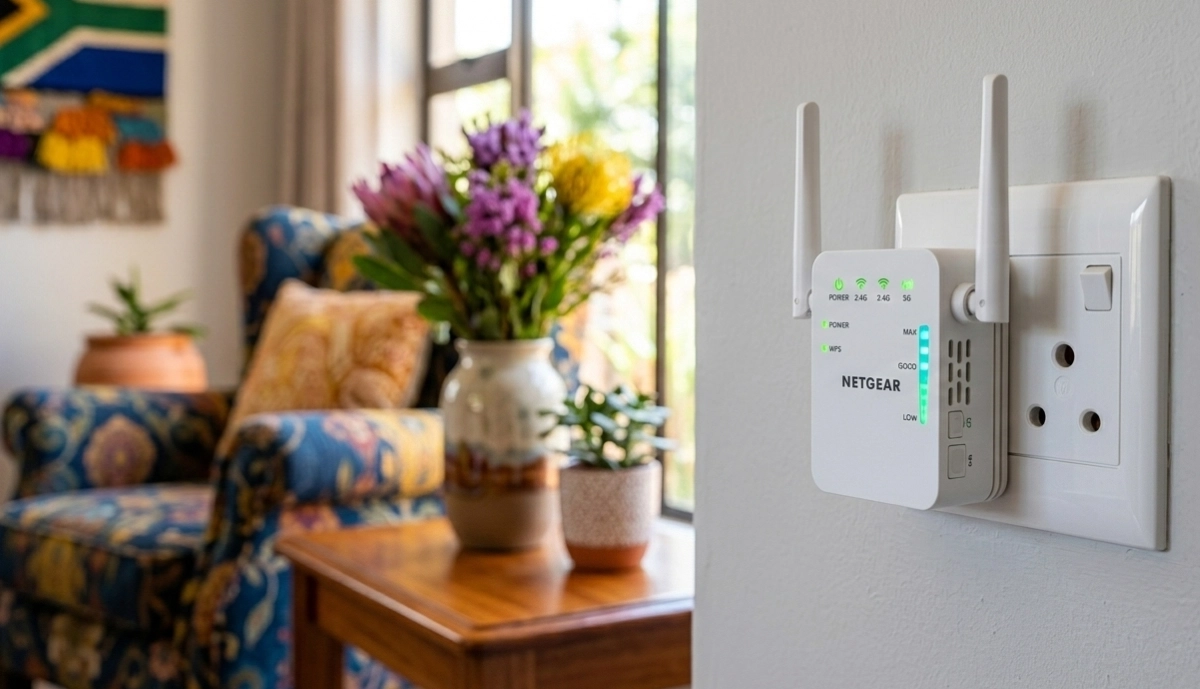
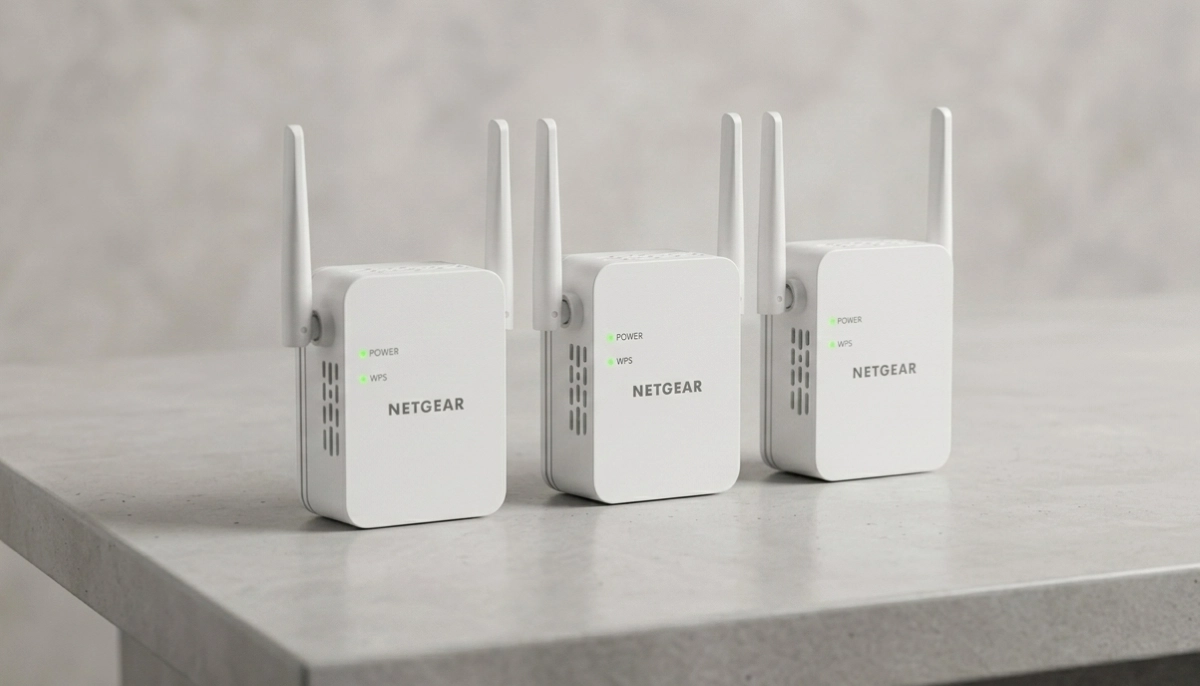
A wifi extender (also called a booster or repeater) picks up your existing WiFi signal and rebroadcasts it to extend its range. It’s a simple, wireless solution for dead zones.
How It Works:
- Place the extender where the WiFi signal is still strong.
- It picks up the signal and rebroadcasts it.
- Devices connect to the extender’s new network.
- Coverage is extended to the dead zone.
Key Features:
- Wireless: No cables needed.
- Simple setup: WPS or app-based.
- Affordable: Often cheaper than powerline.
Limitations:
- Speed reduction: Typically 50% speed loss.
- Signal dependent: Needs a strong signal.
For more on wifi extender, see our WiFi extender installation guide.
🔧 How They Work
Understanding how each works helps with powerline adapters vs wifi extenders which is better.
Powerline Adapters:
Powerline adapters use your electrical wiring. The signal travels through your home’s electrical circuits. This bypasses walls and obstacles.
WiFi Extenders:
WiFi extenders use wireless signals. They pick up your router’s WiFi and rebroadcast it. This is simple but subject to interference and signal loss.
Key Difference:
Powerline uses your electrical wiring. WiFi extenders use wireless signals. Powerline is more reliable through walls. Extenders are simpler to install.
Which Is Better?
For homes with thick walls, powerline is often better. For homes with good WiFi signals, extenders can work well.
For more on powerline adapter vs extender, see our WiFi through brick walls guide.
⚡ Performance Comparison
Performance is key in powerline adapter vs wifi extender decisions.
Powerline Adapter Performance:
- Speed: 100-500 Mbps (depends on wiring).
- Reliability: More reliable, no interference.
- Latency: Lower than extenders.
- Consistency: Consistent performance.
WiFi Extender Performance:
- Speed: 50-200 Mbps (typically half the router’s speed).
- Reliability: Less reliable, subject to interference.
- Latency: Higher than powerline.
- Consistency: Inconsistent, depends on signal.
Real-World Example:
With a 200 Mbps internet plan: Powerline can deliver 100-150 Mbps. A WiFi extender may deliver 50-80 Mbps.
For more on performance, see our how to test WiFi speed guide.
🧱 Powerline Adapter for Thick Walls
A powerline adapter for thick walls is often the best solution.
Why Powerline Is Better for Thick Walls:
Powerline adapters use electrical wiring, which bypasses walls entirely. WiFi signals are blocked by thick walls, but electrical wiring is already in place.
How Powerline Helps:
- Bypasses walls: Signal doesn’t need to go through walls.
- Reliable: More stable than WiFi through walls.
- No interference: Walls don’t affect the signal.
WiFi Extenders and Thick Walls:
WiFi extenders struggle with thick walls. They need a strong signal to extend. If walls block the signal, extenders won’t work.
Realistic Example:
A bedroom in Western Cape behind two brick walls: Powerline adapters provide a reliable connection. A WiFi extender may not work at all.
For more on powerline adapter for thick walls, see our brick walls WiFi guide.
Still Not Sure Which to Choose?
Get professional advice from local specialists who understand powerline adapter vs wifi extender and powerline vs mesh.
Free site surveys available for powerline adapter setup.
🏠 Powerline vs WiFi for 2 Storey
Powerline vs wifi for 2 storey is a common comparison.
Powerline for Double Storey:
- Works across floors: Electrical wiring connects both floors.
- Reliable: Consistent performance on both floors.
- No signal loss: Walls and floors don’t affect the signal.
WiFi Extenders for Double Storey:
- Concrete floors: Block WiFi signals.
- Inconsistent: Signal may be weak on the upper floor.
- Placement: Must be placed carefully.
Which Is Better?
For double storey homes, powerline is often better. It works across floors without signal loss. WiFi extenders can work, but placement is critical.
Realistic Example:
A double storey home in Durban: Powerline adapters provide consistent coverage on both floors. A WiFi extender on the upper floor may have a weak signal.
For more on double storey, see our double storey WiFi guide.
🔧 Powerline Adapter Setup
Powerline adapter setup is simple.
Step-by-Step Setup:
- Plug in the first adapter: Near your router.
- Connect to router: Use an Ethernet cable.
- Plug in the second adapter: In the dead zone.
- Connect your device: Via Ethernet or WiFi (if the adapter has WiFi).
- Pair the adapters: Press the pair button on both (if needed).
- Test the connection: Check speed and stability.
What You Need:
- Two powerline adapters: A pair.
- Ethernet cable: To connect the first adapter to the router.
- Power outlets: Near your router and in the dead zone.
Important: Plug adapters directly into wall sockets, not into power strips. Power strips can reduce performance.
For more on powerline adapter setup, see our ethernet wiring guide.
📊 Comparison Table
Here’s a detailed powerline adapter vs wifi extender comparison.
| Factor | Powerline Adapter | WiFi Extender |
|---|---|---|
| Connection type | Electrical wiring | Wireless |
| Speed | 100-500 Mbps | 50-200 Mbps |
| Reliability | Very reliable | Moderate |
| Thick walls | Excellent | Poor |
| Setup | Easy | Easy |
| Cables needed | Ethernet (one) | None |
| Price | R800 – R2,500 | R500 – R1,500 |
| Best for | Thick walls, reliability | Simple setups, budget |
Key Takeaway: Powerline is better for reliability and thick walls. WiFi extenders are more affordable and simpler.
✅ When to Choose Each
Here’s a simple guide for powerline adapter vs wifi extender.
Choose Powerline Adapters If:
- You have thick walls (brick, concrete).
- You need reliable performance.
- You have a double storey home.
- You need low latency for gaming or streaming.
Choose WiFi Extenders If:
- You have a small home or one dead zone.
- You’re on a tight budget.
- You don’t have thick walls.
- You want a simple, wireless solution.
What About Mesh?
Powerline vs mesh shows mesh is the premium solution for whole-home coverage. Mesh is better than both for large homes.
Realistic Example:
A home in Johannesburg with brick walls: Powerline adapters are the best choice. A small apartment: A WiFi extender is sufficient.
For more on powerline vs mesh, see our mesh vs extenders guide.
❓ Frequently Asked Questions About Powerline vs Extenders
Which is better: powerline adapters or WiFi extenders?
Powerline adapters vs wifi extenders which is better depends on your home. Powerline is better for thick walls and reliability. WiFi extenders are better for simple setups and budget. The powerline adapter vs wifi extender choice should consider your home’s layout.
Are powerline adapters better than WiFi extenders?
Is powerline better than wifi extender—yes, for homes with thick walls or multiple floors. Powerline adapters use electrical wiring, bypassing walls. They provide more reliable connections than WiFi extenders.
Can powerline adapters work through thick walls?
Yes, powerline adapter for thick walls is excellent. Powerline uses electrical wiring, so walls don’t affect the signal. This makes it ideal for South African homes with brick walls.
What is better for a double storey house: powerline or WiFi extender?
Powerline vs wifi for 2 storey shows powerline is better. It works across floors without signal loss. WiFi extenders struggle with concrete floors.
How do I set up a powerline adapter?
Powerline adapter setup is simple: plug one adapter near your router, connect it with Ethernet, plug the other adapter in the dead zone, and connect your device. Pair the adapters if needed.
Do powerline adapters reduce speed?
Powerline adapters can reduce speed compared to direct Ethernet, but they are faster and more reliable than WiFi extenders. Speed depends on your home’s wiring.
What is the difference between powerline and mesh WiFi?
Powerline vs mesh shows powerline uses electrical wiring, while mesh uses wireless nodes. Mesh is better for whole-home coverage. Powerline is better for specific dead zones.
What is the best powerline adapter in South Africa?
The best powerline adapter in South Africa is TP-Link AV1000 or AV2000. They offer good performance and reliability. Consider powerline adapter vs wifi extender south africa conditions.
✅ Final Thoughts: Choose the Right Solution for Your Home
Now you know powerline adapters vs wifi extenders which is better. The powerline adapter vs wifi extender choice depends on your home’s layout and your needs.
Key Takeaways:
- Powerline: Better for thick walls, reliability, double storey homes.
- WiFi extender: Better for simple setups, budget, small homes.
- Mesh: The premium solution for whole-home coverage.
Your Next Step: Assess your home’s walls and layout. Choose the solution that fits your needs. For professional help, ServiceLink SA can connect you with local specialists who understand powerline adapter and wifi extender options.
Ready to Choose Your Connectivity Solution?
Get free advice from verified local specialists for powerline adapter vs wifi extender and powerline vs mesh.
📞 Call us: 073 138 4726 for immediate help finding a specialist near you.
📢 Are You a Network Installation Professional?
Join ServiceLink SA’s network of verified contractors and get access to qualified leads for powerline adapter setup and wifi extender installation projects.
📚 Official resources & standards referenced:
- SANS 10400 – Guidelines for electrical and networking installations in South African homes.
- SABS – Standards for electronic equipment and safety.
Information provided for general guidance. For professional powerline adapters vs wifi extenders which is better advice, always consult a qualified local technician.
Written by: Innocent T Hanyani
Construction & Home Services Industry Specialist | 21+ Years Experience
Innocent T Hanyani has over two decades of experience working across South Africa’s construction, telecommunications, and home services sectors. Throughout his career, he has worked closely with network installers, IT professionals, and homeowners, gaining practical insight into powerline adapters vs wifi extenders which is better. His expertise helps homeowners understand the complexities of powerline adapter vs wifi extender and powerline vs mesh, from powerline adapter setup to powerline adapter vs wifi extender south africa, is powerline better than wifi extender, powerline adapter for thick walls, and powerline vs wifi for 2 storey.