
Not Sure Which Decoder to Buy?
Get a free consultation from a verified, accredited DSTV installer near you.
We’ll help you choose the right decoder for your needs.
Servicing Gauteng, Johannesburg, Sandton, Midrand, Fourways, Bryanston, and across South Africa
DSTV Decoder Types Explained: HD vs Explora vs Explora Ultra (Which One to Buy)
📺 Walk into any electronics store and you’ll see multiple DSTV decoders – here’s what each one does and which is right for you.
You’ve decided to get DSTV. You go to the store or browse online, and you’re faced with multiple options:
HD Decoder, Explora 2, Explora 3, Explora Ultra. The prices range from R600 to over R3,000.
The salesperson tries to upsell you. You have no idea which one you actually need.
Understanding dstv decoder types is essential to getting the right features for your household
without overpaying. Do you need recording? 4K? Streaming apps? Multi-room viewing?
The answers to these questions determine which decoder is best for you.
In this complete decoder comparison guide, I’ll explain every DSTV decoder model,
compare their features, and help you understand the difference between dstv explora and hd decoder.
By the end, you’ll know exactly which decoder to buy.
For a detailed comparison of Explora vs Standard, read our
Explora vs Standard guide.
For the best decoder for your home, see best decoder guide.
And for streaming options, read Stream vs satellite guide.
📋 Table of Contents – DSTV Decoder Types Guide
📺 DSTV Decoder Types: What’s Available in South Africa?
Currently, there are four main dstv decoder types available in South Africa:
- HD Decoder (Model 9S): Basic decoder – HD picture, live TV only, no recording
- Explora 2: Older PVR model – recording, Catch Up, basic streaming (discontinued but still in use)
- Explora 3: Mid-range PVR – 4K, better performance, streaming apps
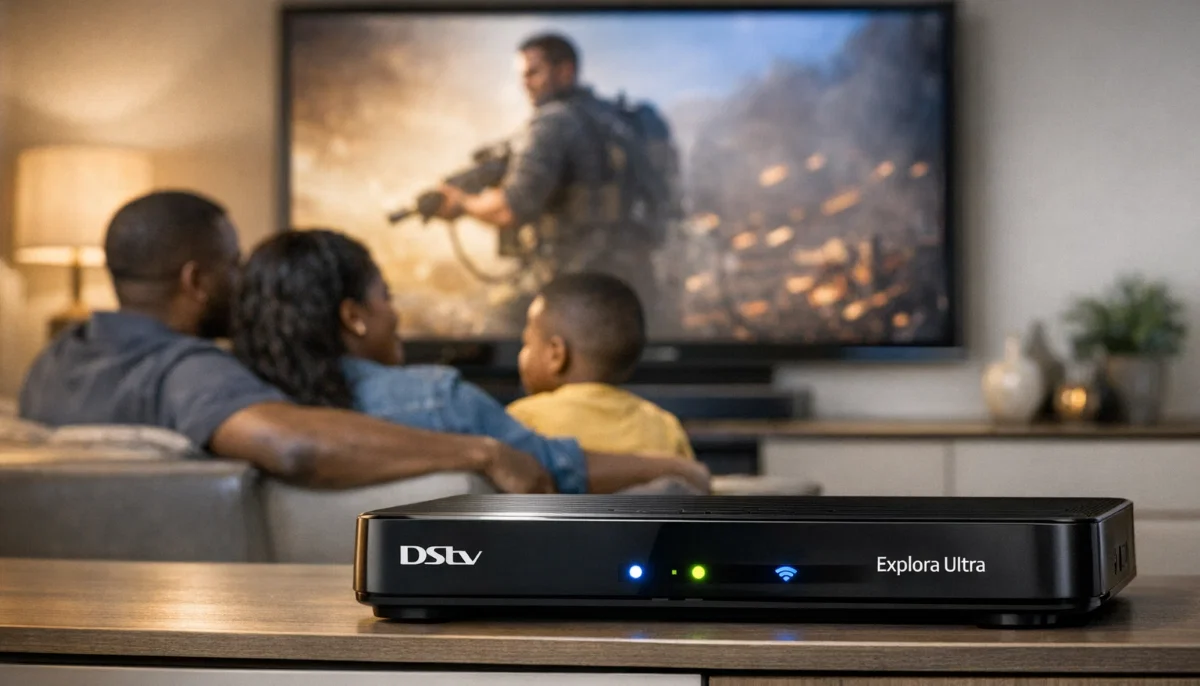
- Explora Ultra: Premium PVR – 4K HDR, multi-room, voice remote, best performance
Note: Explora 2 is no longer sold new, but many households still have them.
If you’re buying new, your choices are HD Decoder, Explora 3, or Explora Ultra.
📺 HD Decoder (9S) – The Basic, Affordable Choice
The HD Decoder (model 9S) is DSTV’s entry-level decoder.
It’s simple, reliable, and does exactly what it says – delivers HD channels to your TV.
Key features:
- Resolution: 1080p HD (not 4K)
- Recording (PVR): ❌ No – live TV only
- Storage: None
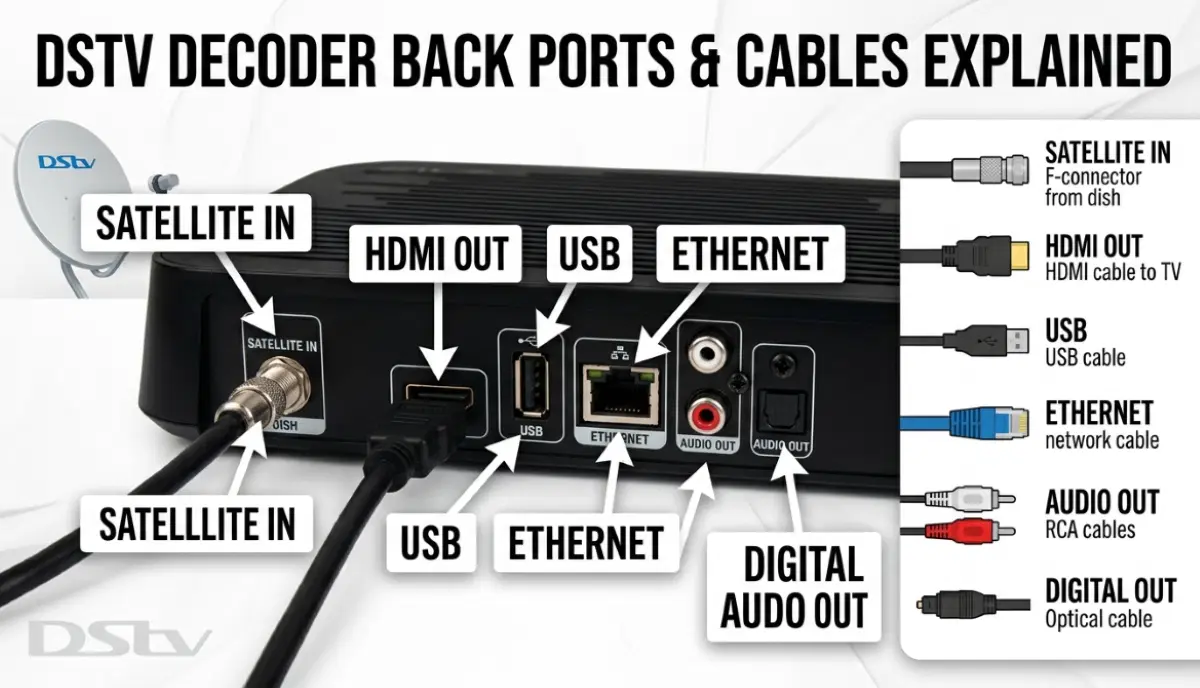
- Connectivity: HDMI, RCA, USB (service only)
- Built-in Wi-Fi: ❌ No – requires external adapter for internet
- Streaming apps: ❌ No – no Showmax, Netflix, or YouTube built-in
- Catch Up: ⚠️ Limited – requires internet connection
- Monthly PVR fee: R0
- Typical price: R600-R1,000
Who is the HD Decoder for?
- Budget-conscious households wanting the lowest upfront cost
- Viewers who only watch live TV and don’t need recording
- Secondary TVs (bedroom, guest room, staff quarters)
- Households that already use streaming devices (Apple TV, Fire Stick, smart TV apps)
- Elderly viewers who prefer simple operation
Limitations to consider:
- No recording – miss shows during load shedding or when not home
- Can’t pause live TV
- No Catch Up or streaming without external devices
- No 4K support
📺 Explora 2 – The Original PVR (Discontinued, Still in Use)
The Explora 2 was DSTV’s first mainstream PVR decoder.
While no longer sold new, many households still use them.
Key features:
- Resolution: 1080p HD (not 4K)
- Recording (PVR): ✅ Yes – 500GB storage (approx 110 hours HD)
- Simultaneous recordings: 2
- Connectivity: HDMI, USB, Ethernet, built-in Wi-Fi
- Streaming apps: Showmax only (no Netflix, no YouTube)
- Catch Up: ✅ Yes
- Monthly PVR fee: R75
- Typical price (used/second-hand): R800-R1,200
Who is Explora 2 for?
- Existing Explora 2 owners who don’t need 4K or Netflix
- Budget-conscious buyers willing to buy used (not recommended – no warranty)
Limitations:
- Discontinued – no warranty, may not receive future updates
- Slower processor than newer models
- No 4K, no Netflix, no YouTube
- Showmax only for streaming
📺 Explora 3 – The Popular, Balanced Choice
The Explora 3 is DSTV’s mid-range PVR decoder and our top recommendation for most households.
It offers excellent features at a reasonable price.
Key features:
- Resolution: 4K Ultra HD
- Recording (PVR): ✅ Yes – 1TB storage (approx 470 hours HD, 200 hours 4K)
- Simultaneous recordings: 4
- Connectivity: HDMI, 2x USB, Ethernet, built-in Wi-Fi, optical audio
- Streaming apps: Showmax, Netflix, YouTube
- Catch Up: ✅ Yes
- Processor: Faster than Explora 2
- Monthly PVR fee: R75
- Typical price: R1,800-R2,200
Who is Explora 3 for?
- Most South African households – the best balance of features and price
- Families who want recording and streaming apps
- 4K TV owners who want the best picture quality
- Anyone who wants to future-proof their setup
✅ Our Verdict:
For 90% of households, the Explora 3 is the best choice.
It has 4K, plenty of storage (470 hours), all the streaming apps you need,
and costs significantly less than the Explora Ultra.
Still Not Sure Which Decoder to Buy?
Get a free consultation from a verified, accredited DSTV installer near you.
We’ll help you choose the right decoder for your needs and budget.
Free quotes. Verified installers. No obligation.
⭐ Explora Ultra – The Premium, Feature-Packed Choice
The Explora Ultra is DSTV’s flagship decoder – the best of the best.
It has every feature available and is designed for demanding users.
Key features:
- Resolution: 4K HDR (High Dynamic Range – better colours and contrast)
- Recording (PVR): ✅ Yes – 1TB storage (approx 470 hours HD, 200 hours 4K)
- Simultaneous recordings: 4
- Connectivity: HDMI, 2x USB, Ethernet, built-in Wi-Fi, optical audio, Bluetooth
- Streaming apps: Showmax, Netflix, YouTube, Amazon Prime Video
- Catch Up: ✅ Yes
- Multi-room: ✅ Yes – true multi-room with additional Explora Ultra units
- Remote: Voice remote with Bluetooth (no line of sight needed)
- Processor: Fastest of all models
- Monthly PVR fee: R75
- Typical price: R2,500-R3,200
Explora Ultra exclusive features:
- Voice remote: Search for shows by speaking (“Show me rugby”)
- Bluetooth remote: Works through cabinets, no line of sight needed
- True multi-room: Watch different channels on different TVs with additional units
- HDR picture: Better colours and contrast on compatible TVs
- Amazon Prime Video: Additional streaming service
Who is Explora Ultra for?
- Tech enthusiasts who want the absolute best
- Households with high-end 4K HDR TVs
- Families who need true multi-room viewing (different channels on different TVs)
- Those who want voice control and the fastest performance
- Budget is not a primary concern

📊 DSTV Decoder Types: Complete Feature Comparison
| Feature | HD Decoder (9S) | Explora 2 | Explora 3 | Explora Ultra |
|---|---|---|---|---|
| Resolution | 1080p HD | 1080p HD | 4K | 4K HDR |
| Recording (PVR) | ❌ No | ✅ 500GB | ✅ 1TB | ✅ 1TB |
| Simultaneous recordings | N/A | 2 | 4 | 4 |
| Storage (HD hours) | 0 | ~110 | ~470 | ~470 |
| Built-in Wi-Fi | ❌ No | ✅ Yes | ✅ Yes | ✅ Yes |
| Showmax | ❌ No | ✅ Yes | ✅ Yes | ✅ Yes |
| Netflix | ❌ No | ❌ No | ✅ Yes | ✅ Yes |
| YouTube | ❌ No | ❌ No | ✅ Yes | ✅ Yes |
| Amazon Prime Video | ❌ No | ❌ No | ❌ No | ✅ Yes |
| Multi-room | ⚠️ Extra View only | ⚠️ Extra View only | ⚠️ Extra View only | ✅ True multi-room |
| Voice remote | ❌ No | ❌ No | ❌ No | ✅ Yes |
| Bluetooth remote | ❌ No | ❌ No | ❌ No | ✅ Yes |
| Monthly PVR fee | R0 | R75 | R75 | R75 |
| Typical price | R600-R1,000 | (discontinued) | R1,800-R2,200 | R2,500-R3,200 |
🔧 Technical Specifications Comparison
| Specification | HD Decoder | Explora 2 | Explora 3 | Explora Ultra |
|---|---|---|---|---|
| Processor | Basic | Medium | Fast | Fastest |
| RAM | 512MB | 1GB | 2GB | 2GB |
| Storage | None | 500GB HDD | 1TB HDD | 1TB HDD |
| HDMI version | 1.4 | 1.4 | 2.0 | 2.0 |
| USB ports | 1 (service) | 2 | 2 | 2 |
| Ethernet | ❌ No | ✅ Yes | ✅ Yes | ✅ Yes |
| Optical audio | ❌ No | ❌ No | ✅ Yes | ✅ Yes |
| Power consumption | 15W | 25W | 30W | 35W |

💾 Recording & Storage: How Much Do You Need?
Recording capability is one of the biggest differences between dstv hd decoder vs explora models.
HD Decoder (9S):
- No recording at all – live TV only
- Can’t pause or rewind live TV
- Miss shows when you’re not home or during load shedding
Explora 2 (500GB):
- ~110 hours of HD recording
- Record 2 shows simultaneously
- Good for light recorders
Explora 3 / Ultra (1TB):
- ~470 hours of HD recording (or ~200 hours 4K)
- Record 4 shows simultaneously
- Enough for most families – record entire series without worrying about space
💡 Storage Advice:
470 hours is a LOT of storage. That’s 20 full days of continuous recording.
Most families never fill it. Unless you’re an extreme recorder, 1TB is plenty.
📱 Streaming Apps & Smart Features Comparison
Modern dstv decoder types offer streaming apps built-in – no need for separate devices.
HD Decoder:
- No built-in streaming apps
- No Catch Up (requires external device)
- No smart features
Explora 2:
- Showmax only
- Catch Up (last 7 days of DSTV shows)
- No Netflix, no YouTube
Explora 3:
- Showmax, Netflix, YouTube
- Catch Up
- BoxOffice (rent movies)
Explora Ultra:
- Showmax, Netflix, YouTube, Amazon Prime Video
- Catch Up
- BoxOffice
- Voice search (speak to find content)
🏠 Multi-Room & Extra View: Watching on Multiple TVs
All decoders support Extra View (additional decoders on the same subscription),
but only Explora Ultra supports true multi-room.
Extra View (all decoders):
- Add secondary decoders to watch on multiple TVs
- Secondary decoders can watch different channels independently
- Monthly fee: R105 per extra decoder
- Secondary decoders cannot record (only primary Explora can record)
True Multi-Room (Explora Ultra only):
- Multiple Explora Ultra decoders in the same home
- Each can record independently
- Share recordings between decoders
- Higher cost but full flexibility
For more on multi-room, read our
Extra View guide
and Extra View installation guide.
✅ Which DSTV Decoder Should You Choose?
Based on your needs, here’s our recommendation for which dstv decoder is best.
Choose the HD Decoder (9S) if:
- You’re on a tight budget (R600-R1,000)
- You only watch live TV – no recording needed
- It’s for a secondary TV (bedroom, guest room)
- You already have streaming devices (Apple TV, Fire Stick, smart TV)
- Simple operation is your priority
Choose the Explora 3 if (RECOMMENDED FOR MOST):
- You want the best balance of features and price
- You have a 4K TV or plan to get one
- You want to record shows and pause live TV
- You use Showmax, Netflix, or YouTube
- You want enough storage for the whole family (470 hours)
Choose the Explora Ultra if:
- You want the absolute best – no compromises
- You have a high-end 4K HDR TV
- You want voice remote control
- You need true multi-room with independent recording on multiple TVs
- You use Amazon Prime Video
- Budget is not a concern
✅ Our #1 Recommendation:
For most South African households, the Explora 3 is the best choice.
It offers 4K, plenty of storage, all major streaming apps, and excellent performance
for a reasonable price (R1,800-R2,200). You get 90% of the Ultra’s features for 70% of the cost.
💰 Cost Analysis: 5-Year Total Cost of Ownership
| Cost Factor | HD Decoder | Explora 3 | Explora Ultra |
|---|---|---|---|
| Upfront decoder cost | R800 | R2,000 | R2,800 |
| Monthly PVR fee (60 months) | R0 | R4,500 | R4,500 |
| Installation | R800 | R800 | R800 |
| 5-Year Total | R1,600 | R7,300 | R8,100 |
*Does not include monthly package subscription (R150-R979 depending on package).
💰 Value Analysis:
The Explora 3 costs about R5,700 more over 5 years than the HD Decoder (R95/month).
For that, you get 4K picture, 470 hours of recording, streaming apps, and Catch Up.
For most families, that’s excellent value. The Ultra adds voice remote and multi-room
for an extra R800 over 5 years – good value if you need those features.
❓ Frequently Asked Questions About DSTV Decoder Types
What is the difference between DSTV Explora and HD Decoder?
The main difference between dstv explora and hd decoder is recording capability.
Explora models can record shows (PVR), pause live TV, access Catch Up, and use streaming apps.
The HD Decoder (9S) is live TV only – no recording, no pause, no streaming apps.
Explora models also have built-in Wi-Fi, more storage, and better processors.
Which DSTV decoder is best for 4K TV?
For 4K TV owners, the Explora 3 or Explora Ultra are the best dstv decoder types.
Both support 4K resolution. The Explora Ultra adds HDR (High Dynamic Range) for better colours and contrast
on compatible TVs. The HD Decoder and Explora 2 only support 1080p HD.
Can I record on a standard DSTV decoder?
No. The standard HD Decoder (9S) does NOT have recording (PVR) capability.
You need an Explora model (2, 3, or Ultra) to record shows.
The monthly PVR fee for Explora decoders is R75.
What is the difference between Explora 3 and Explora Ultra?
The main differences in explora ultra features vs Explora 3 are:
voice remote with Bluetooth (works through cabinets), HDR picture (better colours),
Amazon Prime Video app, and true multi-room capability.
Both have 4K, 1TB storage, and the same streaming apps (except Prime Video).
Ultra costs about R800 more.
Does DSTV still sell Explora 2?
No. Explora 2 has been discontinued. You may find used units second-hand,
but we don’t recommend buying them – no warranty, slower performance,
and may not receive future software updates. Buy Explora 3 or Ultra instead.
How much storage do I need on an Explora decoder?
Explora 2 has 500GB (~110 hours HD). Explora 3/Ultra have 1TB (~470 hours HD).
For most families, 1TB is plenty – that’s 20 full days of continuous recording.
Unless you’re an extreme recorder who never deletes shows, 1TB is more than enough.
Can I use the MyDSTV app with all decoders?
Yes, the MyDSTV app works with all dstv decoder types.
You can use it to manage your subscription, access Catch Up, and stream content.
For remote control functionality, you need an Explora decoder connected to Wi-Fi.
What is the monthly fee for DSTV PVR?
The monthly PVR fee for Explora decoders is R75.
This is in addition to your package subscription (Access, Family, Compact, etc.).
The HD Decoder has no PVR fee because it can’t record.
Can I watch Netflix on my DSTV decoder?
Yes, if you have an Explora 3 or Explora Ultra. Both have the Netflix app built-in.
The HD Decoder and Explora 2 do NOT have Netflix.
You’ll need your own Netflix subscription (separate from DSTV).
Which decoder is best for a family?
For most families, the dstv decoder types recommendation is Explora 3.
It has 4K picture, 470 hours of recording (enough for the whole family),
Netflix, Showmax, and YouTube – all at a reasonable price.
For larger families needing multi-room, consider Explora Ultra.
✅ Final Thoughts: Choose the Right Decoder for Your Home
Understanding dstv decoder types is the first step to getting the right features for your household.
The HD Decoder is affordable but limited. The Explora 3 is the sweet spot – great features at a reasonable price.
The Explora Ultra is for those who want everything.
For most South African families, the Explora 3 is our top recommendation.
You get 4K, plenty of storage, all the streaming apps you need, and excellent performance
for a price that won’t break the bank.
Still not sure? Request a free consultation from ServiceLink SA.
We’ll help you choose the right decoder and install it professionally.
Ready to Buy a New DSTV Decoder?
Get a free consultation and installation quote from a verified, accredited DSTV installer near you.
We’ll help you choose the right decoder for your needs and budget.
📞 Call us: 073 138 4726 for immediate decoder advice.
Free site inspection •
How to choose an installer •
Beat Your Quote guarantee
📚 Official resources & standards referenced:
- Official DSTV decoder comparison – Official decoder specifications and features.
- Official DSTV Explora features – Official Explora capabilities.
Information provided for general guidance. DSTV is a registered trademark of MultiChoice.
Prices and features are subject to change. Always verify current specifications with DSTV before purchasing.
Written by: Innocent T Hanyani
Satellite & Home Entertainment Installation Specialist | 21+ Years Experience
Innocent T Hanyani has over two decades of experience in satellite television installations across South Africa.
He has installed thousands of decoders – from basic HD models to the latest Explora Ultra – and understands the real-world
differences between each model. His expertise helps homeowners choose the right decoder for their needs without overpaying.
For more help choosing a DSTV decoder, explore our related resources:
Explora vs Standard guide,
best decoder for your home,
Stream vs satellite guide,
decoder not booting fix,
how to reset decoder.
See our service areas page for coverage in your region.