
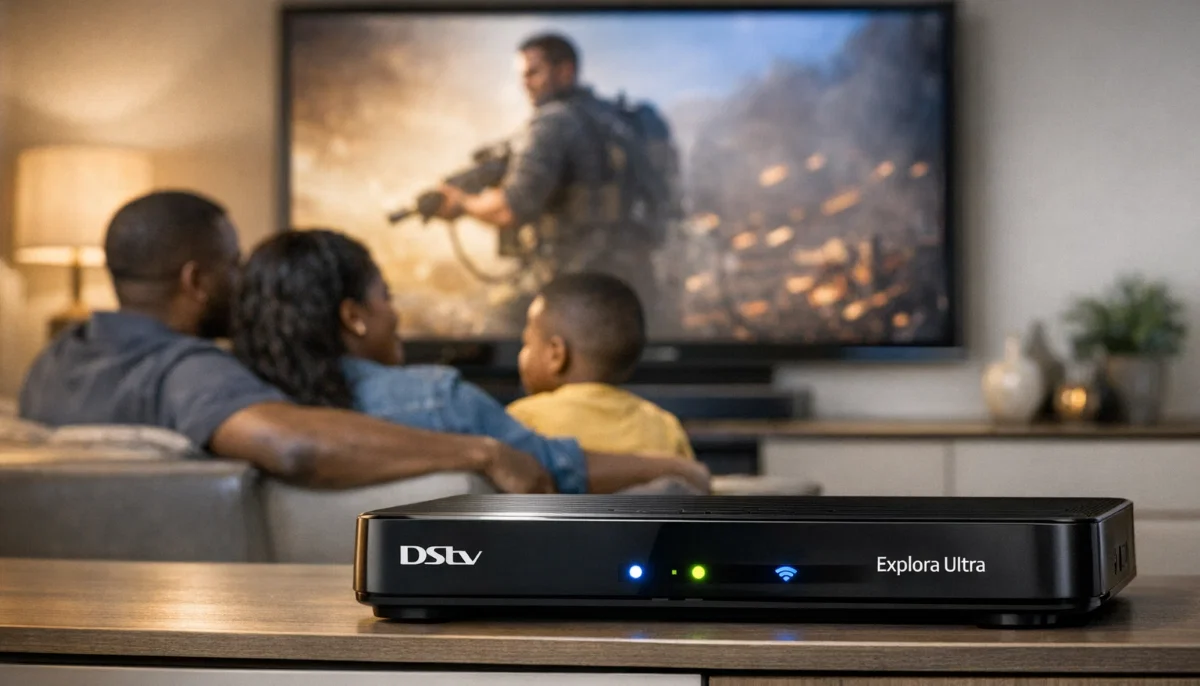
Not Sure Which Decoder Is Right for You?
Get expert advice and a free installation quote from a verified, accredited DSTV installer near you.
Same-day service available across South Africa.
Servicing Gauteng, Western Cape, Johannesburg, Cape Town, Sandton, and across South Africa
DSTV Explora vs Standard Decoder: Which One Should You Buy? (Full Comparison)
📺 From R600 to R2,500 – which decoder gives you the best value for your household?
You’ve chosen your DSTV package. Now comes the next decision: which decoder do you need?
Walk into any electronics store, and you’ll see decoders ranging from R600 to over R2,500.
The salesperson will try to upsell you on features you might never use.
I’ve helped thousands of South African families answer the question “which dstv decoder is better”
for their specific needs. And here’s the truth: there’s no single “best” decoder for everyone.
The right choice depends entirely on how your household watches TV.
In this complete dstv explora vs standard decoder guide, I’ll break down every difference:
recording capabilities, streaming features, multi-room options, and total cost of ownership.
You’ll learn the difference between dstv explora and hd decoder models,
and by the end, you’ll know exactly which decoder to buy.
For a complete overview of all decoder types, read our
DSTV decoder types explained guide.
And for help choosing the best model for your home, see
best DSTV decoder for your home.
📋 Table of Contents – DSTV Explora vs Standard Decoder Guide
📊 Quick Comparison: DSTV Explora vs Standard Decoder
Before we dive into the details, here’s a high-level overview of how these decoders compare.
This will help you understand which decoder comparison factors matter most for your household.
| Feature | DSTV Explora (3/Ultra) | Standard HD Decoder (9S) | Winner |
|---|---|---|---|
| Recording (PVR)功能 | ✅ Up to 470 hours | ❌ No recording | 🏆 Explora |
| Streaming Apps | ✅ Showmax, Netflix, YouTube | ⚠️ Limited (no built-in Wi-Fi) | 🏆 Explora |
| 4K Resolution | ✅ Explora Ultra only | ❌ HD only (1080p) | 🏆 Explora Ultra |
| Wi-Fi Connectivity | ✅ Built-in | ❌ Requires external adapter | 🏆 Explora |
| Multi-Room Viewing | ✅ Yes (with Explora Ultra) | ⚠️ Limited (Extra View only) | 🏆 Explora |
| Initial Purchase Price | R1,500 – R2,500 | R600 – R1,000 | 🏆 Standard |
| Monthly PVR Fee | R75 per month | R0 | 🏆 Standard |
| Load Shedding Resilience | ✅ Can record and watch later | ❌ Miss live shows during outages | 🏆 Explora |
💡 Key Takeaway:
The Standard decoder is cheaper upfront and has no monthly fees, but the Explora offers recording,
streaming apps, and better load shedding resilience. The right choice depends on your viewing habits.
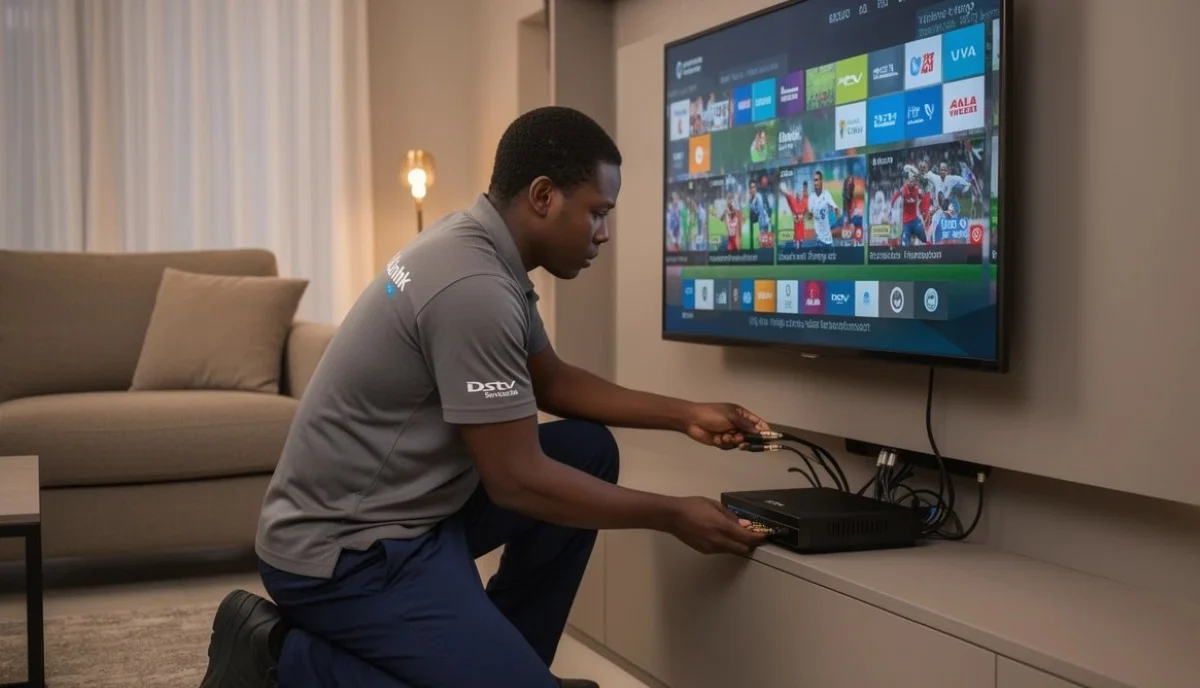
📺 Standard HD Decoder (Model 9S): The Reliable Workhorse
The Standard HD Decoder (often called the 9S model) is DSTV’s entry-level decoder.
It’s simple, affordable, and does exactly what it says on the box – delivers HD channels to your TV.
Key features:
- HD viewing: 1080p resolution (not 4K)
- No recording: Watch live TV only – no pause, rewind, or recording
- Basic connectivity: HDMI output, RCA output (for older TVs), USB port (service only)
- No built-in Wi-Fi: Requires external Wi-Fi adapter for internet features
- No streaming apps: No Showmax, Netflix, or YouTube built-in
- No monthly PVR fee: You only pay your package subscription
Who is the Standard HD Decoder for?
- Budget-conscious households who want the lowest possible upfront cost
- Viewers who only watch live TV and don’t need recording
- Secondary TVs (bedroom, guest room, staff quarters)
- Households that already use streaming devices (Apple TV, Fire Stick, smart TV apps)
- Elderly viewers who prefer simple operation
Limitations to consider:
- No recording means you miss shows during load shedding or when you’re not home
- Can’t pause live TV (if the phone rings or someone interrupts, you miss the moment)
- No Catch Up or streaming features without external devices
- Limited future-proofing – doesn’t support 4K or advanced features
🚀 DSTV Explora: The Premium Entertainment Hub
The Explora range represents DSTV’s flagship decoder series. There are multiple models:
Explora 2, Explora 3, and Explora Ultra. Each adds more features, but they share core capabilities.
Core Explora features (all models):
- PVR recording: Record shows while watching another – up to 4 simultaneous recordings on newer models
- Storage capacity: 500GB to 1TB (110-470 hours of HD recording)
- Built-in Wi-Fi: Connect to your home network wirelessly
- Streaming apps: Showmax, Netflix, YouTube, and more built-in
- Catch Up: Watch shows from the last 7 days without recording
- Series Link: Automatically record every episode of your favourite series
- Pause/rewind live TV: Never miss a moment
Model differences:
- Explora 2: Basic PVR, 500GB storage, HD only (no 4K)
- Explora 3: Faster processor, 1TB storage, 4K capability, better streaming performance
- Explora Ultra: Latest model, 4K HDR, multi-room viewing, voice remote, Showmax integration
For a detailed breakdown of each model, read our
decoder types explained guide.
And for upgrades, see Explora Ultra upgrade options.
Still Not Sure Which Decoder to Choose?
Let us help you decide. Get expert advice and a free installation quote from a verified,
accredited DSTV installer near you.
We’ll help you choose the right decoder for your household.
🔍 Feature-by-Feature: DSTV Explora vs Standard Decoder
Let’s compare the most important features side by side to help you understand
the dstv explora vs hd decoder differences in detail.
| Feature | Standard HD | Explora 2 | Explora 3 | Explora Ultra |
|---|---|---|---|---|
| Resolution | 1080p HD | 1080p HD | 4K | 4K HDR |
| Recording | ❌ No | ✅ 500GB | ✅ 1TB | ✅ 1TB |
| Simultaneous recordings | N/A | 2 | 4 | 4 |
| Built-in Wi-Fi | ❌ No | ✅ Yes | ✅ Yes | ✅ Yes |
| Streaming apps | ⚠️ Limited | ✅ Showmax | ✅ Showmax, Netflix | ✅ Showmax, Netflix, YouTube |
| Multi-room | ⚠️ Extra View only | ❌ No | ❌ No | ✅ Yes |
| Monthly PVR fee | R0 | R75 | R75 | R75 |
| Typical price | R600-R1,000 | R1,200-R1,600 | R1,800-R2,200 | R2,500-R3,200 |
💾 Recording & PVR Capabilities: The Biggest Difference
The single biggest difference between these decoders is recording capability.
If you’ve ever wished you could pause live TV or record a show while watching another,
the Explora is for you.
What PVR recording gives you:
- Pause live TV: Phone rings? Doorbell? Pause what you’re watching and resume later
- Record while watching another channel: Watch sports while recording a movie
- Record multiple shows simultaneously: Newer Exploras record up to 4 shows at once
- Series Link: Set it once – every new episode of your favourite show is recorded automatically
- Watch during load shedding: Record shows when power is on, watch when it’s off (if TV has power)
- Catch Up: Watch shows from the last 7 days without recording (requires internet)
✅ Load Shedding Advantage:
In South Africa, load shedding is a reality. With an Explora, you can record shows during power-on periods
and watch them during outages (as long as your TV has power). Standard decoder users miss everything.
This alone is worth the extra cost for many households in Gauteng, Cape Town, and Durban.
For recording troubleshooting, read our
decoder not booting guide
and how to reset your decoder.

📱 Streaming Apps & Connectivity: The Modern Difference
The Explora range turns your TV into a smart entertainment hub.
If you watch Showmax, Netflix, or YouTube, the Explora eliminates the need for separate streaming devices.
Explora streaming capabilities:
- Showmax: Built-in app – watch local series, movies, and reality TV
- Netflix: On Explora 3 and Ultra – all your Netflix content in one place
- YouTube: On Explora Ultra – watch millions of videos
- Catch Up: Watch DSTV shows from the last 7 days on demand
- BoxOffice: Rent latest movies directly from your decoder
Standard decoder limitations:
- No built-in streaming apps
- No built-in Wi-Fi (requires external adapter)
- Limited Catch Up functionality
- You’ll need separate devices (Apple TV, Fire Stick, smart TV) for streaming
For help with connectivity issues, read our
remote not working guide
and WiFi extension guide.
🏠 Multi-Room & Extra View Options
If you want DSTV on multiple TVs, your decoder choice significantly affects your options and costs.
With Standard HD Decoder:
- Extra View: Add a second decoder that shows the SAME channel as the main decoder
- Cost: Additional R350-R600 per point (cabling, splitter, second decoder connection)
- Limitation: Everyone watches the same channel – no independent viewing
- Best for: Kids’ rooms or secondary TVs where independent viewing isn’t needed
With Explora Ultra (multi-room capable):
- True multi-room: Watch different channels on different TVs simultaneously
- Works with additional Explora Ultra units or the DSTV app on tablets/phones
- Independent viewing in every room
- Higher upfront cost but much more flexible
- Read our Extra View installation guide
For surround sound setup with your decoder, see
surround sound system guide.
💰 5-Year Cost Analysis: Standard vs Explora
The upfront price difference is significant, but the long-term cost difference is even larger.
Here’s the real decoder comparison over 5 years.
| Cost Factor | Standard HD | Explora 3/Ultra | Difference |
|---|---|---|---|
| Initial purchase | R800 | R2,200 | Explora +R1,400 |
| Monthly PVR fee (60 months) | R0 | R75 × 60 = R4,500 | Explora +R4,500 |
| Installation | R800 | R800 | Equal |
| Potential data savings* | R0 | -R1,200 (Catch Up saves mobile data) | Explora -R1,200 |
| 5-Year Total | R1,600 | R6,300 | Explora +R4,700 |
*Data savings estimate: If you would otherwise use mobile data for Catch Up or streaming, Explora can save R20-R40 per month.
💡 Value Calculation:
The Explora costs about R4,700 more over 5 years than the Standard decoder.
That’s roughly R78 per month. Ask yourself: Is pausing live TV, recording shows,
streaming apps, and load shedding resilience worth R78 per month to your household?
For many families, the answer is yes.
For payment flexibility, see our Pay Later option
and Beat Your Quote guarantee.
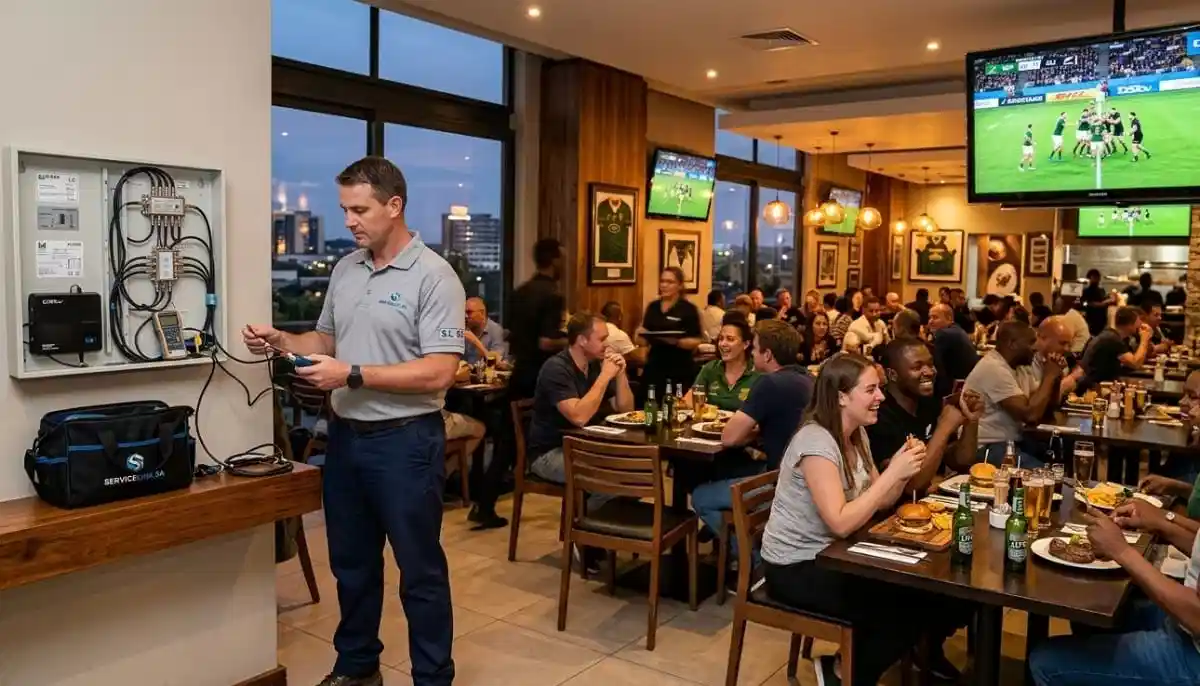
✅ Who Should Choose Each Decoder?
Based on thousands of installations across South Africa, here’s my guidance on
which dstv decoder is better for different household types.
Choose the Standard HD Decoder if:
- You’re on a tight budget (upfront and monthly)
- You only watch live TV and don’t need recording
- It’s for a secondary TV (bedroom, guest room, staff quarters)
- You already have streaming devices (Apple TV, Fire Stick, smart TV apps)
- Simple operation is your priority (elderly viewers, domestic helpers)
- You rarely watch TV during load shedding or don’t mind missing shows
Choose the DSTV Explora if:
- Your household has conflicting viewing schedules (different people want different shows)
- You want to pause, rewind, and record live TV
- You watch Showmax, Netflix, or YouTube and want them integrated
- Load shedding is frequent in your area and you want to record shows to watch later
- You have a 4K TV and want the best picture quality (Explora 3 or Ultra)
- You want multi-room viewing with independent channel selection (Explora Ultra)
- You’re a sports fan who doesn’t want to miss live events
The hybrid approach (both decoders):
- Explora on the main TV (living room) for recording and streaming
- Standard decoder on secondary TVs (bedrooms) to save money
- This balances features and cost for many families
For more guidance, read our
best DSTV decoder for your home guide.
🔧 Installation & Setup Considerations
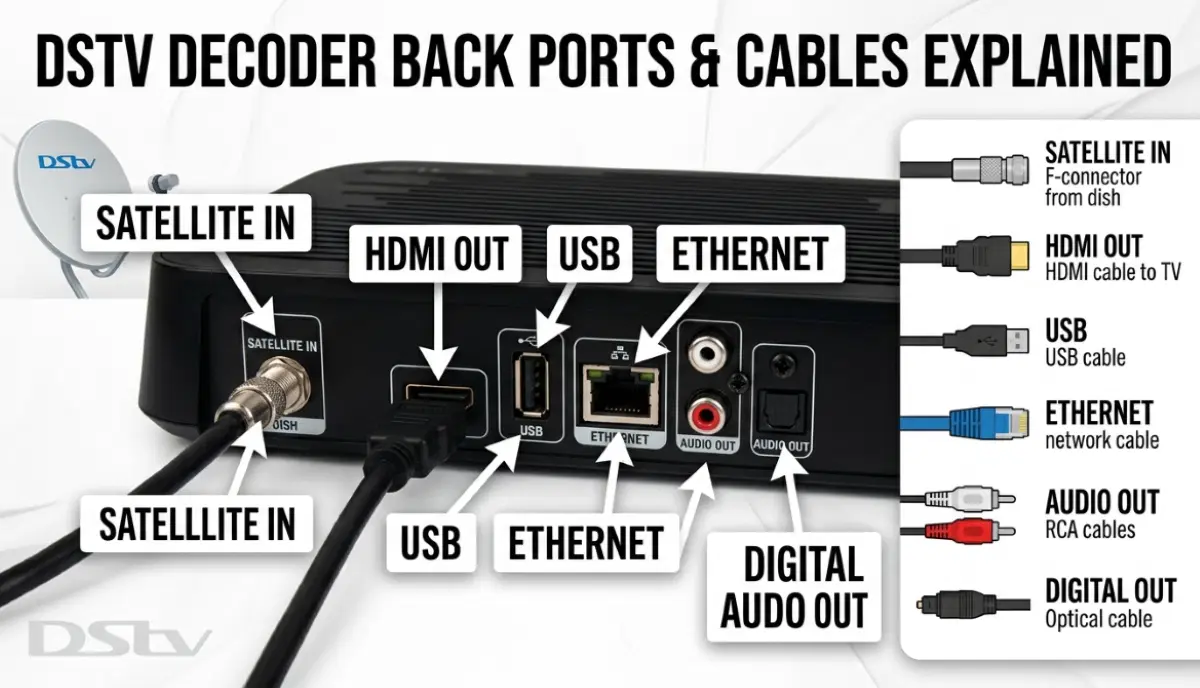
Both decoders require professional installation for optimal performance.
However, there are some differences in what’s needed.
For Standard HD Decoder:
- Standard dish and LNB (60cm dish, Single or Quad LNB)
- HDMI cable to TV
- For Catch Up: External Wi-Fi adapter (sold separately) or Ethernet cable
- Simple setup – about 1-2 hours installation time
For DSTV Explora:
- Same dish requirements, but Smart LNB recommended for internet features
- Wi-Fi configuration during installation (technician sets up network connection)
- Software updates may take 20-30 minutes during first setup
- Showmax/Netflix login setup
- 2-3 hours installation time (includes configuration)
- Read our HD and Explora installation guide
For professional installation, request a quote from verified installers.
And for help choosing an installer, see
how to choose the right contractor.
📋 Real South African Case Studies
These real examples from our service records show how different households made their decoder decisions.
Case Study 1: The Johannesburg Family Upgrade
Family: The Moloi family, Randburg
Previous setup: Standard HD Decoder
Problem: Constant conflicts over viewing times, missed recordings during load shedding
Solution: Upgraded to DSTV Explora 3
Result: 80% reduction in family viewing conflicts, never miss shows during power outages,
access to streaming apps saved R200/month in data costs
Case Study 2: The Cape Town Budget Solution
Family: The Petersen family, Sea Point
Situation: Retired couple with simple viewing needs (news, sports, some series)
Considered: DSTV Explora
Chose: Standard HD Decoder
Result: Saved R5,700 over 5 years, perfect for their basic live TV needs, easy to use
Case Study 3: The Durban Multi-Generational Home
Family: The Singh family, Durban North
Challenge: Three generations with different viewing habits
Solution: DSTV Explora Ultra on main TV + Standard decoder for grandparents’ bedroom
Result: Perfect balance of advanced features for younger family and simplicity for elders,
cost-effective hybrid solution
❓ Frequently Asked Questions About DSTV Decoders
What is the difference between DSTV Explora and Standard HD decoder?
The main difference between dstv explora and hd decoder is recording capability and streaming features.
Explora can record shows (PVR), pause live TV, access streaming apps (Showmax, Netflix), and has built-in Wi-Fi.
The Standard HD decoder is for live TV only – no recording, no pause, no streaming apps.
Explora costs more upfront and has a monthly PVR fee of R75.
Is the DSTV Explora worth the extra money?
For dstv explora vs standard decoder, the Explora is worth it if:
your family has conflicting viewing schedules, you want to record shows to watch during load shedding,
you use Showmax or Netflix, or you want to pause live TV.
If you only watch live TV and are on a tight budget, the Standard decoder is better value.
Can I record shows on a Standard DSTV decoder?
No. The Standard HD decoder (9S model) does NOT have recording (PVR) capability.
You cannot pause, rewind, or record live TV. For recording, you need an Explora decoder.
The monthly PVR fee for Explora is R75.
What is the monthly fee for DSTV Explora?
The monthly PVR fee for DSTV Explora is R75 (in addition to your package subscription).
The Standard HD decoder has no monthly fee beyond your package.
Over 5 years, the Explora costs about R4,500 more in monthly fees alone.
Which Explora model should I buy – 2, 3, or Ultra?
Explora 2 is older – fine for basic recording but no 4K. Explora 3 adds 4K, better processor, and Netflix.
Explora Ultra adds multi-room viewing, voice remote, and the best performance.
For most households, Explora 3 offers the best value. For 4K TV owners, get Explora 3 or Ultra.
For multi-room needs, get Explora Ultra.
Does DSTV Explora work during load shedding?
The Explora itself needs power to work. However, its recording feature is invaluable during load shedding:
you can record shows when power is on and watch them later (if your TV has power).
The Standard decoder offers no such option – you simply miss whatever was on during the outage.
Can I use a Standard decoder as a second TV with an Explora main unit?
Yes, through DSTV’s Extra View functionality. However, the Standard decoder will mirror what’s playing
on the main Explora – you cannot watch different channels independently.
For independent viewing, you need a second Explora (for multi-room) or the DSTV app on a tablet.
Read our Extra View installation guide.
How much does DSTV Explora installation cost?
Explora installation costs R800-R1,500 for standard setup, similar to Standard decoder installation.
However, Explora may require a Smart LNB (R100-R200 extra) and Wi-Fi configuration.
For HD and Explora installation, get a quote from verified installers.
What is the storage capacity of DSTV Explora?
Explora 2: 500GB (approximately 110 hours of HD recording).
Explora 3 and Ultra: 1TB (approximately 470 hours of HD recording).
That’s enough for hundreds of movies or dozens of series seasons.
The Standard decoder has no storage (no recording capability).
Can I stream Netflix on DSTV Explora?
Yes, on Explora 3 and Explora Ultra. The Netflix app is built-in.
You’ll need an active Netflix subscription and an internet connection.
Explora 2 does not have Netflix (only Showmax).
The Standard decoder has no streaming apps at all.
✅ Final Thoughts: Choose the Decoder That Matches Your Lifestyle
After this complete dstv explora vs standard decoder comparison, the choice comes down to your household’s viewing habits.
The Standard HD Decoder is perfect for budget-conscious viewers who only watch live TV.
It’s simple, affordable, and has no monthly fees. But you cannot record, pause, or stream.
The DSTV Explora transforms your TV experience with recording, streaming apps, and load shedding resilience.
Yes, it costs more upfront and has a monthly R75 fee – but for families with conflicting schedules,
sports fans, or anyone who hates missing shows, it’s worth every rand.
Still not sure? Request a free consultation with a verified DSTV installer.
They can assess your household’s needs and recommend the perfect decoder for your home.
And once you’ve chosen, professional installation ensures you get the most from your new decoder.
Ready to Choose Your Decoder and Get It Installed?
Get expert advice and a free installation quote from a verified, accredited DSTV installer near you.
We’ll help you choose the right decoder and install it professionally.
📞 Call us: 073 138 4726 for immediate decoder advice.
Free site inspection •
Beat Your Quote guarantee •
Pay Later option
📚 Official resources & standards referenced:
- Official DSTV decoder comparison – Official decoder specifications and features.
- Official DSTV Explora features – Official Explora capabilities and specifications.
Information provided for general guidance. DSTV is a registered trademark of MultiChoice.
Prices and features are subject to change. Always verify current specifications with DSTV before purchasing.
Written by: Innocent T Hanyani
Satellite & Home Entertainment Installation Specialist | 21+ Years Experience
Innocent T Hanyani has over two decades of experience in satellite television installations across South Africa.
He has helped thousands of households choose between Explora and Standard decoders, understanding that the right choice
depends on viewing habits, budget, and household dynamics. His practical comparisons help South Africans make informed decisions
without overspending on features they won’t use.
For more help choosing the right DSTV decoder, explore our related resources:
decoder types explained,
best DSTV decoder for your home,
DSTV Stream vs satellite decoder,
decoder not booting fix,
how to reset your decoder,
remote not working fix.
See our service areas page for coverage in your region.