
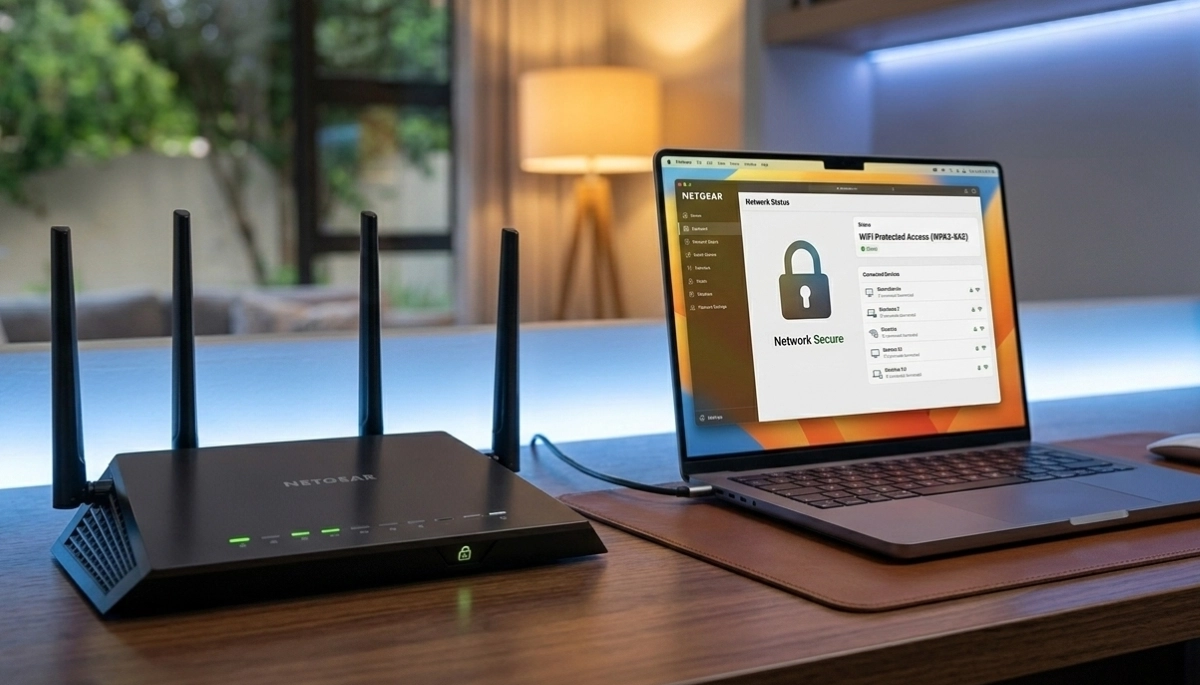
Worried About Your WiFi Security?
Get professional help from local specialists who understand wifi hacking risks and wifi security solutions.
Servicing Germiston, Somerset West, Umhlanga, and across South Africa
How Hackers Can Access Your WiFi Network Explained: The Complete Guide
🔒 Your WiFi network might be a target—here’s how hackers get in and how to stop them.
You’ve heard stories about hackers stealing personal information through WiFi networks. Maybe you’ve even suspected someone was using your internet without permission. But how do hackers actually gain access to your network? And what can you do to protect yourself?
The question how hackers can access your WiFi network explained is one I hear frequently from concerned homeowners. The truth is, wifi hacking is more common than many realise. Hackers use various techniques to exploit wifi security risks, and your network could be wifi vulnerable to hacking without you knowing it.
In this comprehensive guide, I’ll explain exactly how hackers can access your WiFi network explained in simple terms. I’ll cover wifi hacking tools explained, show you how to tell if someone is on my wifi, and provide how to protect home wifi from hackers strategies. Whether you’re in Germiston, Somerset West, or Umhlanga, this guide will help you secure your network.
For more on network security, check out our best WiFi security settings guide and block unknown devices guide. Let’s protect your home network.
📋 Table of Contents – WiFi Security Guide
🎯 Why Do Hackers Target Home WiFi Networks?
Before we dive into how hackers can access your WiFi network explained, let’s understand why they target home networks.
What Hackers Want:
- Personal information: Passwords, banking details, identity theft.
- Free internet: Access your internet without paying.
- Illegal activities: Use your network for illegal downloads or attacks.
- Device access: Access connected devices like cameras and smart home systems.
- Botnets: Use your devices for large-scale cyber attacks.
Why Home Networks Are Targeted:
- Weak security: Many home networks have weak passwords and outdated wifi encryption.
- Easy access: WiFi signals can be picked up from outside your home.
- Valuable data: Home networks contain personal and financial information.
- Connected devices: Smart home devices often have weak security.
What’s at Risk:
- Your personal data and identity.
- Your financial information.
- Your smart home devices.
- Your internet speed and bandwidth.
- Your legal liability for illegal activities on your network.
For more on wifi security risks, see our best WiFi security settings guide.
🔓 How Hackers Access Your WiFi
Understanding how hackers can access your WiFi network explained starts with knowing their methods.
Common WiFi Hacking Methods:
1. Brute Force Attacks:
Hackers use automated tools to try thousands of password combinations. Weak passwords are cracked in minutes.
2. WPS PIN Exploits:
WiFi Protected Setup (WPS) has a vulnerability that allows hackers to guess the PIN. This can bypass your password entirely.
3. Evil Twin Attacks:
Hackers set up a fake WiFi network with a similar name to yours. When you connect, they steal your information.
4. Packet Sniffing:
Hackers capture data packets transmitted over your network. Without wifi encryption, they can read your data.
5. Router Vulnerabilities:
Outdated router firmware has known vulnerabilities that hackers can exploit.
6. Default Credentials:
Many people never change their router’s default admin password. Hackers know these defaults.
7. Phishing:
Hackers trick you into giving them your password through fake emails or websites.
For more on wifi security, see our network security guide.
🔑 The Weak Password Problem
A weak password is the most common reason networks become wifi vulnerable to hacking.
Common Weak Passwords:
- “password” (still used by millions)
- “123456” (the most common password)
- “qwerty” (keyboard pattern)
- “admin” (default for many routers)
- Your name, address, or phone number
How Hackers Exploit Weak Passwords:
- Dictionary attacks: Hackers use lists of common words and passwords.
- Brute force: Automated tools try every combination.
- Rainbow tables: Pre-computed hashes of common passwords.
How to Create a Strong Password:
- Use at least 12 characters.
- Use a mix of uppercase, lowercase, numbers, and symbols.
- Avoid common words or personal information.
- Use a passphrase (e.g., “BlueElephantJumpsHigh22!”).
Password Managers:
Use a password manager to generate and store strong passwords. This makes it easy to use unique, strong passwords for all your accounts.
For more on passwords, see our best WiFi security settings guide.
🛠️ WiFi Hacking Tools Explained
Wifi hacking tools explained helps you understand what hackers use and how to defend against them.
Common WiFi Hacking Tools:
- Aircrack-ng: A suite of tools for cracking WiFi passwords.
- Kismet: A wireless network sniffer that finds hidden networks.
- Wireshark: Captures and analyses network traffic.
- Reaver: Exploits WPS vulnerabilities.
- Fern WiFi Cracker: Automated WiFi cracking tool.
How These Tools Work:
- Packet capture: Tools capture data packets from your network.
- Password cracking: They try thousands of passwords per second.
- Vulnerability scanning: They check for known router vulnerabilities.
How to Defend Against These Tools:
- Use strong, complex passwords.
- Disable WPS.
- Keep router firmware updated.
- Use WPA3 or WPA2 wifi encryption.
For more on router security, see our router setup guide.
Worried Your WiFi Has Been Hacked?
Get professional help from local specialists who understand wifi hacking and wifi security risks.
Emergency services available for wifi vulnerable to hacking.
🚨 How to Tell if Someone Is on My WiFi
How to tell if someone is on my wifi is a common concern. Here are the signs.
Signs Your WiFi Has Been Hacked:
- Slow internet: Unexplained slowdowns, especially during off-peak hours.
- Unknown devices: Devices you don’t recognise appear in your router’s connected list.
- Increased data usage: Your data usage is higher than expected.
- Router changes: Settings have been changed without your knowledge.
- Pop-ups and redirects: Unusual activity when browsing.
- Security warnings: Your device warns about security issues.
How to Check Connected Devices:
- Access your router’s settings (usually 192.168.1.1).
- Look for “Connected Devices” or “DHCP Client List”.
- Review the list of connected devices.
- If you see unknown devices, someone is using your WiFi.
What to Do If You Find Unknown Devices:
- Change your WiFi password immediately.
- Enable MAC address filtering to block unknown devices.
- Update your router firmware.
- Check for other security issues.
For more on this, see our block unknown devices guide.
🏠 How to Stop Neighbours from Using My WiFi
How to stop neighbours from using my wifi is a common concern, especially in complexes.
Why Neighbours Might Access Your WiFi:
- They don’t have their own internet.
- They want to save money.
- They’re trying to access your data.
How to Stop Them:
- Change your password: Use a strong, unique password.
- Enable MAC address filtering: Allow only specific devices to connect.
- Hide your network SSID: Make your network invisible to others.
- Reduce your signal strength: If possible, reduce the signal so it doesn’t reach outside your home.
- Use WPA3 encryption: The latest and most secure wifi encryption.
Important: If you suspect a neighbour is using your WiFi, change your password immediately. This is the most effective way to how to stop neighbours from using my wifi.
For more on this, see our hide WiFi network guide.
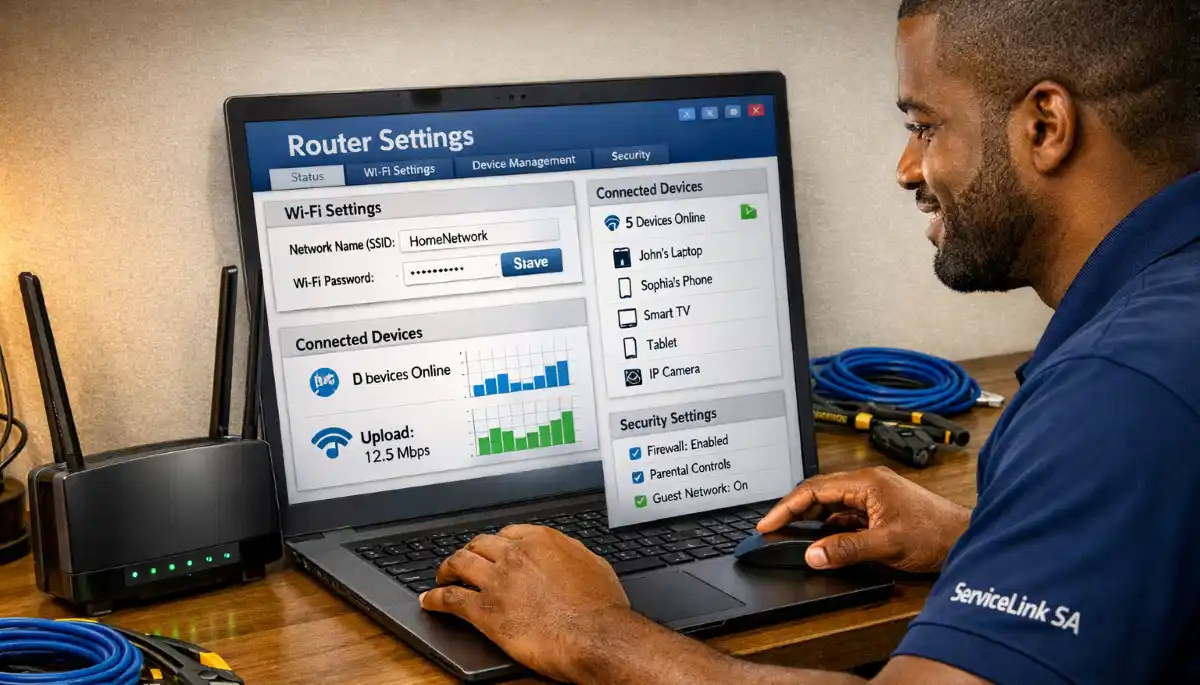
🔒 WiFi Security Measures
Here are essential security measures to prevent wifi hacking.
1. Use Strong Encryption:
Ensure your router uses WPA3 or WPA2 encryption. Avoid WEP—it’s outdated and easily cracked.
2. Use a Strong Password:
Use a complex password with at least 12 characters.
3. Disable WPS:
WPS has known vulnerabilities. Disable it in your router settings.
4. Update Router Firmware:
Regularly check for and install firmware updates.
5. Change Default Admin Password:
Change the router’s admin password from the default.
6. Enable Network Encryption:
Ensure your network uses wifi encryption to protect your data.
7. Use a Guest Network:
Create a separate network for guests to keep your main network secure.
8. Monitor Connected Devices:
Regularly check who’s connected to your network.
For more on security, see our network security guide.
🔐 WiFi Encryption
WiFi encryption is your first line of defence against wifi hacking.
Types of WiFi Encryption:
- WEP: Outdated and easily broken. Don’t use it.
- WPA: Better than WEP but still has vulnerabilities.
- WPA2: The current standard. Good security.
- WPA3: The latest standard. Best security available.
How to Check Your Encryption:
- Access your router’s settings.
- Find wireless or security settings.
- Check the encryption type.
- If it’s WEP or WPA, upgrade to WPA2 or WPA3.
How to Change Encryption:
- Access your router’s settings.
- Find wireless or security settings.
- Select WPA2 or WPA3.
- Enter a strong password.
- Save and apply the settings.
For more on encryption, see our WPA3 vs WPA2 guide.
🛡️ Router Security Best Practices
Good router security is essential to prevent wifi vulnerable to hacking.
1. Change Default Credentials:
The default admin username and password are well-known. Change them immediately.
2. Disable Remote Management:
If you don’t need remote access, disable it.
3. Enable Firewall:
Your router’s firewall helps block unauthorised access.
4. Regular Firmware Updates:
Check for updates every 3-6 months.
5. Disable Unused Features:
Features like UPnP and port forwarding can be security risks.
6. Use HTTPS for Admin:
If your router supports it, use HTTPS to access the admin dashboard.
7. Set Up Alerts:
Some routers can alert you when new devices connect.
For more on router security, see our router setup guide.
❓ Frequently Asked Questions About WiFi Hacking
How can hackers access my WiFi network?
How hackers can access your WiFi network explained involves methods like brute force attacks, weak passwords, WPS exploits, and outdated wifi encryption. Hackers can also use wifi hacking tools to capture data or crack passwords. Understanding how hackers can access your WiFi network explained helps you protect against wifi hacking.
How do I know if someone is on my WiFi?
How to tell if someone is on my wifi involves checking your router’s connected devices list. Look for unknown devices. Other signs include slow internet, increased data usage, and unexpected changes to router settings. If you find unknown devices, change your password immediately.
How can I stop neighbours from using my WiFi?
How to stop neighbours from using my wifi includes changing your password, enabling MAC address filtering, hiding your network SSID, and using WPA3 encryption. The most effective method is changing your password to a strong, unique one. This addresses the wifi security risks of unauthorised access.
What are WiFi hacking tools?
Wifi hacking tools explained includes tools like Aircrack-ng, Kismet, and Reaver. These tools capture data packets, crack passwords, and exploit vulnerabilities. Understanding wifi hacking tools helps you defend against them by using strong wifi encryption, disabling WPS, and keeping router security updated.
How can I protect my home WiFi from hackers?
How to protect home wifi from hackers starts with strong wifi encryption (WPA3 or WPA2), a strong password, disabled WPS, and regular firmware updates. Also change default admin credentials and monitor connected devices. These are the best wifi security practices.
What is WiFi encryption and why is it important?
WiFi encryption scrambles the data transmitted over your network, making it unreadable to hackers. Without it, wifi hacking is much easier. WPA3 is the best wifi encryption currently available. Good wifi encryption is essential for wifi security.
What are the signs my WiFi has been hacked?
Signs your network is wifi vulnerable to hacking include slow internet, unknown devices on your network, increased data usage, changed router settings, and security warnings. If you notice these, your wifi security may be compromised. Change your password and check router security settings immediately.
Is WPS a security risk?
Yes, WPS has known vulnerabilities that hackers exploit. It’s recommended to disable WPS in your router settings. This is a key step in how to protect home wifi from hackers. Disabling WPS improves router security and reduces wifi security risks.
✅ Final Thoughts: Secure Your WiFi Network Today
Understanding how hackers can access your WiFi network explained is the first step to protecting yourself. Wifi hacking is a real threat, but with the right wifi security measures, you can significantly reduce your wifi security risks.
Key Takeaways:
- Use strong encryption: WPA3 or WPA2.
- Create strong passwords: 12+ characters, mix of characters.
- Disable WPS: It’s a security risk.
- Update firmware: Regular updates fix vulnerabilities.
- Monitor devices: Check who’s connected to your network.
- Change default credentials: Admin username and password.
- Use a guest network: Separate guests from your main network.
Your Next Step: Check your router settings today. Ensure you’re using WPA2 or WPA3 wifi encryption, disable WPS, and change your admin password. If you’re concerned about wifi hacking or want professional help, ServiceLink SA can connect you with local specialists who understand router security and wifi security.
Ready to Secure Your WiFi Network?
Get free quotes from verified local specialists for wifi security and router security assessments.
📞 Call us: 073 138 4726 for immediate help finding a specialist near you.
Best Security Settings •
Block Unknown Devices •
Hide Your Network
📢 Are You a Network Security Professional?
Join ServiceLink SA’s network of verified contractors and get access to qualified leads for wifi security and router security projects.
📚 Official resources & standards referenced:
- SANS 10400 – Guidelines for electrical and networking installations in South African homes.
- SAPS – South African Police Service cybersecurity resources.
Information provided for general guidance. For professional how hackers can access your WiFi network explained advice, always consult a qualified cybersecurity professional.
Written by: Innocent T Hanyani
Construction & Home Services Industry Specialist | 21+ Years Experience
Innocent T Hanyani has over two decades of experience working across South Africa’s construction, telecommunications, and home services sectors. Throughout his career, he has worked closely with network installers, IT security professionals, and homeowners, gaining practical insight into how hackers can access your WiFi network explained. His expertise helps homeowners understand the complexities of wifi hacking and wifi security risks, from identifying if their network is wifi vulnerable to hacking to implementing effective wifi security and router security measures.