
Need Professional Dish Alignment?
Get a free quote from a verified, accredited DSTV installer near you.
Professional alignment ensures perfect signal without the hassle.
Servicing Gauteng, Pretoria, Centurion, Akasia, Pretoria East, Pretoria North, and across South Africa
How to Use a Satellite Signal Meter for DSTV Alignment: Perfect Signal Every Time
📡 Stop guessing. A satellite signal meter is the professional’s secret to perfect dish alignment.
Your DSTV picture is pixelating. You’re losing signal during rain. You know your dish needs realignment,
but you have no idea how to do it properly. You could try the “by eye” method – but that’s like trying
to tune a guitar by guessing the notes. You’ll never get it perfect.
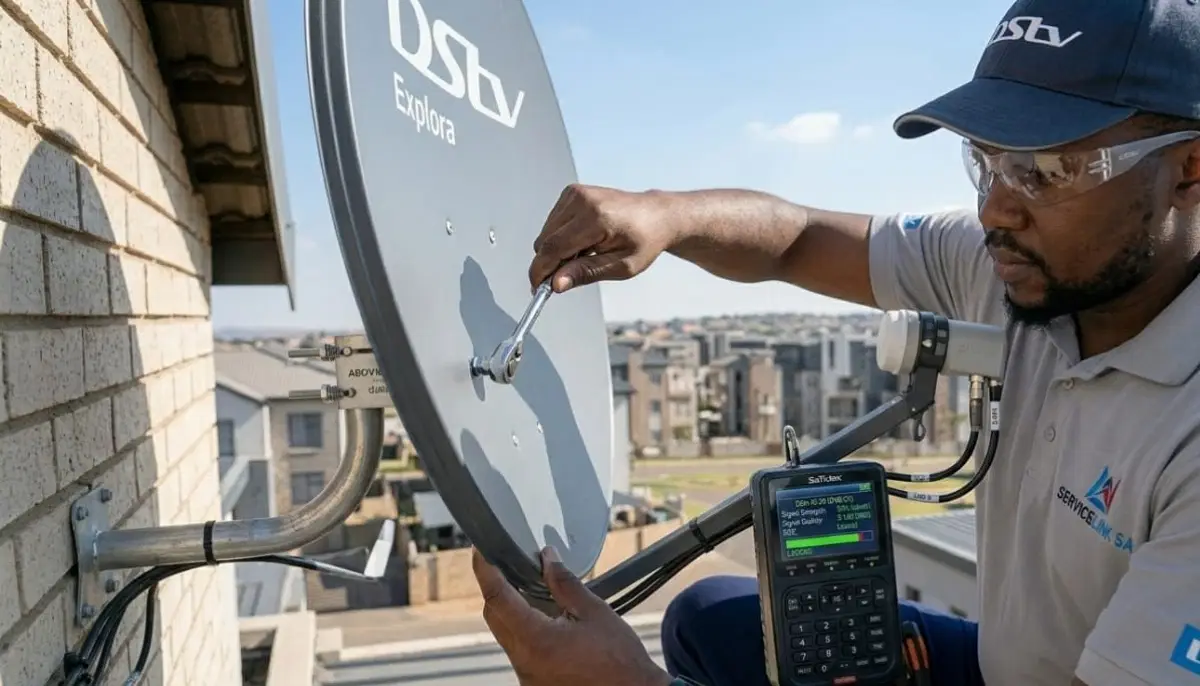
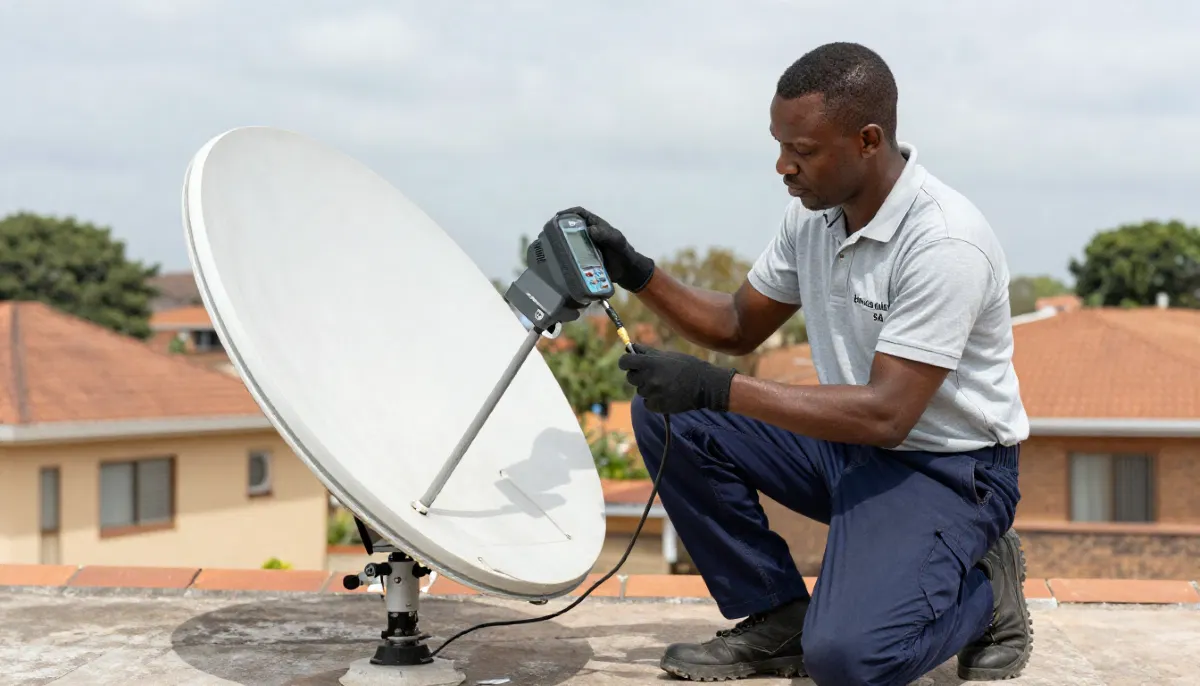
The professional solution is a satellite signal meter for dstv. This small device
connects between your LNB and decoder and gives you real-time feedback on signal strength and quality.
It’s the difference between a “close enough” alignment and perfect 85%+ signal.
In this guide, I’ll show you exactly how to use a signal meter for dstv signal meter alignment.
You’ll learn what to buy, how to connect it, and how to interpret the readings to achieve perfect signal.
If you want to use satellite finder for dstv like a pro, you’ve come to the right place.
For a complete alignment guide without a meter, read our
dish alignment guide.
For improving signal strength, see signal strength guide.
And for no signal problems, read no signal guide.
📋 Table of Contents – Satellite Signal Meter Guide
📡 What Is a Satellite Signal Meter?
A satellite signal meter for dstv (also called a satellite finder or sat meter)
is a device that measures the strength and quality of the signal from your satellite dish.
What it does:
- Connects between your LNB and decoder
- Displays real-time signal strength and quality readings
- Provides audible tones that change as signal improves (beeps faster with better signal)
- Helps you find the satellite and peak the signal without running back and forth to check your TV
Why you need one:
- The decoder’s built-in meter updates slowly (1-2 second delay)
- A signal meter updates instantly – you see changes immediately
- You can hear the tone change while adjusting the dish, without looking at a screen
- Professional-grade meters measure actual signal quality, not just strength
💡 Pro Insight:
The difference between a “good enough” alignment and perfect alignment is often just 2-3mm of dish movement.
A signal meter makes this precision possible. Without it, you’re guessing – and guessing rarely works.
🔧 Types of Satellite Signal Meters
| Type | Price Range | Features | Best For |
|---|---|---|---|
| Basic analogue meter | R200-R400 | Needle display, audible tone, strength only | DIY beginners, budget-conscious |
| Digital display meter | R400-R800 | LCD display, strength and quality, tone, some frequency info | DIY enthusiasts, semi-professionals |
| Professional spectrum analyser | R3,000-R8,000+ | Full spectrum view, constellation diagrams, BER measurement, multiple satellite support | Professional installers, technicians |
🛒 How to Choose the Right Satellite Signal Meter
When selecting a signal strength meter for your needs, consider these factors.
For homeowners (one-time use):
- A basic analogue meter (R200-R400) is sufficient for occasional alignment
- Look for one with an audible tone – you can listen while adjusting the dish
- Digital display meters are easier to read but cost more
For professional installers:
- Invest in a professional spectrum analyser (R3,000-R8,000+)
- Features to look for: constellation diagram, BER measurement, multiple satellite support, spectrum view
- Brands: Satlink, Freesat, Rojone, Promax
- Read our guide for choosing the right contractor
📦 Equipment You’ll Need for Signal Meter Alignment
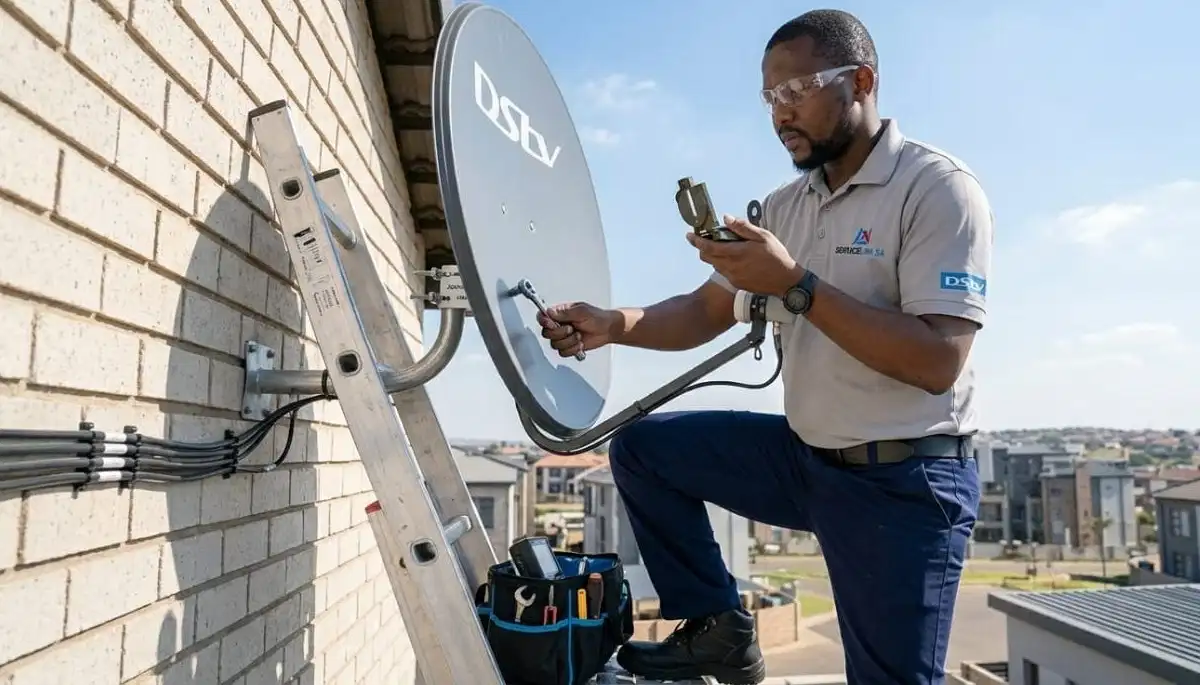
- Satellite signal meter (analogue or digital)
- Short coaxial cable (1-2 metres) to connect meter to LNB
- Compass or smartphone compass app (for initial direction)
- Adjustable wrench – for loosening dish bolts
- Marker pen – to mark starting position
- Safety harness (if working on a roof)
- Stable ladder (if dish isn’t ground-accessible)
Don’t Have a Signal Meter?
Get professional alignment from a verified, accredited DSTV installer near you.
We have the right tools and expertise for perfect signal.
Free quotes. Verified installers. No obligation.
📋 Step-by-Step Signal Meter Alignment Process
Step 1: Set up your equipment
- Connect the signal meter between your LNB and decoder
- LNB → short cable → signal meter IN → short cable → signal meter OUT → decoder
- Turn on your decoder (it provides power to the LNB through the meter)
- Set your decoder to a known working channel (like SABC 1 or a DSTV promo channel)
Step 2: Find the approximate direction
- Use your compass to find 45° magnetic northeast
- Point your dish roughly in that direction
- Set elevation to approximately 35° (use inclinometer app)
- Loosen the dish’s azimuth and elevation bolts slightly
Step 3: Sweep for the satellite
- Slowly sweep the dish left to right (about 10° in each direction) while watching the meter
- Move very slowly – satellite signals are narrow
- When you see the meter reading increase, stop and tighten the azimuth bolt slightly
- If you don’t find a signal, adjust elevation by 2-3° and sweep again
Step 4: Peak the signal
- Once you have a signal, make tiny adjustments (2-3mm) to azimuth while watching the meter
- Find the peak reading, then tighten the azimuth bolt
- Adjust elevation in tiny increments to find the peak, then tighten
- Adjust LNB skew while watching quality (not just strength)
Step 5: Verify and lock
- Once peaked, tighten all bolts while monitoring the meter
- Remove the signal meter and reconnect the LNB directly to the decoder
- Check signal readings on your decoder (Menu → Settings → Signal Detection)
- Target: 75%+ on both strength and quality (85%+ preferred)
📊 Interpreting Signal Meter Readings
Analogue meter (needle display):
- Needle should move to the right as signal improves
- Target: Needle in the green zone (usually 70-100% on the scale)
- Audible tone beeps faster with better signal
Digital meter (LCD display):
- Signal Strength: Raw power – target 75%+ (85%+ preferred)
- Signal Quality: Clarity – MORE IMPORTANT than strength. Target 75%+ (85%+ preferred)
- BER (Bit Error Rate): Should be as low as possible (0.00E+00 is perfect)
- Constellation diagram: Should show clear, tight clusters (not spread out)
✅ Target Readings:
For reliable DSTV viewing without pixelation or rain fade:
Signal Strength: 75%+ (85%+ ideal)
Signal Quality: 75%+ (85%+ ideal)
BER: Below 1.0E-04 (lower is better)
📱 Using Your Decoder’s Built-in Signal Meter
If you don’t have a dedicated signal meter, you can use your decoder’s built-in meter.
However, it has limitations.
How to access:
- Press “Menu” on your remote
- Navigate to Settings → System Settings → Signal Detection
Limitations of the decoder meter:
- Updates slowly (1-2 second delay) – frustrating when making adjustments
- Requires a helper to watch the TV while you adjust the dish
- No audible feedback – you must look at the screen
- Less accurate than a professional meter
How to use it effectively:
- Bring a small TV outside near the dish, or use a long HDMI cable
- Make an adjustment, then wait 3-5 seconds for the reading to update
- Make tiny adjustments – 2-3mm at a time
- Write down readings before and after to track improvement
❌ 5 Common Signal Meter Mistakes to Avoid
⚠️ Avoid These Errors
-
Moving too fast: Satellite signals are narrow. Sweep slowly – 1-2 degrees per second.
If you move too fast, you’ll skip right over the signal. -
Not marking starting position: Always mark your dish’s starting position with a marker.
If you get lost, you can return to where you started. -
Ignoring signal quality: Many DIYers only look at strength. Quality is MORE important.
You can have 90% strength but 30% quality – your picture will pixelate constantly. -
Not weatherproofing after alignment: After you’ve perfected the alignment,
weatherproof all connections with self-amalgamating tape. Water ingress will destroy your signal. -
Over-tightening bolts: Snug is enough. Over-tightening can strip threads or
move the dish off its peak. Tighten while monitoring the meter.
🔧 Troubleshooting: No Signal or Weak Signal
Problem: No signal at all (meter reads 0%)
- Check cable connections – ensure meter is connected properly
- Check decoder is powered on (provides power to LNB)
- Check LNB – may be faulty or not compatible
- Check dish direction – you may be pointing in completely the wrong direction
Problem: Weak signal (strength low)
- Dish may be obstructed (trees, buildings)
- Dish size may be too small for your area (need 80cm in coastal areas)
- Cable may be too long or of poor quality (RG59 instead of RG6)
- LNB may be old or failing
Problem: Good strength but poor quality
- LNB skew is incorrect – adjust rotation while watching quality
- LNB may be failing (heat-related issues)
- Water in cables or connectors
- Electrical interference from nearby power cables
🎯 Advanced Tips from Professional Installers
- Check multiple transponders: Don’t just check one channel. Different channels use different frequencies.
Peak the signal on the weakest transponder for best overall performance. - Document your readings: Write down signal strength and quality after alignment.
If signal degrades over time, you’ll have a baseline to compare against. - Check after storms: High winds can move your dish. Check signal readings after severe weather.
- Use a friend: Having someone watch the meter while you adjust saves multiple trips up and down the ladder.
- Peak for quality, not strength: A slight trade-off in strength for better quality is always worth it.
🛠️ For Professional DSTV Installers
If you’re a professional DSTV installer looking to grow your business, ServiceLink SA can help.
We connect verified, accredited installers with homeowners across South Africa.
Benefits of joining ServiceLink SA:
- Receive qualified job leads in your area
- Grow your customer base without expensive advertising
- Be listed alongside other trusted, verified installers
- Access to our Beat Your Quote platform
- Join a community of professional installers
Interested in joining? Learn more about joining ServiceLink SA
or contact our team for more information.
❓ Frequently Asked Questions About Satellite Signal Meters
Do I really need a satellite signal meter for DSTV alignment?
For the best results, yes. A satellite signal meter for dstv provides real-time feedback
that your decoder’s built-in meter can’t match. While you can align using your decoder’s meter,
it’s much slower and less accurate. For a one-time DIY alignment, a basic R200-R400 meter is a worthwhile investment.
What’s the difference between signal strength and signal quality?
Signal strength measures raw power. Signal quality measures clarity.
Quality is more important – you can have 90% strength but 30% quality, and your picture will pixelate constantly.
When using how to use signal meter to align dstv dish, always prioritise quality over strength.
Can I use my phone as a satellite signal meter?
There are apps that claim to work as signal meters, but they’re not reliable for precise alignment.
They use your phone’s compass and GPS to estimate direction, but can’t measure actual signal strength.
For proper dstv signal meter alignment, use a dedicated hardware meter.
How much does a good satellite signal meter cost?
Basic analogue meters: R200-R400. Digital display meters: R400-R800.
Professional spectrum analysers: R3,000-R8,000+.
For homeowners, a basic analogue meter is sufficient. For professionals, invest in a quality digital meter.
What is a good signal strength reading for DSTV?
A good signal strength meter reading is 75% or higher. For reliable viewing without pixelation
or rain fade, aim for 85%+ on both strength and quality. If you’re below 70%, you’ll experience problems
during bad weather.
Why does my signal meter show good strength but poor quality?
This usually indicates incorrect LNB skew, a failing LNB, water in cables, or electrical interference.
When you use satellite finder for dstv, adjust LNB skew while watching quality –
not strength. If quality doesn’t improve, your LNB may need replacement.
Can I align my DSTV dish without a signal meter?
Yes, using your decoder’s built-in meter. However, it’s much slower and less accurate.
You’ll need a helper to watch the TV while you adjust the dish.
For best results, invest in a basic signal meter – it’s worth the R200-R400.
How often should I check my DSTV signal strength?
Check monthly as preventative maintenance. Also check after severe storms or high winds,
and if you notice any pixelation or freezing. Early detection of signal degradation
allows you to fix problems before they cause complete signal loss.
What causes signal strength to fluctuate on the meter?
Fluctuating readings usually indicate loose connections, intermittent obstructions (tree branches moving in wind),
or a failing LNB. Check all cable connections first. If fluctuations continue, inspect for trees in your line of sight
or consider LNB replacement.
Can a signal meter help with Extra View (multi-room) setups?
Yes. A signal meter is essential for how to use signal meter to align dstv dish in multi-room setups.
You need strong baseline signal to support multiple decoders. Use the meter to ensure 85%+ signal quality
before connecting additional decoders. Read our Extra View guide.
✅ Final Thoughts: Perfect Signal Is Within Reach
A satellite signal meter for dstv is the most important tool for achieving perfect dish alignment.
Whether you’re a DIY homeowner or a professional installer, the right meter makes the difference
between “close enough” and perfect 85%+ signal.
For homeowners: invest in a basic R200-R400 meter. It’s worth the cost for the frustration it saves.
For professionals: a quality digital meter is an essential business investment.
If you’d rather leave alignment to the experts, ServiceLink SA connects you with verified,
accredited installers who have professional-grade signal meters and years of experience.
Request a free quote today.
Need Professional Dish Alignment?
Get a free quote from a verified, accredited DSTV installer near you.
Professional alignment ensures perfect signal without the hassle.
📞 Call us: 073 138 4726 for immediate alignment assistance.
Free signal inspection •
How to choose an installer •
12-month warranty
🔧 Professional DSTV Installer?
Join ServiceLink SA to receive qualified job leads in your area.
📚 Official resources & standards referenced:
- Official DSTV signal strength requirements – Official signal specifications.
- SABS – South African Bureau of Standards alignment standards.
Information provided for general guidance. DSTV is a registered trademark of MultiChoice.
Always prioritise safety – hire a professional for roof work.
Written by: Innocent T Hanyani
Satellite & Home Entertainment Installation Specialist | 21+ Years Experience
Innocent T Hanyani has over two decades of experience in satellite television installations across South Africa.
He has aligned thousands of DSTV dishes using professional signal meters and trained dozens of technicians
on proper alignment techniques. His practical guidance helps homeowners and professionals achieve perfect signal every time.
For more help with DSTV signal alignment, explore our related resources:
dish alignment guide,
improve signal strength,
no signal guide,
dish installation guide,
rain fade guide.
See our service areas page for coverage in your region.