
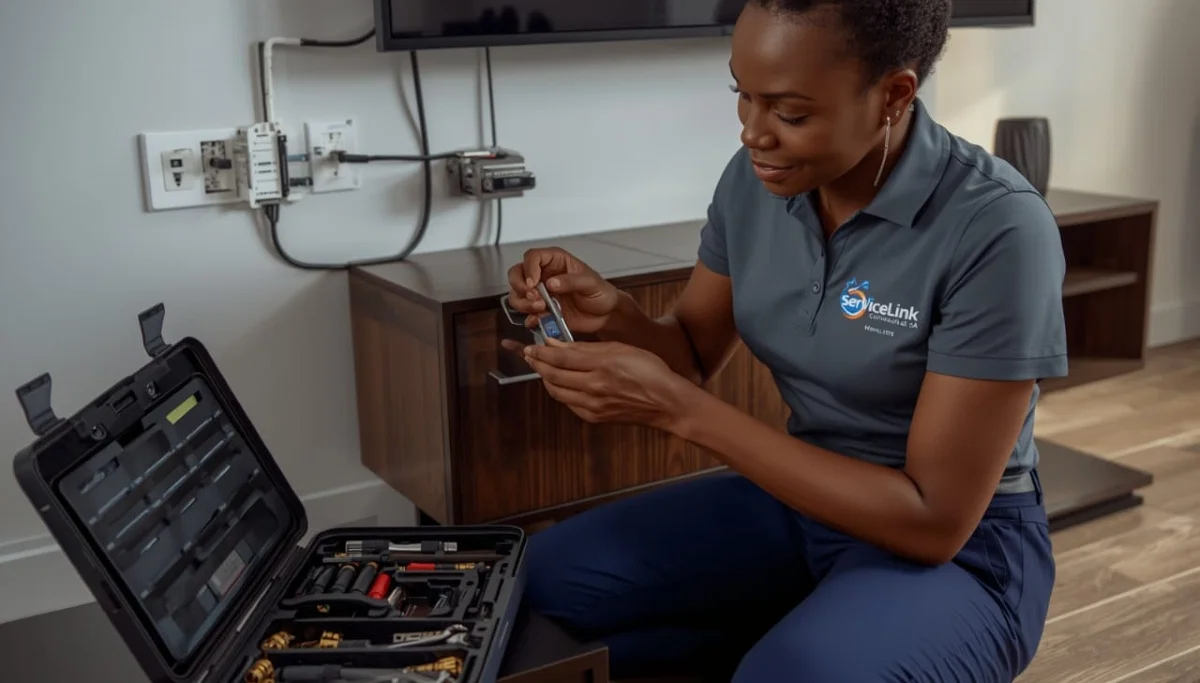
Want DSTV in Another Room?
Get a free quote for professional extra TV point installation from a verified, accredited DSTV installer near you.
Same-day service available across South Africa.
Servicing KwaZulu-Natal, Durban, Umhlanga, Ballito, Westville, Pinetown, and across South Africa
DSTV Extra TV Point Installation: Add Another TV Without Extra Monthly Fees
📺 Add a TV in your bedroom, kids’ room, or home office – no second subscription needed.
You have DSTV in your living room. But now you want it in the bedroom. Or the kids want cartoons
in their room while you watch news in the lounge. What do you do?
Many homeowners think they need a second DSTV subscription. That’s R150-R979 extra per month.
Others think they need to move the decoder back and forth (inconvenient and damages cables).
The smart solution is a dstv extra tv point. With this setup, you can watch DSTV
on multiple TVs in different rooms – all from the same subscription. No second monthly fee.
Just a one-time installation cost.
In this complete guide to add extra dstv connection, I’ll explain how extra TV points work,
the different setup options, what it costs, and how to install it yourself or hire a professional.
If you’re wondering “how to add extra dstv point in another room”, you’ve come to the right place.
For a complete multi-room solution with independent channel selection, read our
Extra View installation guide.
For larger systems, see multi-room DSTV installation.
And for distributing to many TVs, read multi-TV distribution.
📋 Table of Contents – DSTV Extra TV Point Guide
📺 What Is a DSTV Extra TV Point?
A dstv extra tv point is an additional wall outlet connected to your existing DSTV dish.
It allows you to plug in a second (or third) decoder and watch DSTV on another TV.
Key benefits:
- No second monthly subscription: You pay once for installation, not monthly fees
- Watch different channels: Each TV can watch a different channel (requires Extra View activation – see below)
- Clean installation: Professional wall outlets look neat and professional
- Future-proof: Easy to add more TVs later
- Increases property value: Extra TV points are a selling point for home buyers
What you need to know:
- Each extra TV needs its own decoder (you can buy additional decoders or use existing ones)
- To watch different channels on each TV, you need Extra View activated on your account (+R105 per extra decoder)
- Without Extra View, all TVs show the SAME channel (mirroring)
- Professional installation is recommended for best results
✅ Key Takeaway:
An extra TV point is the physical infrastructure (cable and wall outlet). Extra View is the subscription feature
that lets each TV watch different channels. You need BOTH for independent viewing in multiple rooms.
🔧 How Extra TV Points Work (Technical Overview)
Understanding how additional tv outlet systems work helps you make informed decisions about your setup.
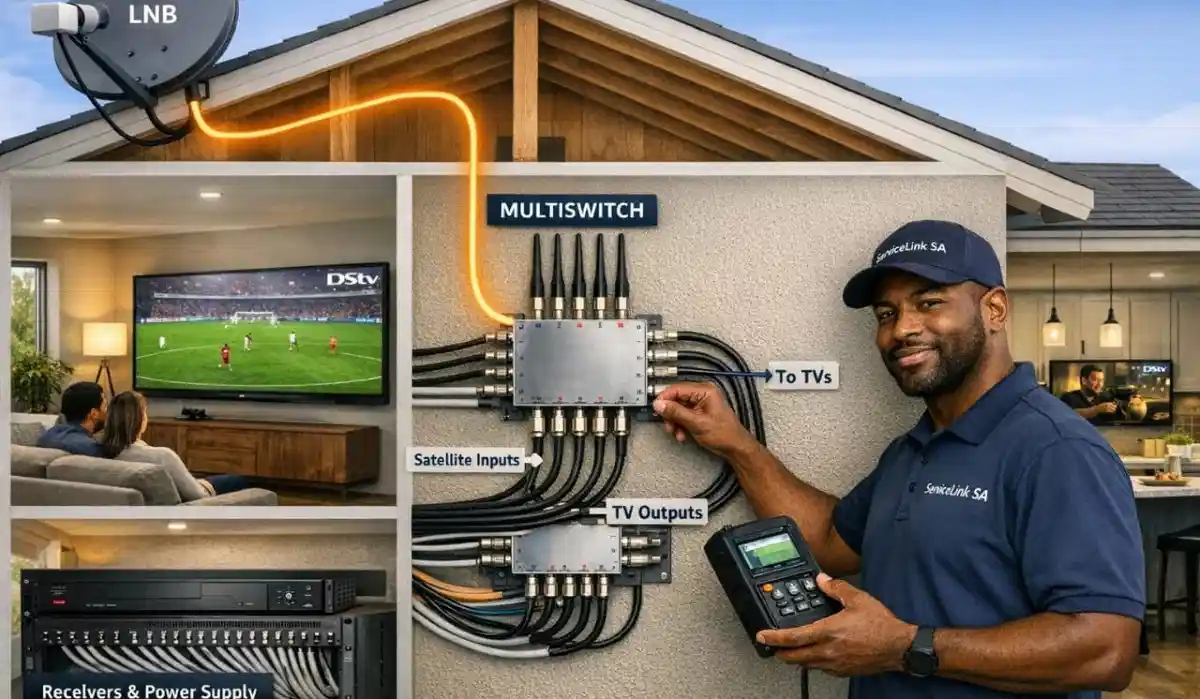
The signal path:
- Your satellite dish captures the signal from the Eutelsat satellite
- A multi-output LNB (Quad or Smart LNB) sends signal through multiple cables
- Each cable runs from the LNB to a different room in your house
- Each cable ends in a wall outlet (F-type connector)
- You connect a decoder to each wall outlet
- Each decoder connects to its own TV
What you need for multiple TV points:
- Multi-output LNB: Single LNB = 1 output (1 TV). Quad LNB = 4 outputs (4 TVs). Smart LNB = 4+ outputs.
- One cable per TV point: Each decoder needs its own dedicated cable from the LNB
- Decoders: You need a decoder for each TV (can be HD decoders or Explora)
- Extra View activation: Required if you want different channels on each TV
For detailed LNB information, read our
Smart LNB vs Universal LNB guide.
⚙️ Setup Options: Passive vs Active Distribution
There are two main ways to create dstv second tv point setups:
passive distribution (simpler) and active distribution (more complex).
Passive Distribution (Direct Cabling):
- Each decoder has its own dedicated cable from the LNB
- No splitters or amplifiers – just straight cable runs
- Best for: Homes with 2-4 TV points, short cable runs (under 30m)
- Advantages: Simplest, most reliable, no signal loss from splitters
- Disadvantages: Requires more cables, may need more LNB outputs
Active Distribution (Multiswitch):
- A multiswitch splits the signal from a Quattro LNB to many outputs
- Can feed 8, 16, 32, or more TV points from one dish
- Best for: Large homes with 4+ TV points, long cable runs, or communal systems
- Advantages: Scalable, can feed many TVs from one dish
- Disadvantages: More expensive, requires professional design
For large systems, read our
multiswitch installation guide
and communal installation guide.
💰 DSTV Extra TV Point Cost Breakdown
| Item | Cost Range | Notes |
|---|---|---|
| Quad LNB (if upgrading) | R280-R450 | One-time cost, replaces existing Single LNB |
| Coaxial cable (per point) | R200-R400 | RG6 quad-shield, per TV point |
| Wall outlet & faceplate | R50-R150 | Per TV point |
| Installation labour (per point) | R350-R600 | Professional installation |
| Decoder (if needed) | R600-R2,500 | HD decoder or Explora |
| Total per extra point (one-time) | R600 – R1,150 + decoder | Excluding decoder cost |
| Monthly Extra View fee (per extra decoder) | R105 | Required for different channels on each TV |
💡 Cost-Saving Tip:
If you’re building a new home or renovating, install extra TV points during construction.
The labour cost is much lower when walls are open. Installing after construction (fishing cables through walls)
costs 2-3 times more.
Ready to Add DSTV to Another Room?
Get free quotes for professional extra TV point installation from verified, accredited DSTV installers near you.
Same-day service available across South Africa.
Free quotes. Verified installers. No obligation.
⚖️ Extra TV Point vs Extra View: What’s the Difference?
These terms are often confused, but they mean different things.
Here’s the distinction between a dstv extra tv point and Extra View.
| Feature | Extra TV Point | Extra View |
|---|---|---|
| What it is | Physical cable and wall outlet | Subscription feature / software activation |
| Cost | One-time installation fee (R600-R1,150) | Monthly fee (R105 per extra decoder) |
| What it enables | Physical connection for a decoder | Independent channel selection on each decoder |
| Without it | You can’t connect a second decoder at all | All decoders show the SAME channel (mirroring) |
| Do you need both? | Yes, to have multiple TVs | Yes, to watch different channels on each TV |
💡 Key Insight:
Think of it this way: the extra TV point is the road (infrastructure). Extra View is the traffic light
that lets cars go in different directions. You need both for independent viewing.
You can have an extra TV point without Extra View – but all TVs will show the same channel.
🤔 Which Option Should You Choose?
Based on your needs, here’s how to decide between a simple extra TV point and a full Extra View setup.
Choose a basic extra TV point (no Extra View) if:
- You want to watch the same channel on multiple TVs (e.g., same sports match in lounge and bar)
- You have young children who watch the same cartoons as you watch in the lounge
- You want to move your decoder between rooms occasionally (not permanent)
- You’re on a tight budget and want the lowest-cost solution
Choose Extra View (independent viewing) if:
- Different family members want to watch different channels simultaneously
- Dad wants sports in the lounge while kids watch cartoons in their room
- You have a home office and want to watch news while others watch entertainment
- You want to end family TV wars forever
For complete Extra View guidance, read our
Extra View installation guide.
📦 Equipment You’ll Need for Extra TV Points
Before installing a dstv extra tv point, gather these components.
For the LNB upgrade (if needed):
- Quad LNB (4 outputs) or Smart LNB – replaces your existing Single LNB
- Check your current LNB – if it has only one output, you need to upgrade
For each TV point:
- RG6 quad-shield coaxial cable (length depends on distance from dish to room)
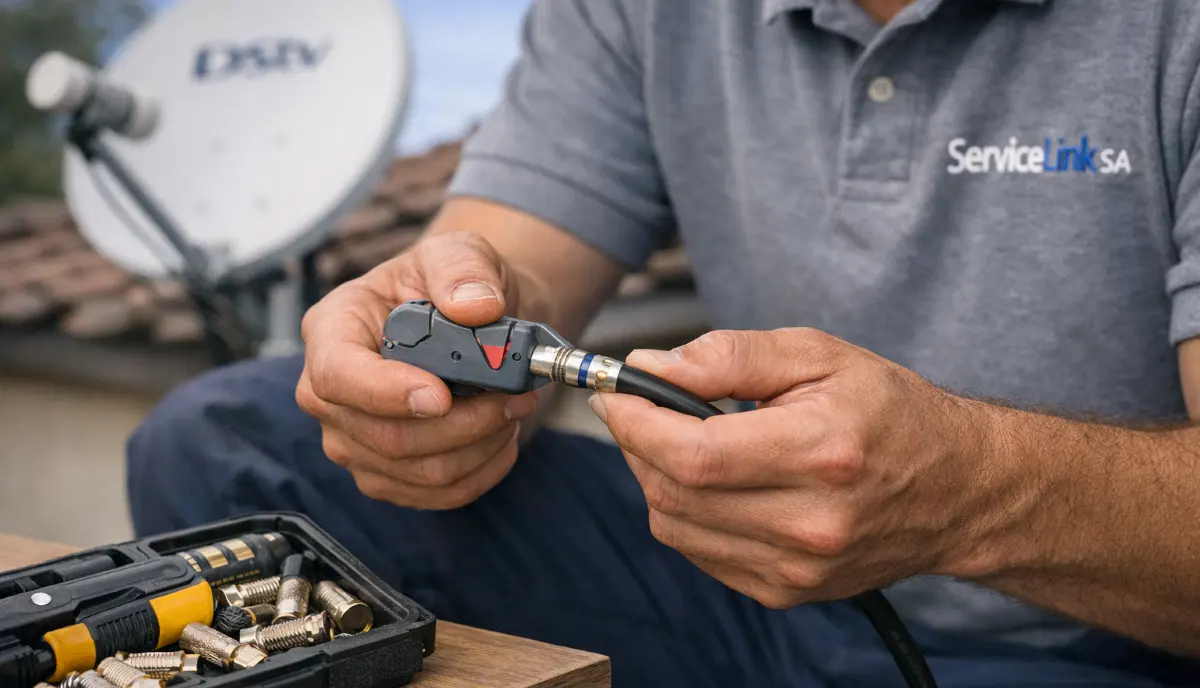
- Compression F-connectors (2 per cable – one at LNB, one at wall outlet)
- Wall outlet plate with F-type connector
- Back box for wall outlet (flush or surface mount)
- Decoder (HD decoder or Explora)
- HDMI cable (to connect decoder to TV)
Tools needed:
- Cable stripper
- Compression tool for F-connectors
- Drill with appropriate bits
- Fish tape or cable rods (for running cables through walls)
- Screwdrivers
- Spirit level
For quality equipment, refer to SABS standards for cable and connector quality.
Always buy RG6 quad-shield cable – cheap cable causes signal loss.
🛠️ Professional Extra TV Point Installation: What to Expect
When you hire a professional for add extra dstv connection, here’s the process.
Step 1: Assessment
- Technician assesses your existing setup (dish type, LNB type, current cabling)
- Determines best cable routes to each room
- Checks line of sight and signal strength
- Provides written quote for the work
Step 2: LNB upgrade (if needed)
- Replaces Single LNB with Quad or Smart LNB
- Realigns dish if disturbed during LNB replacement
- Weatherproofs all connections
Step 3: Cable installation
- Runs RG6 cable from LNB to each room
- Routes cables through ceilings, walls, or along exterior walls
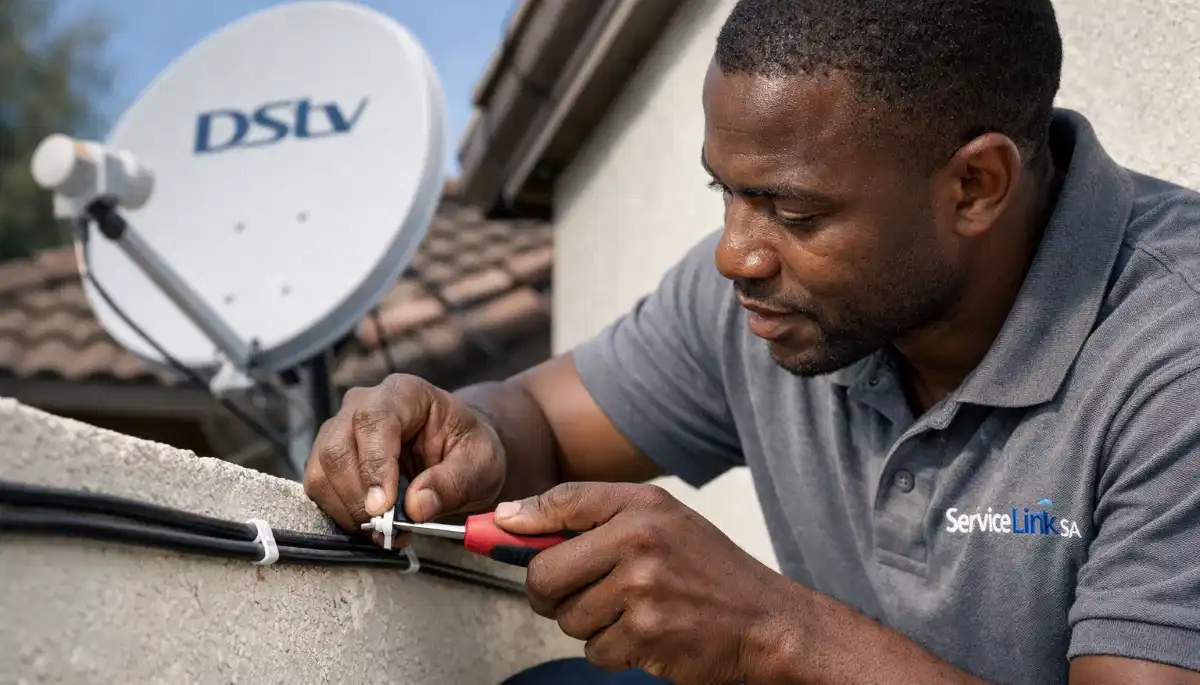
- Secures cables every 50cm with UV-resistant clips
- Installs wall outlet plates at each location
Step 4: Connection and testing
- Connects decoders to each wall outlet
- Tests signal strength at each point (target 75%+)
- Activates Extra View on your account (if requested)
- Demonstrates independent channel selection
For professional installation, request a quote from verified installers.
See our guarantees page and free inspection offer.
🔨 DIY Extra TV Point Installation (For Experienced DIYers)
If you’re technically inclined and comfortable with tools, here’s how to how to add extra dstv point in another room yourself.
WARNING: This requires working at height (dish access) and running cables through walls/ceilings.
Step 1: Upgrade your LNB (if needed)
- Power down decoder, climb safely to dish
- Remove existing Single LNB, install Quad or Smart LNB
- Mark the LNB position before removal for easier realignment
Step 2: Plan cable routes
- Determine shortest, safest path from dish to each room
- Avoid electrical wiring (keep 15cm separation)
- Plan for drip loops at entry points
Step 3: Run cables
- Drill holes through walls as needed (seal with silicone after)
- Use fish tape to pull cables through walls/ceilings
- Leave 30-50cm slack at each end
Step 4: Install wall outlets
- Mount back boxes and wall plates
- Attach F-connectors to cable ends
- Connect to LNB outputs
Step 5: Connect and test
- Connect decoders and test signal at each point
- Realign dish if signal is poor (use signal meter)
⚠️ Warning: DIY Risks
Running cables through walls requires drilling, fishing, and knowledge of building construction.
One wrong drill can hit electrical wiring (shock risk, fire hazard) or plumbing (flood).
Professional installation is strongly recommended unless you have significant DIY experience.
📏 Cable Routing Best Practices for Extra TV Points
Proper cable routing is essential for signal quality and safety.
Follow these SABS guidelines for additional tv outlet installations.
- Keep away from electrical wiring: Maintain at least 15cm separation from power cables. Cross at 90° if necessary.
- Avoid sharp bends: Minimum bend radius 5cm – tighter bends damage the internal conductor.
- Secure every 50cm: Use UV-resistant cable clips on exterior runs.
- Create drip loops: Before entering the building, let cable dip down then up – water runs off the loop.
- Seal all penetrations: Use silicone sealant around cables where they enter walls.
- Leave service loops: Extra 30-50cm of cable at each end for future re-termination.
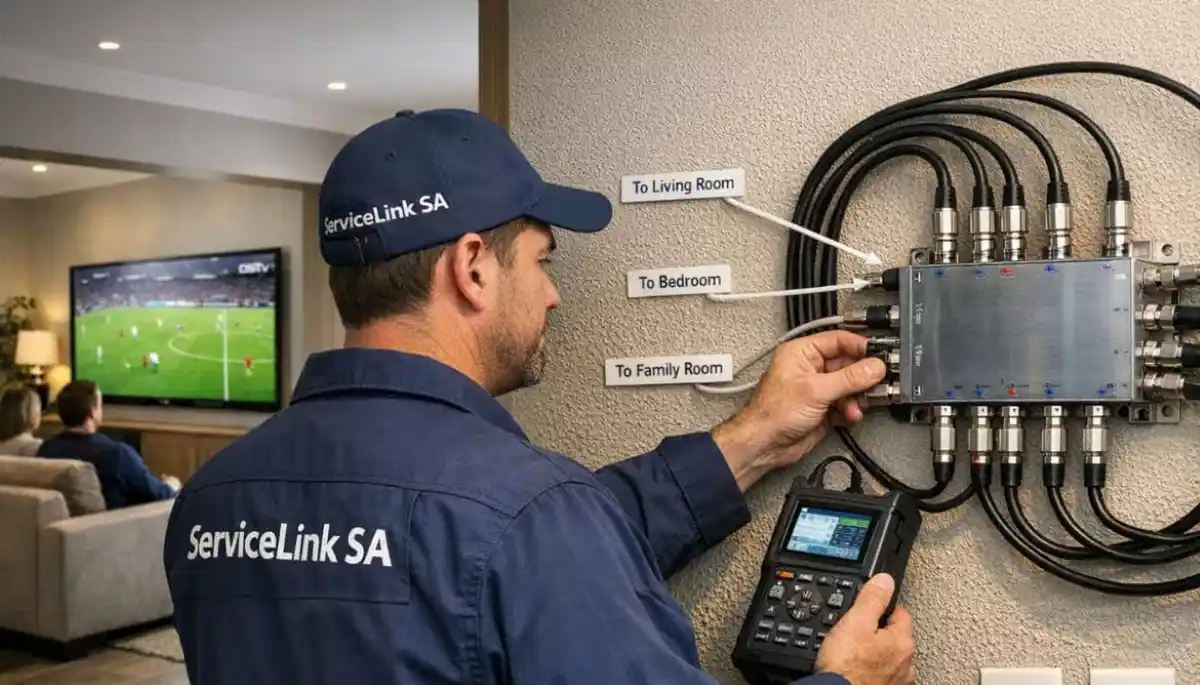
- Label cables: Mark which cable goes to which room – essential for troubleshooting.
For cable replacement services, read our
LNB and cable replacement guide.
📊 Signal Quality Considerations for Multiple TV Points
Adding extra TV points affects signal quality. Here’s what to watch for.
Signal loss factors:
- Cable length: Longer cables have more signal loss. For runs over 30m, use RG11 cable.
- Number of connections: Every F-connector causes some signal loss (0.5-1dB each).
- LNB quality: Cheap LNBs have higher noise figures (1.0dB+), causing poor signal quality.
- Dish size: Marginal signal (60cm dish) may not support 4 decoders – upgrade to 80cm.
Target signal levels for multiple decoders:
- Primary decoder: 85%+ strength and quality
- Secondary decoders: 75%+ strength and quality (acceptable)
- If any decoder is below 70%, investigate signal issues
For signal improvement, read our
signal strength guide
and dish size guide.
❌ 5 Common DIY Extra TV Point Mistakes
⚠️ Avoid These Errors
-
Using a splitter instead of separate LNB outputs: A simple splitter does NOT work for satellite signals.
Each decoder needs its own dedicated LNB output. Using a splitter will cause signal loss and conflicts. -
Running cable too close to electrical wiring: Electrical interference destroys satellite signals.
Maintain 15cm separation – don’t run cables parallel to power cables. -
Not weatherproofing outdoor connections: Water ingress is the #2 cause of signal problems.
Always use self-amalgamating tape on exterior F-connectors. -
Using cheap, low-quality cable: RG59 or copper-clad steel cable causes significant signal loss.
Always use RG6 quad-shield with copper core. -
Not labelling cables: When you have 4 cables from the LNB, you need to know which goes where.
Label each cable at both ends – saves hours of troubleshooting.
🌍 Regional Considerations for Extra TV Points
Your location in South Africa affects extra TV point installation.
KwaZulu-Natal (Durban, Umhlanga, Ballito, Westville, Pinetown):
- High humidity requires weatherproof connections and corrosion-resistant materials
- Coastal areas may need larger dish (80cm) for reliable multi-room signal
- Tropical rain can cause signal fade – ensure baseline signal is 85%+
- Salt air accelerates corrosion – use stainless steel fittings
- Installation services in KZN
For location-specific services, see our pages for
Durban,
Umhlanga,
Ballito,
Westville, and
Pinetown.
❓ Frequently Asked Questions About DSTV Extra TV Points
How much does it cost to add an extra DSTV point in another room?
Dstv extra tv point installation costs R600-R1,150 per point for labour and materials,
plus the cost of a decoder (R600-R2,500). Monthly Extra View fee is R105 per extra decoder if you want
different channels on each TV. Get a free quote for your specific home.
Can I add an extra TV point without paying a monthly fee?
Yes, you can add a dstv second tv point without monthly fees – but all TVs will show the SAME channel.
To watch different channels on each TV, you need Extra View activated on your account (+R105 per extra decoder per month).
The physical installation is a one-time cost; the monthly fee is only for independent viewing.
What’s the difference between an extra TV point and Extra View?
An add extra dstv connection point is the physical cable and wall outlet.
Extra View is a subscription feature that lets each decoder watch different channels.
You need both for independent viewing in multiple rooms. Without Extra View, all TVs show the same channel.
How many extra TV points can I add?
With a Quad LNB, you can add up to 3 extra points (4 total including your main TV).
With a Smart LNB or multiswitch system, you can add 7, 15, or more points.
For more than 4 TVs, you need professional design and equipment.
Read our multi-TV distribution guide.
Do I need a separate decoder for each extra TV point?
Yes. Each additional tv outlet needs its own decoder.
You can use HD decoders (R600-R1,000) for secondary TVs – they don’t need to be Explora models.
The main TV can keep your Explora for recording features.
Can I install an extra DSTV point myself?
Yes, if you’re experienced with how to add extra dstv point in another room – you need to
upgrade the LNB, run cables through walls/ceilings, install wall outlets, and potentially realign the dish.
Professional installation is recommended unless you have significant DIY experience and comfort with heights.
Will adding extra TV points affect my signal quality?
Adding extra TV points doesn’t reduce signal quality if done correctly – each decoder has its own dedicated
LNB output. However, long cable runs can cause signal loss. For runs over 30m, use RG11 cable.
Ensure your baseline signal is 85%+ before adding points.
What cable should I use for extra TV points?
Use RG6 quad-shield coaxial cable with solid copper core (not copper-clad steel).
For runs over 30 metres, use RG11 cable. Always use compression F-connectors, not screw-on types.
Cheap cable causes signal loss and pixelation. Follow SABS standards for quality.
How long does it take to install an extra DSTV point?
Professional installation of a single dstv extra tv point takes 2-3 hours.
Multiple points take 3-5 hours. DIY installation can take 4-8 hours or longer, depending on
your experience and the complexity of cable routing.
Can I use the same remote for multiple DSTV decoders?
No. Each decoder has its own remote. In different rooms, this isn’t an issue.
If you have two decoders in the same room, they may interfere.
DSTV remotes use different IR codes – you can pair each remote to its specific decoder.
Read our remote guide for pairing instructions.
✅ Final Thoughts: Add DSTV to Any Room in Your Home
A dstv extra tv point is the most cost-effective way to add DSTV to another room.
You pay a one-time installation fee (R600-R1,150 per point) plus a decoder (R600-R2,500).
Compare that to a second subscription (R150-R979 every month) – the extra TV point pays for itself in months.
For independent viewing (different channels on each TV), add Extra View for R105 per extra decoder per month.
This is still much cheaper than a second full subscription.
Ready to add DSTV to another room? Request a free quote from ServiceLink SA.
We’ll connect you with verified, accredited installers who specialise in extra TV point installations.
Same-day service available in most areas.
Ready to Add DSTV to Another Room?
Get free quotes for professional extra TV point installation from verified, accredited DSTV installers near you.
Same-day service available across South Africa.
📞 Call us: 073 138 4726 for immediate assistance.
Free site inspection •
How to choose an installer •
12-month warranty
📚 Official resources & standards referenced:
- Official DSTV Extra View terms – Official Extra View information.
- SABS – South African Bureau of Standards cable installation standards.
Information provided for general guidance. DSTV is a registered trademark of MultiChoice.
Extra View pricing and terms subject to change. Always verify current pricing with DSTV.
Written by: Innocent T Hanyani
Satellite & Home Entertainment Installation Specialist | 21+ Years Experience
Innocent T Hanyani has over two decades of experience in satellite television installations across South Africa.
He has installed thousands of extra TV points, helping families add DSTV to bedrooms, home offices, and kids’ rooms.
His expertise covers everything from basic single-point additions to complex multi-room distribution systems.
For more help with DSTV extra TV points, explore our related resources:
Extra View installation,
multi-room installation,
multi-TV distribution,
relocation services,
installation requirements.
See our service areas page for coverage in your region.