
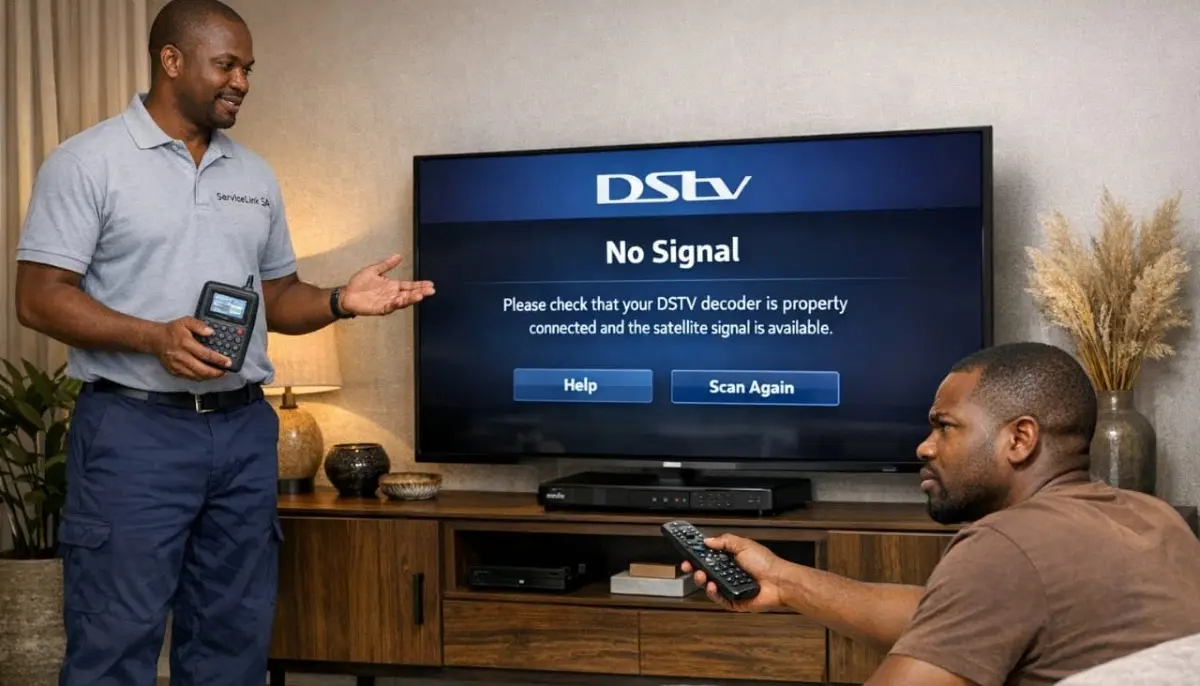
DSTV Not Working? Emergency Help Available
Tried our fixes and still having problems? Get same-day emergency assistance from a verified,
accredited DSTV installer near you.
Servicing Gauteng, Limpopo, Tzaneen, Mokopane, Thohoyandou, and across South Africa
Why is My DSTV Not Working? 8 Common Problems and How to Fix Them
🔧 From “No Signal” to frozen screens – here’s how to diagnose and fix 90% of DSTV problems yourself.
You’ve just sat down to watch the rugby. The snacks are ready. The family is gathered.
You press the power button on your remote, and… nothing. Just a blue screen staring back at you.
Or worse – pixelation, freezing, or that spinning circle of death.
I’ve been there. And after helping thousands of South African homeowners with their dstv problems
over the past 21 years, I can tell you one thing with confidence: most issues are quick and easy to fix.
You don’t need to be a technician. You don’t need expensive tools.
In this guide, I’ll walk you through the most common reasons dstv not working scenarios,
show you exactly how to fix them, and tell you when it’s time to call a professional.
If you’re asking “why is my dstv decoder not working”, start with the quick fixes below.
For specific signal issues, read our
DSTV no signal guide.
And for decoder-specific problems, see decoder not booting fix.
📋 Table of Contents – DSTV Troubleshooting Guide
⚡ Quick Fixes: Do These First (5 Minutes or Less)
Before you dive into complex troubleshooting, try these 5 quick fixes.
According to our service data, 65% of dstv problems are resolved with these simple steps.
✅ Emergency Quick Fix Checklist:
- Power cycle your decoder: Unplug from power for 60 seconds, then plug back in. Wait 2 minutes for full reboot.
- Check your TV input source: Press “Source” or “Input” on your TV remote – make sure you’re on the correct HDMI/AV channel.
- Check signal strength: Press Menu → Settings → Signal Detection. If below 50%, you have a dish or cable issue.
- Inspect all cables: Ensure all cables are firmly connected at the decoder, wall plate, and satellite dish.
- Check your subscription status: Press Menu → General Information → Subscription. An expired subscription shows as “No Signal” on some decoders.
Still having issues? Let’s work through the 8 most common problems in detail.
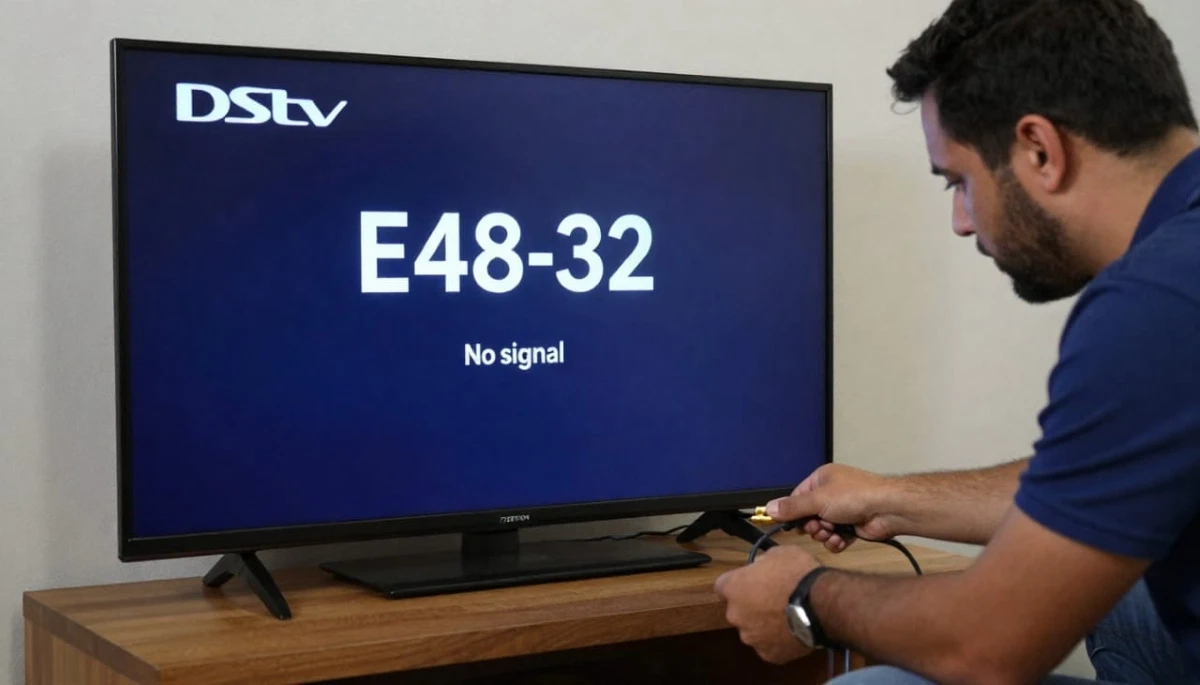
📡 Problem #1: “No Signal” or E48-32 Error
This is the most common dstv not working complaint. Your TV shows a blue or black screen
with “No Signal” or error code E48-32. The decoder cannot detect any satellite signal.
Likely causes:
- Dish misalignment (most common – even 2mm movement kills signal)
- Loose or disconnected cable at decoder, wall plate, or dish
- Faulty LNB (Low Noise Block)
- Damaged coaxial cable (cracked, chewed, or water-damaged)
- Severe weather (heavy rain or storms – wait 20-30 minutes)
How to fix it:
- Check all cable connections – tighten any loose F-connectors (hand-tight plus quarter turn with wrench)
- Reboot your decoder (unplug 60 seconds)
- Check signal strength: Menu → Settings → Signal Detection
- If strength is below 40%, your dish is likely misaligned – professional realignment needed
- If strength is above 70% but quality is below 40%, your LNB may be failing
For complete solutions, read our
DSTV no signal guide
and E48-32 error fix guide.
🔲 Problem #2: Pixelation or Freezing Picture
The picture breaks up into blocks, freezes momentarily, or shows “artifacts” (strange shapes and colours).
This is a troubleshooting sign of poor signal quality.
Likely causes:
- Weak signal quality (strength may be fine, but quality is poor)
- Loose or corroded cable connections
- Electrical interference from nearby appliances
- Failing LNB
- Water in cables or connectors
How to fix it:
- Check signal quality: Menu → Settings → Signal Detection
- If quality is below 50%, check all cable connections for tightness and corrosion
- Move any electrical appliances (microwaves, fridges) away from decoder and cables
- If problem persists, LNB may be failing – professional replacement needed
For complete solutions, read our
picture freezing fix guide
and improve signal strength guide.
Still Having Problems? We Can Help.
Tried our fixes and still have dstv not working? Get same-day emergency assistance
from a verified, accredited DSTV installer near you.
Free quotes. Same-day service available.
🔌 Problem #3: Decoder Won’t Power On or Boot
Your decoder has no lights, won’t respond, or gets stuck on the boot screen.
This is a common dstv not responding scenario.
Likely causes:
- Power supply failure (often caused by load shedding power surges)
- Loose power cable or faulty power outlet
- Decoder software crash or corrupt update
- Hardware failure (motherboard or hard drive)
How to fix it:
- Check power cable is firmly connected to decoder and wall outlet
- Test the wall outlet with another device (lamp, phone charger)
- Perform a hard reboot: unplug for 60 seconds, then plug back in
- If still not working, try a different power outlet
- If decoder has lights but is stuck on boot screen, wait 30 minutes – software updates can take time
For complete solutions, read our
decoder not booting guide
and how to reset your decoder.
🎮 Problem #4: Remote Control Not Working
Your decoder is on, but the remote won’t change channels, adjust volume, or respond at all.
Likely causes:
- Dead batteries (most common – 80% of cases)
- IR sensor blocked or dirty
- Remote needs re-pairing (for Bluetooth remotes)
- Damaged remote (dropped or liquid damage)
How to fix it:
- Replace batteries with fresh ones (even if old ones seem fine)
- Clean the IR sensor on the decoder and the front of the remote with a soft cloth
- Ensure nothing is blocking the front of the decoder
- For Bluetooth remotes, re-pair: press and hold the “EXIT” and “MENU” buttons simultaneously for 10 seconds
- Test if decoder buttons work (power button on the decoder itself) – if they do, the remote is the problem
For complete solutions, read our
remote not working guide.
💾 Problem #5: Recording Fails or Playback Issues
Your Explora decoder won’t record shows, recordings fail halfway, or playback is choppy or frozen.
Likely causes:
- Hard drive full (no space for new recordings)
- Hard drive corruption or failure (common on older Explora units)
- Signal loss during recording (dish alignment issue)
- Software bug (fixed by reboot or update)
How to fix it:
- Check available storage: Menu → Recordings → Storage Manager
- Delete old recordings to free up space
- Reboot decoder (unplug 60 seconds)
- Check for software updates: Menu → Settings → Software Update
- If problem persists, hard drive may be failing – professional diagnosis needed
🔊 Problem #6: No Sound or Audio Issues
Picture is fine, but there’s no sound, sound is distorted, or audio is out of sync with the picture.
Likely causes:
- TV muted or volume turned down (check this first!)
- Loose or incorrect audio cable connections
- TV on wrong audio input (if using external speakers)
- Decoder audio settings incorrect
How to fix it:
- Check TV volume and mute status
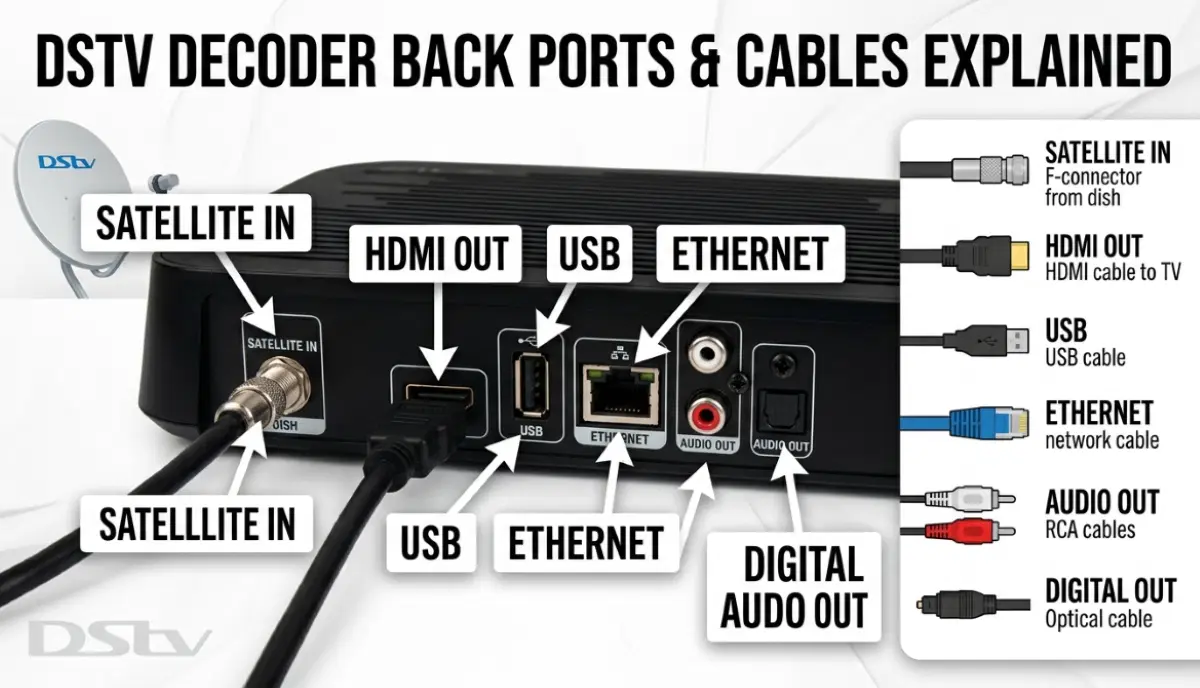
- Ensure HDMI cable is firmly connected at both ends
- Try a different HDMI port on your TV
- Check decoder audio settings: Menu → Settings → Audio
- If using optical or RCA audio, ensure cables are properly connected
💳 Problem #7: Subscription or Smartcard Errors
Error codes E47-4, E47-5, or messages about “Smartcard not authorized” or “Subscription expired.”
Likely causes:
- Expired subscription (payment not made)
- Smartcard not inserted properly or dirty contacts
- Smartcard not paired with decoder
- Account issues with DSTV
How to fix it:
- Check subscription status: Menu → General Information → Subscription
- Log into MyDSTV app or website to check payment status
- Remove smartcard, clean the gold contacts with a soft cloth, reinsert firmly
- If smartcard needs pairing, call DSTV customer care or use MyDSTV app
⚡ Problem #8: Load Shedding Related Issues
Your decoder doesn’t work during power outages, or it’s damaged after power returns.
This is a uniquely South African dstv problem.
Likely causes:
- No power to decoder during load shedding (obvious but common)
- Power surge damage when electricity returns
- UPS or inverter not powerful enough
- Decoder power supply damaged by frequent power cycling
How to fix it:
- Install a UPS (Uninterruptible Power Supply) for your decoder and TV
- Use a surge-protected power strip to prevent damage from power surges
- If decoder won’t power on after load shedding, try a hard reboot (unplug 60 seconds)
- If still not working, power supply may be damaged – professional repair needed
For more help, read our
emergency services guide
and free inspection offer.
🔢 DSTV Error Codes Decoded: What They Really Mean
| Error Code | What It Means | Quick Fix | When to Worry |
|---|---|---|---|
| E48-32 | No signal from satellite | Check cable connections, reboot decoder | If persistent, likely dish alignment issue |
| E47-4 / E47-5 | Smartcard authorization failed | Remove and reinsert smartcard, check subscription | Contact DSTV if problem continues |
| E16-4 | Hard drive failure (Explora) | Backup recordings immediately | Decoder likely needs replacement |
| E30-0 | Software update required | Ensure decoder is connected to internet | Manual update may be needed |
| E14-0 / E14-4 | No satellite signal found | Check dish alignment, cable damage | Professional realignment needed |
| E2-64 | Network connection error | Check internet connection, reboot router | If persistent, check decoder network settings |
For complete error code guidance, refer to the
official DSTV error code guide.
🛡️ Preventing Future DSTV Problems
Preventative maintenance reduces dstv problems by up to 70%.
Here’s a simple schedule to keep your system healthy.
Monthly (5 minutes):
- Check signal strength and quality readings
- Clean decoder vents to prevent overheating
- Ensure decoder has proper ventilation (not in a closed cabinet)
Quarterly (15 minutes):
- Inspect visible cables for damage or loose connections
- Check dish stability (no movement when pushed gently)
- Trim any tree branches approaching dish line of sight
Annually (Professional recommended):
- Professional signal alignment check and optimization
- LNB performance testing
- Complete system health assessment
- Surge protection check
For professional maintenance, request a free inspection
through ServiceLink SA.
📞 When to Call a Professional Instead of DIY
While many dstv problems can be fixed with simple troubleshooting,
some situations absolutely require a professional. Here’s when to stop DIY and call an expert.
- Persistent “No Signal” after basic troubleshooting – You’ve checked cables, rebooted, and still have no signal after 20 minutes
- Visible dish damage or movement – Your dish has moved, been hit, or shows physical damage
- You see sparks, smell burning, or your breaker trips – Electrical issues require immediate professional attention
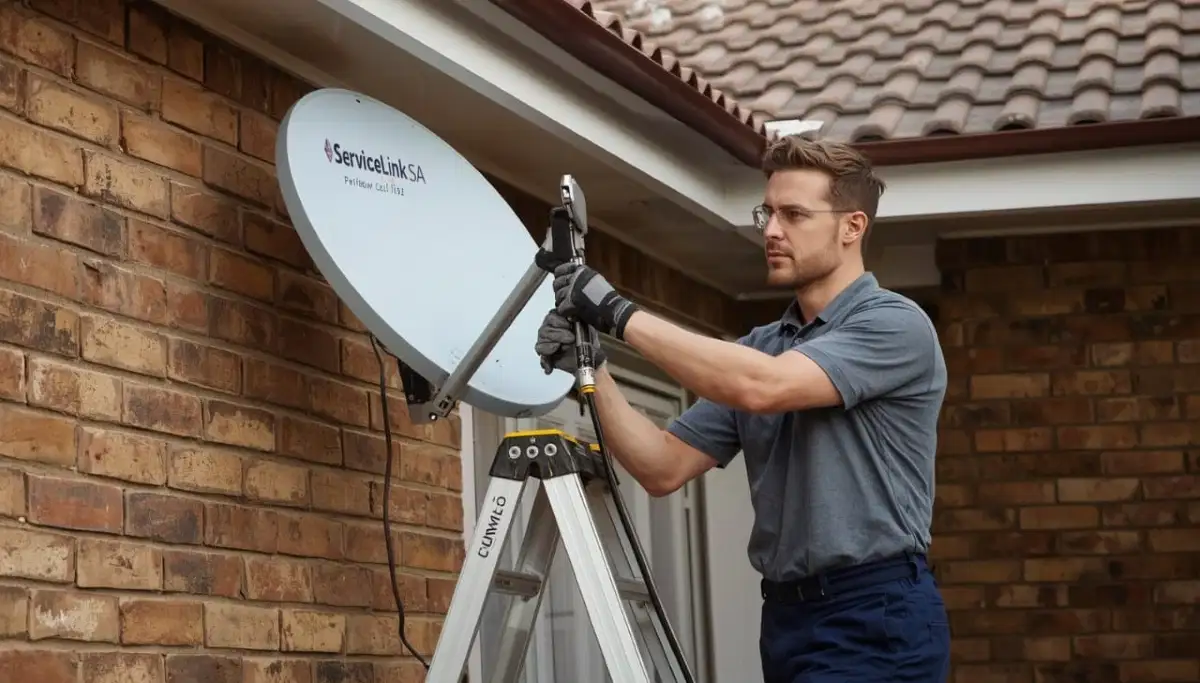
- Your dish is on a high roof – Safety first – don’t risk falling
- You have a complex Extra View or communal system – These require specialised knowledge
- Error codes E16-4 or other hardware failure indicators – Decoder may need repair or replacement
For professional help, request emergency service through ServiceLink SA.
We have accredited, verified installers ready to help across South Africa.
Read our how to choose a contractor guide.
❓ Frequently Asked Questions About DSTV Problems
Why is my DSTV showing “No Signal” even after rebooting?
If dstv not working persists after rebooting, the problem is likely physical – not a software glitch.
Check cable connections first (40% of cases), then check signal strength readings.
If strength is below 40%, your dish is likely misaligned. If strength is good but quality is poor,
your LNB may be failing. Read our no signal guide.
What does E48-32 mean on my DSTV decoder?
E48-32 is the most common error code when dstv not responding. It means your decoder cannot detect any satellite signal.
This is usually caused by dish misalignment, a disconnected or damaged cable, a faulty LNB, or severe weather.
Start by checking cable connections, then check signal strength readings.
Read our complete E48-32 fix guide.
Why does my DSTV keep losing signal during rain?
This is called “rain fade” – raindrops absorb and scatter satellite signals.
If this happens frequently, your baseline signal is marginal. To fix it,
improve your signal during clear weather (aim for 85%+ quality), check for water in cables,
and consider a larger dish. Read our rain fade guide.
Can load shedding damage my DSTV decoder?
Yes, power surges when electricity returns after load shedding can damage sensitive decoder components.
Always use a surge-protected power strip. For frequent load shedding, consider a UPS.
If your decoder won’t power on after load shedding, try a hard reboot (unplug 60 seconds).
If still not working, the power supply may be damaged.
How do I fix my DSTV remote when it’s not working?
For dstv not working remote issues: replace batteries first (80% of cases),
clean the IR sensor on the decoder and remote with a soft cloth,
ensure nothing is blocking the front of the decoder,
and re-pair Bluetooth remotes by holding EXIT + MENU for 10 seconds.
Read our complete remote guide.
Why is my DSTV decoder not turning on?
If your decoder has no lights and won’t power on, check the power cable is firmly connected,
test the wall outlet with another device, and try a different outlet.
If still not working, the power supply may have failed (common after load shedding surges).
Read our decoder not booting guide.
How much does it cost to fix DSTV signal problems?
Professional signal repair costs: simple realignment R450-R900,
LNB replacement R350-R700, cable repair R450-R750.
Many reputable installers credit the call-out fee toward the repair if you proceed.
Get a free quote from verified local installers.
Why does my DSTV picture keep freezing?
Picture freezing is caused by poor signal quality. Check your signal readings
(Menu → Settings → Signal Detection). If quality is below 50%, check cable connections,
look for electrical interference, or your LNB may be failing.
Read our picture freezing fix guide.
How can I reset my DSTV decoder?
To reset your decoder, perform a hard reboot: unplug from power for 60 seconds,
then plug back in. Wait 2-3 minutes for full reboot.
For a factory reset (warning – erases recordings and settings),
go to Menu → Settings → Factory Reset.
Read our complete reset guide.
When should I call a professional for DSTV problems?
Call a professional if: you’ve tried all troubleshooting steps for over an hour with no success,
your dish is on a high/inaccessible roof, you see visible damage to your dish or LNB,
you have a multi-room (Extra View) setup, or you see sparks or smell burning.
Request emergency service for same-day help.
✅ Final Thoughts: Most DSTV Problems Are Fixable
Seeing dstv not working on your screen is frustrating – especially when you’re trying to relax,
watch the big game, or enjoy a movie night with the family. But here’s what I want you to remember:
most problems are quick and easy to fix.
Start with the simple checks: reboot your decoder, check your cable connections, and verify your TV is on the right input.
If that doesn’t work, work through the 8 problems in this guide. In most cases, you’ll have your DSTV working again in under 15 minutes.
But if you’ve tried everything and still have problems, don’t waste another evening frustrated.
Professional help is just a phone call away. ServiceLink SA connects you with verified, accredited DSTV installers
who can diagnose and fix problems fast – often the same day.
DSTV Still Not Working? Let Us Help.
Stop troubleshooting and start watching. Get same-day help from a verified, accredited DSTV installer near you.
Free quotes. No obligation. Service across South Africa.
📞 Call us: 073 138 4726 for immediate assistance.
Free signal inspection •
How to choose an installer •
Our guarantees
📚 Official resources & standards referenced:
- Official DSTV troubleshooting guide – Official problem diagnosis.
- Official DSTV error code guide – Complete error code reference.
Information provided for general guidance. DSTV is a registered trademark of MultiChoice.
Troubleshooting steps are based on 21+ years of industry experience and official documentation.
Written by: Innocent T Hanyani
Satellite & Home Entertainment Installation Specialist | 21+ Years Experience
Innocent T Hanyani has over two decades of experience in satellite television installations and troubleshooting across South Africa.
He has helped thousands of homeowners diagnose and fix DSTV problems, from simple signal issues to complex hardware failures.
His practical, step-by-step approach focuses on solving problems efficiently while prioritising safety.
For more help with DSTV problems, explore our related resources:
no signal guide,
E48-32 error fix,
searching for signal fix,
decoder not booting fix,
how to reset decoder,
remote not working fix.
See our service areas page for coverage in your region.